Quick connect
1 vote

Hi.
I would really appreaciate if Quick connect button could be placed in File ribbon and before Dashboard tab.
I know it is in View ribbon but File ribbon is displayed most of the time so I would expect it here.
Having a small button as tab before Dashboard tab would be nice too.
All Comments (4)
Hello,
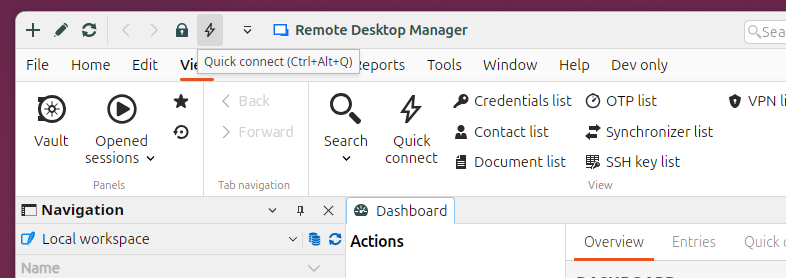
Thanks for the suggestion. There are a few options available to you. First, the best way to solve your issue is to simply pin the ribbon button to the quick access toolbar, just right click on the button the select "Pin to Quick Access", this will add the button to the title bar of RDM and easy to access at all time:
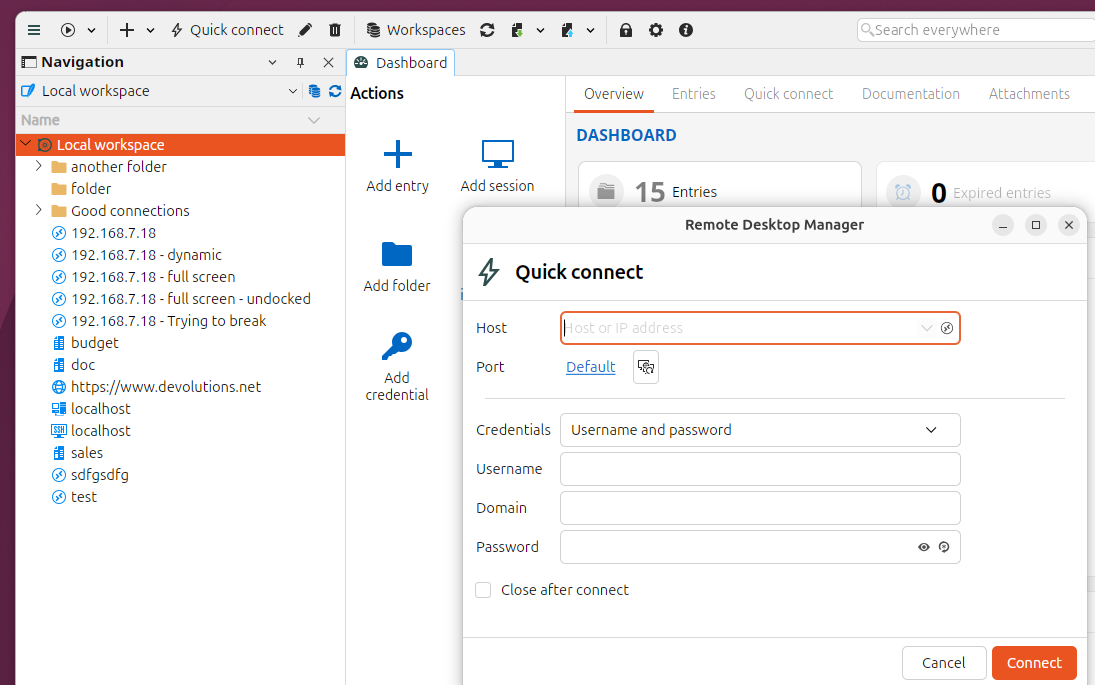
Another solution is to switch to Toolbar Mode, our new Toolbar mode is fully customizable. Click on your Account Icon in the top right, then select "Toolbar", then you can right click on the Toolbar and "Customize" the set of buttons shown in the toolbar, this will allow you to place the Quick Connect button anywhere you want on the Toolbar.
Best Regards,
Paul Dumais
Awesome! Thanks
After a while I can say that it is not working properly.
Pinned icons in quick access are dissappearing.
I added to quick access "quick connect" and "reconnect".
After starting app both are gone. When I click on View then "quick connect" comes back. "Reconnect" comes back only when I click on Home...
Quick connect in toolbar does not allow to type anything in when last active element was terminal tab (tab with rdp works).
@btojs Thanks, I have logged a ticket to fix these issues.
Paul Dumais