
cptsparrow
Sessions not moving to "disconnected".
Hello,
Thank you for the screenshot and the video, they were helpful to better understand the behavior.
I tried to reproduce this issue on my end and was not able to get the same result. To help us investigate further, could you please share the settings you currently have configured in RDM? You can upload them through the private SharePoint link I sent you earlier, sanitized of any sensitive information (credentials, IPs, hostnames, etc.).
Also, could you confirm which workspace type (e.g. DVLS, SQL, Cloud) you're currently using? This will help us narrow down whether the issue is tied to a specific configuration.
Thank you for your collaboration.
Best regards,
@Alexis Geller Peiro
Workspace is
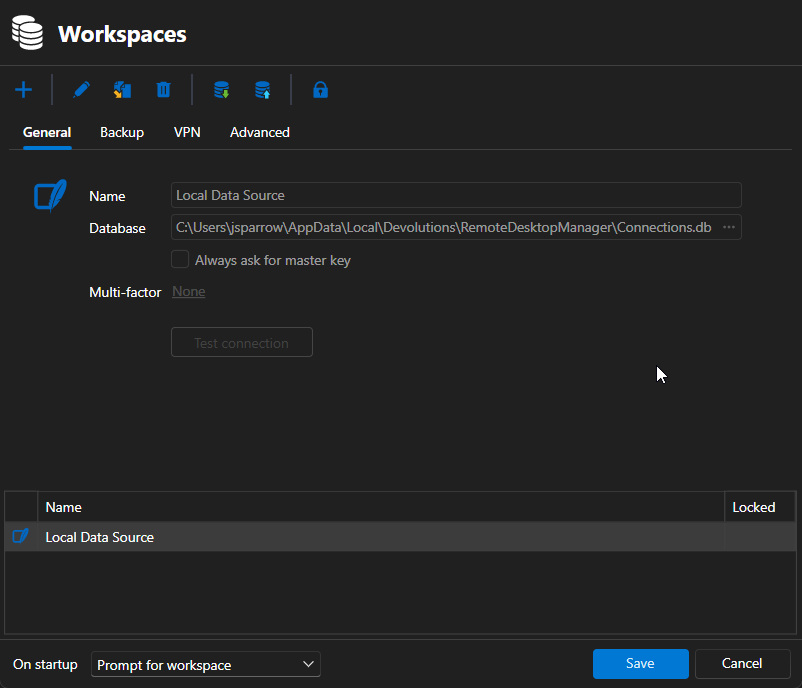
Settings I cannot seem to upload. They get exported to a .cfg format that your Sharepoint doesnt allow to upload to.
Sessions not moving to "disconnected".
Actually got it to happen pretty quickly. So in the screenshot you'll see that the tab on the top does not say "Disconnected". However, if you notice, as my mouse is spinning I am spamming Enter, random keys, ctrl-c, etc. But nothing happens on the session. Then if I click Reconnect, we can see it just sits there doing nothing. No disconnect and reconnect to the remote machine. Only way to get back in is to close the tab and reopen.
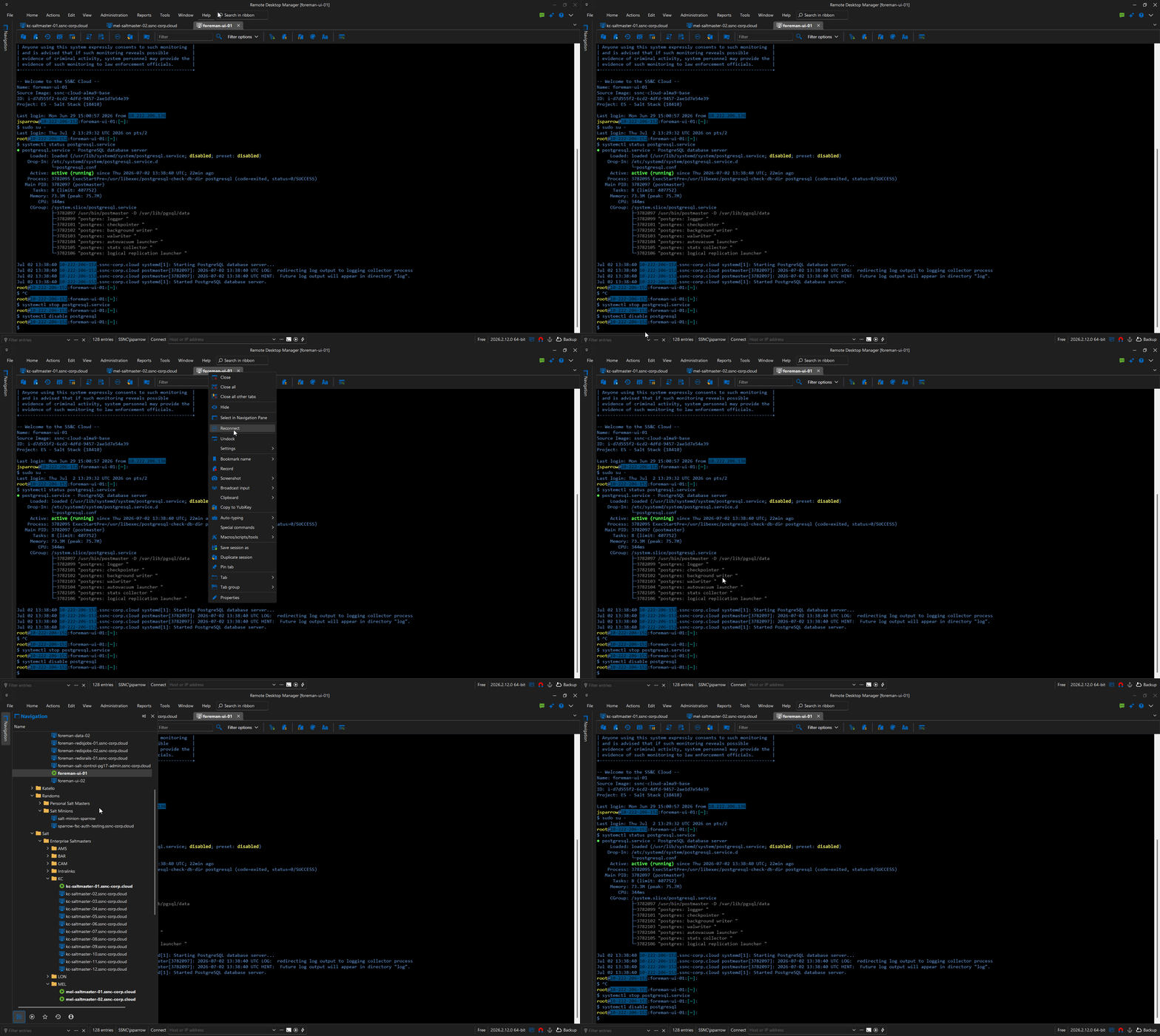
Sessions not moving to "disconnected".
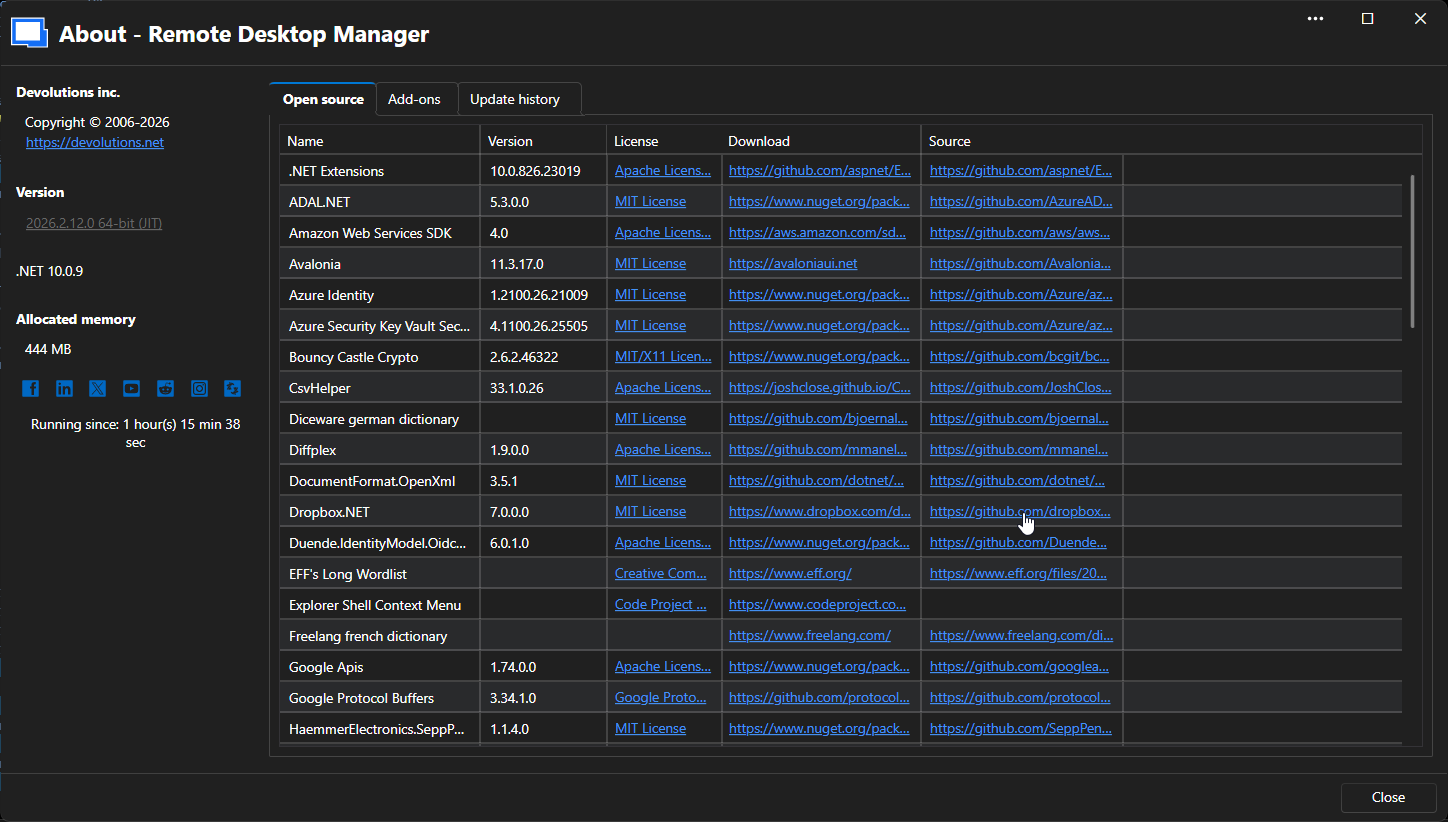
I'll have to wait until it happens again to get a gif/video.
Sessions not moving to "disconnected".
Updated to latest version of RDM. Seeing a new issue where sessions seem to get disconnected but the tab itself doesnt show it disconnected. Then, when you try to right click on the tab and "Reconnect" it doesnt do anything. You have to close the tab and reopen.
Zoom setting per session?
Is there a setting somewhere that allows for text/zoom level per session? Specifically, right now I am opening a simple Powershell embedded session. But every time I open it I have to ctrl mouse wheel to make the text smaller. Not a huge deal, but would be nice if I didnt have to.
Opening RDP through Citrix
Ok I think I got something. Maybe you can help me make it better?
RDP Session
Events: Before Open: "C:\Program Files (x86)\Citrix\ICA Client\SelfServicePlugin\SelfService.exe" -qlaunch "Name of Bastion Server"
After Open: Macro/Script/Tool - Typing Macro (name of RDP host you want to connect to).
The problem? Sometimes it takes 2 seconds to open the bastion server, sometimes it takes 30 seconds. So Im not sure how to set the timing correctly.
Opening RDP through Citrix
I dont. Im more of a linux guy. I refuse to use windows at our company because of the dang jumps to get to one. However, I did just find if I run this:
"C:\Program Files (x86)\Citrix\ICA Client\SelfServicePlugin\SelfService.exe" -qlaunch "Jump Server - St Louis"
It does actually open the Citrix Reciever, directly, to that jumphost. That alone gets rid of 3 steps: Open Browser -> Log in to Citrix -> Click on Jump Host
Trying to figure out now how to pass the actual fqdn/ip into it.
Opening RDP through Citrix
Is there a way to open an RDP session through a Citrix jumpbox? Either via Citrix Receiver, Citrix Workspace, or an ICA file? I spent a good hour reading through posts on here, but cant find a definitive answer.
Thanks.
SSH jump hosts and MFA
Aha! I got it!! Its a bit confusing.
First mistake was adding the private key to the General Tab of the connection itself. The correct way is to edit the connection, then go to the SSHGateway Tab, click edit and add the private key there.
The next confusing part is that most private keys dont have an extension, but RDM is looking for one with. So I had to select show all files *.*
The second mistake was assuming that if I edited the private key for the SSHGateway, that it would propagate to all other connections, since they all use it.
I fixed this by doing a batch edit of all entries.
Its now working. TYVM.
SSH jump hosts and MFA
Same thing occurs when I put in the private key, admittedly Im not sure Im using RDMs keys/certs correctly. Usually you would just provide the public key, but I dont see that option anywhere in RDM settings.
Here is the verbose output of the attempt with the private key:
[6/27/2024 6:20:18 AM] Starting SSH, verbose level: 3
[6/27/2024 6:20:18 AM] Setting up connection
[6/27/2024 6:20:18 AM] Using jump host: jump.ssnc-corp.cloud:22, 0
[6/27/2024 6:20:18 AM] Connecting to port: 22 (IP any)
[6/27/2024 6:20:18 AM] Connected to SSH proxy host
[6/27/2024 6:20:19 AM] SSH banner: SSH-2.0-OpenSSH_7.4

[6/27/2024 6:20:19 AM] Sending kex init
[6/27/2024 6:20:19 AM] Received kex init
[6/27/2024 6:20:19 AM] Selected algorithms: curve25519-sha256, ssh-ed25519, chacha20-poly1305@openssh.com, chacha20-poly1305@openssh.com, implicit by cipher, implicit by cipher, none, none
[6/27/2024 6:20:19 AM] Sending Ed25519 kex init
[6/27/2024 6:20:19 AM] Received Ed25519 kex reply
[6/27/2024 6:20:19 AM] Successfully authentified server
[6/27/2024 6:20:19 AM] Sending new keys message
[6/27/2024 6:20:19 AM] Received new keys message
[6/27/2024 6:20:19 AM] Sending userauth service request
[6/27/2024 6:20:19 AM] Received extension info message
[6/27/2024 6:20:19 AM] Server accepts public key types: rsa-sha2-256,rsa-sha2-512
[6/27/2024 6:20:19 AM] Received service accepted message
[6/27/2024 6:20:19 AM] Sending userauth init request
[6/27/2024 6:20:19 AM] Received userauth banner:
                                                 +-----------------------------------------------------------------+
                                                                                                                    | This system is for the use of authorized users only.            |
                                                                                                                                                                                       | Individuals using this computer system without authority, or in |
                                                    | excess of their author
+-----------------------------------------------------------------+
| This system is for the use of authorized users only.            |
| Individuals using this computer system without authority, or in |
| excess of their authority, are subject to having all of their   |
| activities on this system monitored and recorded by system      |
| personnel.                                                      |
|                                                                 |
| In the course of monitoring individuals improperly using this   |
| system, or in the course of system maintenance, the activities  |
| of authorized users may also be monitored.                      |
|                                                                 |
| Anyone using this system expressly consents to such monitoring  |
| and is advised that if such monitoring reveals possible         |
| evidence of criminal activity, system personnel may provide the |
| evidence of such monitoring to law enforcement officials.       |
+-----------------------------------------------------------------+
[6/27/2024 6:20:19 AM] Received userauth failure: publickey,gssapi-keyex,gssapi-with-mic,password,keyboard-interactive
[6/27/2024 6:20:19 AM] Starting interactive authentication
[6/27/2024 6:20:19 AM] Sending userauth interactive request
[6/27/2024 6:20:19 AM] Received userauth info request:
[Prompt->Password: ]
[6/27/2024 6:20:19 AM] Sending userauth interactive response: 1
Here is where it asks for MFA.
I accept it on my phone and it continues:
[6/27/2024 6:20:31 AM] Received userauth info request:
[6/27/2024 6:20:31 AM] Sending userauth interactive response: 0
[6/27/2024 6:20:31 AM] Received userauth success
[6/27/2024 6:20:31 AM] User authenticated successfuly by password interactive
[6/27/2024 6:20:31 AM] Sending forward channel open request: 0/- 10-222-206-152.ssnc-corp.cloud:22
[6/27/2024 6:20:31 AM] Received global request: hostkeys-00@openssh.com , no need to reply
[6/27/2024 6:20:31 AM] Received channel open confirmation: 0/0 WS 200000/2097152 MPS 32000/32768
[6/27/2024 6:20:31 AM] SSH banner: SSH-2.0-OpenSSH_8.7

[6/27/2024 6:20:31 AM] Sending kex init
[6/27/2024 6:20:31 AM] Received kex init
[6/27/2024 6:20:31 AM] Selected algorithms: curve25519-sha256(strict), ssh-ed25519, chacha20-poly1305@openssh.com, chacha20-poly1305@openssh.com, implicit by cipher, implicit by cipher, none, none
[6/27/2024 6:20:31 AM] Sending Ed25519 kex init
[6/27/2024 6:20:31 AM] Received Ed25519 kex reply
[6/27/2024 6:20:31 AM] Successfully authentified server
[6/27/2024 6:20:31 AM] Sending new keys message
[6/27/2024 6:20:31 AM] Received new keys message
[6/27/2024 6:20:31 AM] Sending userauth service request
[6/27/2024 6:20:31 AM] Received extension info message
[6/27/2024 6:20:31 AM] Server accepts public key types: ssh-ed25519,sk-ssh-ed25519@openssh.com,ssh-rsa,rsa-sha2-256,rsa-sha2-512,ssh-dss,ecdsa-sha2-nistp256,ecdsa-sha2-nistp384,ecdsa-sha2-nistp521,sk-ecdsa-sha2-nistp256@openssh.com,webauthn-sk-ecdsa-sha2-nistp256@openssh.com
[6/27/2024 6:20:31 AM] Received service accepted message
[6/27/2024 6:20:31 AM] Using provided key data
[6/27/2024 6:20:31 AM] Sending userauth init request
[6/27/2024 6:20:31 AM] Received userauth banner:
                                                 +-----------------------------------------------------------------+
                                                                                                                    | This system is for the use of authorized users only.            |
                                                                                                                                                                                       | Individuals using this computer system without authority, or in |
                                                    | excess of their author
+-----------------------------------------------------------------+
| This system is for the use of authorized users only.            |
| Individuals using this computer system without authority, or in |
| excess of their authority, are subject to having all of their   |
| activities on this system monitored and recorded by system      |
| personnel.                                                      |
|                                                                 |
| In the course of monitoring individuals improperly using this   |
| system, or in the course of system maintenance, the activities  |
| of authorized users may also be monitored.                      |
|                                                                 |
| Anyone using this system expressly consents to such monitoring  |
| and is advised that if such monitoring reveals possible         |
| evidence of criminal activity, system personnel may provide the |
| evidence of such monitoring to law enforcement officials.       |
+-----------------------------------------------------------------+
[6/27/2024 6:20:31 AM] Received userauth failure: publickey,gssapi-keyex,gssapi-with-mic,password,keyboard-interactive
[6/27/2024 6:20:31 AM] Starting authentication by key
[6/27/2024 6:20:31 AM] Validating public key: rsa-sha2-512
[6/27/2024 6:20:31 AM] Received userauth key ok
[6/27/2024 6:20:31 AM] Sending userauth public key signature: rsa-sha2-512(rsa-sha2-512)
[6/27/2024 6:20:32 AM] Received userauth success
[6/27/2024 6:20:32 AM] User authenticated successfuly by public key
[6/27/2024 6:20:32 AM] Sending session channel open request: 0/-
[6/27/2024 6:20:32 AM] Received global request: hostkeys-00@openssh.com , no need to reply
[6/27/2024 6:20:32 AM] Received debug message:
/home/jsparrow/.ssh/authorized_keys:1: key options: agent-forwarding port-forwarding pty user-rc x11-forwarding
[6/27/2024 6:20:32 AM] Received debug message:
/home/jsparrow/.ssh/authorized_keys:1: key options: agent-forwarding port-forwarding pty user-rc x11-forwarding
[6/27/2024 6:20:32 AM] Received channel open confirmation: 0/0 WS 200000/0 MPS 32000/32768
[6/27/2024 6:20:32 AM] Sending pty request: 0/0 xterm-256color width = 198 height = 48
[6/27/2024 6:20:32 AM] Received channel success: 0/0
[6/27/2024 6:20:32 AM] Sending environment variable request: LANG=en_US.UTF-8 0/0
[6/27/2024 6:20:32 AM] Received channel failure: 0/0
[6/27/2024 6:20:32 AM] The server did not accept the environment variable
[6/27/2024 6:20:32 AM] Sending shell request: 0/0
[6/27/2024 6:20:32 AM] Received window adjust: 0/0 2097152
[6/27/2024 6:20:32 AM] Received channel success: 0/0
[6/27/2024 6:20:32 AM] Sending pty size change: 0/0 width = 198 height = 48

[jsparrow@10-222-206-152 ~]$SSH jump hosts and MFA
Hello, just checking in to see if there has been any updates on this?
SSH jump hosts and MFA
Yes of course. I am CDT and around from 9am to 3pm M-F. It could just be that I am not setting up jumphosts correctly, or missing some sort of setting. But Ive spent hours trying to figure it out.
Just let me know when.
SSH jump hosts and MFA
I created a simple Powershell command entry, with a command of ssh me@host.com and it opened up powershell and connected without MFA.
SSH jump hosts and MFA
Hello. Lonnnnng time user, amazing product.
Im trying to figure out something, I just cant seem to figure out. We use an ssh jumphost, if I setup ..\.ssh\config to use a jumphost like this:
PS C:\Users\me\.ssh> cat .\config
Host jump.foo.bar
IdentityFile C:\Users\me\.ssh\id_rsa
User me
Host !jump.foo.bar *
ProxyJump jump.foo.bar
IdentityFile C:\Users\me\.ssh\id_rsa
User me
ForwardAgent yes
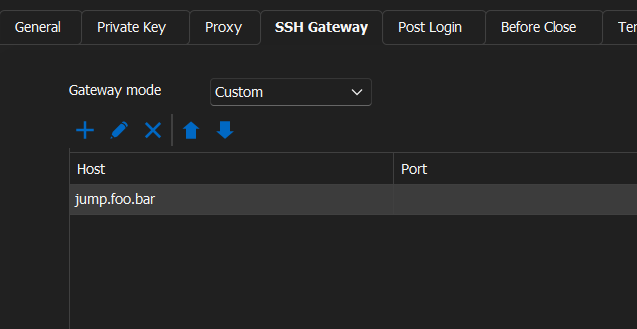
I can use powershell and connect directly to any host and MFA doesnt pop up. How can I emulate this in RDM? Ive set the following,
but every single time I launch a session I get prompted for MFA (albeit it does directly connect to the host). I just can't deal with an MFA request to every single session.
Cant upgrade or uninstall
Wow. As a person who writes automation for services/applications, I didnt even bother to try that tool because in 5 years Ive never once had it work. It actually worked....
Update worked fine. Thanks!
Cant upgrade or uninstall
I've tried pretty much everything to remove this.

New line key-combinations do not work in RDP
Good news that Im dumb? :) jk. Thanks for your quick replies as always.
New line key-combinations do not work in RDP
Im dumb. Forgot to restart the session. Works fine. Thanks.
New line key-combinations do not work in RDP
Yep, thats the first thing I tried. Still no luck.
New line key-combinations do not work in RDP
RDM - Free 4.6.0.0 64 bit
RDP - Default
New line key-combinations do not work in RDP
I have an issue where using ctrl-enter or shift-enter for new lines does not work in RDP sessions.
Is there an option I am missing?
Remote Desktop Manager - Not Responding
:)
Remote Desktop Manager - Not Responding
Update from my side. Have been using it alot this week. No issues since I switched to DOD for a Data Source. However, I ran into a new issue yesterday that was quite annoying. Due to the internet Level 3 outage yesterday, we lost connection to devolutions, which means we lost connection to DOD. I got an error message every 30 seconds. There was no way to quiet it, and it stays in front, thus preventing you from using any session.
Should probably allow users to quiet that message for x time.
https://i.imgur.com/6xqhYm4.png

Edit: I shouldnt say no way to. I did quiet it by changing to a local source, then had to change it back once connections were back up.
clicking and dragging to an undocked session causes RDM main window to move to front
Ya, I guess I never noticed because when I create the session, I tell them to undock there. I was setting up a new system and trying to use the tabs, then just clicking and dragging to undock. So wasnt used to the bug (or missing feature).
clicking and dragging to an undocked session causes RDM main window to move to front
Thats a negative. No change in behavior. You can tell it doesnt use the same behavior when clicking and dragging vs. right clicking and choosing undock. Here are what they look like:

Edit: website sat here spinning for ever when I added an image from imgur, so here's the link instead of inline