
tryllz
Drop Shadow Effects In Some Windows ?1
Thanks,
I checked, it uses Windows Open/Save Dialog box, that should do it..
Thanks again @David Hervieux
Drop Shadow Effects In Some Windows ?1
Its the portable version 2026.2.18.0
Drop Shadow Effects In Some Windows ?1
Thanks @David Hervieux
The Windows OS itself has drop shadow turned off, for now I have only seen this in the Save As dialog box. At the moment I can't remember if this was the same in previous version..
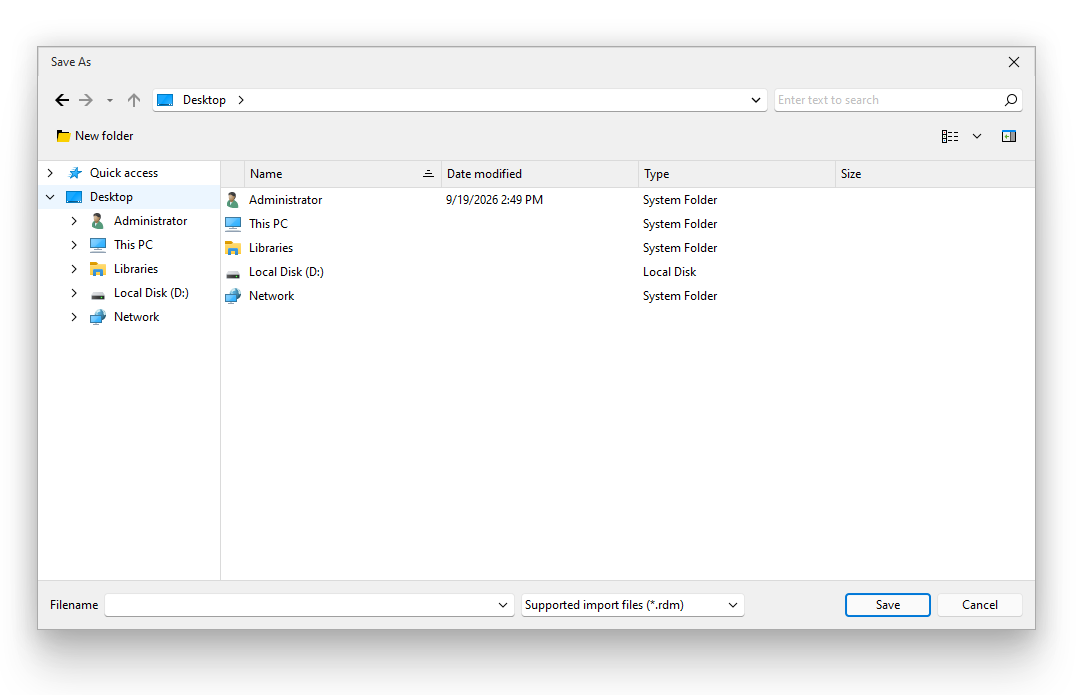
Sorry just seen this, also shows in the Yes/No dialog box
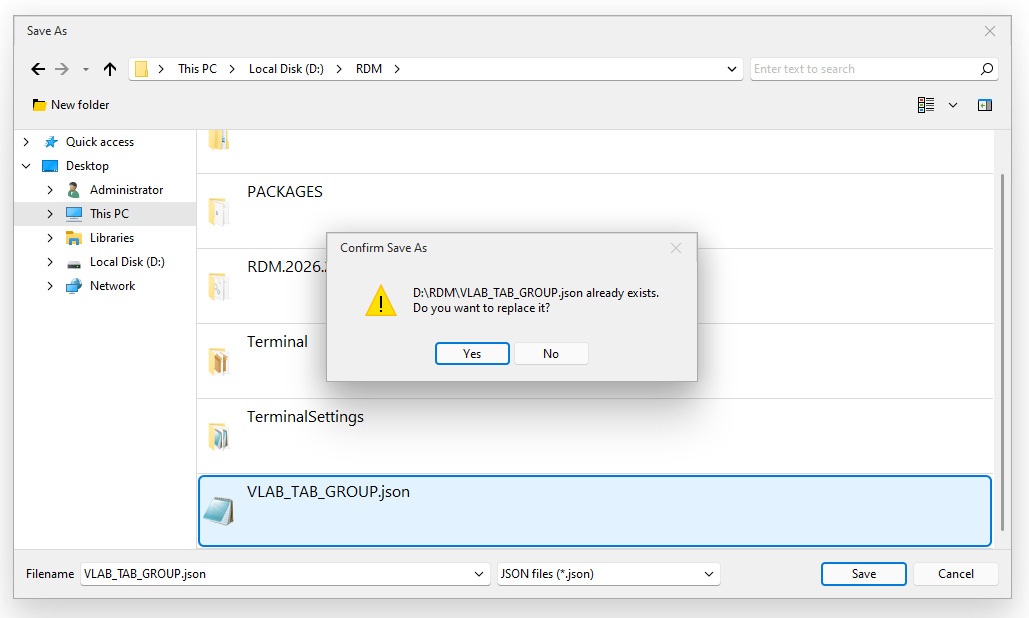
I have checked many other windows, does not appear in them..
Drop Shadow Effects In Some Windows ?1
Hi,
I have set Optimize UI Performance to Yes
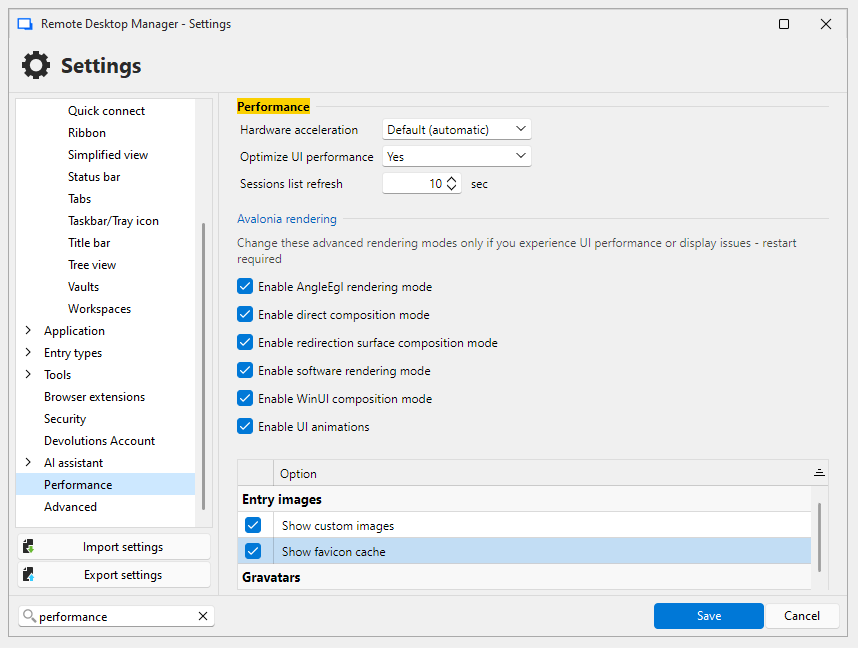
Some windows still show drop shadow efftect, any way to disable all shadow effects..
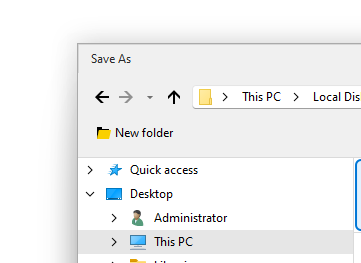
Thank You
Opening Console Window From vCenter In RDM Opens Too Many Multiple Tabs ?!
Aprpeciate the help onn this issue @Eduard Sepúlveda López
Thanks You..
Opening Console Window From vCenter In RDM Opens Too Many Multiple Tabs ?!
Thanks @Eduard Sepúlveda López
After checking the latest version I can confirm the issus is resolved, and vCenter web Console launches in the RDM tabs and only opens a single tab..
Just that there seems to be a UI glitch, this was found even in a fresh system, there does not seem to be a horizontal upper blue line in any dialog boxes..
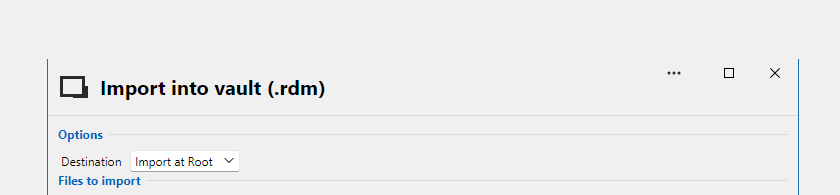
Thank You once again @Eduard Sepúlveda López
Opening Console Window From vCenter In RDM Opens Too Many Multiple Tabs ?!
Hi @Eduard Sepúlveda López
I can confirm the vCenter entry is a Website type which I use..
And the RDM version is 2026.3.4.0 64-bit (PreJIT)
Thank You
Opening Console Window From vCenter In RDM Opens Too Many Multiple Tabs ?!
Hi @Eduard Sepúlveda López
Thanks, I tested the beta version and it has a different issue..
What happens is that the vCenter Web Console launches a new Tab inside RDM (left Red marking) but and then vCenter keeps on loading for about 5-10 seconds (right red marking)..
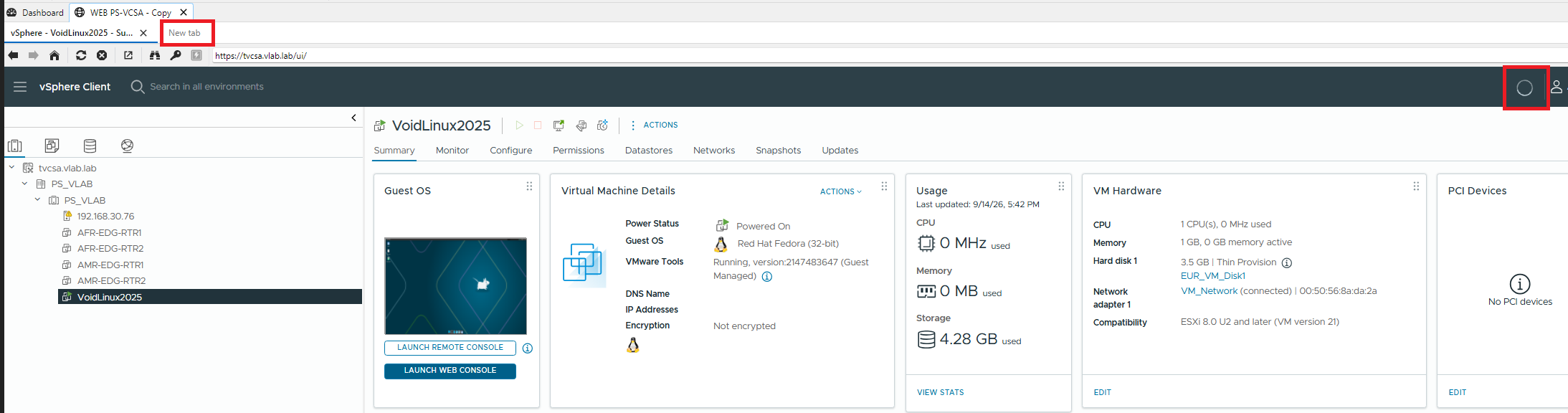
Then it opens the console in a separate browser window and closes the RDM Tab..
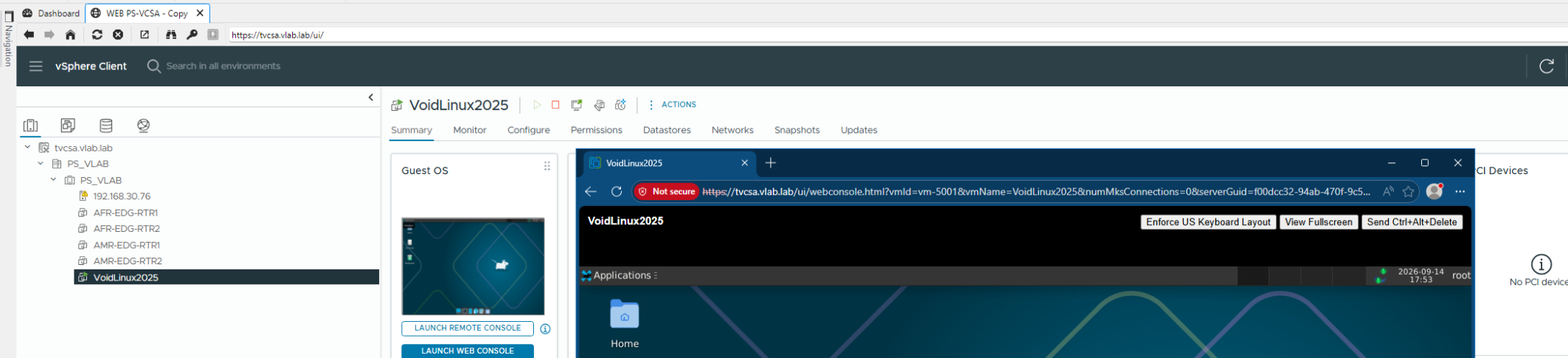
Thank You
Opening Console Window From vCenter In RDM Opens Too Many Multiple Tabs ?!
Thanks @Eduard Sepúlveda López
Appreciate the help, will wait for na update..
Opening Console Window From vCenter In RDM Opens Too Many Multiple Tabs ?!
Thanks @Eduard Sepúlveda López
I have attached the diagnostics files here as the VM is not internet connected..
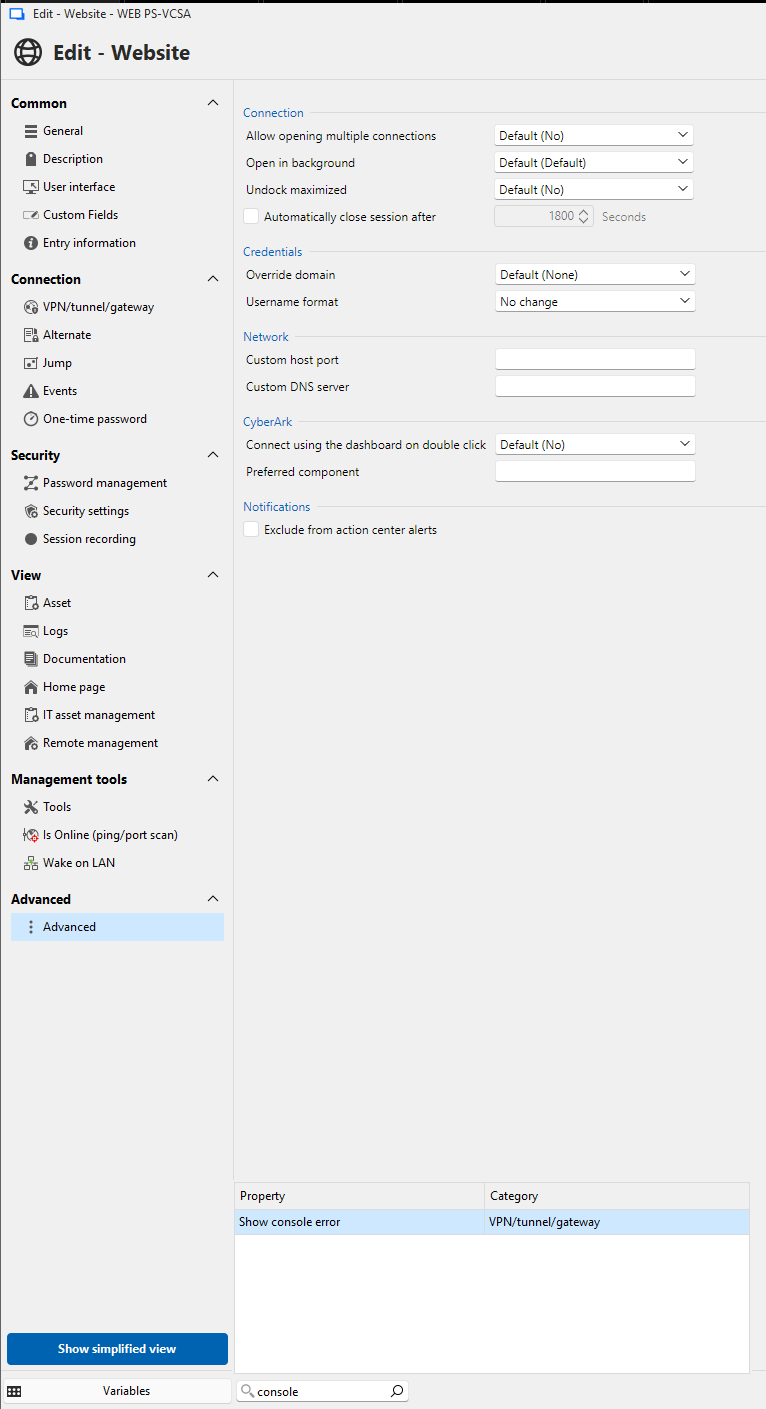
I was unable find the Console Connection Mode setting in the vCenter entry's properties, even searched for it..
Opening Console Window From vCenter In RDM Opens Too Many Multiple Tabs ?!
Thanks @Eduard Sepúlveda López
I have answered the questions below :
Which workspace is this vCenter entry stored in (Data Source SQL, DVLS, or Cloud)?
Default, which if I recall correct is SQL, definitely not DVLS or Cloud
Does this happen with every VM console you launch from vCenter, or only specific ones?
Happens on opening any VM console
What vSphere/vCenter version are you connecting to?
vCenter is version 8, specifically 8.0.3.00900-25413364
If you open the same vCenter web console directly in a normal browser (outside RDM), does it also spawn multiple tabs, or only when launched from inside RDM?
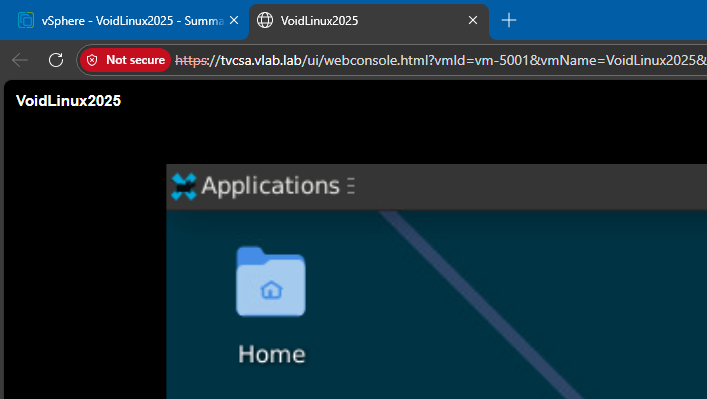
I have a test vCenter setup, and it opens only 1 tab in the browser, the same vCenter opens multiple tabs via RDM
VM Console via Browser
VM Console via RDM
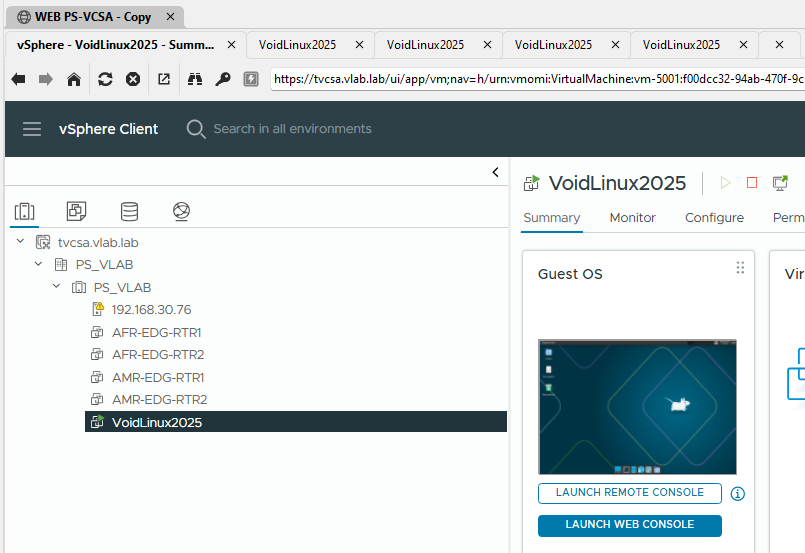
The RDM version I'm using is portable, does not seem to have Profiler in the Help menu, or in the other Tabs..

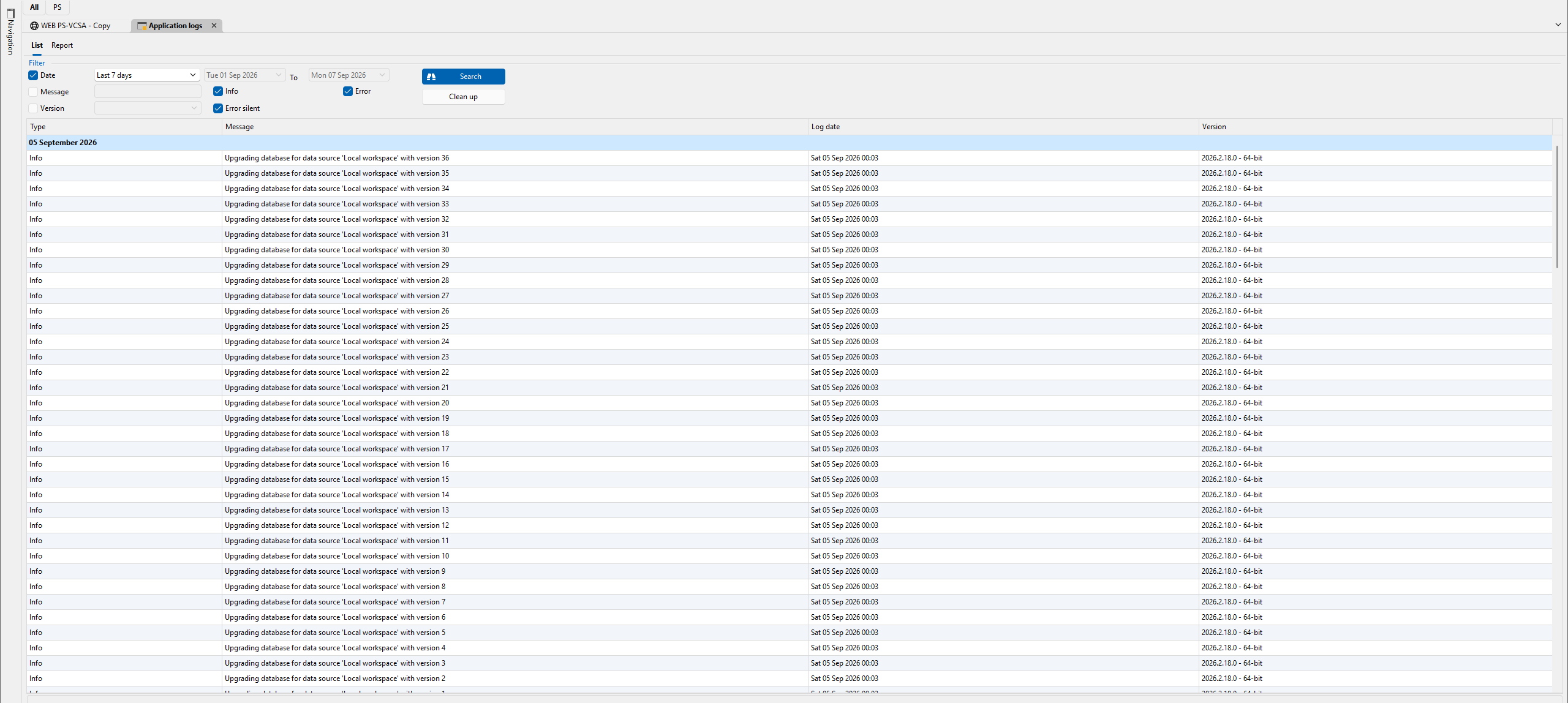
I saw the application Logs which seems to relate to what you are mentioning, and tried but nothing appeared in the logs when I tried a second time..
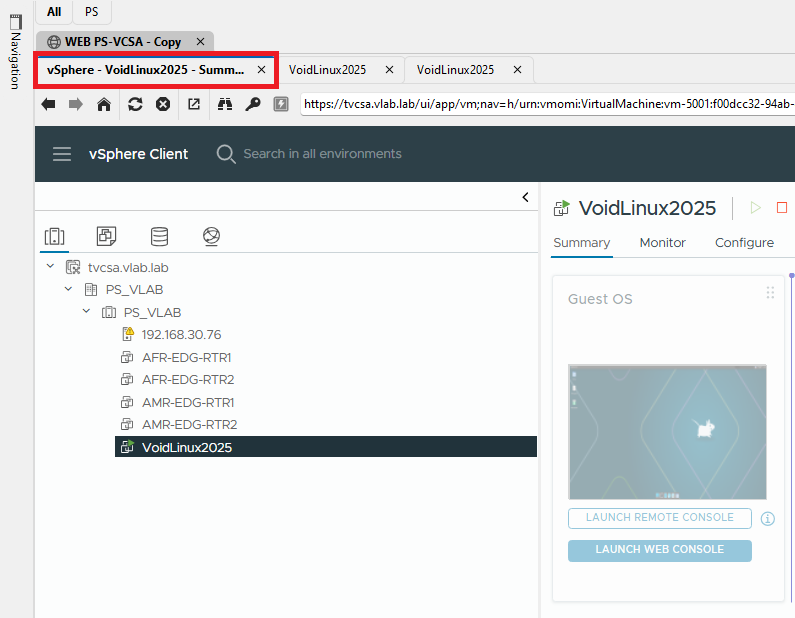
And I just noticed, multiple browser tabs stop opening when I click on any other tab, in this case I clicked the below highlighted tab and only 2 windows popped open..
Thank You
Opening Console Window From vCenter In RDM Opens Too Many Multiple Tabs ?!
To clarify, did not come across this issue in all previous versions, from what i remember just the last 2 versions had this exact issue..
Opening Console Window From vCenter In RDM Opens Too Many Multiple Tabs ?!
Hi,
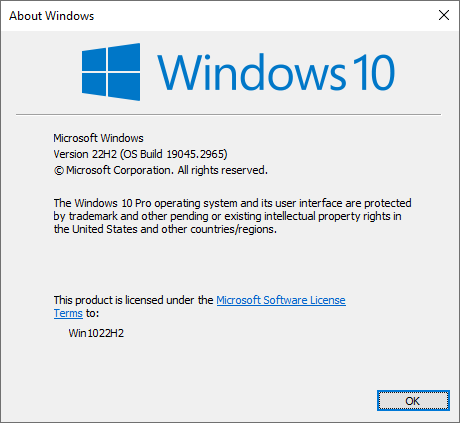
I'm seeing this issue in the current and previous versions (Current version is 2026.2.18.0, Windows 10 22H2).
Ths issue occurs when clicking Launch Web Console for any VM from vCenter in RDM, it keeps on opening tabs non-stop, I have to manually switch to any one of the tabs and start closing for it to stop opening any new tabs.
I did not face this issue previously, and I tested this with normal web links, it works fine.
The below was captured as its was opening too many tabs
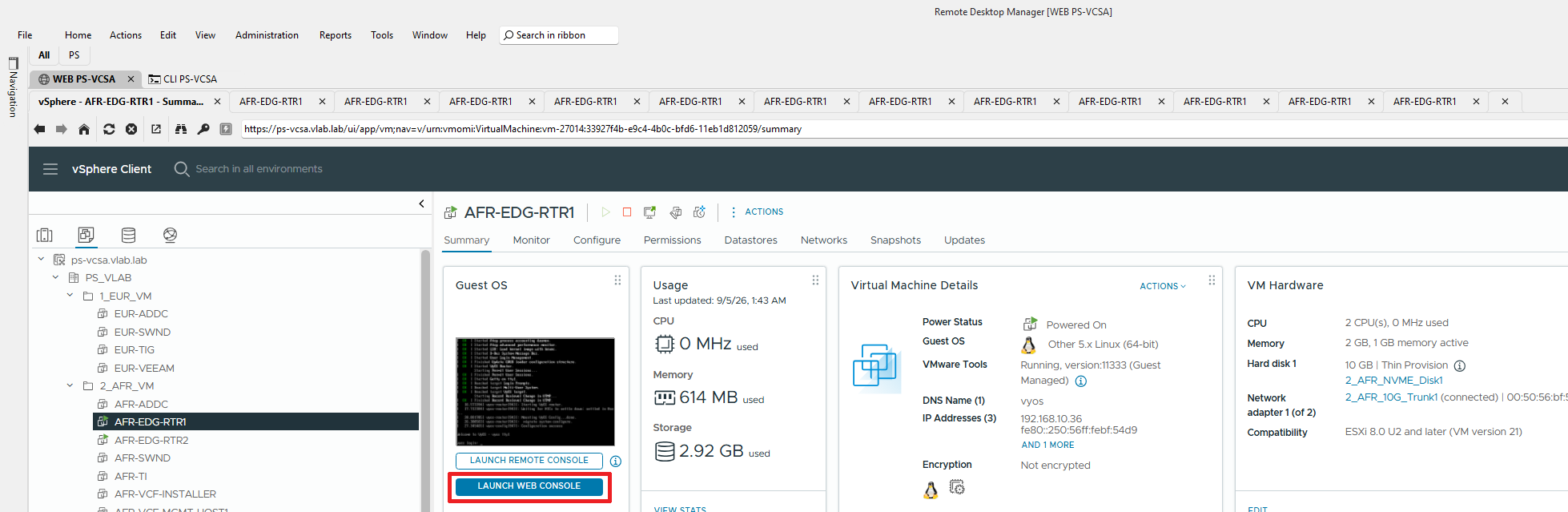
There seems to be no logs in C:\Users\<Username>\AppData\Local\Devolutions\RemoteDesktopManager
Any thoughts on how to resolve this issue..
Thank You
Unable to load PowerShell 7 Profile In Terminal Session ?
Thanks Alexis,
I found that I was using a portable version of Terminal which is why it was not appearing in RDM, %LOCALAPPDATA%\Packages\Microsoft.WindowsTerminal_8wekyb3d8bbwe\LocalState\settings.json
did not exist, after installing Terminal I can now see the Terminal profile options in RDM, and the other settings configured are working as well..
Appreciate the help..
Unable to load PowerShell 7 Profile In Terminal Session ?
I'm seeing this error for the Terminal Profile, tried the latest version, and PowerShell 5 as wll, in all cases this error appears, unsure if its related to my issue..
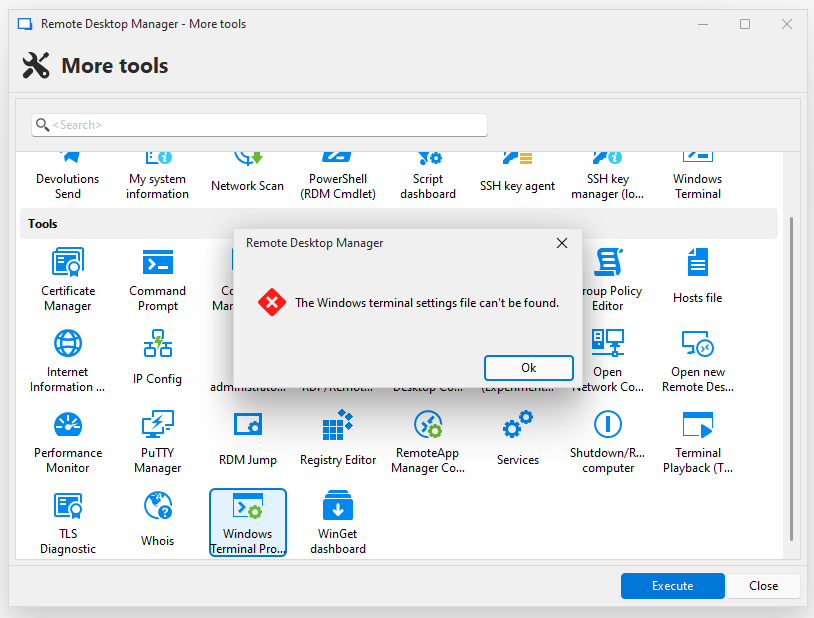
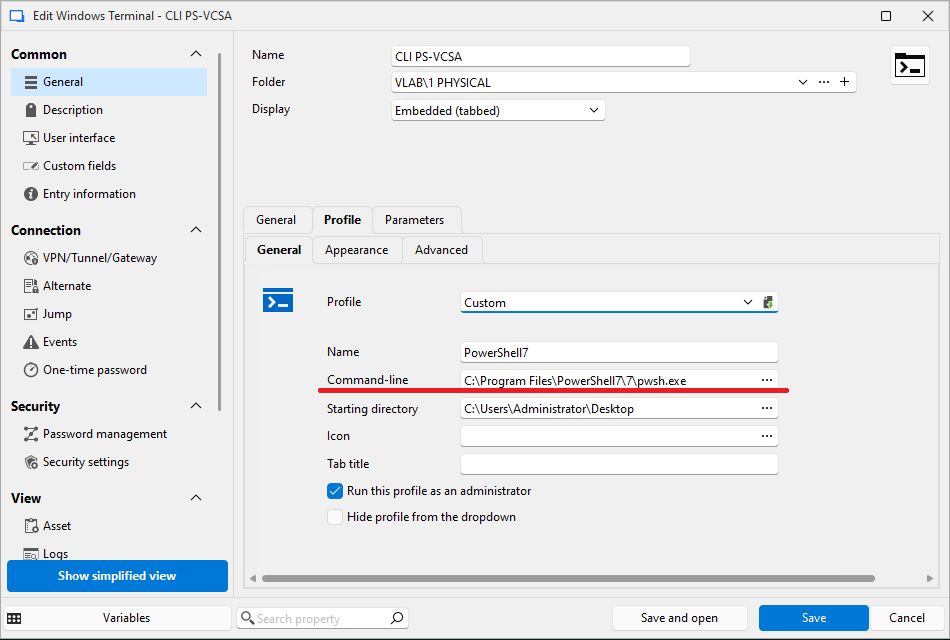
Unable to load PowerShell 7 Profile In Terminal Session ?
This was due to spacing issue in the address highlighted in Red, changed it to "C:\PowerShell7\pwsh.exe" and it works as expected..
Now there seems to be a different issue, even after creating different entries I see the below error..
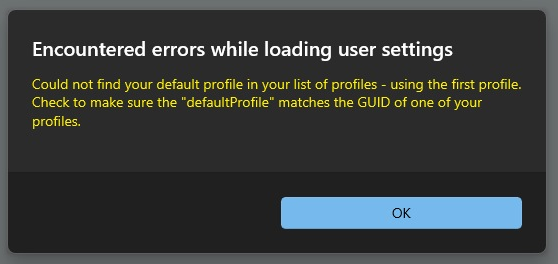
I tried adding multiple profiles manually to the settings.json file in C:\Users\Administrator\AppData\Local\Devolutions\RemoteDesktopManager\WindowsTerminal then too I see this error. On this error appears, the configuration in settings.json resets again..
Any ideas on how to resolve this..
Thank You
Unable to load PowerShell 7 Profile In Terminal Session ?
Hi,
I have setup PowerShell 7 and am able to load the profile for PowerShell 7 when launching Terminal from Tools > Windows Terminal..
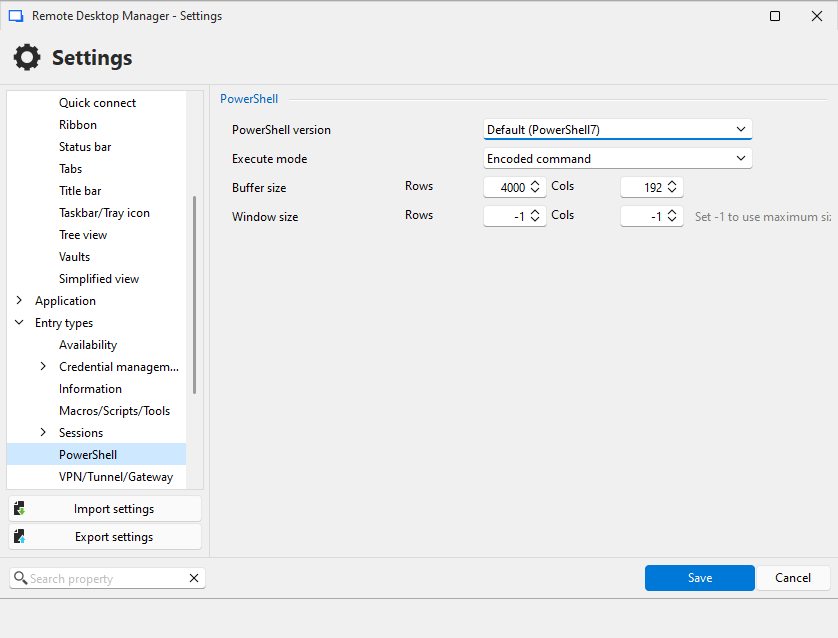
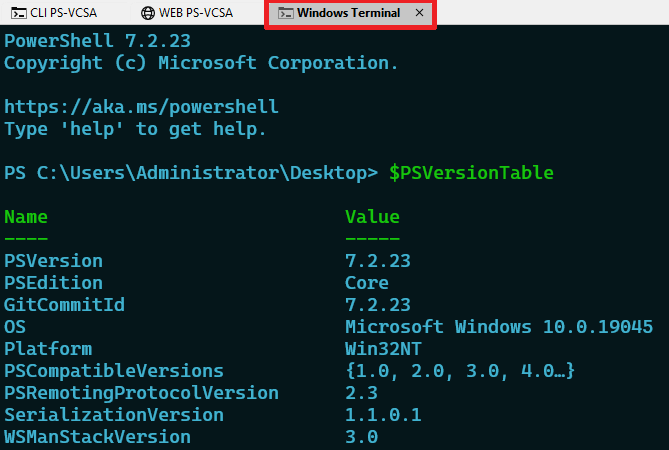
But when setting up a new Entry, and opening it, I see the the profile is still for PowerShell 5..
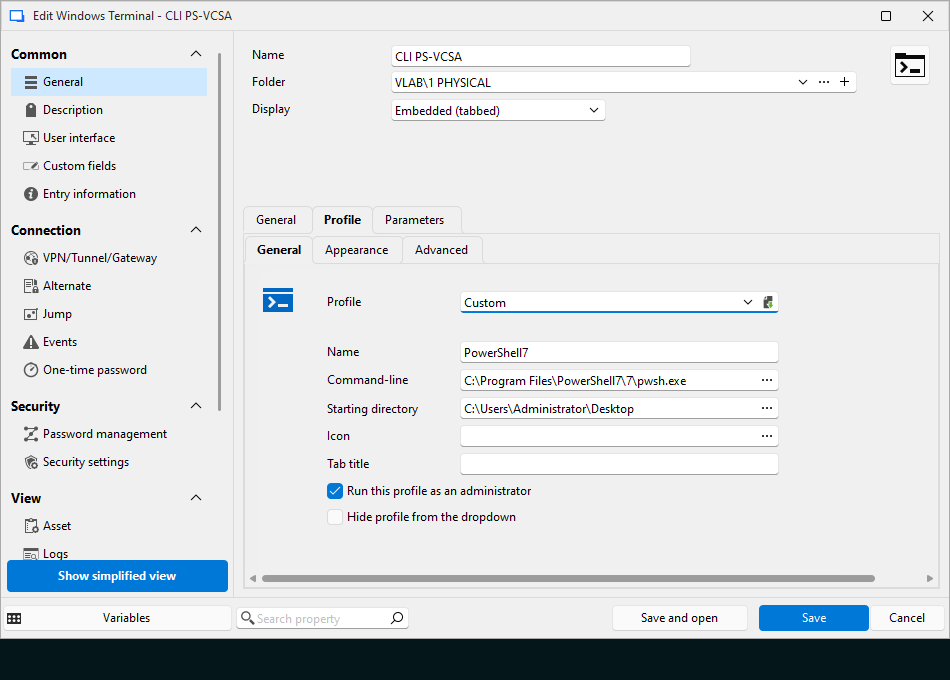
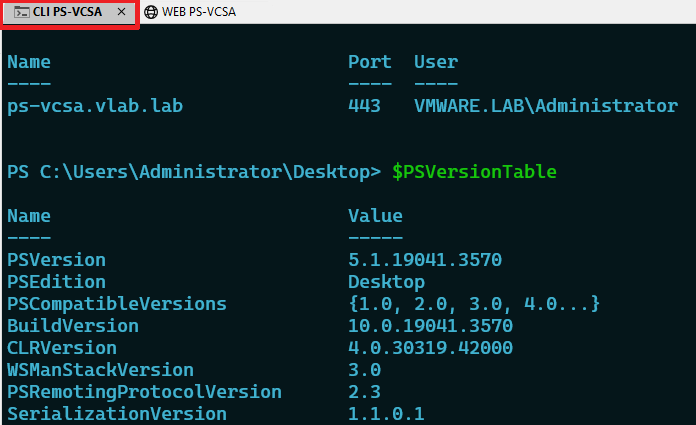
Any thoughts on what I'm doing wrong, or what needs to change..
Thank You
New User trying to understand how to set this up.
Thanks Jacob, looking forward to it..
New User trying to understand how to set this up.
Hi,
Apologies for coming back late, had a lot of things going on simultaneously.
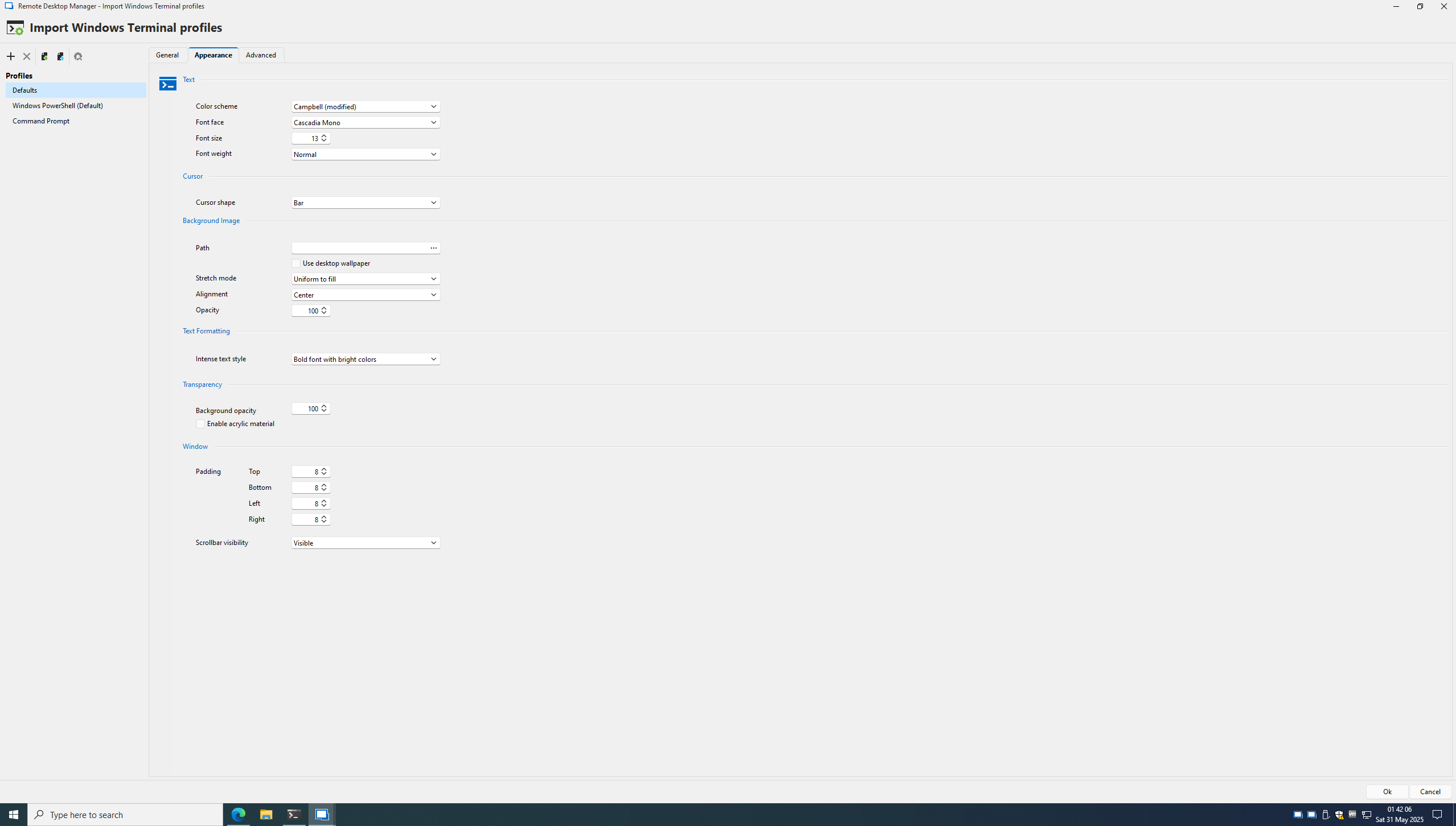
I have checked this option in Tools, below is what I can see in Appearance, and i can see it showing Campbell (modified) which I'm guessing its picking from the actual Terminal settings, but it does not seem to reflect this in the terminal setup in RDM.
Thank You
RDM Does Not Run..
Thanks for pointing this out, I can confirm update as the issue, after updating the application now runs..
Thanks Richard..
RDM Does Not Run..
Its..
RDM Does Not Run..
No Worries Richard..
I cleared the logs, then ran the application, all the below appeared in Event Viewer > Application.
******************************* marks end of the entry.
Faulting application name: RemoteDesktopManager_x64.exe, version: 2025.1.29.0, time stamp: 0x67ab0000
Faulting module name: KERNELBASE.dll, version: 10.0.19041.2913, time stamp: 0xa1c3e870
Exception code: 0xc0000602
Fault offset: 0x000000000012d862
Faulting process id: 0x16f4
Faulting application start time: 0x01dba4dc741223d8
Faulting application path: C:\Users\Win1022H2\Desktop\Devolutions.RemoteDesktopManager.Bin.2025.1.29.0\RemoteDesktopManager_x64.exe
Faulting module path: C:\Windows\System32\KERNELBASE.dll
Report Id: 9aa9cdd5-8379-41e4-8b46-92691667cebb
Faulting package full name:
Faulting package-relative application ID:

*******************************

Successful auto update of third-party root certificate:: Subject: <CN=GlobalSign Code Signing Root R45, O=GlobalSign nv-sa, C=BE> Sha1 thumbprint: <4EFC31460C619ECAE59C1BCE2C008036D94C84B8>.

*******************************

Fault bucket , type 0
Event Name: APPCRASH
Response: Not available
Cab Id: 0

Problem signature:
P1: RemoteDesktopManager_x64.exe
P2: 2025.1.29.0
P3: 67ab0000
P4: KERNELBASE.dll
P5: 10.0.19041.2913
P6: a1c3e870
P7: c0000602
P8: 000000000012d862
P9:
P10:

Attached files:

These files may be available here:
\\?\C:\ProgramData\Microsoft\Windows\WER\ReportQueue\AppCrash_RemoteDesktopMan_3c2d10caf8a62ffbc14bedac798b682b70ec412_ce14e5dd_45bdf0cc-54bb-4820-b75f-01babd6df51d

Analysis symbol:
Rechecking for solution: 0
Report Id: 9aa9cdd5-8379-41e4-8b46-92691667cebb
Report Status: 100
Hashed bucket:
Cab Guid: 0

*******************************

Fault bucket , type 0
Event Name: CbsPackageServicingFailure2
Response: Not available
Cab Id: 0

Problem signature:
P1: 10.0.19041.2905
P2: Microsoft-Windows-LanguageFeatures-Basic-en-gb-Package
P3: 10.0.19041.1
P4: amd64
P5: unknown
P6: 8024402c
P7: CBS Other
P8: Absent
P9: Absent
P10: FodHelper(LanguageFeaturesOnDemand)

Attached files:
\\?\C:\ProgramData\Microsoft\Windows\WER\Temp\WER11CF.tmp.WERInternalMetadata.xml

These files may be available here:
\\?\C:\ProgramData\Microsoft\Windows\WER\ReportQueue\Critical_10.0.19041.2905_e0d87b286936fc224e3c8e8386494290d76dfdae_00000000_82ff6b13-bca0-4a65-aa12-d66c08b3c32c

Analysis symbol:
Rechecking for solution: 0
Report Id: 82ff6b13-bca0-4a65-aa12-d66c08b3c32c
Report Status: 100
Hashed bucket:
Cab Guid: 0

*******************************

Fault bucket , type 0
Event Name: MoAppCrash
Response: Not available
Cab Id: 0

Problem signature:
P1: Microsoft.Windows.StartMenuExperienceHost_10.0.19041.1023_neutral_neutral_cw5n1h2txyewy
P2: praid:App
P3: 0.0.0.0
P4: e40668d4
P5: combase.dll
P6: 10.0.19041.2788
P7: 03e7e147
P8: 8007139f
P9: 000000000001ccfa
P10:

Attached files:
\\?\C:\ProgramData\Microsoft\Windows\WER\Temp\WER5490.tmp.WERInternalMetadata.xml

These files may be available here:
\\?\C:\ProgramData\Microsoft\Windows\WER\ReportQueue\AppCrash_Microsoft.Window_b17d092a1279cdab3f8f47fdc6ddd8bebf29e_b55b5c1a_7cf968eb-727c-4e3f-86fc-15fc55a10830

Analysis symbol:
Rechecking for solution: 0
Report Id: 4ea018e2-e365-430c-806a-6c0a077391ce
Report Status: 100
Hashed bucket:
Cab Guid: 0

*******************************

Fault bucket , type 0
Event Name: CbsPackageServicingFailure2
Response: Not available
Cab Id: 0

Problem signature:
P1: 10.0.19041.2905
P2: Microsoft-Windows-LanguageFeatures-Basic-en-gb-Package
P3: 10.0.19041.1
P4: amd64
P5: unknown
P6: 8024402c
P7: CBS Other
P8: Absent
P9: Absent
P10: FodHelper(LanguageFeaturesOnDemand)

Attached files:
\\?\C:\ProgramData\Microsoft\Windows\WER\Temp\WER72E5.tmp.WERInternalMetadata.xml

These files may be available here:
\\?\C:\ProgramData\Microsoft\Windows\WER\ReportQueue\Critical_10.0.19041.2905_e0d87b286936fc224e3c8e8386494290d76dfdae_00000000_d6a5efb0-bfbc-4f70-9056-ce2ad00b1ffa

Analysis symbol:
Rechecking for solution: 0
Report Id: d6a5efb0-bfbc-4f70-9056-ce2ad00b1ffa
Report Status: 100
Hashed bucket:
Cab Guid: 0

*******************************

Fault bucket , type 0
Event Name: APPCRASH
Response: Not available
Cab Id: 0

Problem signature:
P1: RemoteDesktopManager_x64.exe
P2: 2025.1.29.0
P3: 67ab0000
P4: KERNELBASE.dll
P5: 10.0.19041.2913
P6: a1c3e870
P7: c0000602
P8: 000000000012d862
P9:
P10:

Attached files:
\\?\C:\ProgramData\Microsoft\Windows\WER\Temp\WER44F6.tmp.WERInternalMetadata.xml

These files may be available here:
\\?\C:\ProgramData\Microsoft\Windows\WER\ReportQueue\AppCrash_RemoteDesktopMan_3c2d10caf8a62ffbc14bedac798b682b70ec412_ce14e5dd_45bdf0cc-54bb-4820-b75f-01babd6df51d

Analysis symbol:
Rechecking for solution: 0
Report Id: 9aa9cdd5-8379-41e4-8b46-92691667cebb
Report Status: 100
Hashed bucket:
Cab Guid: 0RDM Does Not Run..
I tested this in a Windows 11 VM, works fine in it..
RDM Does Not Run..
Hi,
I can't seem to run any latest version of RDM that requires .NET 9.0, on my Windows 10.
I trIed version 2025.1.29.0 and 2025.1.26.0, both portable (.zip), and installed .exe as well, both do nothing.
.NET 9 installs succssfully without any errors.
Tried in a completely blank new VM as well, there is no error appearing, it just doesn't run, tried running Remote Desktop Manager.exe and Remote Desktop Manager_x64.exe.
Anything else I can check.
New User trying to understand how to set this up.
Hi Erica,
Thanks, I copied the files with RDM closed, but that did not work.
I will check these settings, currently I don't have my system to check this..