Opening Console Window From vCenter In RDM Opens Too Many Multiple Tabs ?!
Opening Console Window From vCenter In RDM Opens Too Many Multiple Tabs ?!

Hi,
I'm seeing this issue in the current and previous versions (Current version is 2026.2.18.0, Windows 10 22H2).
Ths issue occurs when clicking Launch Web Console for any VM from vCenter in RDM, it keeps on opening tabs non-stop, I have to manually switch to any one of the tabs and start closing for it to stop opening any new tabs.
I did not face this issue previously, and I tested this with normal web links, it works fine.
The below was captured as its was opening too many tabs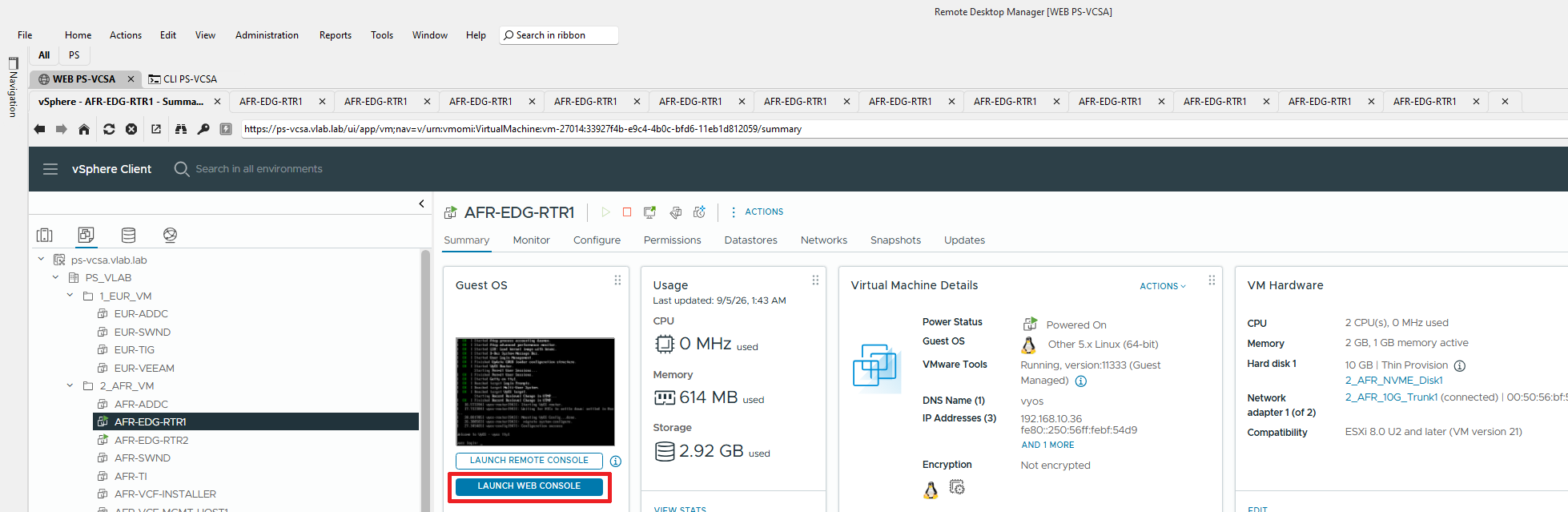
There seems to be no logs in C:\Users\<Username>\AppData\Local\Devolutions\RemoteDesktopManager
Any thoughts on how to resolve this issue..
Thank You
82705548-69c7-4107-a9b4-6fff8d8dfd9e.png
Recommended Answer
Hi tryllz,
Good news, this one is wrapped up. Our developers confirmed the fix this morning, and 2026.3.5.0 was released today as the current stable version, so it is no longer a beta you have to go hunting for. You can get it from the usual download page.
One thing to plan for before you upgrade: 2026.3.5.0 requires a database upgrade on your SQL data source, and once that is done, any other machines still on 2026.2 will not connect until they are updated as well. Worth taking a backup first, and scheduling it if you are not the only one on that data source.
When you get a chance, let us know whether the console now stays in the RDM tab instead of jumping out to your external browser. That was the last piece still open on your side.
Best regards,
Eduard Sepulveda Lopez
All Comments (15)
To clarify, did not come across this issue in all previous versions, from what i remember just the last 2 versions had this exact issue..
Hi tryllz,
Thanks for the report and the screenshot, that's helpful.
A couple of things we need to dig into this with the team:
- Which workspace is this vCenter entry stored in (Data Source SQL, DVLS, or Cloud)?
- Does this happen with every VM console you launch from vCenter, or only specific ones?
- What vSphere/vCenter version are you connecting to?
- If you open the same vCenter web console directly in a normal browser (outside RDM), does it also spawn multiple tabs, or only when launched from inside RDM?
By default RDM's debug level is set to 0, so nothing gets written to the log folder until it's turned on, that's why you're not seeing anything there. Could you enable a trace and reproduce it:
- Open Help > Profiler in RDM
- In the Debug only tab, click the "..." button and enable the relevant categories
- Reproduce the tab-opening issue
- Click "Send trace to Support" and mention your forum username plus a link to this topic so we can match it on our end
Thanks in advance for your cooperation.
Best regards,
Eduard Sepulveda Lopez
Thanks @Eduard Sepúlveda López
I have answered the questions below :
- Which workspace is this vCenter entry stored in (Data Source SQL, DVLS, or Cloud)?
- Default, which if I recall correct is SQL, definitely not DVLS or Cloud
- Does this happen with every VM console you launch from vCenter, or only specific ones?
- Happens on opening any VM console
- What vSphere/vCenter version are you connecting to?
- vCenter is version 8, specifically 8.0.3.00900-25413364
- If you open the same vCenter web console directly in a normal browser (outside RDM), does it also spawn multiple tabs, or only when launched from inside RDM?
- I have a test vCenter setup, and it opens only 1 tab in the browser, the same vCenter opens multiple tabs via RDM
VM Console via Browser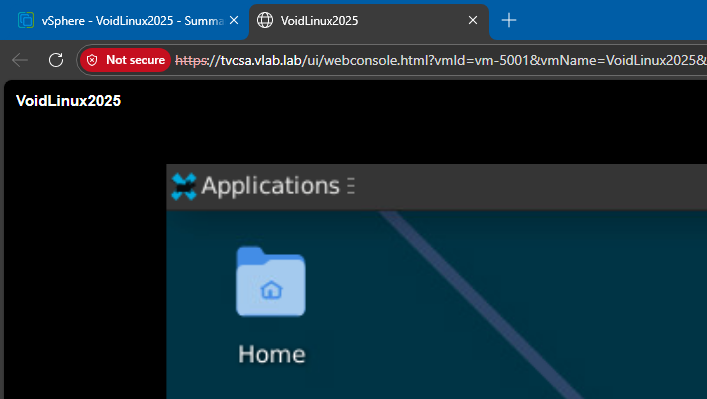
VM Console via RDM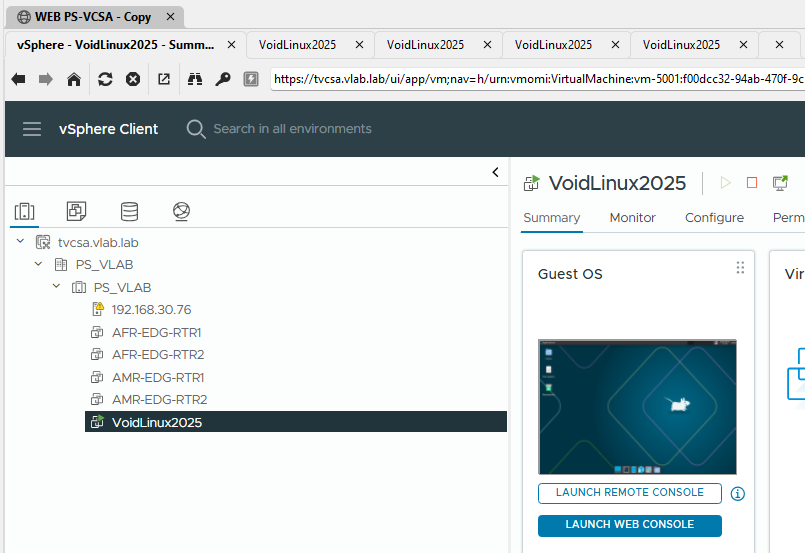
The RDM version I'm using is portable, does not seem to have Profiler in the Help menu, or in the other Tabs..
I saw the application Logs which seems to relate to what you are mentioning, and tried but nothing appeared in the logs when I tried a second time..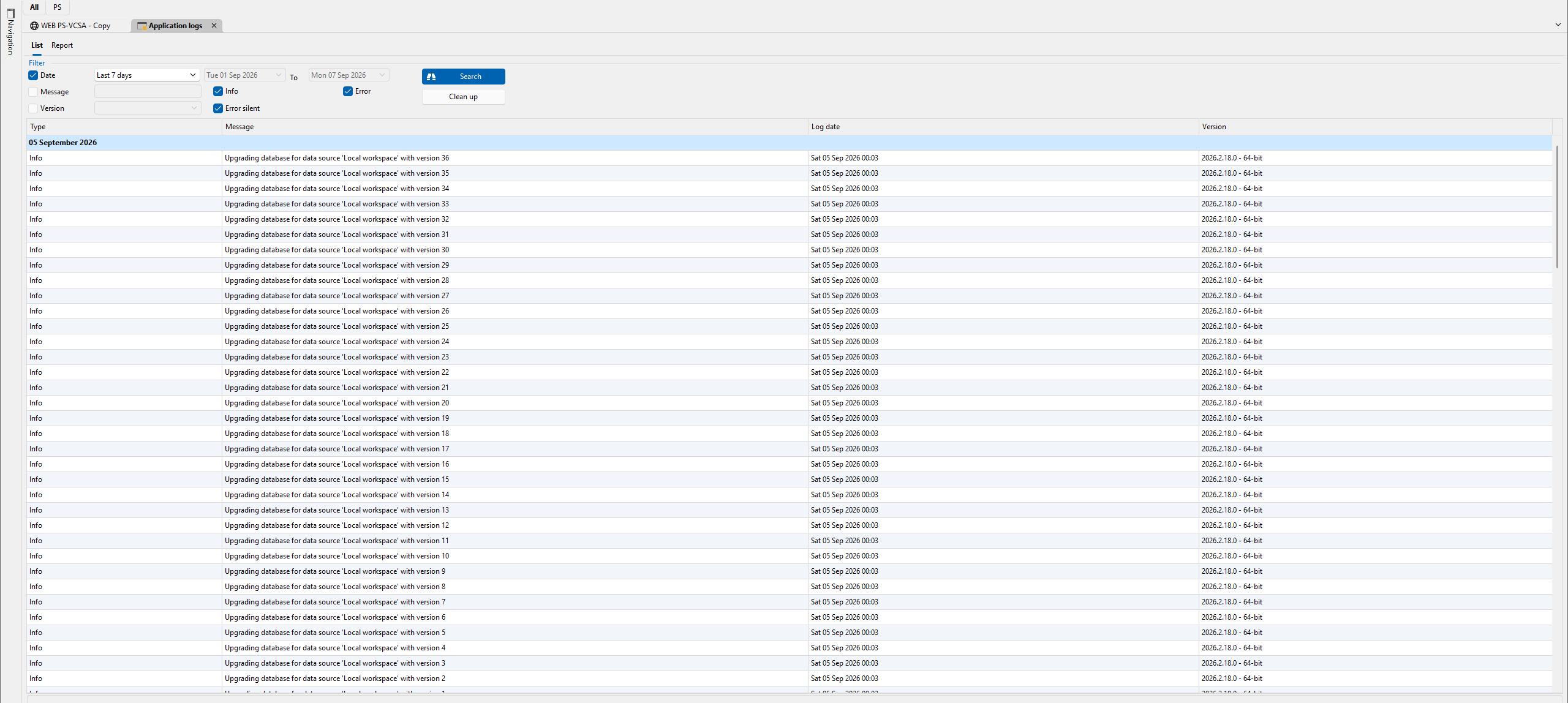
And I just noticed, multiple browser tabs stop opening when I click on any other tab, in this case I clicked the below highlighted tab and only 2 windows popped open..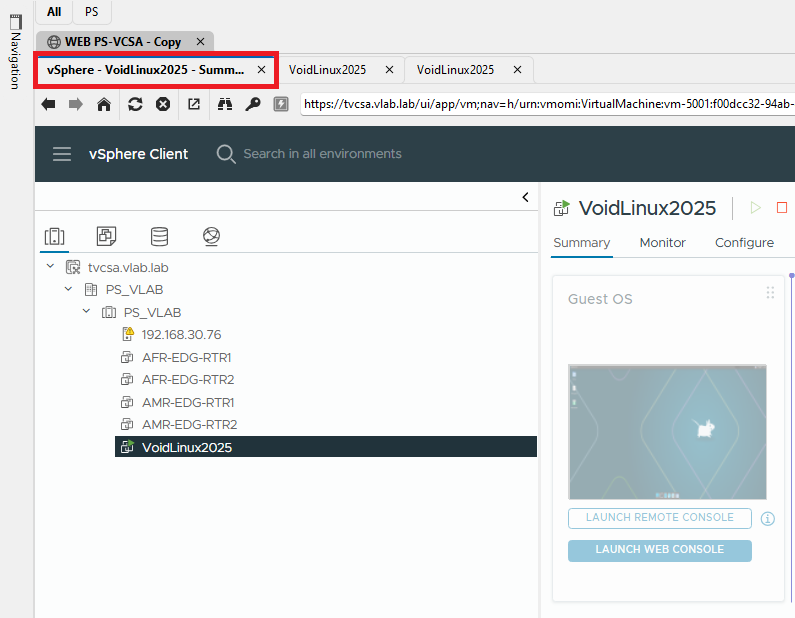
Thank You
babbe446-d3d9-4986-b376-067f29b75859.png
1a847a77-1d99-45bb-beea-70a2cbb25429.png
2aac2850-9fb5-4200-b54c-8f49e21da447.png
393e3050-f575-432d-8699-794b51e770ee.png
1b5b33ba-40e3-40e5-9813-db1b9b047179.png
Hi tryllz,
Thanks for the detailed follow-up, that narrows things down a lot. Since it only happens through RDM's embedded view and not in a regular browser, this points to how RDM handles the console popup rather than vCenter itself.
A couple of things that would help:
- Could you send us a system diagnostic: Help > System diagnostics in RDM, and mention this forum topic and your username in the dialog so we can match it on our end. The Application logs you checked won't show this, that view only logs general app events, so it's expected that nothing showed up there.
- On the vCenter entry's properties, there's a "Console connection mode" setting. Could you check what options are available there and let us know, it may offer a way to open the console outside RDM's embedded tabs as a temporary workaround.
In the meantime, since opening the console link in a regular browser works fine for you, that's a safe way to keep working while we look into this with our developer team.
Best regards,
Eduard Sepulveda Lopez
Thanks @Eduard Sepúlveda López
I have attached the diagnostics files here as the VM is not internet connected..
I was unable find the Console Connection Mode setting in the vCenter entry's properties, even searched for it..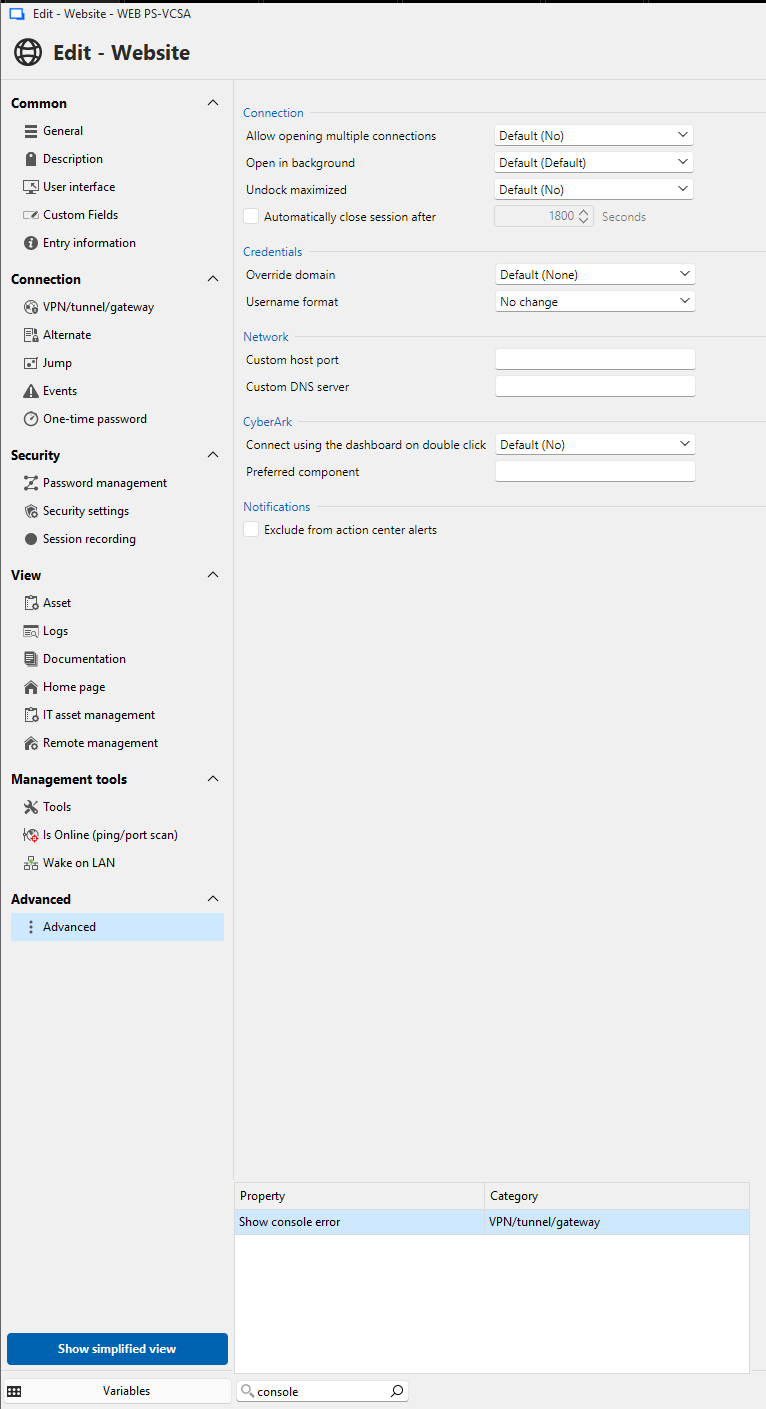
28c43338-c6f0-48f1-b22a-1a00e57b1b61.png
RDM.zip
Hi tryllz,
Thanks, the screenshot and logs actually gave us a good lead. Nothing in the diagnostic points to something specific on your end (no antivirus interference, no policy restrictions, and your WebView2 runtime isn't tied to any other issue we're tracking), which lines up with this being an RDM-side bug in how the embedded browser handles the console popup.
We have what we need to investigate further with our developer team. No further action needed on your end for now, we'll update this thread once we have more information.
Best regards,
Eduard Sepulveda Lopez
Thanks @Eduard Sepúlveda López
Appreciate the help, will wait for na update..
Hi tryllz,
Thanks for your patience on this. It is confirmed as a bug on our side, we reproduced the underlying problem, so nothing to do with your setup or your vCenter.
The short version is focus. When a page inside an embedded web session opens a new tab, that tab no longer takes focus the way it used to, and vCenter's console launcher keeps firing because it never sees the window it just opened. That is why the tabs pile up, and why they stop the moment you click any other tab.
Here is where you can help us. We reworked the vCenter webview in the 2026.3 branch, so there is a fair chance this is already resolved there. Could you try the 2026.3 beta and let us know whether the console still spawns multiple tabs? You can get it from https://devolutions.net/remote-desktop-manager/home/download/, and since you are on portable you can run it side by side without touching your current install. One thing to watch: take a backup or point it at a test data source first, as opening your SQL data source with a beta can upgrade it and your 2026.2 clients would then have trouble connecting.
One correction on my part: the "Console connection mode" setting I pointed you to is not where I said it was, so you did not miss anything. Until this is sorted, the normal browser stays the cleanest way around it.
Best regards,
Eduard Sepulveda Lopez
Hi @Eduard Sepúlveda López
Thanks, I tested the beta version and it has a different issue..
What happens is that the vCenter Web Console launches a new Tab inside RDM (left Red marking) but and then vCenter keeps on loading for about 5-10 seconds (right red marking)..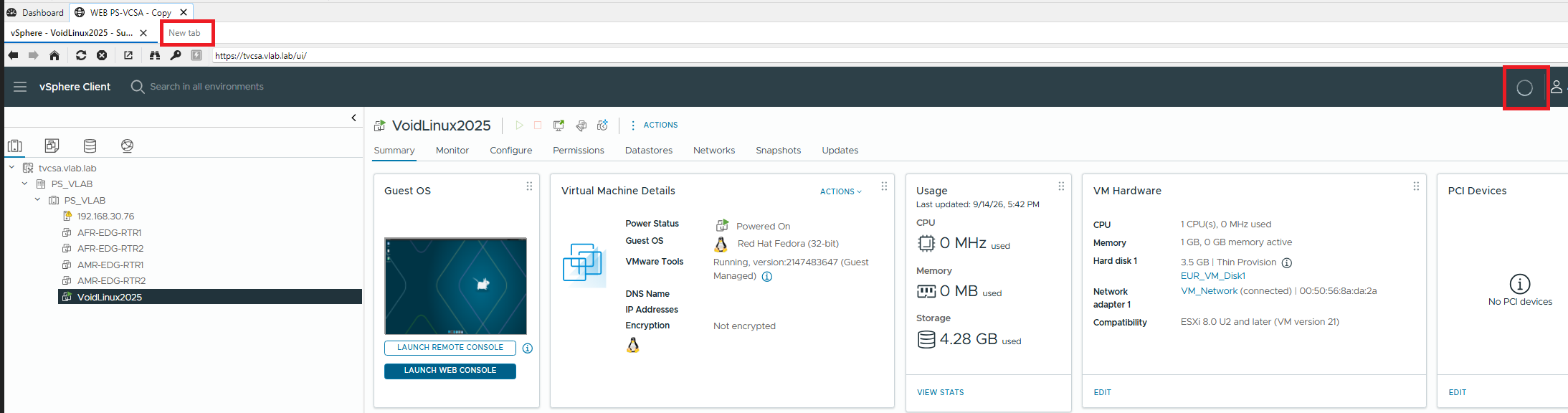
Then it opens the console in a separate browser window and closes the RDM Tab..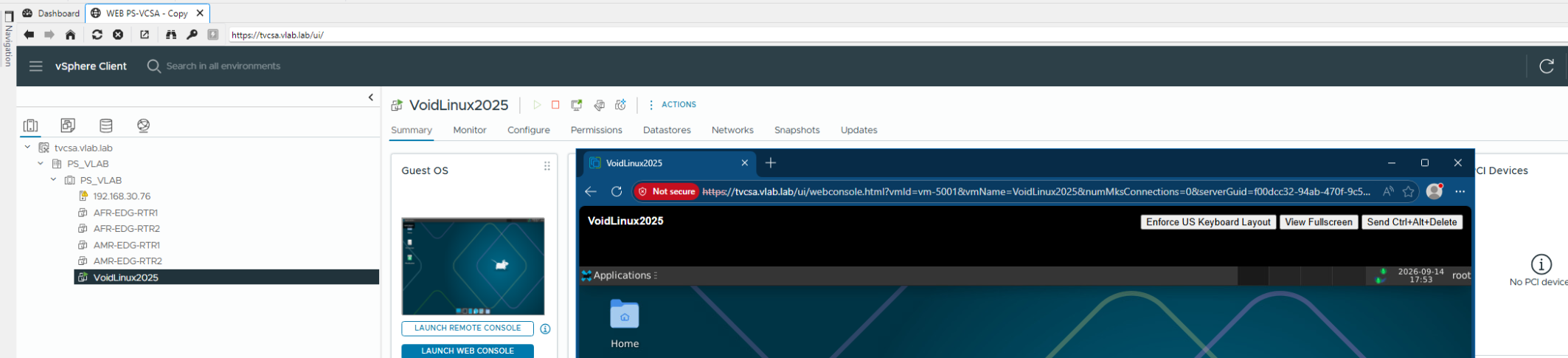
Thank You
45824c03-b8e7-4e68-9422-4c16b597dcef.png
01a4faec-86f6-4409-801e-08276c633ad8.png
Hi tryllz,
Thanks for testing, that is a useful result. The main thing is the tab storm is gone, so the original problem is resolved in 2026.3.
What you are seeing now is something we already have on file: the tab gets created but never navigates, so it sits blank while the page loads, then the console is handed to your default browser and the empty tab closes. Not where we want to end up, but it is a known part of the same bug rather than a new one.
Two quick things so I chase the right fix. From the screenshots, it looks like the entry may be a Website entry pointing at the vSphere client rather than RDM's VMware vCenter entry type. Could you confirm which one you are using? The two go through different code paths, and it would also explain why "Console connection mode" was nowhere to be found, that setting lives on the vCenter entry type.
Second, could you confirm the exact build from Help > About? The download page has been serving 2026.3.4.0 and part of this fix is landing in 2026.3.5.0, so you may be one build short of it.
Best regards,
Eduard Sepulveda Lopez
Hi @Eduard Sepúlveda López
I can confirm the vCenter entry is a Website type which I use..
And the RDM version is 2026.3.4.0 64-bit (PreJIT)
Thank You
Hi tryllz,
Good news, this one is wrapped up. Our developers confirmed the fix this morning, and 2026.3.5.0 was released today as the current stable version, so it is no longer a beta you have to go hunting for. You can get it from the usual download page.
One thing to plan for before you upgrade: 2026.3.5.0 requires a database upgrade on your SQL data source, and once that is done, any other machines still on 2026.2 will not connect until they are updated as well. Worth taking a backup first, and scheduling it if you are not the only one on that data source.
When you get a chance, let us know whether the console now stays in the RDM tab instead of jumping out to your external browser. That was the last piece still open on your side.
Best regards,
Eduard Sepulveda Lopez
Thanks @Eduard Sepúlveda López
After checking the latest version I can confirm the issus is resolved, and vCenter web Console launches in the RDM tabs and only opens a single tab..
Just that there seems to be a UI glitch, this was found even in a fresh system, there does not seem to be a horizontal upper blue line in any dialog boxes..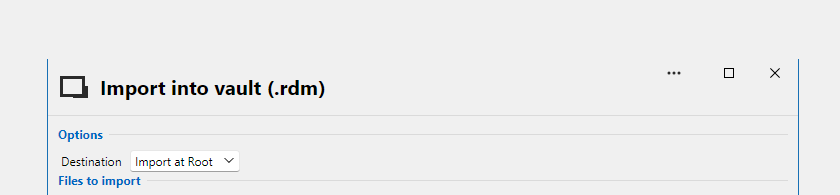
Thank You once again @Eduard Sepúlveda López
07f5d0d2-04ea-42fa-9cea-e2db0117c898.png
Hi tryllz,
Great, thanks for confirming. And thanks for taking the time to test the beta earlier, that is what got this one moving.
Good catch on the blue line. 2026.3 brought a large UI framework change with it, so this is either an oversight in the new dialog styling or a deliberate change. I am checking which, and logging it if it is not intentional. Nothing further needed from you, and it is purely cosmetic so it will not get in your way.
Best regards,
Eduard Sepulveda Lopez
Aprpeciate the help onn this issue @Eduard Sepúlveda López
Thanks You..