New User trying to understand how to set this up.

Hi all,
I'm a new user of Devolutions RDM.
I connect to vCenter via Windows Terminal with PowerCLI command connect-viserver -server servername.
I manage to setup Windows Terminal in RDM, but how can I set up the command so that when I double click the host name item in the RDM it should open the window and be already connected.
Thanks..
All Comments (22)
Hello,
Could you please try to set the Run parameter with the command to connect to Center?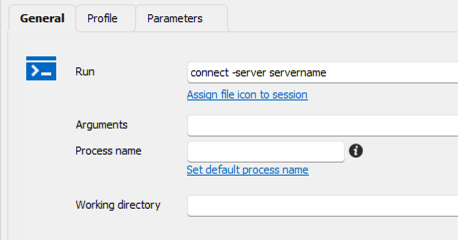
Let us know if that helps.
Best regards,
Érica Poirier
0181b673-af6b-4e0a-898b-b658be446b28.png
Hi,
Apologies I have access issues on the forum so I couldn't login to reply.
I'm afraid that did not work, I receive the below error
Connect-VIServer is not recognized as an internal or external command operable program or batch file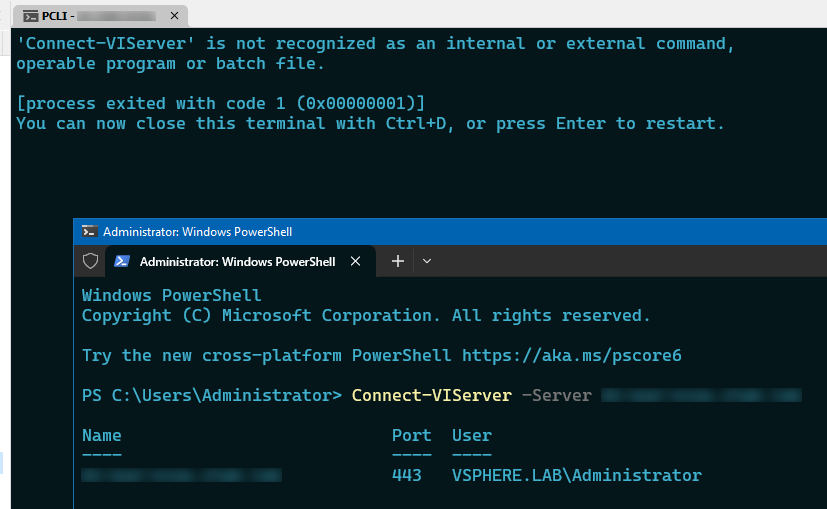
Connect.PNG
Hello,
Thank you for your feedback.
You need to load the proper PowerShell module before using the Connect-VIServer cmdlet.
Here is the command you need to run on the machine where you want to use the Connect-VIServer cmdlet.
Install-Module -Name VMware.PowerCLI
Let us know if that helps.
Best regards,
Érica Poirier
Hi Érica,
Appreciate you trying to help, this module is already installed.
I'm afraid the image I shared previously might have been misunderstood. I have reattached it with coloring. Green color window is of Windows terminal inside RDM. Red color is of a normal Windows Terminal window.
In the green color image the command is not working, in the red window the command is working (because the module is already installed).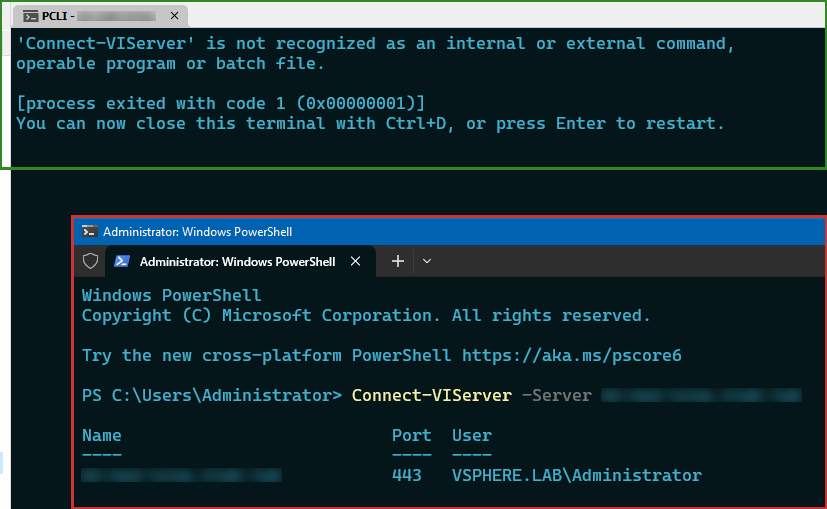
Thank You
Connect.PNG
Hello,
Thank you for your feedback.
I see the window where the Connect-VIServer is working is a PowerShell prompt running as an administrator.
Could you please try using the PowerShell (Local) session type instead of the Windows Terminal entry type?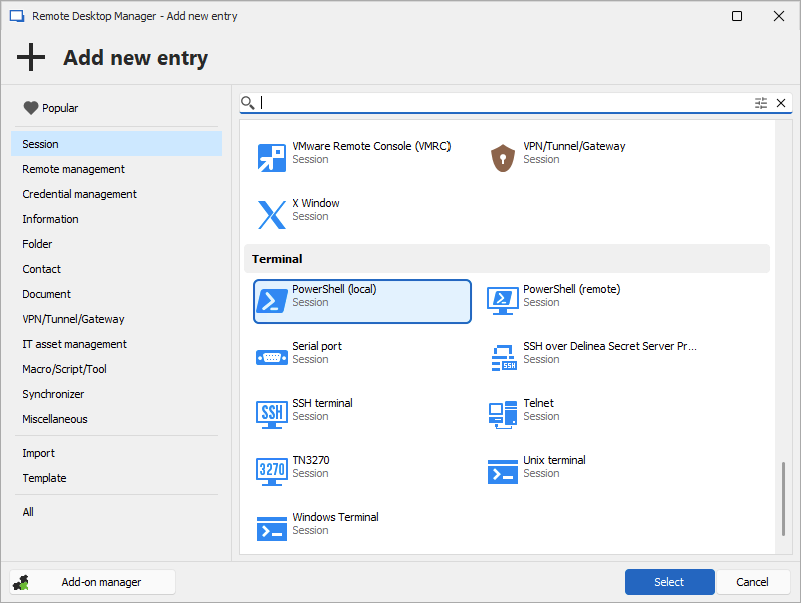
Let us know if that helps.
Best regards,
Érica Poirier
b66918bf-b491-4b14-a138-1b8b0e8ccc12.png
Hi Érica,
Thats correct, its a Powershell session in Terminal.
I will try what you have advised..
Hello,
Thank you, keep us posted on that!
Best regards,
Etienne Lord
Hi,
Sorry just forgot about this.
This is working as expected when using Powershell.
How can I change the Powershell terminal colors, can't seem to find the option for it. I set the color for SSH Terminals, but it only works with Terminals when accessing hosts via SSH.
Not with Powershell.
b55a23de-8c6b-4fbe-87ed-cb5892f2043d.png
2354a328-e89b-46fd-a274-6e3ae7af34d2.png
Hello,
Thank you for your feedback. That's good news it's working with PowerShell.
The PowerShell entry type does not have an option to modify the colors like the Terminal entry types. Could you have a look on that article to see if that helps?
https://learn.microsoft.com/en-us/powershell/scripting/learn/shell/using-light-theme?view=powershell-7.4
Best regards,
Érica Poirier
Thanks Erica
Unsure what the link is for, it goes to the below..
7ef8c2e7-f282-4894-bbbd-cd51e2fa0e1b.png
Hello,
I apologize that I put the wrong link. Here it is!
https://learn.microsoft.com/en-us/powershell/scripting/learn/shell/using-light-theme?view=powershell-7.4
Best regards,
Érica Poirier
Thanks Erica
That should do..
Can I also know if the terminal windows within the RDM is its own, or does it use Windows terminal and Powershell CLI applications ?
Hello,
Thank you for your feedback.
For the PowerShell and Windows terminal, RDM will open the appropriate process and embed it. RDM doesn't own a proprietary terminal.
Best regards,
Érica Poirier
Thanks Erica for clairying..
Hi Erica,
I noticed there is a Windows Terminal directory in %localappdata\Devolutions\RemoteDesktopManager\WindowsTerminal\ which has Terminal Settings.
I configured these settings and they work as expected, but once RDM is closed, and reopened the settings go back to the default, even though I set these settings as default.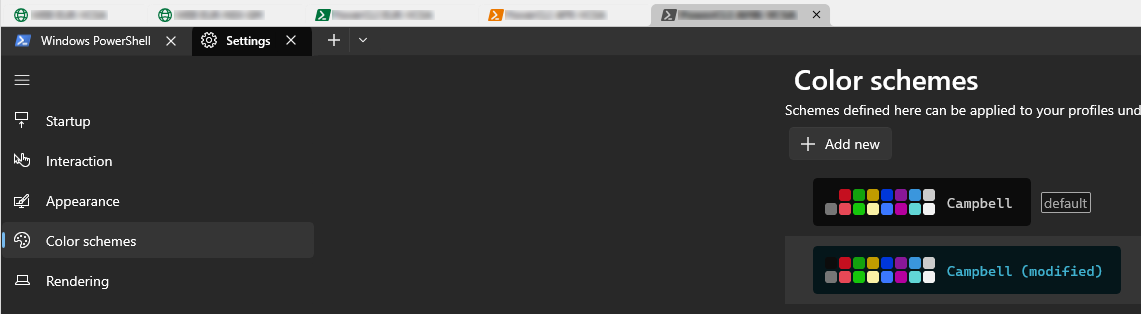
After applying the settings
Any way to make these settings permanent ?
Thank You
76c243b8-3a65-48e8-8a28-90ade5823954.png
ba98c000-5bc4-40a5-972e-a081dbe957c4.png
Hello,
Thank you for your feedback.
Have you tried modifying the settings from RDM in File - Settings - Entry types - Sessions - Terminal instead of editing the files directly?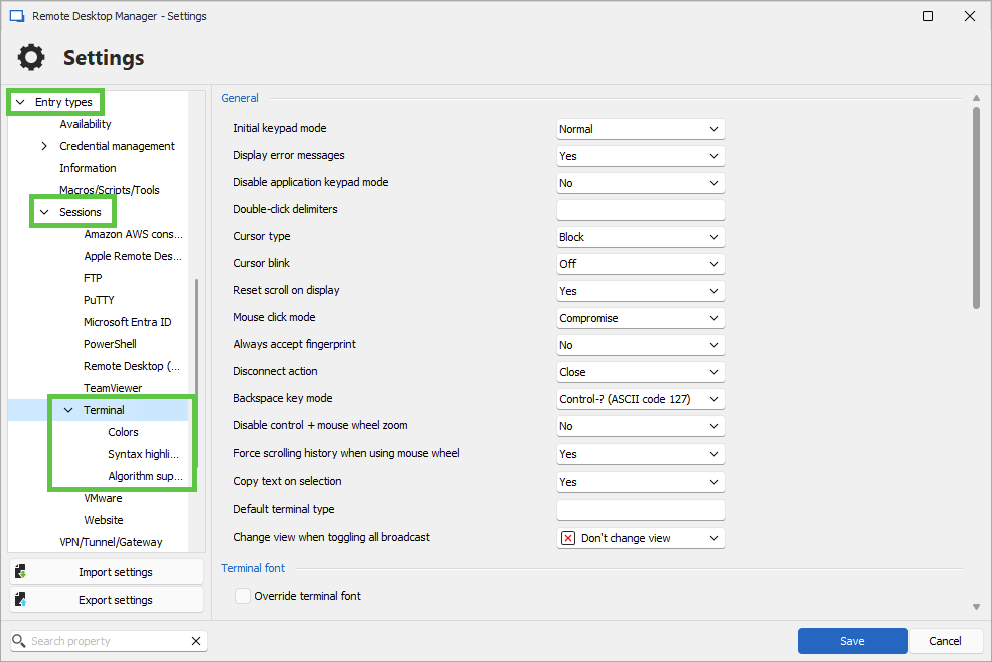
Best regards,
Érica Poirier
d3baaec4-eae5-4ad2-b74e-072b0c0bac95.png
Hello,
Please ignore my previous message as this section is specifically for the SSH Terminal settings.
You can edit the Windows Terminal profile management in Tools - More Tools.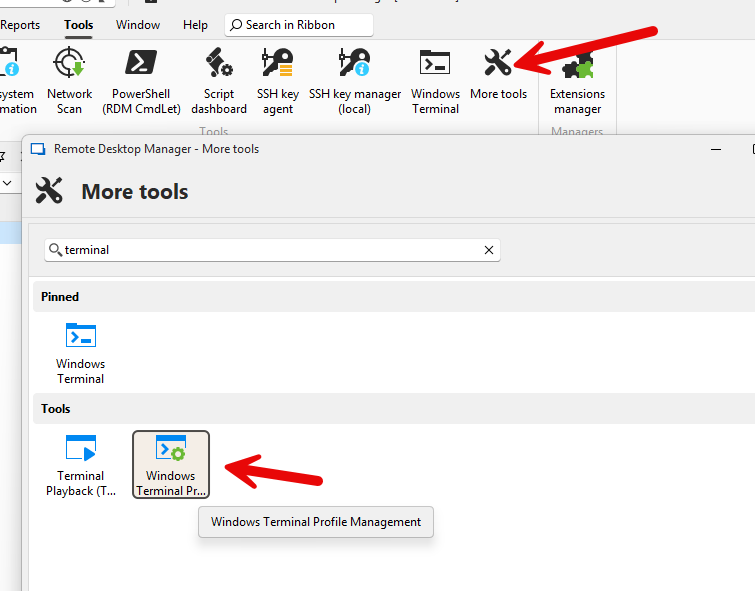
Did you update the files while RDM was opened? Because if you have updated the files while RDM was opened, on closing, RDM set the file back to its initial state when you first opened RDM.
Have you tried updating the files while RDM is closed?
Best regards,
Érica Poirier
d6d8fad5-adcd-41a2-b7c3-ff8ef204bd32.png
Hi Erica,
Thanks, I copied the files with RDM closed, but that did not work.
I will check these settings, currently I don't have my system to check this..
Hello,
Thank you for your feedback.
So, the only solution is to configure the Windows Terminal from the Tools - More Tools section.
Once you have a chance, let us know if that works.
Best regards,
Érica Poirier
Hi,
Apologies for coming back late, had a lot of things going on simultaneously.
I have checked this option in Tools, below is what I can see in Appearance, and i can see it showing Campbell (modified) which I'm guessing its picking from the actual Terminal settings, but it does not seem to reflect this in the terminal setup in RDM.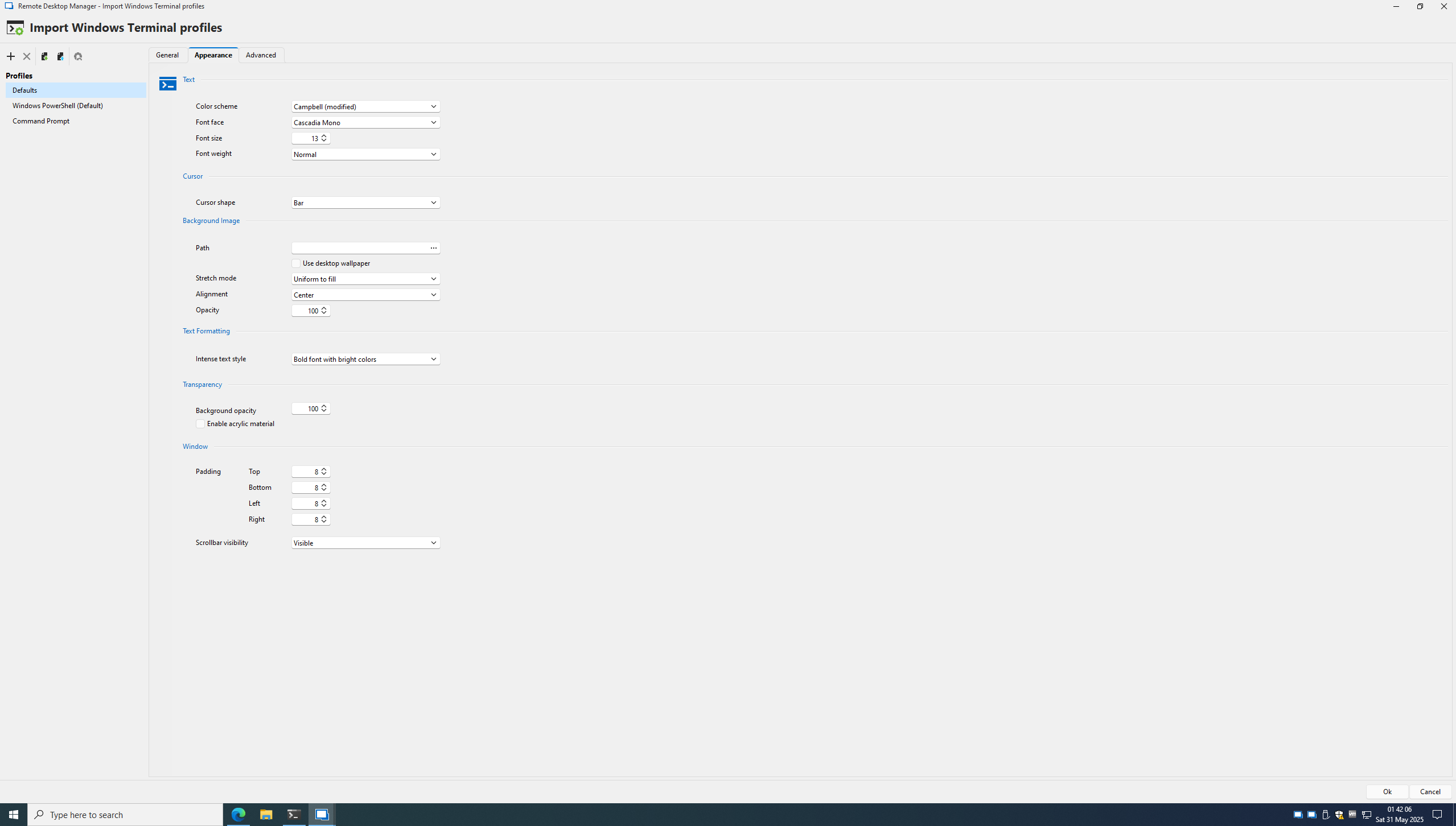
Thank You
DC-GCC-JMPBX-2025-05-31-01-42-06.png
Hello,
Thank you for the follow-up.
We are currently investigating an issue regarding the color schemes.
I will report this bug to the development team, and they will begin working on a fix soon.
I will follow up with you as soon as a fix is deployed in a future update.
Best regards,
Jacob Lafrenière
Thanks Jacob, looking forward to it..