
sirfene
Microsoft RDP with Yubikey (smart card) from MAC
Hi Richard,
totally fine for me - great you found the culprit.
Microsoft RDP with Yubikey (smart card) from MAC
PM sent, thanks for digging that deep into the topic.
Microsoft RDP with Yubikey (smart card) from MAC
Hi Richard,
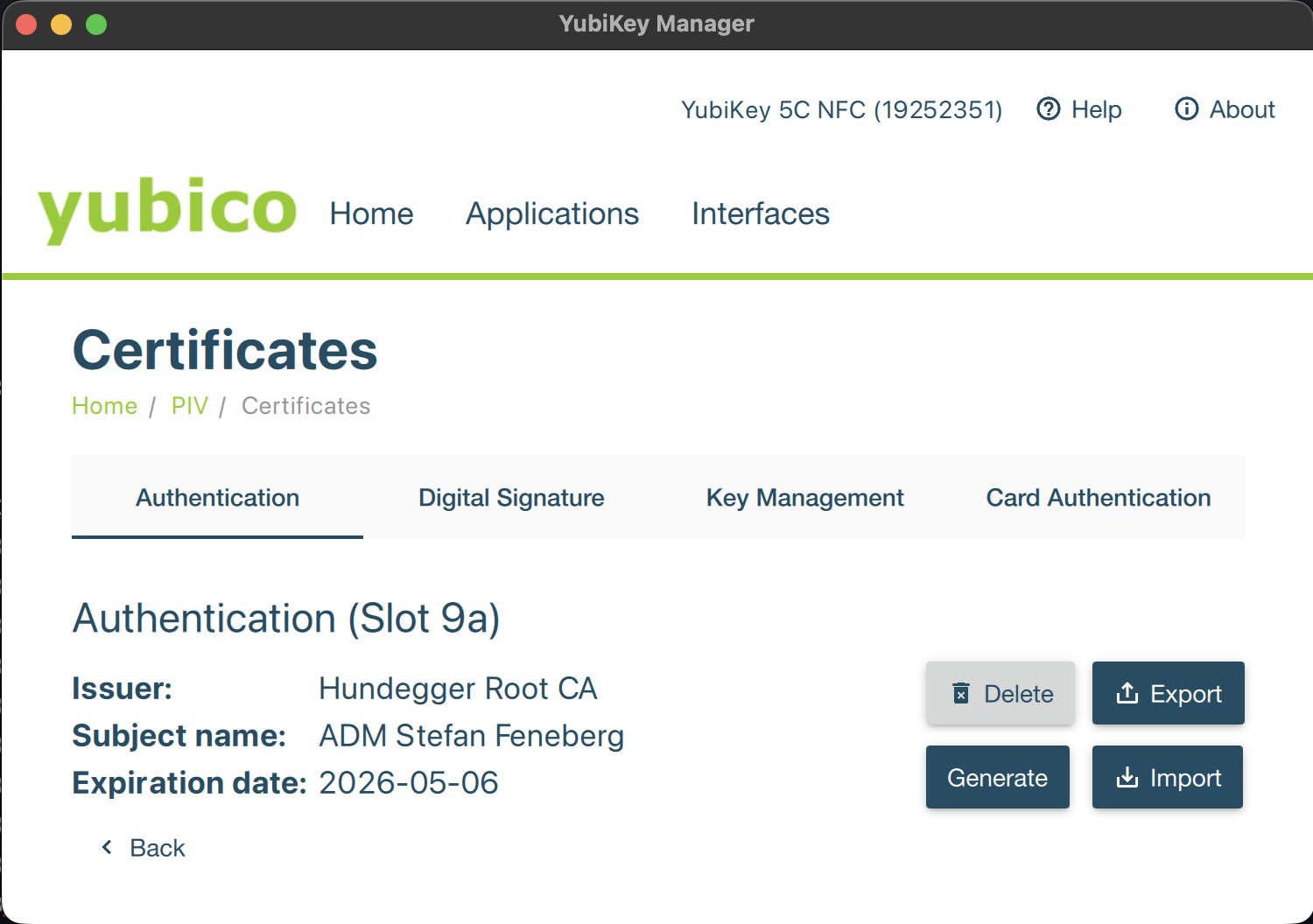
Thanks for the troubleshooting steps. No secrets at that point, so I will post the output below, freerdp does not show any certificates. I have also installed Yubikey Manager on my Mac to see if this lists the certificates, all looking fine at that point:
ADMIN-USER@MACHINENAME~ % xfreerdp /list:smartcard:pkcs11-module:/usr/local/lib/libykcs11.2.7.3.dylib
[16:09:38:238] [87244:ff3d7081] [DEBUG][com.freerdp.utils.signal] - [freerdp_handle_signals]: Registering signal hook...
[16:09:38:241] [87244:ff3d7081] [DEBUG][com.winpr.timezone] - [winpr_get_timezone_from_link]: tzid: Europe/Berlin
[16:09:38:241] [87244:ff3d7081] [DEBUG][com.winpr.timezone] - [winpr_get_timezone_from_link]: tzid: Europe/Berlin
[16:09:38:242] [87244:ff3d7081] [DEBUG][com.winpr.timezone] - [winpr_get_timezone_from_link]: tzid: Europe/Berlin
[16:09:38:242] [87244:ff3d7081] [DEBUG][com.winpr.timezone] - [winpr_get_timezone_from_link]: tzid: Europe/Berlin
[16:09:38:254] [87244:ff3d7081] [DEBUG][com.freerdp.client.common.cmdline] - [freerdp_client_detect_command_line]: windows: -2001/1 posix: -1000/0
[16:09:38:364] [87244:ff3d7081] [DEBUG][com.winpr.ncryptp11] - [NCryptOpenP11StorageProviderEx]: Trying pkcs11 module '/usr/local/lib/libykcs11.2.7.3.dylib'
[16:09:38:364] [87244:ff3d7081] [DEBUG][com.winpr.ncryptp11] - [NCryptOpenP11StorageProviderEx]: module '/usr/local/lib/libykcs11.2.7.3.dylib' loaded
[16:09:38:394] [87244:ff3d7081] [DEBUG][com.winpr.ncryptp11] - [collect_keys]: checking 1 slots for valid keys...
[16:09:38:394] [87244:ff3d7081] [DEBUG][com.winpr.ncryptp11] - [collect_keys]: collecting keys for slot #0(0) descr='Yubico YubiKey OTP+FIDO+CCID' flags=0x7
[16:09:38:394] [87244:ff3d7081] [DEBUG][com.winpr.ncryptp11] - [collect_keys]: token, label='YubiKey PIV #19252351' flags=0x40d
[16:09:39:411] [87244:ff3d7081] [DEBUG][com.winpr.ncryptp11] - [collect_keys]: slot has 1 objects
[16:09:40:444] [87244:ff3d7081] [DEBUG][com.freerdp.smartcardlogon] - [list_provider_keys]: opening key \0000000000000000\19
[16:09:40:448] [87244:ff3d7081] [DEBUG][com.freerdp.smartcardlogon] - [set_info_certificate]: discarding certificate without Smartcard Login EKU for key \0000000000000000\19
[16:09:40:448] [87244:ff3d7081] [WARN][com.freerdp.smartcardlogon] - [list_provider_keys]: Microsoft Base Smart Card Crypto Provider [] no certificates found
smartcard reader detected, listing 0 certificates:
Microsoft RDP with Yubikey (smart card) from MAC
Hi Richard,
Kudos for the great work you're doing. I've been waiting for this for ages and immediately downloaded and installed it, then I followed your detailed configuration instructions. I installed libykcs and configured the path in Remote Desktop Manager. After clicking on the button "Credentials list", my Yubikey with certificates on it starts flashing, but I get the error message "No Certificates found" which is weird as I am using this Yubikey as smartcard in my Windows environment on a daily base. Any suggestions?
Kind regards,
Stefan
Freezing issues with RDM 2024.3.10.0
Hi guys,
I've been using the portable version of RDP Manager for the past 2 days and thought that it's working pretty stable. But not again, it got stuck. The RDP connection itself was still working OK, but no other part of the program was reacting on any interaction of mine. As I read the reply by mka in this post (https://forum.devolutions.net/topics/43042/freezing-issues-with-rdm-20243100#200837) I tried his suggestion and the program recovered! Hope this helps. Thanks for finding this workaround, mka!
Stefan
Freezing issues with RDM 2024.3.10.0
Hi guys,
suffering from this as well since a few years throughout all releases that were published in that time. Remote Desktop Manager is freezing, sometimes multiple times per day.
I have applied the settings for the "wait progress mode", the error still occurs. FreeRDP is not an option for me as we are using smartcard login which seems to be not supported by FreeRDP. We do not use website logins, so this recommendation does not apply to us at all.
Kind regards,
Stefan
Remote Desktop Manager crashing multiple times a day
Hi Carl,
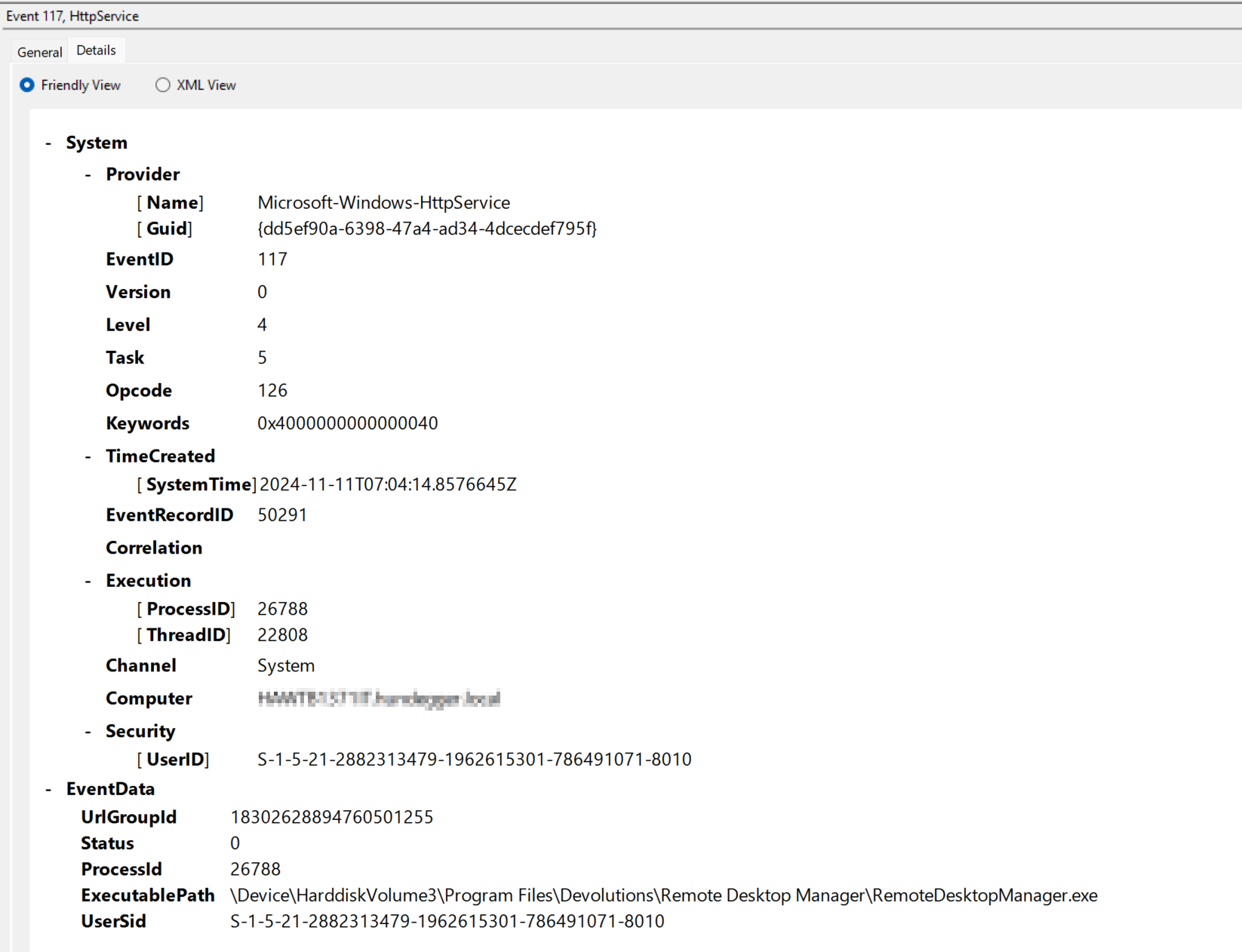
the only error I see is as follows. This event was produced after RDP manager freezed and I killed the process.
Remote Desktop Manager crashing multiple times a day
Hi Erica,
thanks for the prompt reply. No Windows Insider Builds, as I said the problem persists even after changing/switching computers.
The current RDM Version is 2024.3.17.0, but it appeared in previous releases as well. The data source type is "Devolutions Hub Personal".
Many thanks,
Stefan
Remote Desktop Manager crashing multiple times a day
Hi Support-Team
Remote Desktop Manager crashes, sometimes multiple times a day. The crash itself is a bit weird: A currently active RDP session is alive, I can control the host that I am connected to still without any problems. But all buttons and clicks in Remote Desktop Manager itself are without any effect. I have to kill the whole process of Remote Desktop Manager and restart it.
This problem occurs since about a year, but it feels like the instability increases. I always install the latest versions of Remote Desktop Manager and tried to switch computers to make sure that this problem is not bound to my machine exclusively. My main purpose of Remote Desktop Manager are RDP connections, barely anything else. Any chance that there might be a corrupted dataset in my Vault that could cause the crash? Very unlikely, but just pointing to it....
Thanks and kind regards,
Stefan
Microsoft RDP with Yubikey (smart card) from MAC
Hi guys,
as 2024.3 is out now, could you give us an update? I still can't figure out how to use my smartcard on the Mac to log on to RDP sessions. Any update is much appreciated.
Thanks,
Stefan
Microsoft RDP with Yubikey (smart card) from MAC
Hi @Richard,
As 2024.2 has now been released, any updates on this topic? I am eagerly waiting for this to work as we know and love it on Windows.
Thanks,
Stefan