
danielmathis
Offline Vaults
Yes, didn't have to import the module. I didn't test the vault security code yet, was was able to authenticate.
Besides the security level, is there also a way to bulk enable offline?
Thanks and best regards
Offline Vaults
Thanks, but the problem was, that Windows always started the old 5.x Powershell instead of 7.x
Offline Vaults
Installed Powershell Module, but get the following error...
New-DSSession : Der Befehl "New-DSSession" wurde im Modul "Devolutions.PowerShell" gefunden, das Modul konnte aber
nicht geladen werden. Wenn Sie weitere Informationen wünschen, führen Sie "Import-Module Devolutions.PowerShell" aus.
In Zeile:1 Zeichen:1
+ New-DSSession -BaseUri https://URLofYourDVLS -UseOAuth
+ ~~~~~~~~~~~~~
    + CategoryInfo          : ObjectNotFound: (New-DSSession:String) [], CommandNotFoundException
+ FullyQualifiedErrorId : CouldNotAutoloadMatchingModuleOffline Vaults
Ok, that was the problem. Thanks!
Is there a way to change this for all vaults or do I have to change the settings for all 140 vaults manually?
Offline Vaults
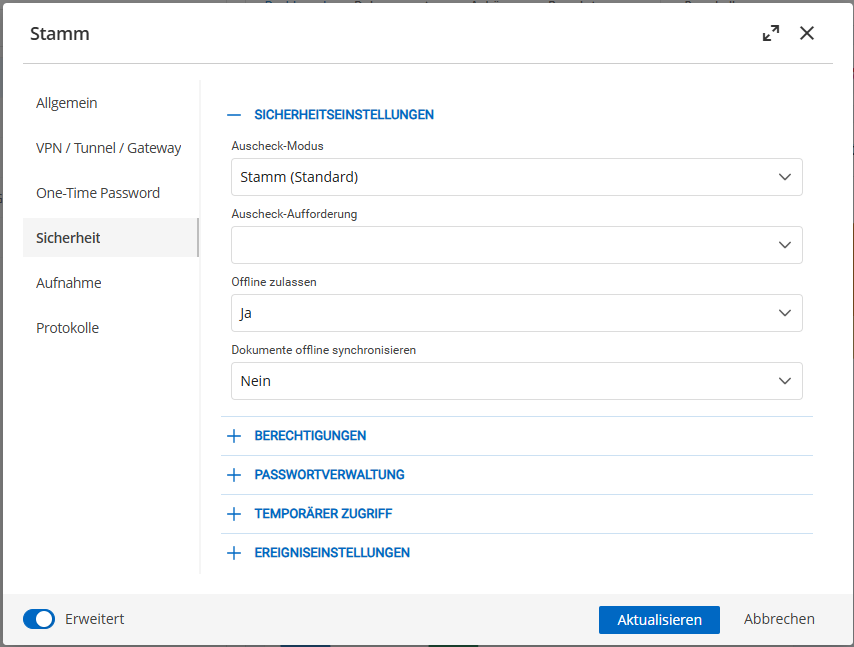
This is the second vault...
Offline Vaults
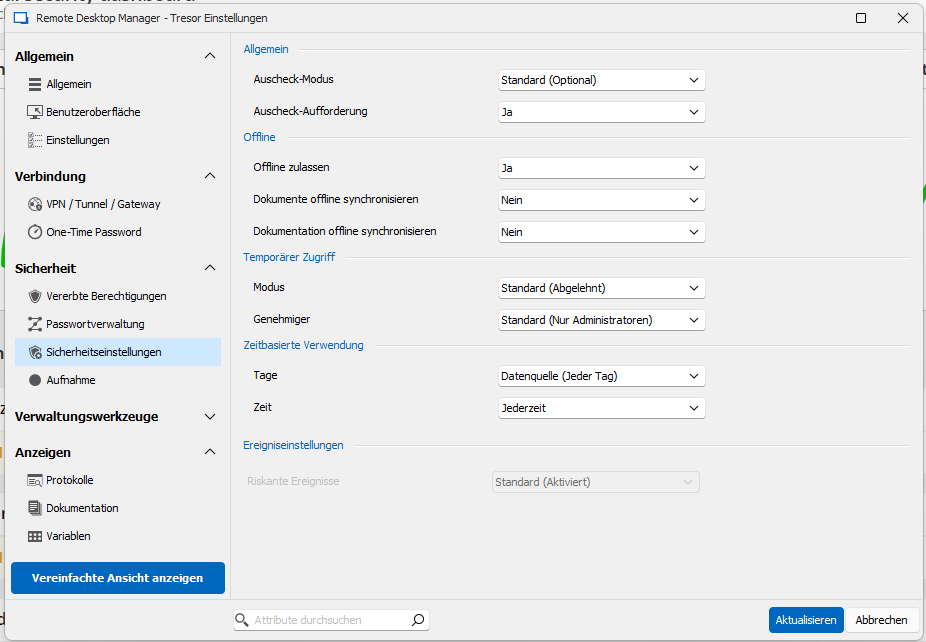
I'm trying to make our vaults offline available. The Group has the rights and for one vault it works, but for others it doesn't.
Here's a screenshot from the vault that works...
Here's the screenshot from a vault that doesn't...
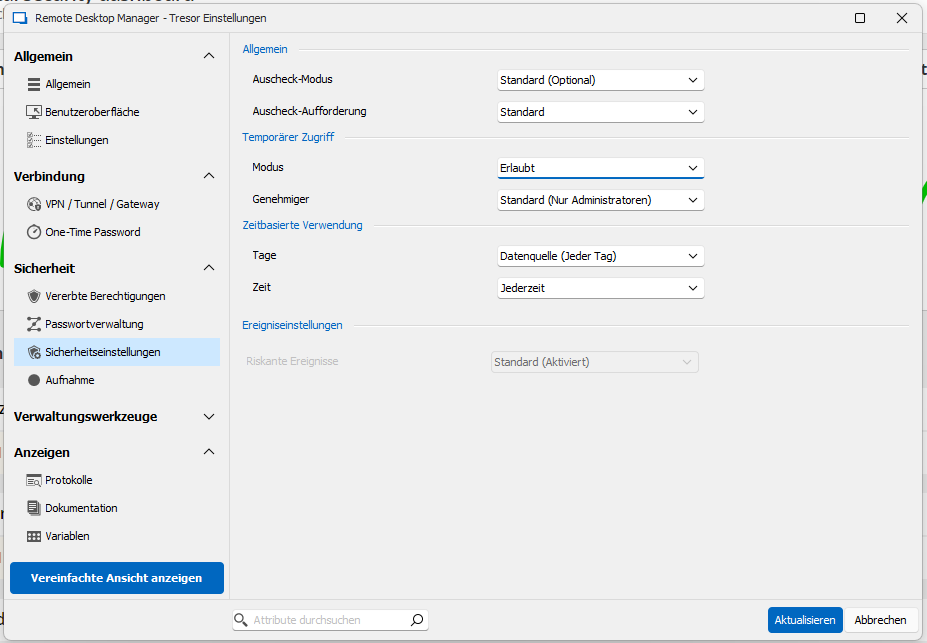
Whats the difference? Because the UI looks different...
And is there a way to set offline as default for all vaults?
Thanks and best regards
Daniel
iOS App Problem
Dear Sébastien
For internal testing, I allowed personal vaults, and now it seems to work. Maybe there's a problem on iOS, if personal vaults aren't activated...
Best regards,
Daniel
iOS App Problem
Hi there
On my iPhone 13 I've been able to connect to our devolutions server. But every time i want to switch to another vault, it shows in the vault selection menu first "Loading Vault", then "Loading Devolutions" and then switches back to the first vault in the list.
The problem was on iOS 17 and still persists on iOS 18.
Any idea what the problem there could be?
Thanks and best regards
Daniel
Migrate from Passwordstate
For now we copied the OTP Tokens one by one, so this can be closed...
Migrate from Passwordstate
I can import the otpauth:// link from the csv, but where to put it in RDM? I just put it in a custom field, but that doesn't help that much...
Migrate from Passwordstate
I get it somehow working, but I can't import OTPs. With the CSV wizard I choose "credentials" and then set all my fields, but I don't have OTP on the RDM side.
Migrate from Passwordstate

Migrate from Passwordstate
We also use RDM and I connected RDM with Passwordstate, but don't see an option to import the lists...
Migrate from Passwordstate
Hi,
We've been using Passwordstate so far, but we would like to migrate all data from it to DVSL. How can we copy the entire tree into a new vault to sort the data from there?
Thank you and best regards.
Duplicate Vaults (Template)
In Devolutions Server, I can add a documentation and it would be great if we could have templates for that section...

Duplicate Vaults (Template)
Hi Stéfane,
that's at least something ^^ but as far as I see, it's only possible to create a template group using RDM? I can work with that for now, but it would be great if there are templates for whole vaults or at least also "documentation" in the future.
Thanks and best regards,
Daniel
Duplicate Vaults (Template)
Is it somehow possible to create a vault filled with a structure, empty documentation and so on, and then duplicate said vault to use as template for a new vault? I don't want to setup the same structure for 100 vaults again and again...
Thanks and best regards
create a VPN entry through DVLS web interface
I see, so we'l find another solution for that, but it would be great if you could implement this into RDM ^^
Thanks a lot and best regards
create a VPN entry through DVLS web interface
Dear David
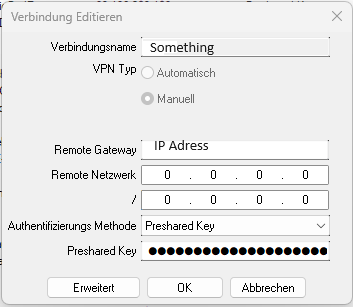
It works, tested with FortiClient 7.2.4
Would be great, if we could save the whole VPN connection in dvls, so it doesn't use the locally saved connection. Is that possible?
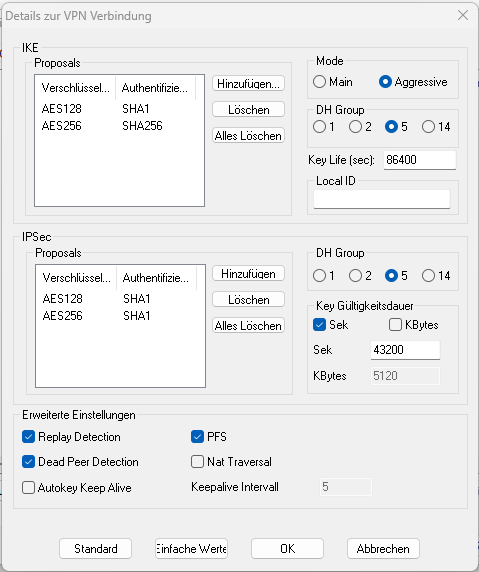
create a VPN entry through DVLS web interface
I would test it
create a VPN entry through DVLS web interface
As mentioned in the previous posts, it's only supported up to 5.4
create a VPN entry through DVLS web interface
I'd be very interested in using FortiClient IPsec with RDM, cause all our customers use it...