
michaeldawson
RDM issues running PowerShell scripts
Hello, given the lack of interest via that channel can you expedite this as a support case please?
RDM issues running PowerShell scripts
Any idea?
RDM issues running PowerShell scripts
Yes the session uses credentials but this error happens before the RDP connection takes place.
What is admin mode? Let me know and I'll check.
Yes same error for everything, this is not linked to the actual RDP functionality in my opinion, something has changed about the way RDM invokes powershell.
RDM issues running PowerShell scripts
Apologies for not responding to this thread in so long. I was getting by by running an older version that worked but due to centralising a datasource I'm forced to maintain my version to latest and hence I now have the problem again.
To re-illustrate
My settings:

You see this is a simple powershell that should open a powershell window and display text.
When I launch it I get a message:
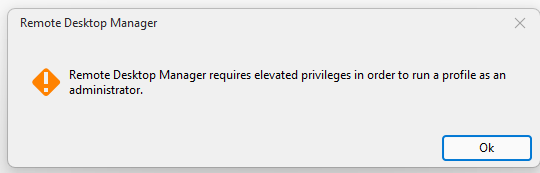
I click OK
I accept UAC prompt
Then I get this error:

I would really like to fix this.
We also have a support contract with yourselves however we can continue to track this on the forum if it helps others if that's ok.
I would be happy to connect and share a screen on this if that's possible.
Thanks in advance.
How to create users when datasource is MFA Azure SQL DB
Thanks for the info so far. I'm still trying to understand all of the steps to get this setup into a clear process.
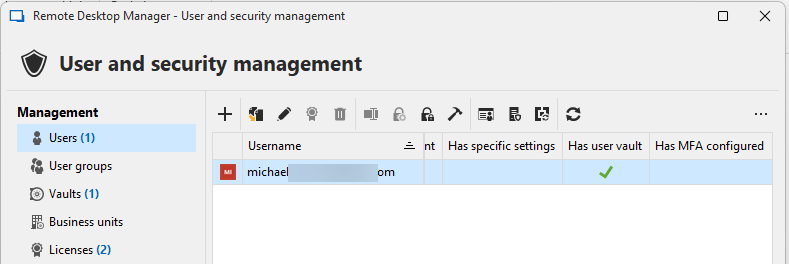
Does anyone know what "Has MFA configured" means for a user?
I ask because as far as I know, my user is attaching using MFA however the above setting is unchecked?
Any idea?
How to create users when datasource is MFA Azure SQL DB
Hi. Thanks for the info so far but I'm still stuck.
My users need to authenticate via MFA (Entra).
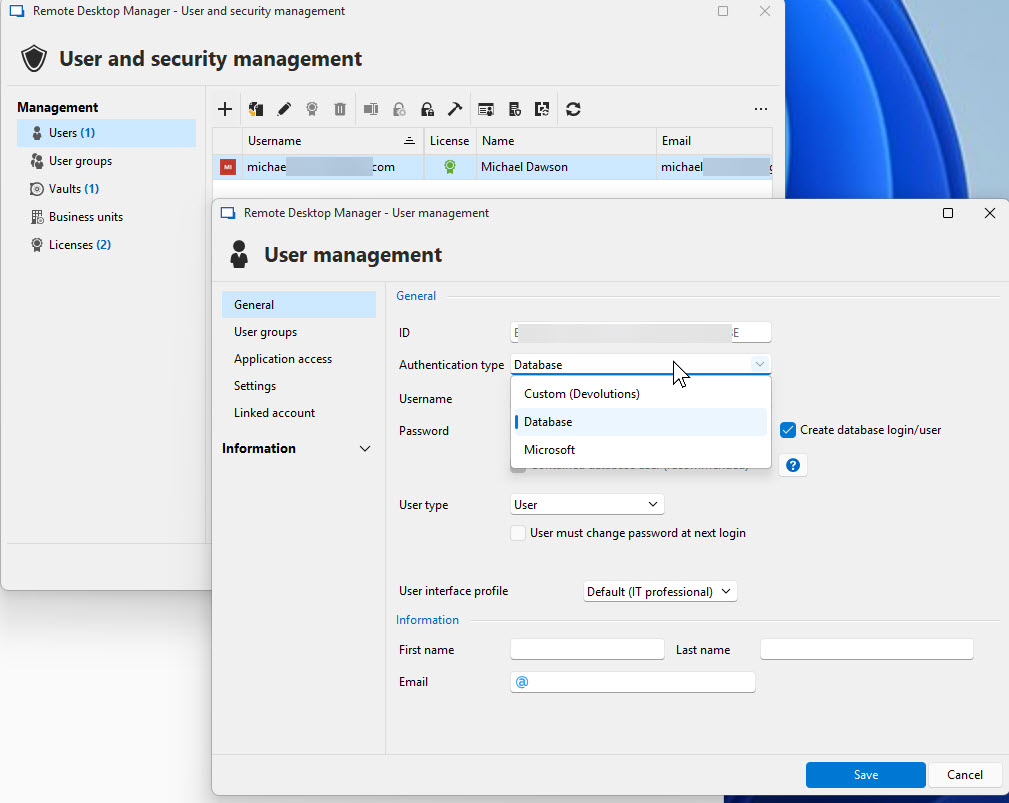
How do I create a user in the datasource that correponds to that user?
What authentication type do I need to use?
Do I have to setup users in RDM Administration AND in the Azure SQL Database?
Very confusing.
How to create users when datasource is MFA Azure SQL DB
I've assigned the license, that isn't the issue.
I need to know how to assign USERS.
There is zero guidance on the devolutions site for this.
How to create users when datasource is MFA Azure SQL DB
To add a little more context:
I have created an Entra group.
This group has db_datareader/db_datawriter to the database.
I add entra users to that group.
MFA is already configured for our organisation.
I just need to know how to create and assign the users to the license stored in the datasource.
Thanks.
How to create users when datasource is MFA Azure SQL DB
Hello,
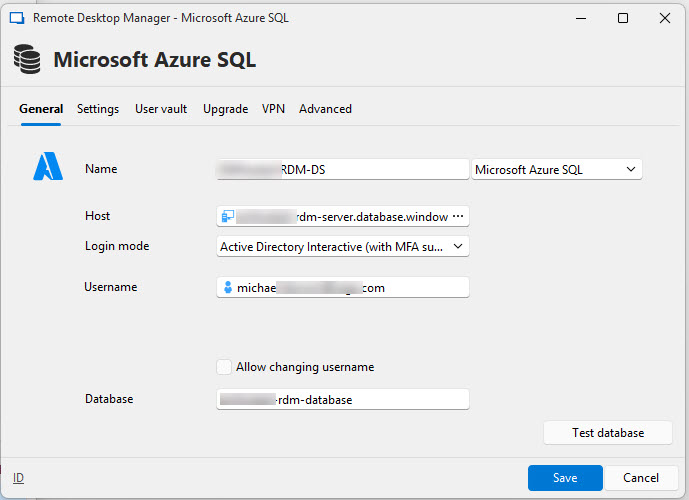
I can't find any clear guidance to create/apply users to our license from inside RDM.
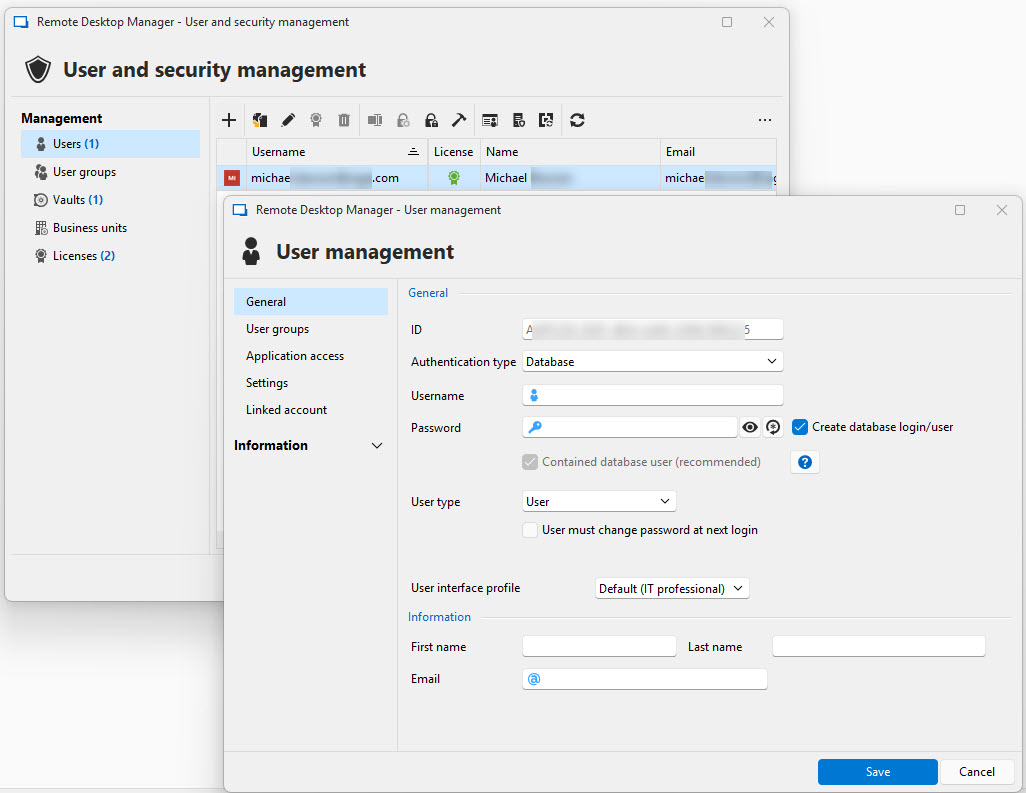
I can get to the user management dialog but the options aren't clear.
Can you advise what steps I need to follow to add my users?
(see attached pic)
Thanks,
Michael
RDM issues running PowerShell scripts
Hello,
I have been using RDM for some years now without issue.
I have moved laptop which has force reinstall export/import of RDM vault etc.
Basic windows RDP is working as normal.
My problem is that for some use cases I need to execute PowerShell beforehand to establish an AWS SSM Tunnel to the instance before I connect.
I would achieve this by adding a before event to run a PowerShell script, wait 25 seconds for the tunnel to establish and then continue to connect RDP.
This continues to work in my existing setup but no longer works in the new.
Thanks in advance,
Michael Dawson
The error:
When I launch the session I receive an error:
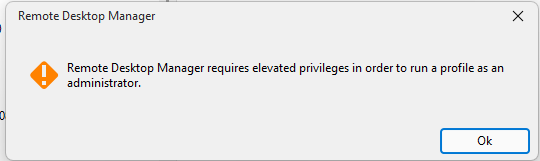
After allowing UAC elevation I then get the following error in a PowerShell window:

The session attempts to immediately connect (no delay settings in the event dialog on new version??) and fails.
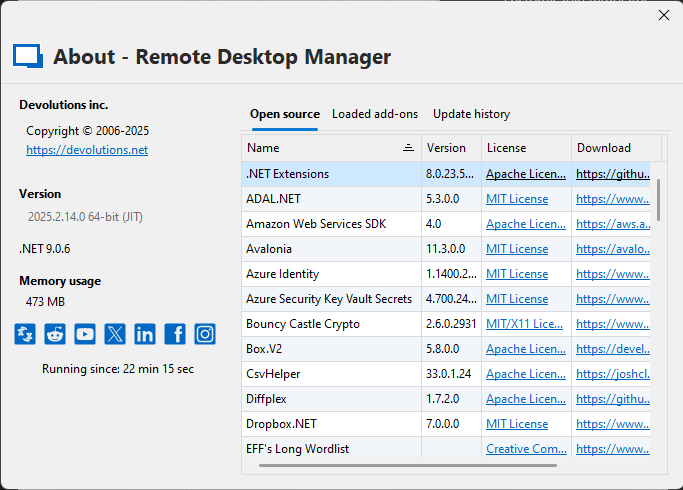
I layout a comparison of settings below fyi…
Failing version
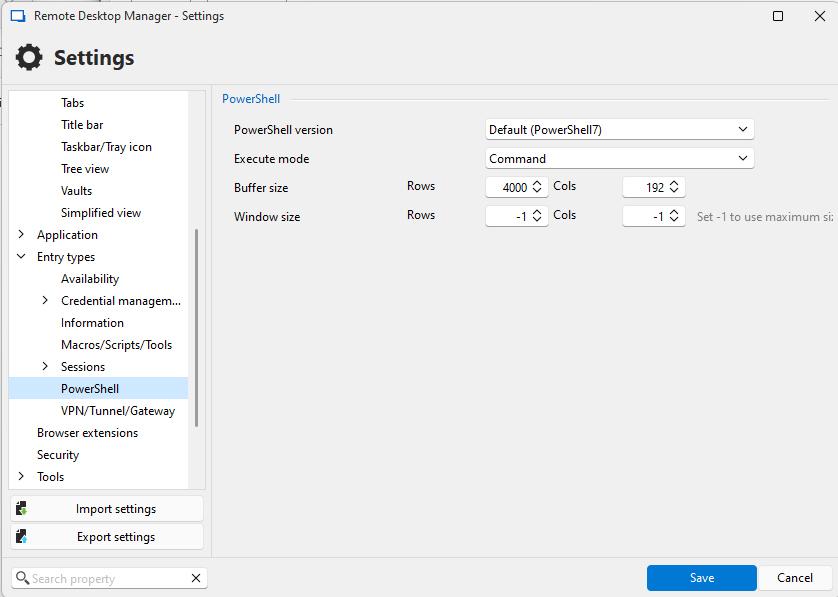

Working version

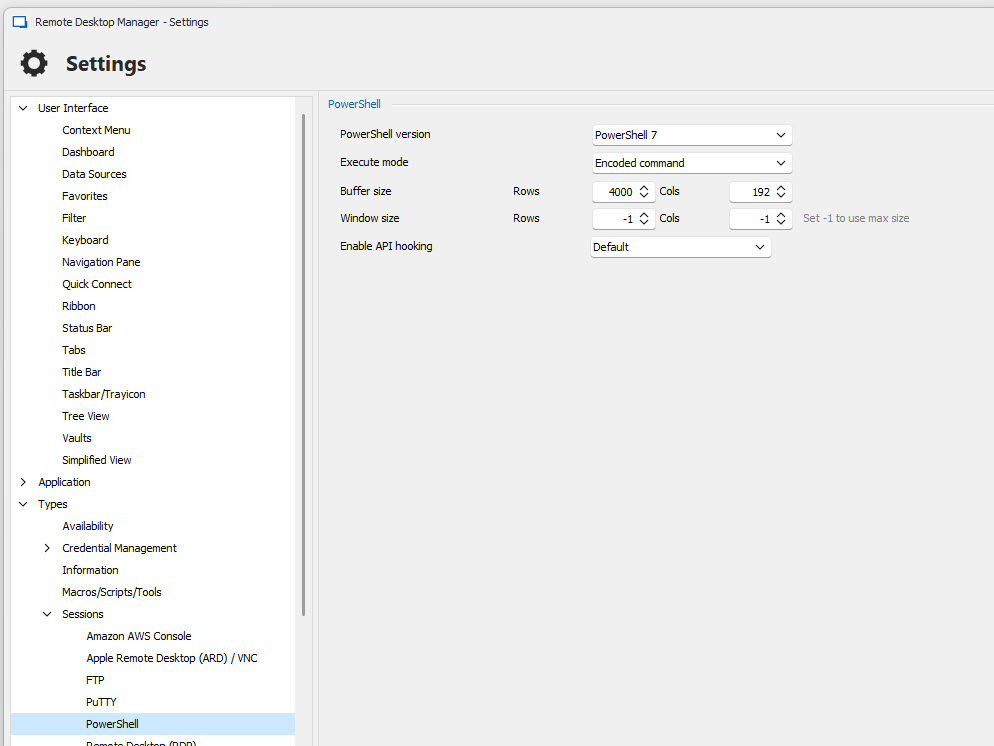

How can I launch an AWS SSM Tunnelling session prior to RDS?
That solution works perfectly. Thank you.
How can I launch an AWS SSM Tunnelling session prior to RDS?
Hi Erica, this is almost perfection we are so close.
The problem I have is that the Before Open script executes in parallel to the RDP connection and the tunnel can't complete in time, it needs a few seconds.
Is there any way to force the session to delay for a few seconds?
The wait for exit feature won't work as I need the tunnel to remain active for the session to work.
I don't think timeout would work either as this is not a delay.
I have a related question: I noticed that you can refer to the connection name as a variable $RDM.Connection.TabTitle = $RDM.Connection.Name + " (" + $date + ")"
Is there any way I could take a substring of that? i.e. if the session was called: "SERVER01: i-0e233a09c72574152" to substitute a substring into the script command like follows:
aws ssm start-session --target right($RDM.Connection.Name, 19) --document-name AWS-StartPortForwardingSession --parameters portNumber="3389",localPortNumber="9999" --region eu-west-3
(hope that makes sense)
Thanks
How can I launch an AWS SSM Tunnelling session prior to RDS?
Hi. The only way I can access certain resources is via AWS SSM Tunnelling which is like a local SSH Proxy. It is initiated from a powershell command:
aws ssm start-session --target i-0e233a09c72571234 --document-name AWS-StartPortForwardingSession --parameters portNumber="3389",localPortNumber="9999" --region eu-west-3
I then RDS to localhost:9999 and it works.
How can I configure this in RDM?
Thanks.
AWS links: Start a session - AWS Systems Manager (amazon.com)
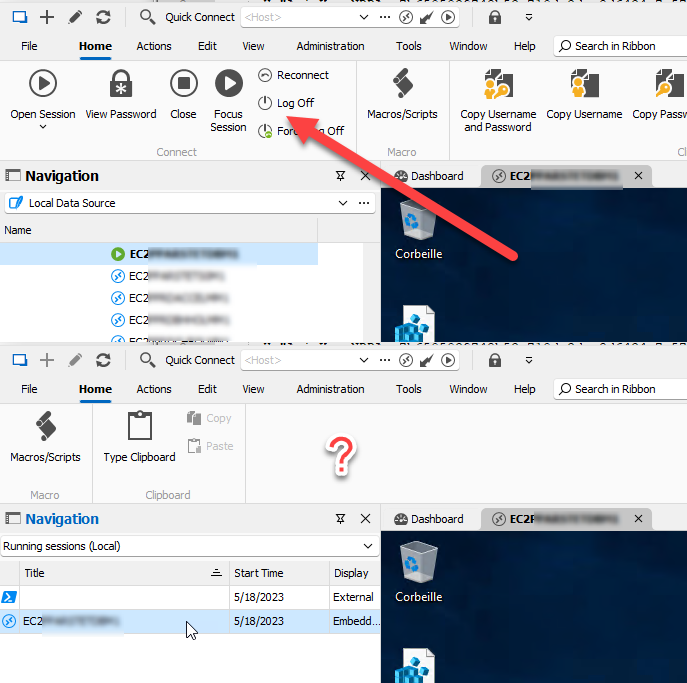
No "Log Off" button in "Connected Sessions" view?
Why can't I see a "Log Off" button in the "Connected Sessions" view? It works great in "Vault" view?
Perhaps it's just not available. I know this is a tiny thing but it would be a great time saver when you're flipping sessions like a crazy person.
Thanks in advance.
import connections with RDP Gateway link and inherited credentials already set
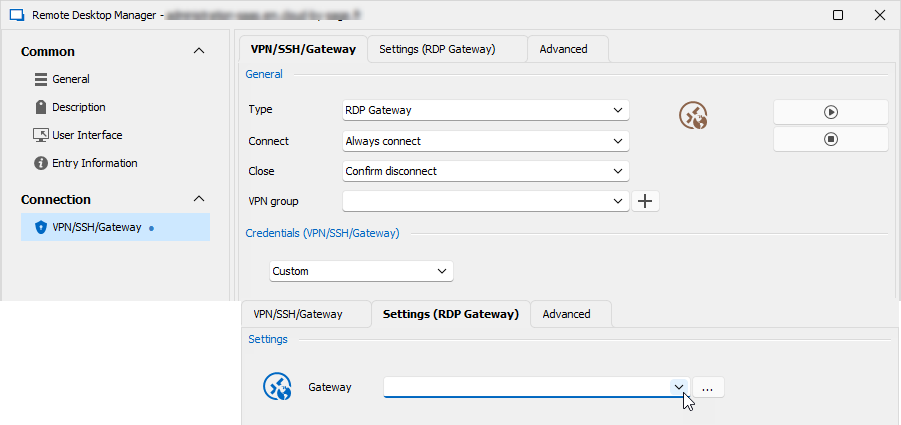
Apologies, i'm confused at the config of the rdgw setup. In the RDGW settings VPN/SSH/Gateway tab I select RDP Gateway.
Then when I switch to the "Settings (RDP Gateway)" tab I can't select anything. I assume an rdgw can't point to itself??
import connections with RDP Gateway link and inherited credentials already set
Hi, I'm new to RDM. I have ~800 connections to create.
I have a single user account for them all.
I created a new folder
I've created a credential (key) object in the root of that folder
I set the dft creds to use that credential item.
I setup subfolders with inherit.
Now when I create new connections they always create with "custom" credentials??? How to make default 'Inherit"
How do I import to do the same?
I don't want to have to configure RD Gateway for each, I have created a RD GW object in the root.
I can reference this in the Connection panel of any new connection and it works.
How do I mass import my 800 connections with this setting already?
I've attached screenshots of a working connection i'd like to use as the basis of a copy, I figure I could export to csv then add additional rows and then reimport but the rdgw settings and credential inheritance aren't visible on a csv export.
Thanks in advance.
Michael