
info64
Bulk edit sessions hangs
And the override SSH shell Post-login command does't work also not local
Bulk edit sessions hangs
With the local sessions is this working, so it has something to do with the cloud vault
Bulk edit sessions hangs
In the latest version of MacOS 2026.3.1.2 the Bulk edit function hangs the application. I selected 10 ssh sessions and overide some settings. After the save button the application keeps busy. I use the Devolution cloud Vault.
Please advise how I can edit more then 1000 sessions without everytime restart the application.
Login with Devolutions Cloud gives loopback error
Issue found, it no longer works with Safari, but the login worked again with Edge.
Login with Devolutions Cloud gives loopback error
When you start the App on MacOS 15.6.1 with RDM version 2025.2.12.6 using the personal hub, you will be redirected to the website to log in, where you will get a loopback and your login will not be authorised.
SSH key agent not working version 2025.2.11.0
Hi Michel,
Thanks for the follow up.
I can confirm that this is the case.
I checked also the SSH configs and we don't use a MaxAuthTries, so it is by default 10, but we have disabled this by default.
Kind regards,
Ruben van Milaan
SSH key agent not working version 2025.2.11.0
This is still an issue.
I f you uses more then 6 keys, it is not possible to use the SSH Key Agent:
[9/1/2025 1:51:05 PM] Agent has 17 keys
[9/1/2025 1:51:05 PM] Sending userauth init request
[9/1/2025 1:51:05 PM] Received userauth failure: publickey,gssapi-keyex,gssapi-with-mic
[9/1/2025 1:51:05 PM] Starting authentication by key
[9/1/2025 1:51:05 PM] Validating public key: rsa-sha2-512
[9/1/2025 1:51:05 PM] Received userauth failure: publickey,gssapi-keyex,gssapi-with-mic
[9/1/2025 1:51:05 PM] Validating public key: rsa-sha2-512
[9/1/2025 1:51:05 PM] Received userauth failure: publickey,gssapi-keyex,gssapi-with-mic
[9/1/2025 1:51:05 PM] Validating public key: rsa-sha2-512
[9/1/2025 1:51:05 PM] Received userauth failure: publickey,gssapi-keyex,gssapi-with-mic
[9/1/2025 1:51:05 PM] Validating public key: rsa-sha2-512
[9/1/2025 1:51:05 PM] Received userauth failure: publickey,gssapi-keyex,gssapi-with-mic
[9/1/2025 1:51:05 PM] Validating public key: rsa-sha2-512
[9/1/2025 1:51:06 PM] Received userauth failure: publickey,gssapi-keyex,gssapi-with-mic
[9/1/2025 1:51:06 PM] Validating public key: rsa-sha2-512
[9/1/2025 1:51:06 PM] Received disconnection message, code: 2
[9/1/2025 1:51:06 PM] Reason: Too many authentication failures
[9/1/2025 1:51:06 PM] Disconnection in progress
[9/1/2025 1:51:06 PM] Bytes sent: 3824, Bytes received: 2049
[9/1/2025 1:51:06 PM] Packets sent: 11, Packets received: 12
[9/1/2025 1:51:06 PM] Kex completed: 1
[9/1/2025 1:51:06 PM] Disconnecting
As you can see I haven at the moment 17 keys, and still counting.
But if I start a session, it tries 6 different keys and stops.
I'm 100% sure the right key is in the key agent.
Maybe we can add an extra option for the key agent, count the keys (see logfile first line!) and try the amount of keys?
I hope this will be fixed soon.
Kind regards,
Ruben van Milaan
SSH key agent not working version 2025.2.11.0
Hello,
I did create a log, and find the issue in it.
After the line: Received userauth failure there was a line with too many attempts.
That was the reason.
There were too many attempts, (I had a lot of keys into the SSH key agent).
After I removed all keys and insert the ones I need again, all start working again.
Perhaps there is some limit for the attempts set, which cause this error.
Anyhow, it is solved for me now.
Thanks in advanced.
Kind regards,
Ruben van Milaan.
SSH key agent not working version 2025.2.11.0
Hi there,
After the update from 2025.2.9.0 to 2025.2.11.0 the SSH key agent isn't working anymore.
My sessions aren't able to connect, as before they were.
I have to disable the agent in the session and link to a local file before I can connect again.
Please investigate this issue.
Kind regards,
Ruben van Milaan
Issues with the copy button with MFA entries
I have almost the same bug.
When I request an MFA entry and click on copy, there is no copy.
Fortunately, if I click on view and then copy, it still works.
So it seems that the copy function is not working.

Kind regards,
Ruben van Milaan
Version 2025.1.16.3 MacOS
Password variable doesn't work after update 2024.3.4.3
Hello,
I can confirm, this issue is solved.
Many thanks.
Kind regards,
Ruben
Password variable doesn't work after update 2024.3.4.3
Hi There,
Any news about this.
I'm using release 2024.3.4.4 and it is still not working.
Please create the new update a.s.a.p.
It's really annoying.
Regards,
Ruben
Password variable doesn't work after update 2024.3.4.3
Hello,
That is some different release number.
Any idea when this will be released?
Kind regards,
Ruben van Milaan
Password variable doesn't work after update 2024.3.4.3
Hello,
Wow, that's far away, we are now on 2024.3.4.4. Just today we had the latest version.
Why is it so difficult to undo the wrong code for variables?
And why do we have to wait this long?
Please priors this bug, it's almost a show stopper.
kind regards,
Ruben van Milaan
Password variable doesn't work after update 2024.3.4.3
Hi,
Sorry for the delay, I had a day out of the office.
The request you made, I can't find this in my system.
I don't have Administration => System Settings?
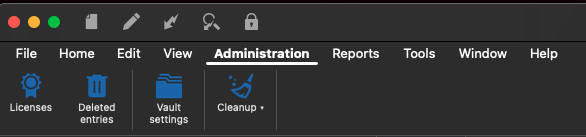
Regards,
Ruben
Password variable doesn't work after update 2024.3.4.3
Hello,
As you can see in the sent images, this option is enabled in all my sessions.
Kind regards,
Ruben
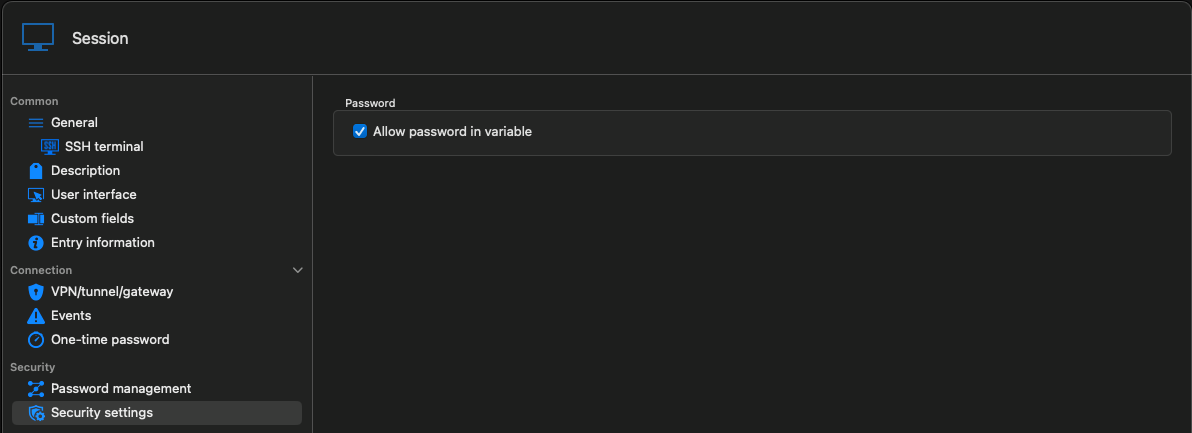
Password variable doesn't work after update 2024.3.4.3
Hi,
I downgraded to 2023.3.10.2 and now it works, only the Hub version and Manager are mismatched and read only
Regards,
Ruben
Password variable doesn't work after update 2024.3.4.3
Hi,
Unfortunately, downgrading the version did not help.
The feature now does not work in it either.
Hopefully an update will come soon.
Kind regards,
Ruben
Password variable doesn't work after update 2024.3.4.3
Hi,
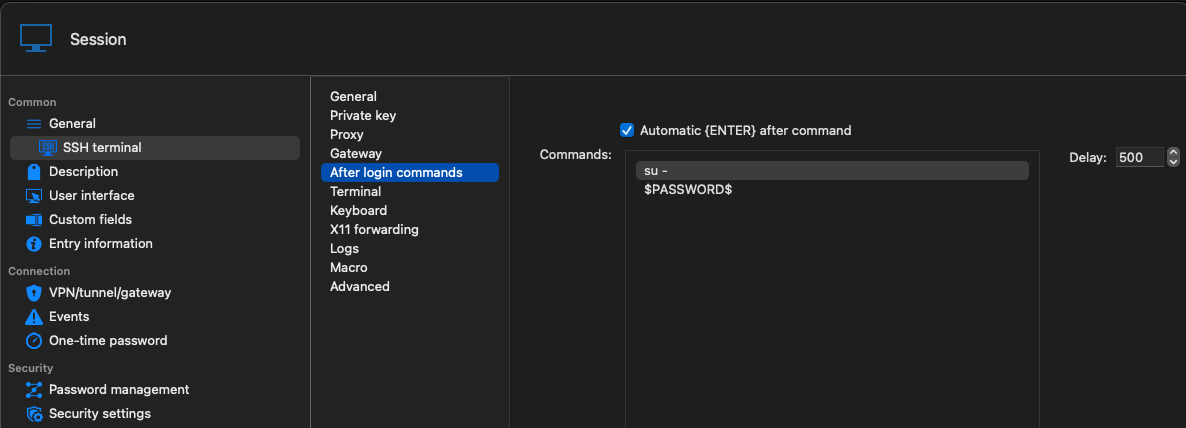
I have more than 900 SSH sessions with username and password.
After the first login, I use su - and the same password again.
It works al the time till the latest update.
If I use the button Copy password, it is the correct password.
But if I use it in the After login commands, it isn't anymore.
Kind regards,
Ruben
Password variable doesn't work after update 2024.3.4.3
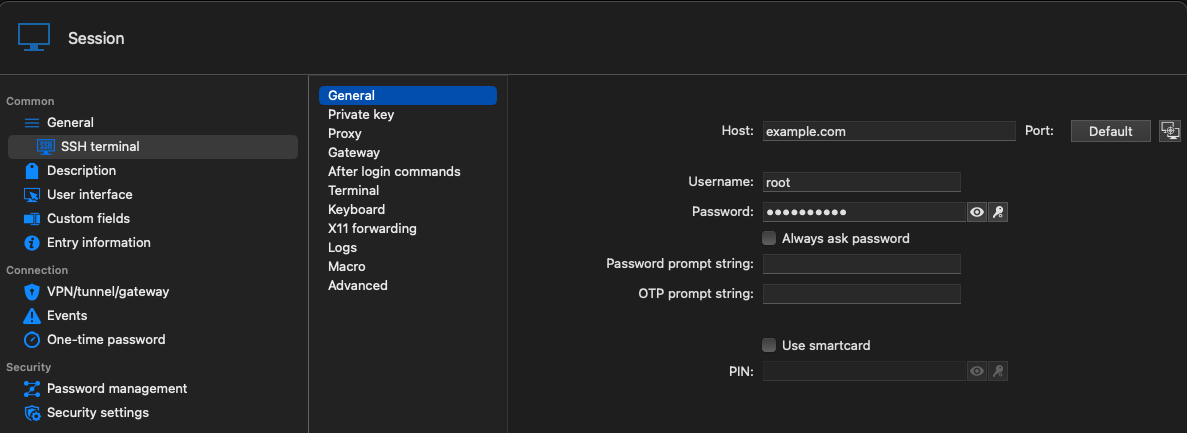

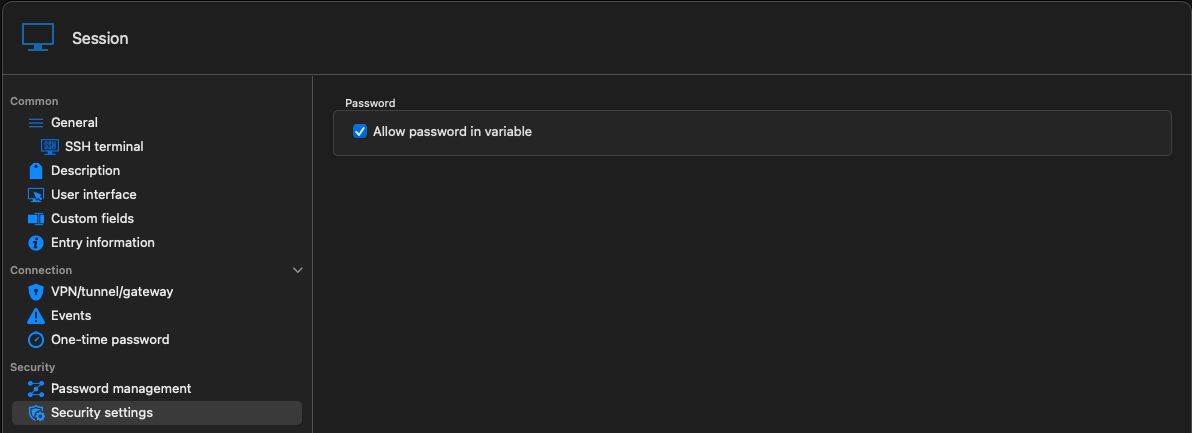
Password variable doesn't work after update 2024.3.4.3
Hi David,
I'm using MacOS
How come, you can't see the images?
they are attached to the first entry.
Regards,
Ruben
Password variable doesn't work after update 2024.3.4.3
Hello there,
After update, password variable no longer works
See screenshots
If I use the menu copy password, it is correct.
So it seems it is in the session variables.
Please find a solution.
Kind regards, Ruben van Milaan


Missing scripts in macrotoolbar
Hi there,
I didn't reply anymore, but it is solved.
Thank you very much.
Missing scripts in macrotoolbar
Hello?
When I select multiple sessions and goto Edit => Batch edit => Edit entries (session type settings) and select Macro, select Override and check Include Script/Tools, nothing happens, only a synchronisation between the hub. Ìs there a quick way to edit all my SSH sessions with the Include Script/Tools option on?
Missing scripts in macrotoolbar
Hello,
Thanks fort he quick reaction.
I couldn't find this in the relase notes, but thanks.
We are almost there.
I can see this option, but I have more then 900 entries
I use the template function and also Batch edit, but it does not add the thick-box if I add this options.
Is there a way that this option on by default, otherwise I need more then 900 entries one by one to edit this option.