Password variable doesn't work after update 2024.3.4.3

Hello there,
After update, password variable no longer works
See screenshots
If I use the menu copy password, it is correct.
So it seems it is in the session variables.
Please find a solution.
Kind regards, Ruben van Milaan


Schermafbeelding 2024-10-01 om 10.31.54.png
Schermafbeelding 2024-10-01 om 10.29.16.png
Schermafbeelding 2024-10-01 om 10.29.03.png
Schermafbeelding 2024-10-01 om 10.28.46.png
All Comments (22)
Hello,
I'm unable to see the print screen. Could you let me know which platform you use? Is it Windows, macOS, or Linux?
Regards
David Hervieux
Hi David,
I'm using MacOS
How come, you can't see the images?
they are attached to the first entry.
Regards,
Ruben
Hi Ruben,
We cannot see the images you posted above. It seems there is a bug with the filenames that may contain special characters.
In the meantime, even if I cannot see your images, I tested the $PASSWORD$ variable and it's working properly on my RDM Mac 2024.3.4.3.
What scenario are you using the password variables?
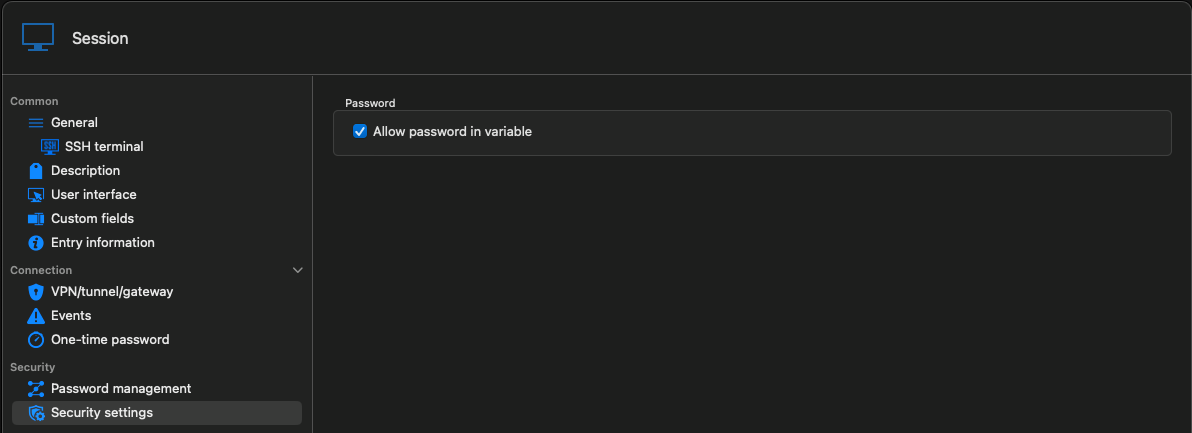
Have you enabled the Allow password in variable option for all entries involved (credentials and sessions) with what you want to achieve?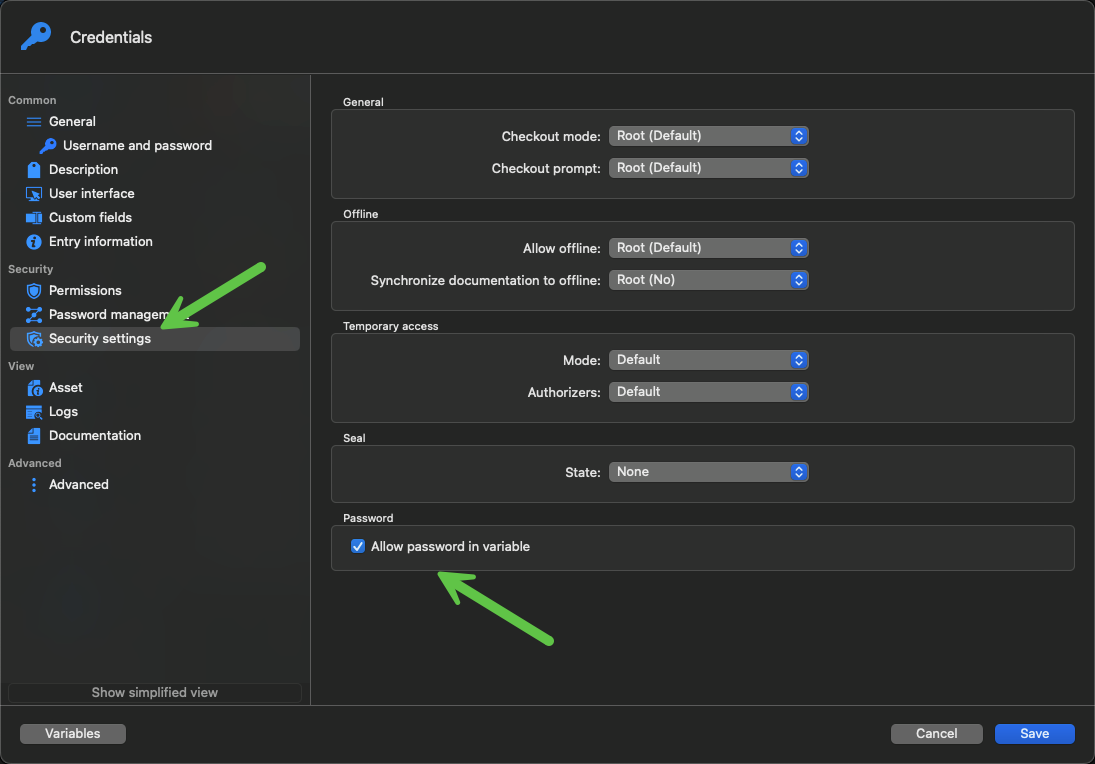
Best regards,
Érica Poirier
fa2cdace-6061-4f61-aa6b-232cd664c070.png
d85f58ca-6811-4c03-ad30-0d39dac35778.png
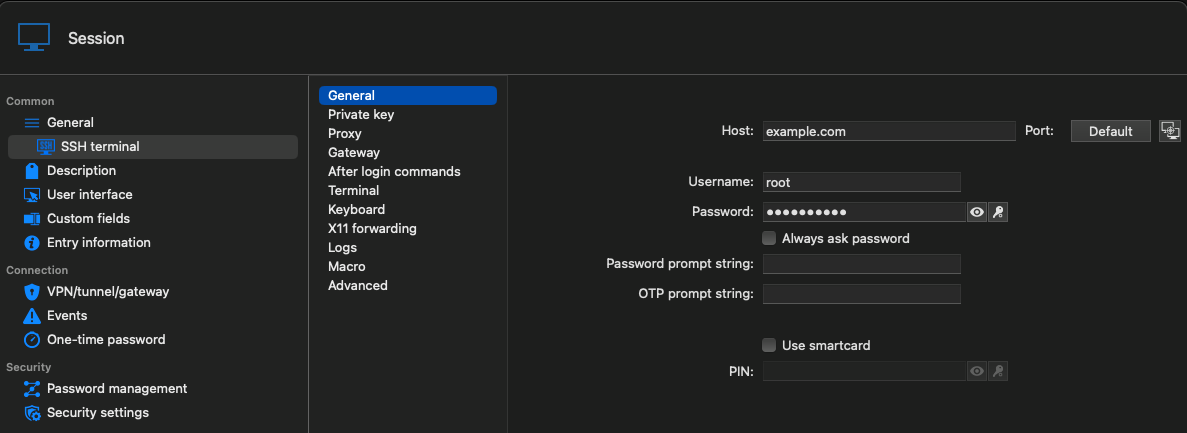
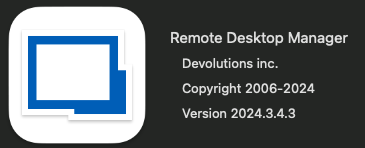
version.png
general.png
allowpasswordinvariable.png
afterlogin.png
Hi,
I have more than 900 SSH sessions with username and password.
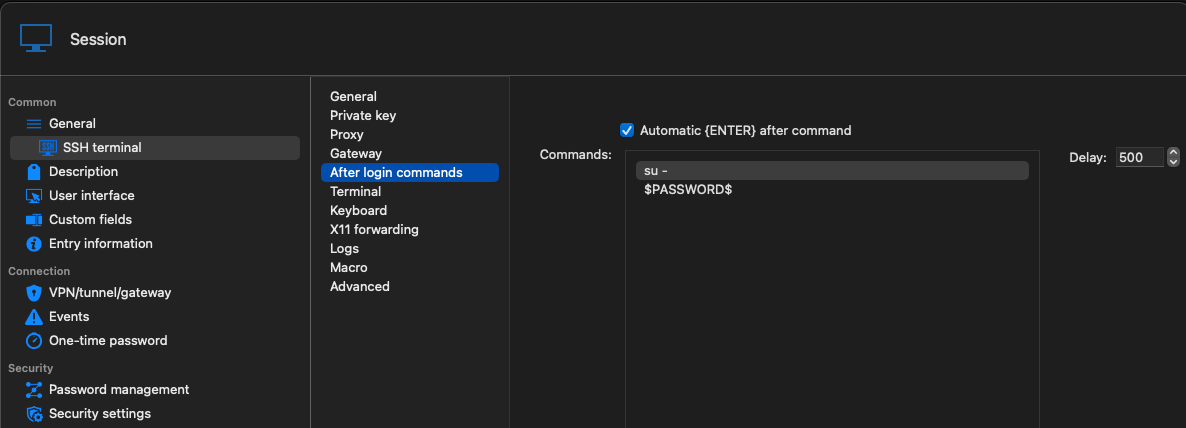
After the first login, I use su - and the same password again.
It works al the time till the latest update.
If I use the button Copy password, it is the correct password.
But if I use it in the After login commands, it isn't anymore.
Kind regards,
Ruben
Hi,
Thank you very much for reposting the images.
I have reproduced the issue you are experiencing. A ticket has been submitted to our developer team.
In the meantime, the workaround is to uninstall version 2024.3.4.3 and install the previous 2024.2.10.4 version.
https://devolutions.net/remote-desktop-manager/home/previousversions/
We will post it here once a fix is available.
Thank you for being so patient.
Best regards,
Érica Poirier
Hi,
Unfortunately, downgrading the version did not help.
The feature now does not work in it either.
Hopefully an update will come soon.
Kind regards,
Ruben
Hi,
I downgraded to 2023.3.10.2 and now it works, only the Hub version and Manager are mismatched and read only
Regards,
Ruben
Hello,
Could you verify that the Allow password in variable option is enabled in the Security settings tab of the SSH entries?
It seems for an unknown reason that the option was disabled on my test entry. Since it's enabled, I can no longer reproduce the issue.
See step 5 of this article.
https://docs.devolutions.net/rdm/mac/kb/rdm-macos/how-to-articles/macos-typing-macro-perform-authentication/
Best regards,
Érica Poirier
Hello,
As you can see in the sent images, this option is enabled in all my sessions.
Kind regards,
Ruben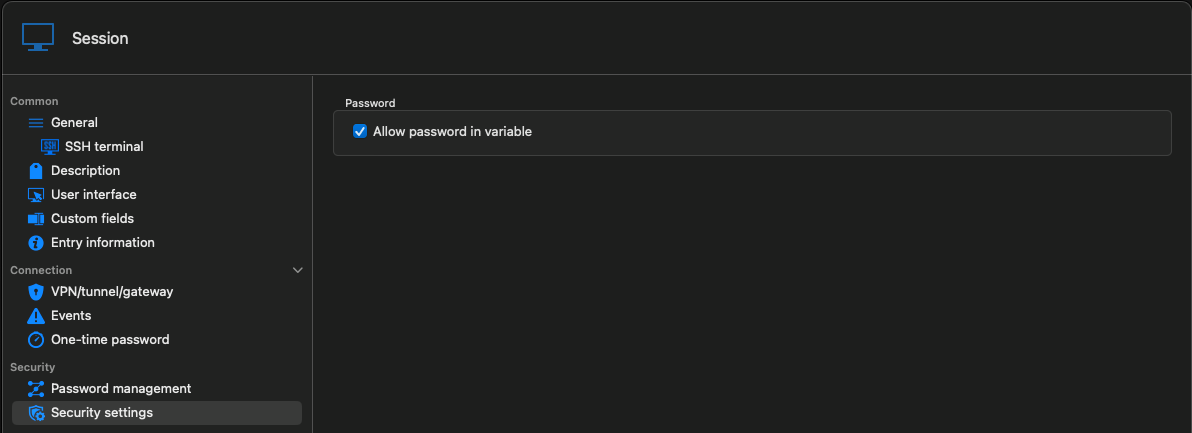
allowpasswordinvariable.png
Hello,
Thank you for your feedback.
I noticed the option was enabled in your entries from your previous screen capture as it was in mine. I just wanted to be sure that it hasn't been disabled.
Could you verify that these 2 options are enabled in Administration - System Settings - Password Policy?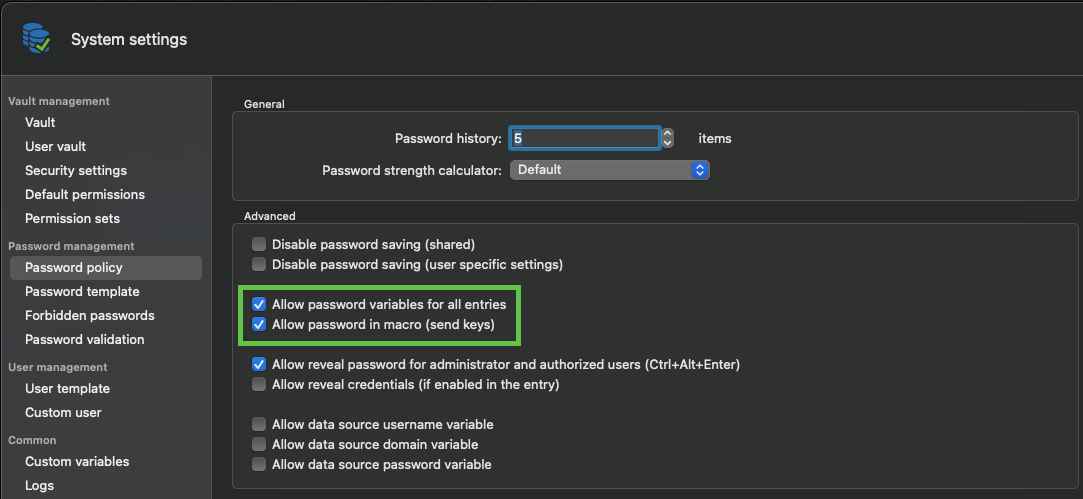
Best regards,
Érica Poirier
ce20de7c-be9c-40a8-a862-784ac81e4c6e.png
Hi,
Sorry for the delay, I had a day out of the office.
The request you made, I can't find this in my system.
I don't have Administration => System Settings?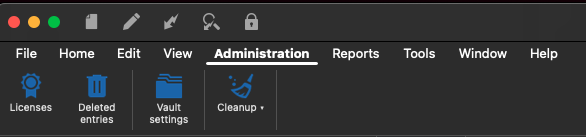
Regards,
Ruben
administration.png
Hello,
Thank you for your feedback.
Another ticket has been submitted to the developer team regarding the $PASSWORD$ variable that is unresolved with Hub Business and Hub Personal data sources.
We will post it here once a fix is available.
Thank you for being so patient.
Best regards,
Érica Poirier
Hello,
This issue should be fixed starting with RDM 2024.3.14.0. Please let us know if you still encounter this issue with this version once it's available.
Regards,
Hubert Mireault
Hello,
Wow, that's far away, we are now on 2024.3.4.4. Just today we had the latest version.
Why is it so difficult to undo the wrong code for variables?
And why do we have to wait this long?
Please priors this bug, it's almost a show stopper.
kind regards,
Ruben van Milaan
Hello,
Sorry about the confusion, I replied thinking you were on RDM Windows. For RDM Mac, the version that will contain the fix should be 2024.3.6.0.
Regards,
Hubert Mireault
Hello,
That is some different release number.
Any idea when this will be released?
Kind regards,
Ruben van Milaan
Hello,
We don't really have a release date for the 2024.3.6 version of RDM Mac since it is the version we are currently working on.
What I can do though, is push this fix on a new version 2024.3.4 version, should be availble much faster that way.
If it is good with you, we will go forward and warn you when the new version is available.
Best regards,
Michel Lambert
Hi There,
Any news about this.
I'm using release 2024.3.4.4 and it is still not working.
Please create the new update a.s.a.p.
It's really annoying.
Regards,
Ruben
Hello,
The build is being reviewed, if everything go right, we do hope to be able to release it around this week.
Best regards,
Michel Lambert
Hello,
Version 2024.3.5.1 of RDM Mac is now available and it should solve the problem.
If there's anything, don't hesitate to communicate with us.
Best regards,
Michel Lambert
Hello,
I can confirm, this issue is solved.
Many thanks.
Kind regards,
Ruben