
dhuebner
Connection to RDP slow locally but not remote
This setting actually fixed my issue as well. Thanks everyone!
Connection to RDP slow locally but not remote
Hi Richard,
Ive always redirecting clipboard only and nothing else.
Best Regards
Daniel
Connection to RDP slow locally but not remote
Its a Server 2019 Build 1809.
Yes, connecting directly through Windows App works better.
Connection to RDP slow locally but not remote
Your assumptions are correct, yes.
I have simply duplicated the entry for the problematic host in RDM and changed the IP to my desktop and... its still faster using this and then going to the host inside the desktop.
Sent you a PM with the logs
Connection to RDP slow locally but not remote
Hello Everyone,
i have a strange behaviour going on for some weeks or even months.
I am connecting to a certain host using RDM running on my Mac. The connection lags, drawing is slow.
Then i am connecting to my virtual desktop from my Mac but using Microsoft Remote Desktop (Windows App). This virtual desktop runs Windows 11 and has RDM on it too. It is sitting on the same network as the target host.
When i then connect to the same target host as i tried from my Mac, the connection is just fine and faster than connecting from my Mac directly.
How is that even possible?
Batch Edit -> No effect
Hi All,
I'm now running 2023.3.9.3 but batch edits still dont show any effect.
Best Regards
Daniel
Batch Edit -> No effect
Hi All,
im trying to batch edit several entries and change RDP settings, so i am doing:
Entry -> Edit -> Batch Edit -> Edit Entries (Session Type Settings) -> Experience -> Activate "Detect network automatically"
I can do this and click OK... the window closes without any error but the setting remains unchanged. What am i doing wrong? Is there a way to set this particular setting for all entries at once?
Windows RDP drawing issues
I can confirm that this happens on MS RDP too, when Retina option is enabled. So .. i guess im just deactivating it for servers where i've got applications with drawing issues. Thanks all!
Windows RDP drawing issues
Ive now disabled Retina Display and this seems to do the trick. Can now see the menus. Is that a bug which will be fixed?
Windows RDP drawing issues
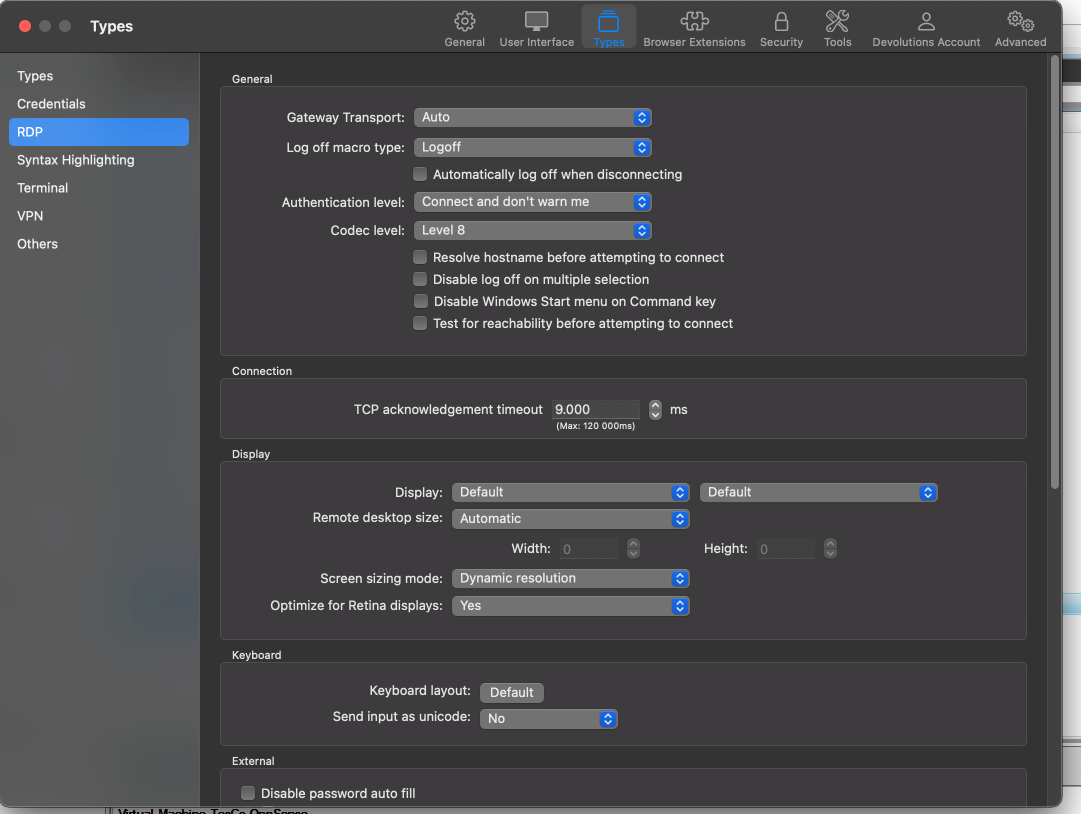
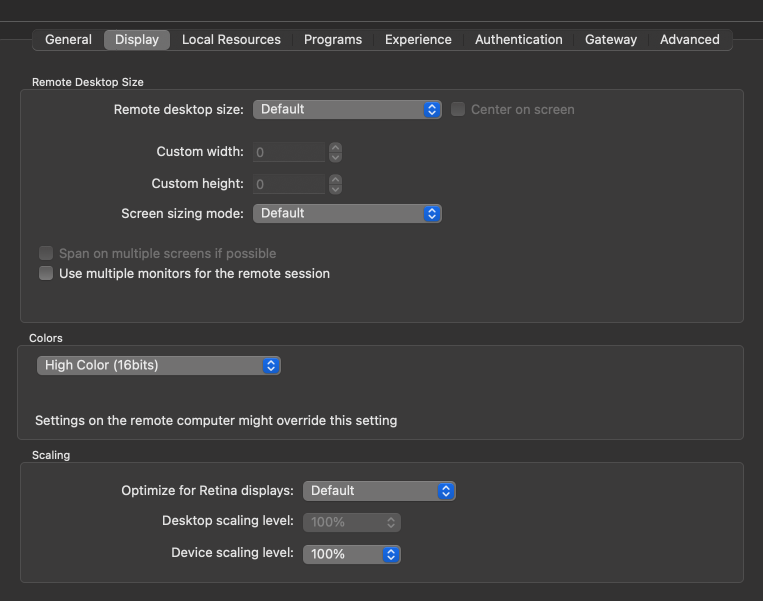
Ive tried the other screen sizing modes but that didnt change anything.
Windows RDP drawing issues
Hi Everyone,
when im using RDM to connect to Windows servers, i am experiencing drawing issues on some but not all windows. This is primarily affecting right click menus. If i click right the menu will open but when i hover over it, it disappears. Saw this also on some sub-windows within the Veeam application. Seems to be related to how the window is drawn.
Anyway, when connecting using the MS RDP client for MacOS, i dont have these issues.
MS RDP - Best Practices on MAC
Hey James,
im using 2022.3.14.1 on MacOS 13.1.
My Data Source is a central MS SQL server.
I've downloaded "Royal TSX" which is also based on FreeRDP and it seems noticable better out of the box.
Best Regards
Daniel
MS RDP - Best Practices on MAC
Aloha,
I've tried some of the different settings i can choose within RDM (Codec, Retina, RDP options) but i experience some noticable "lag" on some of my RDP targets. This means windows are behaving very slow, mouse point highlighting is not at point but behind and so on...
Is this something i simply have accept running on a MAC or can this be fixed with some kind of best practice settings?
My targets are mostly server 2019 and 2016
Security with central SQL
Thank you! That helped :)
Security with central SQL
Hi All,
we are using a central database with AD accounts accessing RDM. This works fine so far. But I would like to prevent new users from viewing passwords for certain or all RDM entries. Any idea how to set that up?
Best Regards
Daniel