Windows RDP drawing issues

Hi Everyone,
when im using RDM to connect to Windows servers, i am experiencing drawing issues on some but not all windows. This is primarily affecting right click menus. If i click right the menu will open but when i hover over it, it disappears. Saw this also on some sub-windows within the Veeam application. Seems to be related to how the window is drawn.
Anyway, when connecting using the MS RDP client for MacOS, i dont have these issues.
All Comments (8)
Hi,
Could you provide a screenshot of the Display tab of one of your RDP session with the issue, like this:
As well as a screenshot of the Settings -> Types -> RDP -> Display box, like this: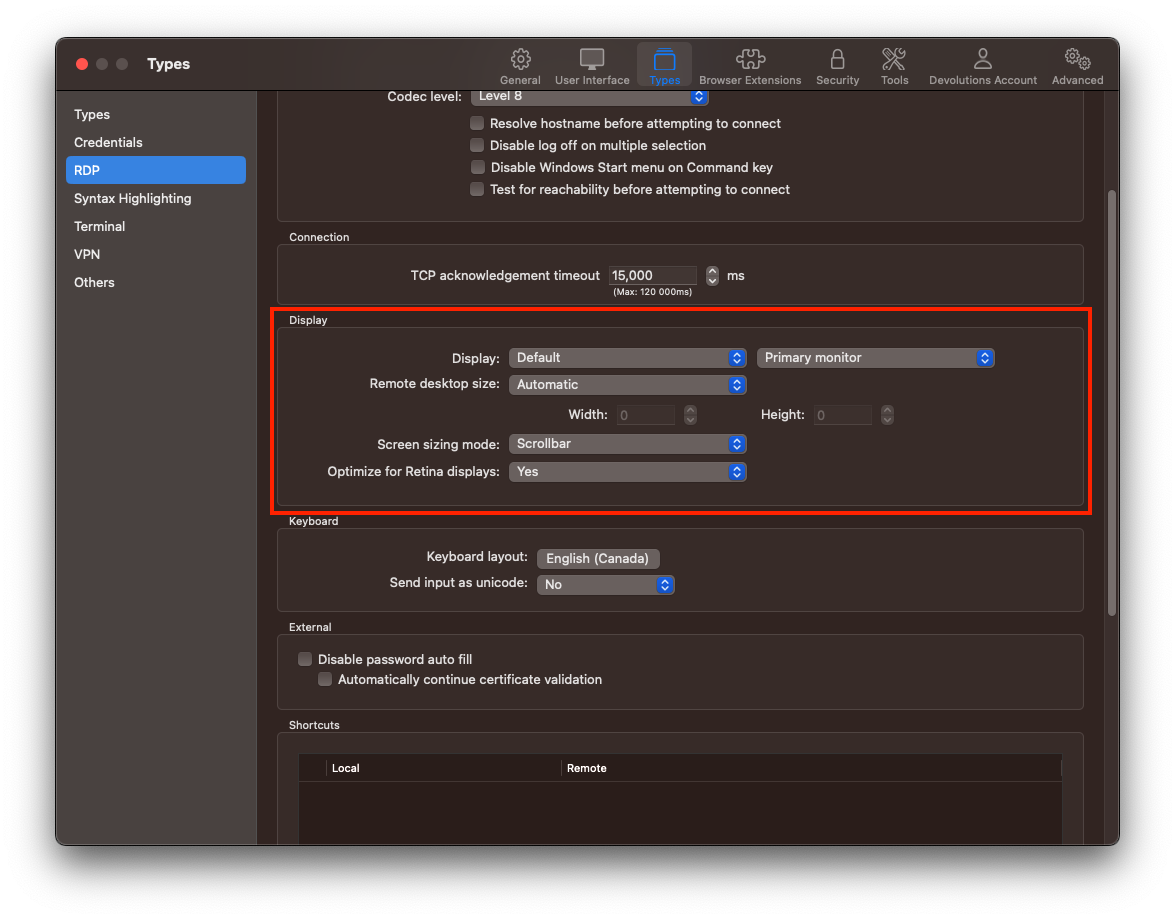
Best regards,
Xavier Fortin
SettingsRDP.png
DisplayTab.png
Hello again
I've had trouble reproducing the problem on my side. Can you confirm that this issue relates to the "Smart Resize" (in the English localization of RDM) function - i.e. if you just use the "Scaling" mode, the remote display renders properly?
Thanks and kind regards,
Richard Markievicz
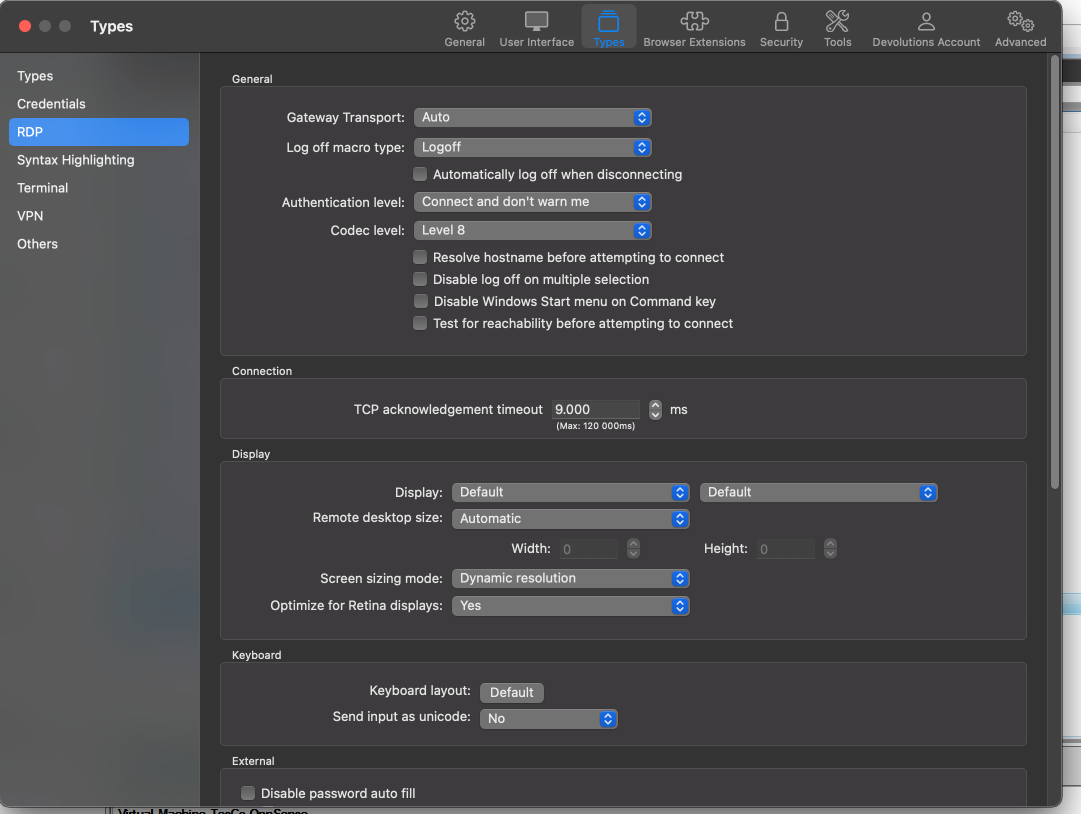
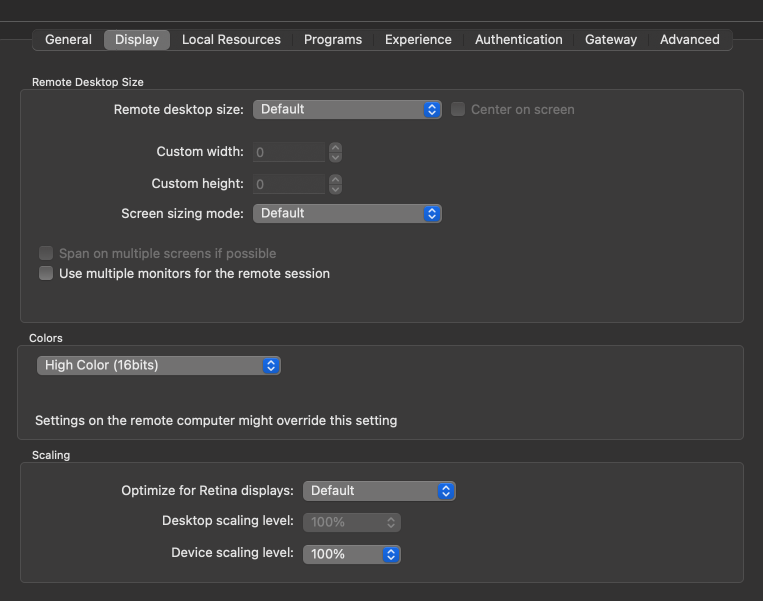
Ive tried the other screen sizing modes but that didnt change anything.
SCR-20230412-nfxs.png
SCR-20230412-ngat.png
Hello
Most specifically, have you tried adjusting the options for "Optimize for Retina Displays"? Did you try setting it to "No"?
Do you have the equivalent option enabled in MS RDP?
Please let me know if something isn't clear.
Thanks and kind regards,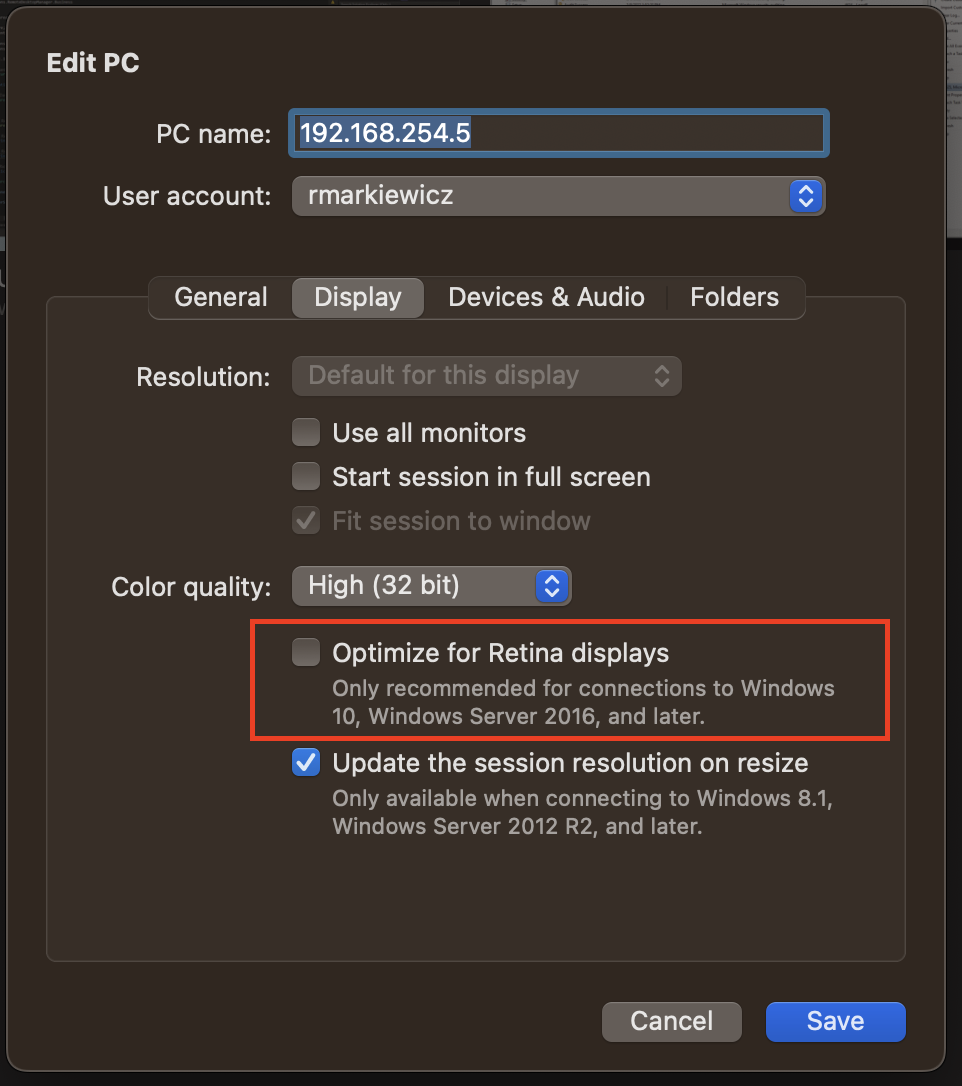
Richard Markievicz
Screenshot 2023-04-12 at 09.40.47.png
Ive now disabled Retina Display and this seems to do the trick. Can now see the menus. Is that a bug which will be fixed?
Hello again
Thanks for confirmation. We have seen this issue a few times in the past. I expect that if you enable "optimize for retina displays" in the Microsoft RDP client, you'll see the same issue there. Are you able to confirm?
Our understanding of the issue is that it's a bug in the MS RDP virtual display driver that affects certain RDP servers. It only manifests when the RDP server scales the display, and only in certain applications (normally we've seen it in "older" MMCs). If it's the case here, sadly it's not a bug that we can fix (it's a server-side issue).
Let me know if you get the same behaviour in MS RDP after toggling that option - that will be an "apples to apples" comparison of MS RDP against RDM.
Please let me know if something isn't clear or you have further questions,
Thanks and kind regards,
Richard Markievicz
I can confirm that this happens on MS RDP too, when Retina option is enabled. So .. i guess im just deactivating it for servers where i've got applications with drawing issues. Thanks all!
Hello again
While I'm glad that this confirms my assumption, I'm sorry that we aren't able to provide a better resolution. I'd suggest staying on top of this feature as you update Windows on the remote system(s) - as I wrote, this appears to be a Windows RDP display driver bug and it's quite possible Microsoft will fix this down the road.
Please don't hesitate to post back if you have further questions or concerns.
Kind regards,
Richard Markievicz