
tom07
Okta Vault for session credentials
We are implementing Okta for connecting to systems via RDP and SSH. However, I don't see a way to incorporate Okta vault credentials into our sessions. Is this something that exists and if not, could it be added similar to how the other vault solutions like Hashicorp or CyberArk? Okta vault is our current solution for credential management.
Feature Request: Integration of Okta Advanced Server Access for RDP and SSH Connections
Thank you for your detailed feature request regarding the integration of Okta Advanced Server Access for managing RDP and SSH connections within Devolutions. We appreciate the insights you've shared about how this integration could enhance security and efficiency for your organization and potentially others.
We have a team specialized for these types of integrations. We usually face two roadblocks:
1. Prioritization because there are so many potential integrations. This forum is the perfect place to reach the community for more interest.
2. Set up an environment to verify if we can really complete the integration. It's usually easier if you contact the third-party company and ask for their help. If Okta can assist us, we can fast-track. Unfortunately, that's not always the case, and we may need to purchase the actual solution, which could delay development.
Thank you for your interest and your suggestion. I will create the ticket.
Best regards
@David Hervieux
Not sure if this is still being considered, but we are also switching to Okta using ScaleFT for RDP/SSH connections which makes up the majority of our device connections. It is also being used as our credential manager instead of HashiCorp or CyberArk. Any news on progress would be appreciated.
Okta support for remote connections
Our company is moving towards using Okta for RDP and SSH authentication. Is there a plan to incorporate Okta into session connections? I'm asking because the company is pushing for remote desktop tools that provide Okta support.
Horizontal scroll in terminal session
I am coming back to this due to restrictions in the software applications we are permitted to use. Can someone look into adding this feature? I know it's a lot to ask, but it would really be helpful so we don't have to use multiple tools for our terminal sessions.
Hashicorp Vault secret usage for RDP Sessions
Appreciate the quick response. Once I set the key as the username, it is working great. I just didn't know how that worked so again. appreciate the answer. I don't think there is a need to request a new feature for something that works.
Hashicorp Vault secret usage for RDP Sessions
Due to a lack of online documentation, I am not sure how to use my Hashicorp vault secrets to supply both the username and password for an RDP session. I can easily set up a Linux SSH session using the username along with the hostname and then providing the password from the secret. How do I inject both the username and password from multiple secrets if they are separate or am I going about this wrong?
Jump server settings gone from
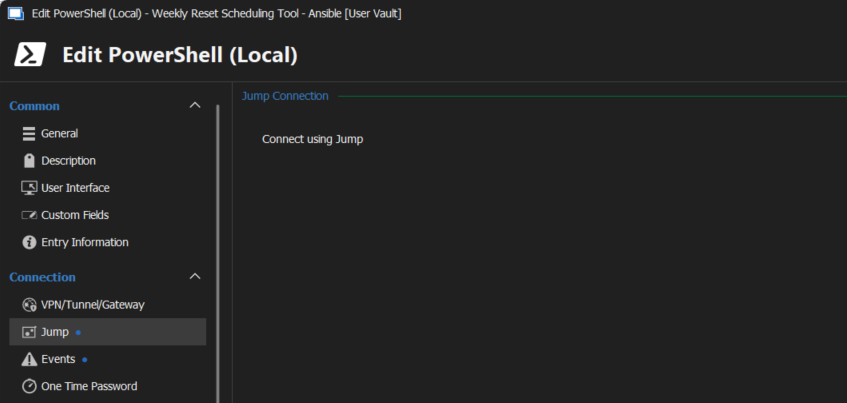
I have version 2024.1.17.0 64-bit and although I do have a jump option, it cannot be configured and currently isn't working. Is there a different way to configure this? I am using it not only to jump to other systems on a private network, but to run scripts from a remote machine.
Splash Screen Customization
I'm not sure if anyone has ever asked for this, but could we possibly customize the splash screen to a custom image of our choosing for branding purposes? We support our learning datacenters and would like to show a Dell Technologies Education Services splash screen when RDM opens.
terminal garbage characters
So, here's an interesting update. The issue does not occur when using SSH Shell. This is acceptable for us for now, but may not be for others.
terminal garbage characters
I see the 38400 and it's almost as if it's actually trying to connect at that speed. The behavior for some of my Brocade switches differs, with some able to connect after the garbage characters and some cannot. Here's what it looks like when it cannot connect after pressing Enter a few times:
??#??$??^_^@?^@A???? ^@38400,38400????'^@????^X^@xterm-256color??
??^A??"??^E??!??^F??^@
??#??$??^_^@?^@A???? ^@38400,38400????'^@????^X^@xterm-256color??
??^A??"??^E??!??^F??^@
||zXz 38400,3840zz
terminal garbage characters
Here is some output when connecting to a Brocade switch:
??#??$??^_^@?^@J???? ^@38400,38400????'^@????^X^@xterm-256color??
Brocade-1:admin> .{bash_logout,inputrc,profile,ssh}xterm-
rbash: .bash_logoutxterm-: command not found
Brocade-1:admin>
some of the bash items scroll through quickly so I can't see all of the output, but it's not static.
terminal garbage characters
And by the way, this also happens with connections using RJ-45 serial. The port speed on the Compellents is 115200 and the connections to the Brocade switches we have on RJ-45 are 9600.
terminal garbage characters
Yes, this is a telnet serial redirect through a console server. When I use putty or a 2019/2020 version of RDM, I don't have this issue.
We are currently using a ZPE NodeGrid T16S console server. The devices we have are Compellent SC5020 storage controllers using USB-B micro serial ports with a quad-serial controller. I'm not sure you will be able to emulate this entirely, but I would be happy to get on a Zoom call with you so you can actually see what I'm working with.
terminal garbage characters
That actually did not change anything. Still the same output. Any other suggestions?
Group Policy addition - Disable Reconnect to old sessions
Yes, that is correct. Thank you for all of your help with this.
Group Policy addition - Disable Reconnect to old sessions
If there is a way to push the .cfg file to the machines via GPO, then that would definitely be a good option. The more options we have for pushing these settings out en masse would be great.
terminal garbage characters
We are experiencing some strange output when connecting via a telnet serial redirect to some of our devices. For example, when connecting to one of our devices through its console port, we get this output at the beginning: (This is on version 2022.1.23.0 64-bit with terminal settings set to defaults)
??#??$??^_^@?^@J???? ^@38400,38400????'^@????^X^@xterm-256color??
??^A??"??^E??!??^F??^@??#??$??^_^@?^@J???? ^@38400,38400????'^@????^X^@xterm-256color??
??^A??"??^E??!??^F??^@Password:
Login incorrect
login: login:
login:
On the same device from PuTTy, and on RDM versions 2020.x.x.x, we get the following output:
Current management interface addresses:
192.168.2.201
fe80::2eea:7fff:fe44:cc7a
Storage Center (sn367675.Dell.local) (ttyu0)
login:
Are there some settings we need to change to get the terminal to behave properly?
Group Policy addition - Disable Reconnect to old sessions
Thanks Hubert for the reply. I believe we're going to need a GPO added due to the number of systems we have to manage. However, we could definitely use an option to reset the expanded/collapsed state of the session folders.
Group Policy addition - Disable Reconnect to old sessions
I am looking for a way to apply a GPO that will disable a prompt to reconnect to sessions that were open in a previous login of Windows. If sessions are open and a user logs out of the Windows session, and then logs back in, we don't want to have the user prompted to reconnect.
To provide a little more background, we have recently made changes to our training environment so that users have limited rights on their jump box VMs. RDM opens automatically and we have eliminated the use of VM snapshots so that we can keep systems patched with the latest updates in real time. Now that we have done that, each class does not have the same experience when RDM opens for them. We are incorporating a reboot between classes and setting RDM to start automatically when students log in. We are looking to have the following happen in RDM if possible:
RDM session folders are either expanded or closed at the same level each time a user logs into the system. In other words, after a reboot, do not save the navigation settings from before the reboot.
No prompt to open previously opened sessions.
So, is this already possible and if not, is it possible to create a GPO to configure this for us?
Thanks,
Tom
SQL Integrated Security Fails
Yeah, I tried that and have things configured as it should be and it still isn't working. It would be great to get this working somehow. We're looking to get this working with a Linux jump box vs. Windows.
SQL Integrated Security Fails
Hello,
I am trying to get RDM to connect to a data source using integrated security via AD. The datasource is SQL and I am able to connect easily using the Windows version (2021.2.20.0). I am getting the following error:
Unable to connect to the serverCannot authenticate using Kerberos. Ensure Kerberos has been initialized on the client with 'kinit' and a Service Principal Name has been registered for the SQL Server to allow Kerberos authentication...
My guess is there's something missing on the linux system (Ubuntu 20.04LTS). If anyone has any ideas, I'm open to suggestions if this is something that has been looked at.
Thanks.
Install RDM packages using apt-get
Appreciate the answer. I can work with that, thanks!
Install RDM packages using apt-get
Is there a way to install using apt-get in Ubuntu rather than downloading the file from a desktop interface?
Linux Microsoft SQL Database version compatibility
So it appears that what I thought was the latest version actually wasn't. I had to uninstall a version I had installed previously and then install the latest using apt-get. Now it appears to be working perfectly. However, thank you for the response.
Linux Microsoft SQL Database version compatibility
I am having an issue connecting to a database that was created by the Windows version of RDM, version 2021.2.16.0 64-bit. I have the latest version of RDM for Linux, but I am unable to connect to the datasource. What is the latest version of RDM for Windows that I can use with this Linux version? Is there some type of matrix that shows which ones work with each other?
Just to provide more information, I initially get an error that says "The data source 'ADMIN' requires a Remove Desktop Manager version greater or equal than 2021.2", but eventually let's me see the sessions.