
psiess
Autotype not working
When will 2026.3.11.0 be available for download?
Autotype not working
Confirmed. I have the same problem
2026.3.xx releases - Too soon?
I'm very frustrated with the poor quality of the 2026.3.xx releases. There are bugs that make it difficult to use. I feel like there was inadequate testing before release. I upgraded to 26.3 because 26.2 displayed a warning about Devolutions Cloud version incompatibility.
We have been a Devolutions customer for around 12 years. In that time, we have seen several releases that were not ready for production. As a daily user, it's very frustrating to get an update the breaks important functionality.
2026.3.9
Yup. Same here. The tab undocking was fixed but it's impossible to reorder tabs.
2326.3.5.0- Tab Options Broken
I have the same tab dragging problem too. I opened case 00130116 for this.
New install of RDM crashes when connecting to Devolutions Cloud for Business
Thanks Jacob. I had a look at the application logs and found this:
System.Security.Cryptography.CryptographicException: The requested operation cannot be completed. The computer must be trusted for delegation and the current user account must be configured to allow delegation.
This was caused by an Active Directory password change that left AD and my laptop out of sync, so AD login to Password Hub for Business was failing. After syncing passwords, RDM works.
New install of RDM crashes when connecting to Devolutions Cloud for Business
Same result. RDM crashed after trying to connect to the Hub for Business datasource.
New install of RDM crashes when connecting to Devolutions Cloud for Business
Hello,
Could you try updating to the latest 2024.3 release currently out, 2024.3.25.0, and see if it's still unable to connect to your Hub datasource?
Regards,
I upgraded. When I switch to the online datasource, RDM hangs.
New install of RDM crashes when connecting to Devolutions Cloud for Business
I reinstalled my laptop and did a fresh install of RDM 2024.3.22.0 64-bit. I can connect to local datasource, and can add a datasource for Password Hub for Business, but when I try to use the Password Hub for Business datasource, RDM crashes. Please help.
Updates happening too often
Thanks for the reply David. I understand the challenges.
Updates happening too often
Hi. The number of recent updates that affect the Hub and leave RDM in read-only mode are happening way too often. I get that security and operability updates are important, but could you not do them on a quarterly schedule or something? My team is becoming frustrated with the number of times we have had to upgrade.
VMware Dashboard - double click to open VMRC
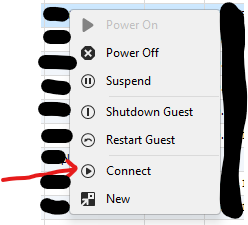
We use VMware Dashboard to connect to our vCenters on a regular basis. It would a great feature if double-click on a VM in the list opened Connect for a console connection. That would be faster and more intuitive than right-click , connect.
"Validating" progress bar constantly updating
Thanks David. That's great.
"Validating" progress bar constantly updating
No. There's nothing specific that causes it. It's been happening for the past 2 hours. We use Devolutions Password Hub Business. We have a shared datasource and each of us has a personal datasources stored in Devolutions Online Drive.
"Validating" progress bar constantly updating
In the last few versions of RDM, we see the "Validating..." progress bar running for long periods of time. Sometimes it will stop, but it is usually updating and is very distracting.

Any ideas?
Are favorites unique to the computer on which RDM is installed?
Thanks Etienne. I'm using Devolutions Online Database for the datasource. I have one set of favorites on one computer and another set on the on the computer
Are favorites unique to the computer on which RDM is installed?
Are favorites unique to the computer on which RDM is installed, or should favorites sync between installations on more than one computer? I run RDM on two computers and the favorites list is different on each computer.
VMware Dashboard - VM sort order
I see that the change has been made. Much better. Thank you!!
VMware Dashboard - VM sort order
Excellent. Thank you!
VMware Dashboard - VM sort order
When opening a VMware Dashboard, the list of VMs is sorted alphabetically in reverse order. There does not appear to be a way to change this behaviour.
RDM hangs when disconnecting from RDP session
Done.
RDM hangs when disconnecting from RDP session
OK thanks. As long as you folks know about it and are working on it :)
RDM hangs when disconnecting from RDP session
Devolutions Online Database.
RDM hangs when disconnecting from RDP session
When I close an RDP session, either by logging out or closing the tab, RDM hangs briefly. For remote sessions (over Internet or to remote sites), the hang is quite noticable - up to 10 seconds. I've attached a screenshot of the behaviour.
Has anyone else experienced this?
Action or script to reboot remote host
Thanks. That was helpful. Is there a way to execute the command using the credentials assigned to a session?