
phosek
PowerShell Script (remote) not available
I’m very sorry for the late reply.
The RDM update really helped; afterwards it was only necessary to fine‑tune the settings of the suggested properties.
Thank you very much for your support!
Error saving properties after RDM update
After the update 2026.2.14.0, the issue no longer occurred.
PowerShell Script (remote) not available
Hello,
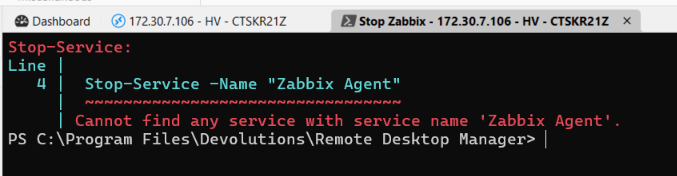
When the RDP session is not running, I get the following output:

When the RDP session is running, I get the following output:
You absolutely don’t need to apologize for the late reply. On the contrary, I really appreciate your analysis of the issue and your effort to help. Thank you very much.
Error saving properties after RDM update
The error occurred on all entries, regardless of their type. CTRL + F5 really helped. Thank you very much.
Error saving properties after RDM update
I have just updated RDM to version 2026.2.13.0 64-bit (PreJIT). Now, when saving any modified property, I receive the following error:
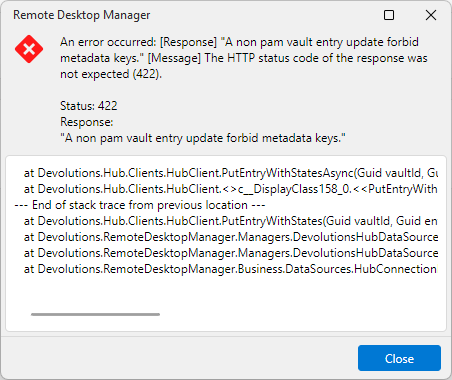
at Devolutions.Hub.Clients.HubClient.PutEntryWithStatesAsync(Guid vaultId, Guid entryId, Entry entryToPut, Nullable`1 clientSystemVersion, Nullable`1 clientVaultVersion, CancellationToken cancellationToken)
at Devolutions.Hub.Clients.HubClient.<>c__DisplayClass158_0.<<PutEntryWithStates>b__0>d.MoveNext()
--- End of stack trace from previous location ---
at Devolutions.Hub.Clients.HubClient.PutEntryWithStates(Guid vaultId, Guid entryId, Entry entryToPut, Nullable`1 clientSystemVersion, Nullable`1 clientVaultVersion)
at Devolutions.RemoteDesktopManager.Managers.DevolutionsHubDataSourceManager.SaveConnectionAsEntry(Guid dataSourceID, Guid repositoryID, Connection toSave, Connection[] currentConnections, Boolean skipHubRefresh)
at Devolutions.RemoteDesktopManager.Managers.DevolutionsHubDataSourceManager.SaveConnection(Guid dataSourceID, Guid repositoryID, Connection toSave, Boolean forceNoGetCurrentConnections, Boolean skipHubConnectionsRefresh)
at Devolutions.RemoteDesktopManager.Business.DataSources.HubConnectionDataSource.SaveConnection(ConnectionEngine engine, Connection connection, Boolean skipHubRefresh)
PowerShell Script (remote) not available
Changing the Mode property to either Remote or Local always produces the same result: a PowerShell window opens and reports that there is no service named “Zabbix Agent”. The window remains open. When I then enter the command $env:COMPUTERNAME, it always displays the name of my local computer instead of the server on which I am trying to stop the service. Interestingly, the open PowerShell tab is labeled with the name of the remote server.

The tutorial I am following is called “Remote Desktop Manager - Advanced -> Automating tasks with scripts and macros”, time 0:36.
PowerShell Script (remote) not available
I am using Remote Desktop Manager version 2026.2.12.0 64-bit (PreJIT).
As our data source, we are using Devolutions Cloud at: https://cisgruppe.devolutions.app
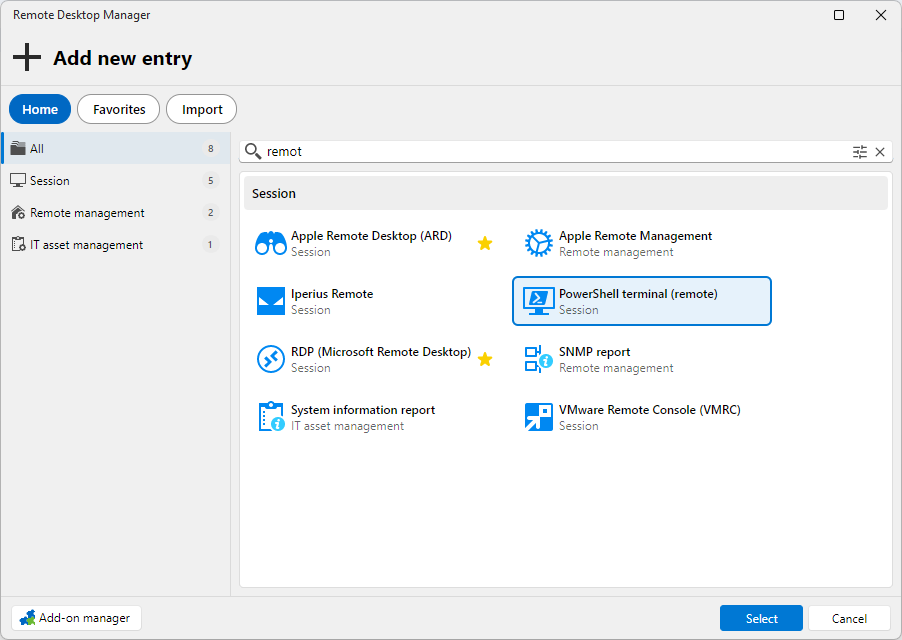
On the All tab, when I search for "remot", I do see "PowerShell Terminal (remote)". However, it is available as a Session type, not as a Macro/Script/Tool type, as shown in the tutorial.
PowerShell Script (remote) not available
I am following the Academy guide to create a script for restarting the Zabbix service. However, I ran into a problem right at the beginning.
According to the tutorial video, I should have an option called "PowerShell Script (remote)", but this option is not available in my environment. The only option I have is "PowerShell Script".
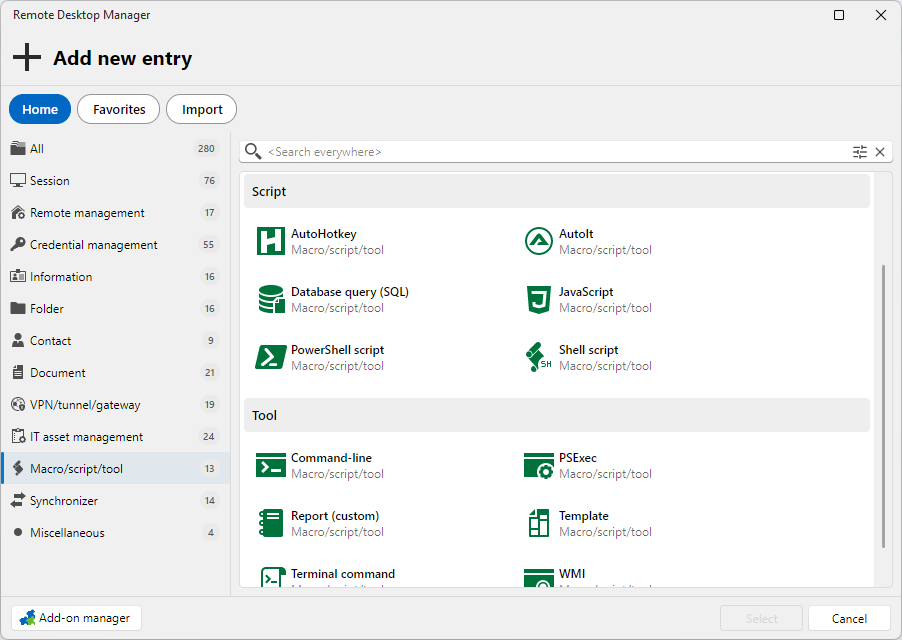
When I use it, all of my saved scripts are executed locally instead of on the remote machine.
Could you please let me know what I am missing or what needs to be configured?