
jomalin88
Documentation pages missing
Version 2026.2.0
The View Documentation button under Intelligence > AI Agents and AI Tools go to
https://docs.powershelluniversal.com/intelligence/agents
and
https://docs.powershelluniversal.com/intelligence/tools
And neither of those pages exist
Reusable Schedules
Would be cool to have triggers set up the same way. We can assign the same trigger script to multiple automation scripts, but it would be nice to have a multi select in the trigger menu for selecting the scripts it should trigger on.
Reusable Schedules
I would like to be able to create a schedule that can be assigned to multiple scripts. I'm thinking something like
Schedule
When to run
Every Day at Midnight
What to run
Script 1
script 2
Or something like that.
Error message when saving a page
Product: PowerShell Universal
Version: 2026.1.5
Running Universal in Windows from the MSI install and the built in web server.
I’m creating a new app that will have multiple pages. Whenever I save changes of one of the pages in the app I get this error message
 at UniversalDashboard.Execution.SessionDriveVariableProvider.get_HostState() in D:\a\powershell-universal\powershell-universal\src\UniversalDashboard\Execution\SessionDriveProvider.cs:line 54
   at UniversalDashboard.Execution.SessionDriveVariableProvider.GetContentWriter(String path) in D:\a\powershell-universal\powershell-universal\src\UniversalDashboard\Execution\SessionDriveProvider.cs:line 157
   at System.Management.Automation.SessionStateInternal.GetContentWriterPrivate(CmdletProvider providerInstance, String path, CmdletProviderContext context)
My changes seem to save correctly though.
Long-Term Stability for using Microsoft 365 and Azure Modules
@Adam Driscoll Has there been any movement on this? I am having an issue with the teams module being used in an app in version 5.6.9
Could not load file or assembly ‘Microsoft.Identity.Client, Version=4.70.1.0, Culture=neutral, PublicKeyToken=0a613f4dd989e8ae’. The located assembly’s manifest definition does not match the assembly reference. (0x80131040)
I’m assuming this is a similar issue as the above. Do you have the matrix created, or know which version of the teams module would work with 5.6.9?
Checkbox can enable other components, but not disable
Hmm. I’ve always read that when doing things like $null or a boolean comparison you should have the $null/$true/$false because powershell does hard type comparisons so I’ve always done that on the left side.
Checkbox can enable other components, but not disable
Yep, that did it. Super weird. I would get the toast for the ElseIf, but the Set-UDElement didn’t work.
Working either way though. Thanks!
Checkbox can enable other components, but not disable
Product: PowerShell Universal
Version: 5.6.9
I have a checkbox set to enable or disable other components. The checkbox will enable the select and textbox, but it won’t disable them.
Made an app with just those components to makes sure it wasn’t something else interfering and I get the same result. I do get the UDToasts so I know the If statement is working, it’s just the Set-UDElement that isn’t working.
New-UDApp -Content {
    New-UDCheckBox -id "Checkbox" -Label "Checkbox" -OnChange {
        if ($true -eq $body){
            show-udtoast -message $body
            set-udelement -id "select" -properties @{disabled = $false}
            set-udelement -id "textbox" -properties @{disabled = $false}
        }
        Elseif ($false -eq $body) {
            show-udtoast -message $body
            set-udelement -id "select" -properties @{disabled = $true}
            set-udelement -id "textbox" -properties @{disabled = $true}
        }
    }
    New-UDHtml -Markup "<br>"
    new-udselect -id "select" -label "Select" -option {
            new-udselectoption -name "name" -value "name"
    } -OnChange {
        show-udtoast -message $EventData[0] -Duration 5000
    } -disabled
    New-UDHtml -Markup "<br>"
    New-UDTextbox -id "textbox" -label "textbox" -disabled
}
I also tried setting the disabled switch to a variable, updating that, and putting those components into a dynamic, but that gives me the same result. Checking the box will enable, but unchecking with not disable the components.
New-UDApp -Content {
    $session:SelectDisabled = $true
    $session:TextDisabled = $true
    New-UDCheckBox -id "Checkbox" -Label "Checkbox" -OnChange {
        if ($true -eq $body){
            show-udtoast -message $body
            $session:SelectDisabled = $false
            $session:TextDisabled = $false
            sync-udelement "dynamic"
        }
        Elseif ($false -eq $body) {
            show-udtoast -message $body
            $session:SelectDisabled = $true
            $session:TextDisabled = $true
            sync-udelement "dynamic"
        }
    }
    New-UDHtml -Markup "<br>"
    new-uddynamic -id "dynamic" -Content {
        new-udselect -id "select" -label "Select" -option {
                new-udselectoption -name "name" -value "name"
        } -disabled:$session:SelectDisabled
        New-UDHtml -Markup "<br>"
        New-UDTextbox -id "textbox" -label "textbox" -disabled:$session:TextDisabled
    }
}Row with 3 columns for input with the option to add another row
Just off the top of my head you might be better off having a static table with an add button somewhere on the page. Have the add button pop up a modal with the entry fields you want, save that data to your datasource, then close the modal and refresh the table with a UDDynamic.
Blank App page with Window Authentication
This was figured out on the Git issue. The problem is that my username was coming in as all uppercase, but was being saved as all lower case under identities. Manually modify the username to match uppercase and that fixed the issue.
Blank App page with Window Authentication
github.com/ironmansoftware/powershell-universal
Looks like this popped up before here as well. I tried clearing the cached claims and restarting the service and I still get the same issue
Blank App page with Window Authentication
Product: PowerShell Universal
Version: 5.6.7
I am having a similar issue to these old threads
Infos: Universal v1.4.3 Dashboard v3.1.1 (Licensed) I’m using windows authentication, and roles have been defined by groupSid match against the claimsprincipal. All this is working fine… Issue: I’m thinking the -Role parameter in the New-UDPage function has an issue. When I use this, and the role matches, I get a page with no content. Proper theme, AppBar, and Title display fine… just no “page” content. If the role does not match the user I get the expected “? Page Not Found” error page …
Product: PowerShell Universal Version: 2.5.5 As outlined in a previous forum post new pages created with New-UDPage are not displaying when they are filtered to multiple security roles. I noticed this when upgrading from version 2.3 to 2.5.5. Not sure exactly when this bug was reintroduced. Is this a known issue? New-UDPage -Name "Working" -Url "/page/1" -Path "Page1.ps1" -Roles @("Role1") New-UDPage -Name "Not Working" -Url "/page/2" -Path "Page2.ps1" -Roles @("Role1", "Role2")
Product: PowerShell Universal Version: 2.0.3 When trying to set a new page with multiple roles for access, the page is displaying in the navigation menu when the user has the role to grant access. The page will display fine when there is one role been set however when more than one role has been set the page is in the navigation menu but the page is blank. Are multiple roles supported in pages? Example code below, logging in as a ServiceDeskAdmin all pages appear in the navigation menu but p…
Set up windows authentication, added the group claim to the admin role. I can see the claim passing correctly and I am getting the correct role when looking at My Identity

But when viewing an app that is set to only the admin role I get a completely blank page

If I log in with the default local admin account the page loads fine.
Table $eventdata only giving the last value
I figured it out. I needed to change the button ID to be unique for each row. Once I did that it works correctly.
Table $eventdata only giving the last value
I’ve tried adding a
$eventdata.delegates | out-file c:\tmp\delgate.txt appendTo the button click, and it exports the last $eventdata values no matter what should be there.
If I move the export to delegate.txt outside of the button click I get the expected information exported to the file, but the button still only shows the last $eventdata values when clicking the button for the modal.
Table $eventdata only giving the last value
Product: PowerShell Universal
Version: 5.6.7
I am building a table with data pulled from a SQL DB. In one of the columns I am creating a button that will open a modal showing a table build from the SQL data. Here is a sanitized version of one of the entries
[
    {
        "Id":  "sip:user@domain.com",
        "MakeCalls":  true,
        "ManageSettings":  true,
        "ReceiveCalls":  true
    },
    {
        "Id":  "sip:user@domain.com",
        "MakeCalls":  false,
        "ManageSettings":  true,
        "ReceiveCalls":  true
    }
]
And this is where I am building the button/modal/column
New-UDTableColumn -Property Delegates -Title Delegates -Render {
    if ("" -ne $eventdata.Delegates){
        New-UDButton -id "btn_DelegateData" -Text "View Delegate Info" -Color secondary -OnClick {
            Show-UDModal -Content {
                $DelegateData = $eventdata.Delegates | ConvertFrom-Json
                $DelegateTableColumns = @(
                    New-UDTableColumn -Property ID -Title "Delegate"
                    New-UDTableColumn -Property MakeCalls -Title "Can Make Calls" -Render {
                        if ($eventdata.MakeCalls -eq $true) {
                            New-UDIcon -Icon Circle-Check -Color Green
                        }
                        Else {
                            New-UDIcon -Icon circlexmark -Color Red
                        }
                    }
                    New-UDTableColumn -Property ManageSettings -title "Can Manage Settings" -Render {
                        if ($eventdata.MakeCalls -eq $true) {
                            New-UDIcon -Icon Circle-Check -Color Green
                        }
                        Else {
                            New-UDIcon -Icon circlexmark -Color Red
                        }
                    }
                    New-UDTableColumn -Property ReceiveCall -Title "Can Receive Calls" -Render {
                        if ($eventdata.MakeCalls -eq $true) {
                            New-UDIcon -Icon Circle-Check -Color Green
                        }
                        Else {
                            New-UDIcon -Icon circlexmark -Color Red
                        }
                    }
                )
                New-UDTable -id "tbl_DelegateData" -Columns $DelegateTableColumns -Data $DelegateData
            }
        }
    }
    Else {
        New-UDTypography -Text "No Delegations"
    }
}
The problem I am getting is that when the button is clicked it only uses the data from the last row in the table. So if I have 6 users with delegation only the last delegation info will be used for all 6 buttons. Here is what is shown regardless of what data should be there.

I have a similar button elsewhere in the table built similarly that works correctly. The raw data in the DB looks like this
{
    "ForwardingTarget":  "+1123456789",
    "ForwardingTargetType":  "SingleTarget",
    "ForwardingType":  "Immediate"
}
and the column is built like this
New-UDTableColumn -Property Forwarding -Title "Forwarding Settings" -Render {
    if ("" -ne $eventdata.forwarding){
        New-UDButton -id "btn_$($eventdata.userprincipalname)_forward" -Text "View Forwarding Info" -Color secondary -OnClick {
            Show-UDModal -Content {
                $ForwardData = $eventdata.forwarding | ConvertFrom-Json
                $forwardTableColumns = @(
                    New-UDTableColumn -Property ForwardingTarget -Title "Forward To"
                    New-UDTableColumn -Property ForwardingTargetType -Title "Forwarding Target Type"
                    New-UDTableColumn -Property ForwardingType -title "Forwarding Type"
                )
                New-UDTable -id "tbl_ForwardData" -Columns $forwardTableColumns -Data $ForwardData
            }
        }
    }
    Else {
        New-UDTypography -Text "No Forwarding"
    }
}
That one works correctly, so I’m not sure why the delegation one isn’t working.
Install the SQLServer Module in Docker Hosted PSU
I was able to get dbatools installed to do what I needed, but if there are modules that won’t work in Docker I would rather find out now than later after I get a whole bunch of stuff stood up.
Install the SQLServer Module in Docker Hosted PSU
Product: PowerShell Universal
Version: 5.6.6
Brand new PSU installation running on Docker on Ubuntu. Trying to install the SQLServer module and after clicking install and getting the popup saying wait I get no feedback. Looking in the system logs I see this error
2025-09-10 12:04:25.062 -04:00 [ERR][Universal.Server.Services.ModuleService] Error saving module SqlServer 22.4.5
Microsoft.PowerShell.PSResourceGet.UtilClasses.ResourceNotFoundException: Package(s) 'SqlServer' could not be installed from repository 'PSGallery'.
2025-09-10 12:04:25.062 -04:00 [ERR][Universal.Server.Services.ModuleService] Error saving module SqlServer 22.4.5
System.Exception: Failed to install module. Package(s) 'SqlServer' could not be installed from repository 'PSGallery'.
   at Universal.Server.Services.ModuleService.SaveModule(String repository, String name, String version, Boolean prerelease) in D:\a\universal\universal\src\Universal.Server\Services\ModuleService.cs:line 165
2025-09-10 12:04:25.066 -04:00 [WRN][Hangfire.AutomaticRetryAttribute] Failed to process the job '1417': an exception occured. Job was automatically deleted because the retry attempt count exceeded 0.
System.Exception: Failed to install module. Package(s) 'SqlServer' could not be installed from repository 'PSGallery'.
   at Universal.Server.Services.ModuleService.SaveModule(String repository, String name, String version, Boolean prerelease) in D:\a\universal\universal\src\Universal.Server\Services\ModuleService.cs:line 165
   at InvokeStub_TaskAwaiter.GetResult(Object, Object, IntPtr*)
   at System.Reflection.MethodBaseInvoker.InvokeWithNoArgs(Object obj, BindingFlags invokeAttr)
Is this module not supported to run in Docker?
Migrating LiteDB to PostgreSQL after Universal V5 Upgrade
Any reason to use Postgre vs sqllite? There is a migration tool for that
Basic form not working?
Product: PowerShell Universal
Version: 4.3.2
When testing out -buttonvariant on a form I created a blank app using this code I grabbed directly from the docs
    New-UDForm -Content {
    New-UDTextbox -Id 'txtTextField'
    New-UDCheckbox -Id 'chkCheckbox'
} -OnSubmit {
    Show-UDToast -Message $EventData.txtTextField
    Show-UDToast -Message $EventData.chkCheckbox
}
I get this error message on page load

No errors in the app specific log
I restarted the app and the server hosting it as well
Loading a page into an iFrame breaks the page in Chromium browsers
Product: PowerShell Universal
Version: 4.2.21
I have a dashboard with multiple pages. One of the pages loads an iFrame containing a site with a simple search box that searches a local sqlite DB on the host server for our phone directory.
$Pages += New-UDPage -Name 'Phone Directory' -Content {
    New-UDHtml -markup '<iframe src="https://phone.domain.org" width="100%" height="1000" style="border:none;" title="Phone Directory"></iframe>'
} -NavigationLayout Permanent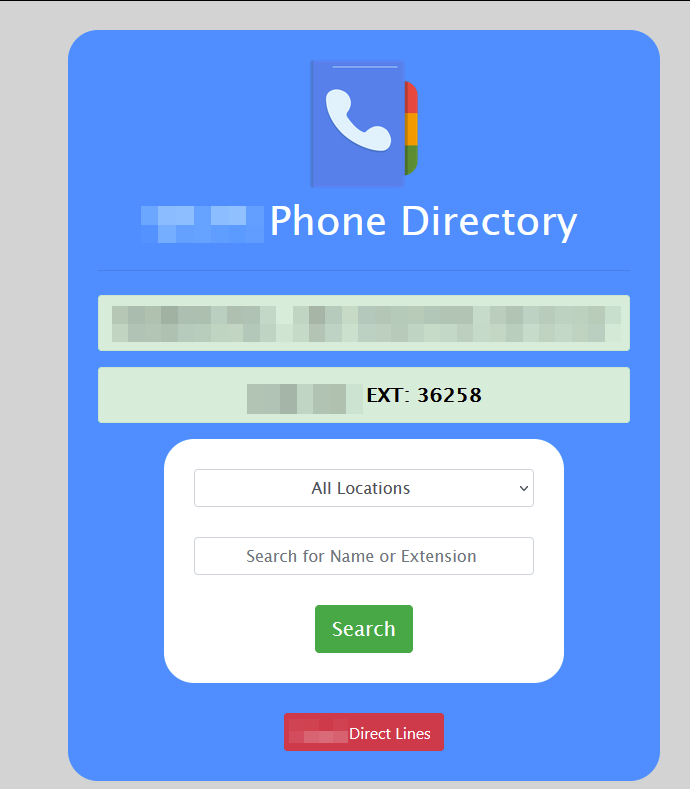
Not sure when (I don’t use it often) it stopped working in chromium browsers. The page itself loads, but when clicking the search button nothing happens. If I load the dashboard in firefox it works fine, and if I navigate to the page directly in any browser it also works fine.
This is the Edge console on page load. Up to the first Blocked is on page load. The next three errors and blocked are after typing in a name and doing a search. Chrome look similar
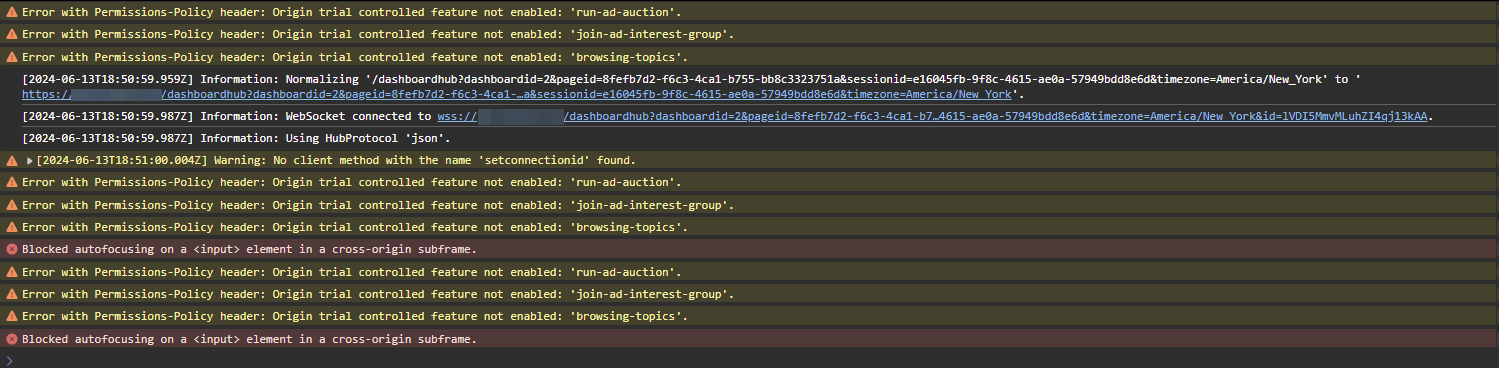
This is the console when doing the same thing in firefox and it works

$query not updating when switching pages from navigation
4.2.20 seemed to be when it happened to me as well. I don’t recall what version I was on prior to that. I feel like it was .16 or .17 though
I switched to this, using the built in $appfullurl variable, and still have the same issue.
$Navigation = @(
    New-UDListItem -Label "All" -href "$appfullurl/home"
    New-UDListItem -Label "01" -Href "$appfullurl/home?site=01"
    New-UDListItem -Label "02" -Href "$appfullurl/home?site=02"
    New-UDListItem -Label "03" -Href "$appfullurl/home?site=03"
)
New-UDApp -Title "component test dash" -NavigationLayout Permanent -Navigation $Navigation -Content {

    new-udbutton -text "click" -OnClick {
        show-udtoast -message "$($query["site"])"
        $query["site"] | out-file C:\Temp\site.txt -append
    }
}
switching out $appfullurl with a variable made in page for the base URL and that seems to work.
$url = "https://universal.domain.local/comptest"

$Navigation = @(
    New-UDListItem -Label "All" -href "$url/home"
    New-UDListItem -Label "01" -Href "$url/home?site=01"
    New-UDListItem -Label "02" -Href "$url/home?site=02"
    New-UDListItem -Label "03" -Href "$url/home?site=03"
)
New-UDApp -Title "component test dash" -NavigationLayout Permanent -Navigation $Navigation -Content {

    new-udbutton -text "click" -OnClick {
        show-udtoast -message "$($query["site"])"
        $query["site"] | out-file C:\Temp\site.txt -append
    }
}
Looks like there are two issues I found. The query parameter not working correctly, and $appfullURL not working. Unless $appfullURL is only good on the built in docs page where I found it.
Deleted schedule is still running
is it in schedules.ps1?
$query not updating when switching pages from navigation
Product: PowerShell Universal
Version: 4.2.21
Test code here
$Navigation = @(
    New-UDListItem -Label "All" -href '/home'
    New-UDListItem -Label "01" -Href '/home?site=01'
    New-UDListItem -Label "02" -Href '/home?site=02'
    New-UDListItem -Label "03" -Href '/home?site=03'
)
New-UDApp -Title "component test dash" -NavigationLayout Permanent -Navigation $Navigation -Content {

  new-udbutton -text "click" -OnClick {
      show-udtoast -message "$($query["site"])"
      $query["site"] | out-file C:\Temp\site.txt -append
  }

}
When first going to the root /home page $query is empty, as expected, but when clicking on one of the navigation options the URL updates, but $query does not.
If I load the page with the site specified in the URL (/home?site=01) it works, but when switching to a different page from the navigation (/home?site=02) it doesn’t update $query, stays at what the page loaded as.
I feel like this is new. The page worked fine previously, can’t remember the version of Universal it was built on though. Could be related to this?
github.com/ironmansoftware/issues
Product: PowerShell Universal Version: 4.2.7 Greetings, I’m working on an app to pull information from various APIs for a single workstation. I want to be able to pass the workstation name into the UD app via URL using the "?workstationname=WORKSTATIONNAME" query. If the query was used I’d like it to populate the textbox with the machine name that was passed in and automatically execute the contents of the button’s -OnClick scriptblock. I’d also like the page to be able to be used manually whe…
RedirectToHttps": "true" not redirecting?
Unless I’m misunderstanding how your setup is, on the :5000 setup you have redirect to https set to false and no https configured.
My setup only uses the programdata json, and not the programfiles one as well.
Force page refresh on session expiration
Product: PowerShell Universal
Version: 4.2.20
I have an app that many people will load at the beginning of the day and just leave open to use sporadically. Often their session will expire, or the browser will put the tab to sleep causing the page to go idle and expire with no notice to the user. When going back to the page it will allow them to do certain things in the page, but not everything.
Is there a way to force the app to go back to the login screen when the session expires?