
stefanofontanini
Devolution Cloud Backup
Good Morning @stefanofontanini
2 quick things that could be worth trying:
From the system settings, you can probably user "disable user vault export"
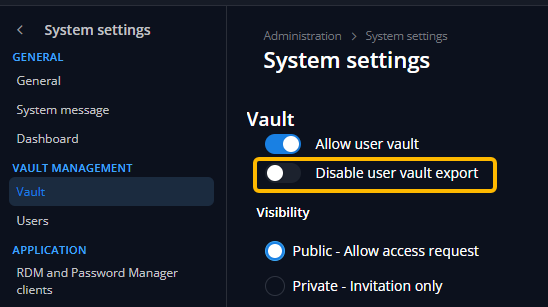
or
From the script, line 24, replace "$vaults = Get-HubVaultsForExport" with "$vaults = Get-HubVaultsForExport | Where Type -ne 'SingleUser'"
Let me know if either of these options works for you.
Regards
@Dominic Dansereau
Good Morning Dominic
Is there a way to exclude specific vaults from the backup?
I tried modifying the script by adding "$vaults = Get-HubVaultsForExport | Where Type -ne 'SingleUser'" but it still tries to export the personal vaults."
I also noticed that it tries to export old vaults that I deleted from the cloud and have also permanently removed.
Thanks
Devolution Cloud Backup
Hallo Dominic,
now it works fine thanks
just a question, there a way to exclude personal vaults from the export?
Devolution Cloud Backup
Good Afternoon @jm2
Here are the 2 things we can directly see from your script.
First, you should replace the name of the VaultType enumeration with HubVaultType. This has been updated recently. I will follow up with our support/documentation team to validate if this has been correctly updated in our documentation.
Secondly, this is not the proper way to use the MasterPassword parameter, it should be used like this: -MasterPassword %masterPassword% (resulting in something like: -DeobfuscateSensitives:$true -MasterPassword %masterPassword%). (this parameter can be ignored if no master password is required).
I hope this can help a bit. Let us know if it still doesn't work on your end.
Regards
@Dominic Dansereau
Hallo Dominic,
i've try to change script as you specify but give me this error
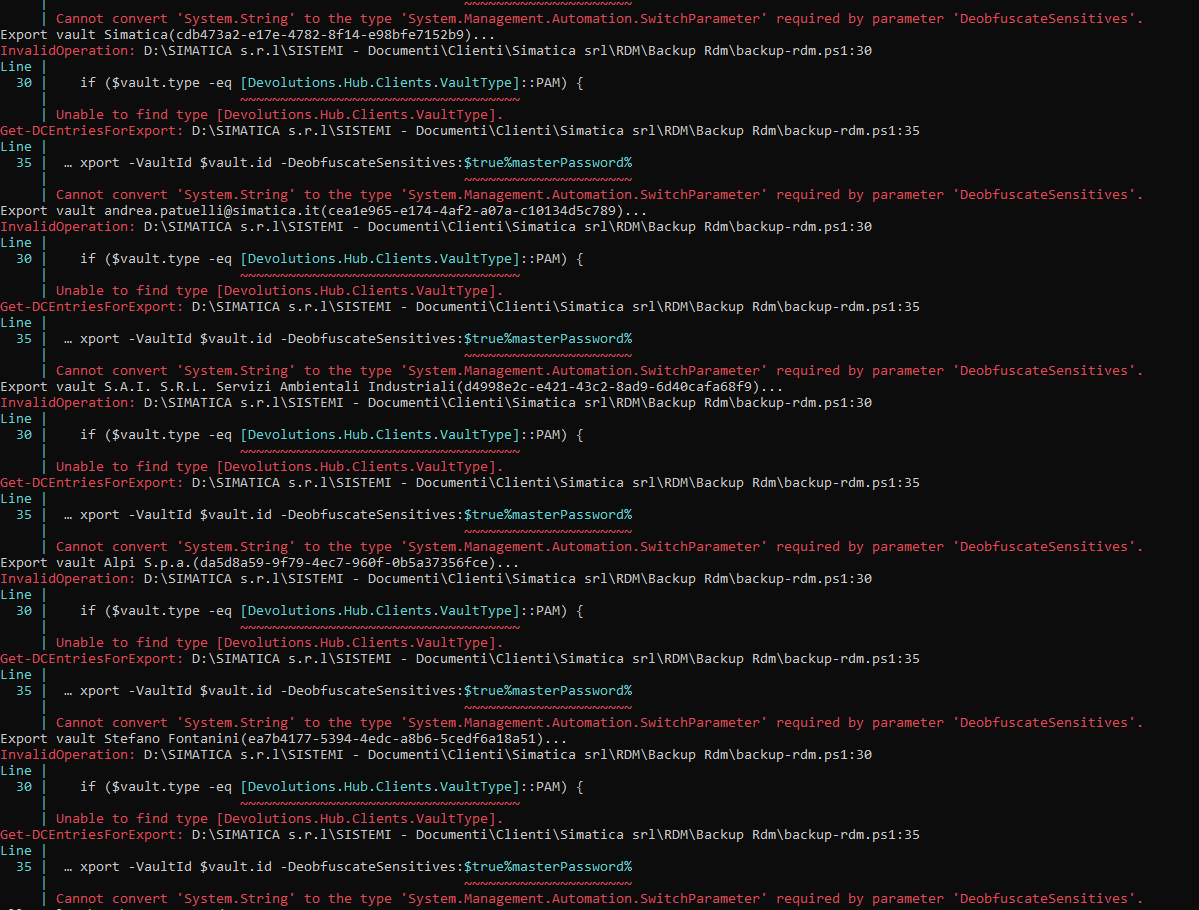
I've no master password in my cloud
Devolution Cloud Backup
Hi,
i'm looking for backup my vaults that are stored in Devolution Cloud,
i've saw that i can see and restore deleted items, there a way to export all my vaults from powershell or something else using scheduler?
Thanks
Fortinet IPSEC VPN without RDM as admin?
Hi, i find this workarond and work for me, i don't know if it's work also in "non admin" mode
https://forum.devolutions.net/topics/44914/forticlient-ipsec?message=225852#225852
Regards,
Stefano
Vault Layout
Hello,
I believe this might already be possible. If you go in the "Window" tab, there's a button to open the "vaults pane". That pane can then be dragged and docked where you want:


Can you try this out and see if it works as you need?
Regards,
@Hubert Mireault
Hi Hubert, it works fine
thank you!
Bye
Vault Layout
Hi,
Is there a way to pin the vault table to the side next to the "navigation" tab?
I created a vault for each client and would like to have all the different vaults visible on the side like the "navigation" tab.
Thanks
FortiClient IPsec
Hi,
i use a workarond to solve this problem with ipsec
this is my situation
Forticlient 7.4.3.1790
RDM 2026.1.12.0 - portable in c:\RDM folder
Basically, these are the steps I took.
I create the following folders:
C:\rdm\Vpn-Ipsec\Config - where all the configurations will go
C:\rdm\Vpn-Ipsec\Script - where the two scripts for exporting and importing the configurations will go.
These are the two scripts used:
import-export.bat
- export my current configuration as a backup using FCConfig.exe
- import the client configuration chosen via parameters using FCConfig.exe
Restore.bat
- import the original configuration to return to the initial state.
I configure my empty client normally as if I were using the VPN, naming the configuration "ipsec."
Once I've tested its functionality, I export the configuration, setting a password, and place the customer.conf file under c:\rdm\Vpn-Ipsec\Config (where all the various configurations to be used will go).
Create an item like this where in the Tunnel name i put "ipsec" and fill Username and Password
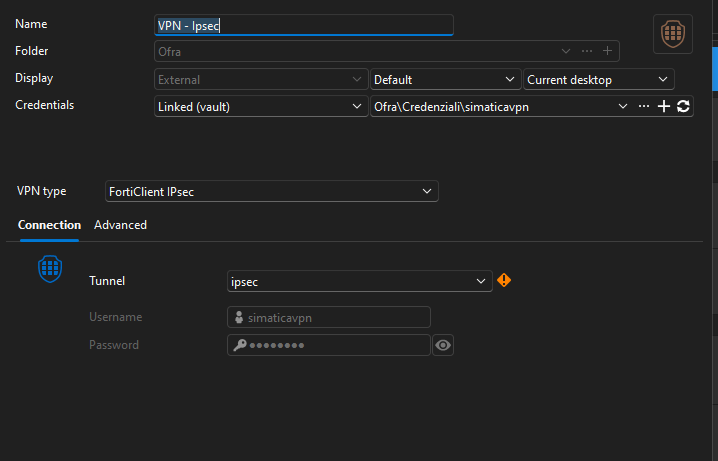
under "Event" in "Before opening" i call my import-export.bat using as parameter my file name
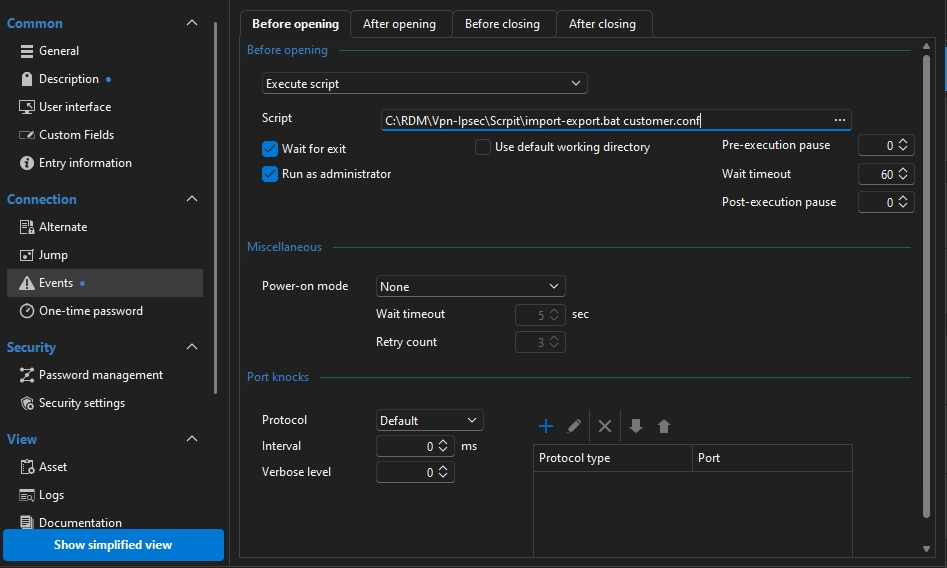
under "Event" in "After closing" i call my Restore.bat to restore all my configuration
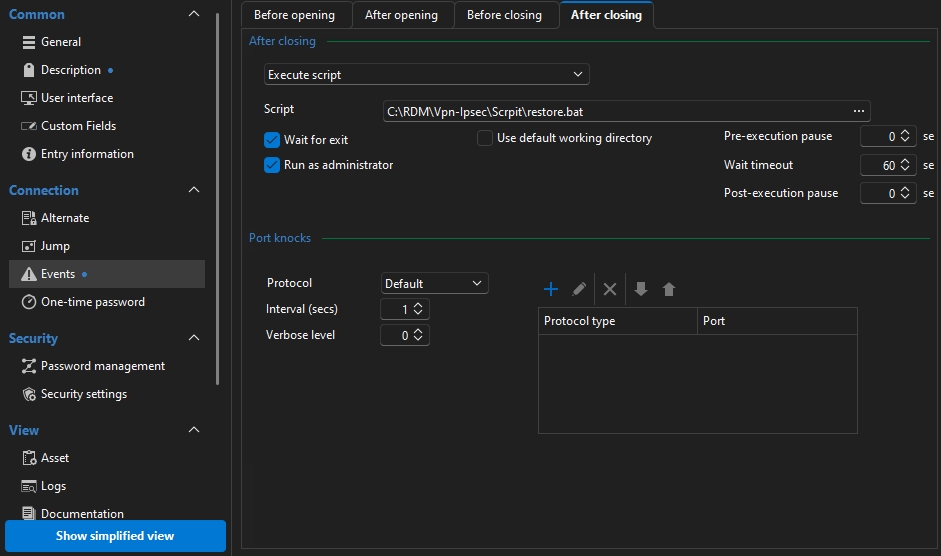
I've been using this system for over six months and everything works fine. The only problem I've encountered is that it only works with IkeV1 VPNs. So far, I haven't been able to get it to work with IkeV2. I'll have to take some time to test it further.
Since we're a team, I'm currently going to get the configurations from one of our FTP servers in the import-export.bat script. I need to try to improve security here.
I hope this helps you, if you have any suggestions or improvements, please let me know.
Bye
Stefano Fontanini