
littleuing
POST LOGIN CHANGE
Perfect, this is really helpful.
I discussed with our terminal expert and this was indeed a change that was made between 2024 and now. At one point we changed our terminal implementation from C to C# and while we tried to make it a 1:1 recreation, some things were changed and this was among them. The reason for it is that if part of the post-login commands were sent, once the next prompt isn't found, we assumed that a user would want the ongoing action to be stopped. Obviously, from your feedback, this was not necessarily a good assumption.
I have opened a ticket and we will see about adding an option to change the behavior, and will reconsider the default behavior as well. We will post back here once we have an update.
Regards,
@Hubert Mireault
Thanks, and as noted before it would be nice to be able to pick which logins run the post steps or being able to have diffrent post steps based on what login was used.
If we could say these post steps are for login X then it wouldn't even have to attempt them and fail for the other.
POST LOGIN CHANGE
Hello,
I would like to know a few additional things about your configuration. Screenshots might help here.
- How did you configure your post-login commands? Are you using an SSH entry with its "post login" section, or a different kind of entry in the "events" tab?
- If using the SSH post-login section, did you enter anything in the "Expected prompt" and "Timeout" fields?
It would also be interesting to know the version of RDM you used prior to this. Was it a much older version, or relatively recent? You could check in Help > About, there's a version history that lets you know what version you updated to and from. If your version is too old it's possible it won't be listed there, but it would be good to check.
I'm intrigued that you mention it worked beforehand. This means that there may be a bug and there could be no need to add a new feature here, but it's hard to tell without more information.
Regards,
@Hubert Mireault
I know it was working as late as 2024.3.10.0
I think it happened either when we went to 2025.3.29.0 or 2026.1.23.0. But feel it was the 2025.3.29.0
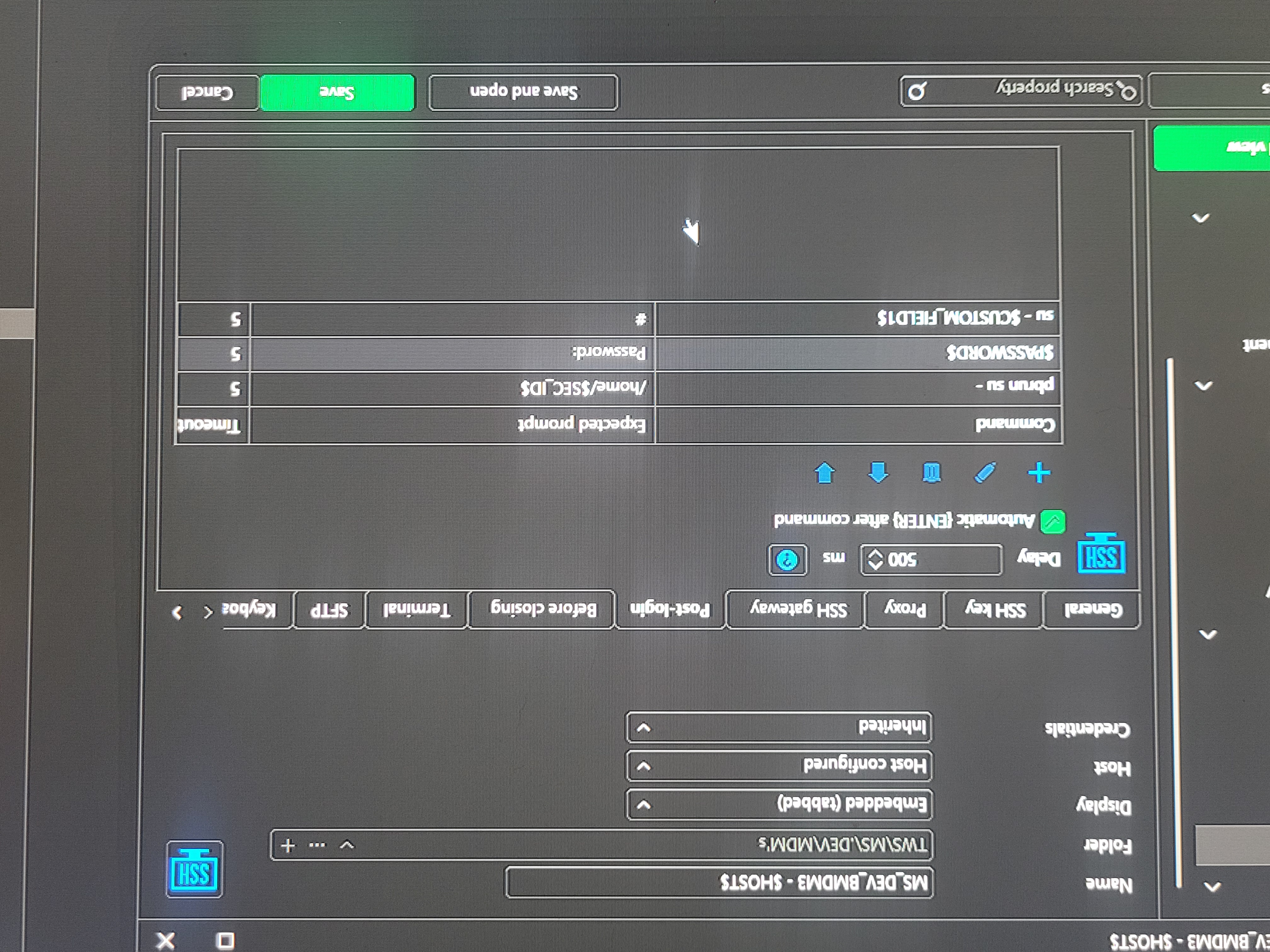
It is an ssh entry with post login. Expected prompt is the id's home directory. And timeout is 5.
So let's says user1 is the one that needs the post steps. So expected prompt is user 1 home dir. So we login it sees the home directory and runs a set of steps with the enter after command turned on. Works no problem
User2. It logs on doesn't see the home directory and times out after 5. So it does nothing as expected. However if your already in the middle of typing something. Before that 5 seconds or even if you do nothing it's like it breaks out maybe ctrl-c. So then you have to start typing your command again. If you type nothing you still see your prompt after 5 seconds it still goes to a new line like someone ctrl c out of it.
So my guess is either a bug was introduced between those versions or someone maybe said anytime there are issues with post login it should escape out of it.
It could also have been fixed in a newer version. But I have to wait for my company to approve them for use.
Sorry for low quality pic of setup it was easier than getting a screenshot added. If needed I can get a actual screenshot.
POST LOGIN CHANGE
So we have our normal ID we have entries setup with and a shortcut to open with another ID. The problem is with one ID we need to proform post login steps.
We setup the steps to look for the home directory of that ID. So when it sees that home dir it proforms the post steps.
However in our original version of rdm. This worked great. But in some past version it now does something like ctrl-c after it times out looking for that home dir. So you get on and start typing then the timeout happens and it breaks out and you have to start typing all over.
We are currently on 2026.2.16.0 if this was fixed at some point please let me know which version so I can push my company to allow it.
I would like either it to do nothing if no post steps are executed or be able to have post steps dependent on login ID. Even a general user post login section not entry specific. Or maybe a saved login specific post login steps saved under the login instead of entry.
Security provider
Hello,
Thank you for your follow-up.
To ensure we're aligned, could you please confirm whether the steps to restore RDM to its default state are effective? Specifically, does RDM start in a fresh state, or does it attempt to reconnect to the previously used data source?
Also, does it function correctly until a new data source is imported?
I appreciate your clarification.
Best regards,
@Jacob Lafrenière
It gives her the startup. After following the steps but even if you get out of the startup without doing anything it still has the issue. So it looks like it still is using the old data source. It also still shows in dark mode which I would have thought would have been reset.
@littleuing
We got it working. What we did was added a new datasource. Removed the one that kept showing up.
Guessing we could rename it back to local data source and rename the actual dB file as well.
What triggers the security provider prompt to show up?
Security provider
Hello,
Thank you for your follow-up.
To ensure we're aligned, could you please confirm whether the steps to restore RDM to its default state are effective? Specifically, does RDM start in a fresh state, or does it attempt to reconnect to the previously used data source?
Also, does it function correctly until a new data source is imported?
I appreciate your clarification.
Best regards,
@Jacob Lafrenière
It gives her the startup. After following the steps but even if you get out of the startup without doing anything it still has the issue. So it looks like it still is using the old data source. It also still shows in dark mode which I would have thought would have been reset.
Security provider
Hello,
Thank you for the follow-up.
In this case, I recommend the following steps:
Uninstall Remote Desktop Manager (RDM).
Delete the following folders:
C:\Users\[User]\AppData\Local\Devolutions\RemoteDesktopManager
C:\Users\[User]\AppData\Roaming\Devolutions\RemoteDesktopManager
C:\Program Files\Devolutions\Remote Desktop Manager
Reinstall RDM and test the application.
If the prompt still appears, please send us a screenshot so we can further investigate.
Best regards,
@Jacob Lafrenière
It still did not work.
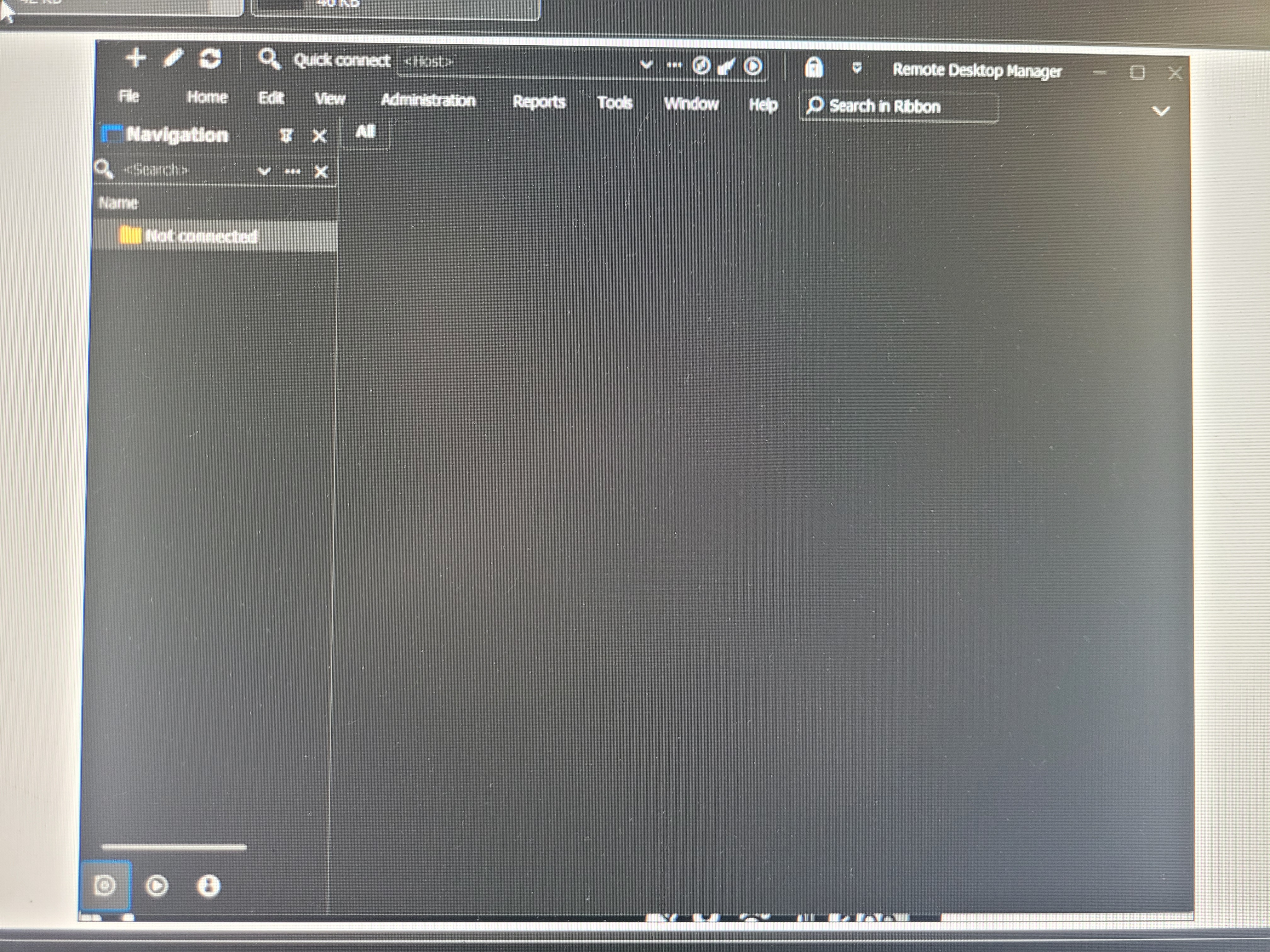
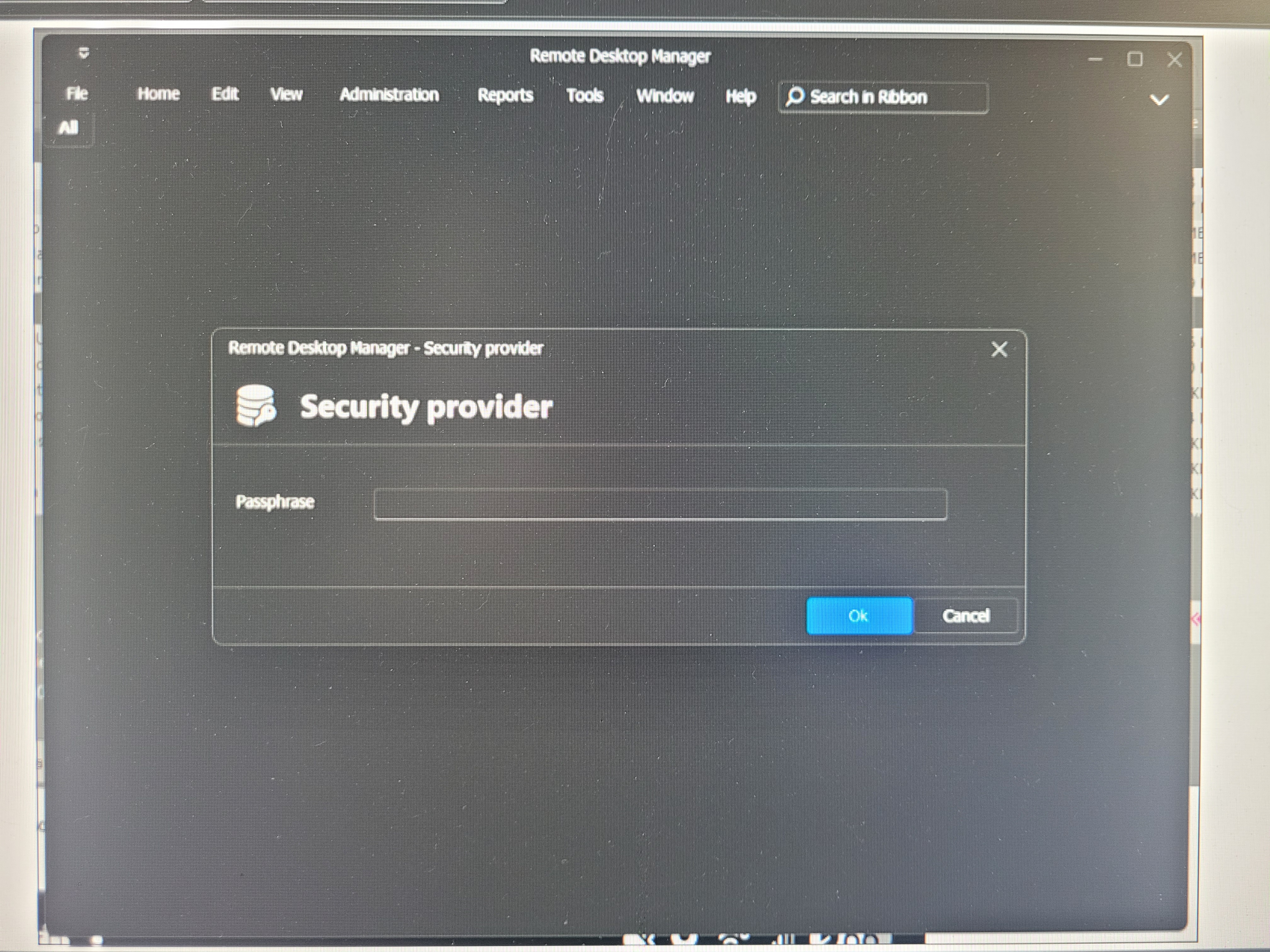
Security provider
Hello,
Thank you for the follow-up.
In this case, I recommend exporting the entries as a .rdm file. Other users can then import the file into their own data sources, allowing them to retain their current setup while simply adding the new entries.
Please let me know what you think, or if you would like assistance with the export/import process.
Best regards,
@Jacob Lafrenière
That is what we have been doing. Glad that is also what you recommend. Not sure why she is having this issue with the same file someone else imported earlier today. Hopefully removing the folder you listed solves the issue. She is gone for the day we will have to try on Monday.
@littleuing
Is it saved anywhere other than local app data that needs removed. She still.cant get it like it's a fresh install?
Security provider
Hello,
Thank you for the follow-up.
In this case, I recommend exporting the entries as a .rdm file. Other users can then import the file into their own data sources, allowing them to retain their current setup while simply adding the new entries.
Please let me know what you think, or if you would like assistance with the export/import process.
Best regards,
@Jacob Lafrenière
So over the weekend she Uninstaller. Moved everything to a diffrent folder for her backups and deleted everything In local app data devolutions. And when she then reinstalled its still coming up with the same message and still keeping her dark settings. Not sure where else it could be pulling that from
Security provider
Hello,
Thank you for the follow-up.
In this case, I recommend exporting the entries as a .rdm file. Other users can then import the file into their own data sources, allowing them to retain their current setup while simply adding the new entries.
Please let me know what you think, or if you would like assistance with the export/import process.
Best regards,
@Jacob Lafrenière
That is what we have been doing. Glad that is also what you recommend. Not sure why she is having this issue with the same file someone else imported earlier today. Hopefully removing the folder you listed solves the issue. She is gone for the day we will have to try on Monday.
Security provider
Hello,
Thank you for reaching out regarding this matter.
For a fresh install of Remote Desktop Manager, you can delete the following folder and then reopen or reinstall the application:
%localappdata%\Devolutions\RemoteDesktopManager
Before proceeding, could you please confirm which data source you are using? The issue might be resolved without needing to reset RDM entirely.
Let me know, and I’ll be happy to assist further.
Best regards,
@Jacob Lafrenière
We are all just using our own local data source. But I have exported mine for others to import.
Security provider
My teammate tried to import my data source and then my settings. Which other teammates have done. But after she did it she gets a prompt for security provider password but said she has never used one before. How can we reset back to default. Even if she has to setup everything again that fine. We just want to be able to get back into devolutions as a fresh instal.
Sub entry collapse issues
Hello,
We've changed how the default handling of the tree view works. Double clicking on a parent entry (that isn't a folder) will no longer collapse or expand its content. This should provide the behavior you are looking for. This should take effect with the upcoming 2025.2.14 version.
Regards,
@Jafran Majeau
Thanks!
Sub entry collapse issues
Not sure if I am missing something. However we have an ssh session and 3 child sub ssh sessions. If you double click anywhere on the parent name to open it in the navigation with tree view it collapsed the sub sessions. So you can no longer see the sub sessions. We would like a way to shut that off.
Maybe there is a better way to have a parent ssh session with 3 child?
Or maybe there is a way we can indent the sub sessions without making them child session, we mainly use this to see they belong to that session but dont need the inherent or anything?
Or just fixing it or having an option to shut it off so you have to click on the arrow to do so would be nice.
New shortcut
Hello,
We've added the possibility to use a shortcut for Open (use parent folder credentials). You can expect this to take effect with the upcoming 2025.2.10 version.
Regards,
Perfect thanks!
New shortcut
When you right click a session there is an option to open (use parent folder credentials) I would like this to be able to be setup as a short cut. I see open (select parent folder credentials) but not use. So it doesnt work for my case.
.net version
Hello,
Thank you for reaching out to us regarding this,
The latest version of RDM still requires .Net 9 we have the following knowledge base article regarding the requirements:
https://docs.devolutions.net/rdm/overview/system-requirements/#minimum-software-requirements
Perhaps you can provide me with a link to the requirements list you are referring to?
Let me know if this helps,
Best regards,
Thanks hat helps. I was looking at the release note for each version.
.net version
I see a handful of RDM versions list .net 9 as a requirement. However the last few version I don't see that as a requirement.
Did something change and it's no longer needed or is it just not longer listed as it has been a requirement for a while now?
I only ask because .net 9 is not approved at my work yet, but we woulf like to get the newer version.
Exclude feature from vertical and other views except cascade
Thank you for the additional information. I've also tested with tab groups and you're right, it doesn't act how you'd expect. I've opened a ticket to improve the behavior of the feature with tab groups. For now I think that's what makes more sense rather than adding a new configuration to change the behavior.
Regards,
Thanks!
Exclude feature from vertical and other views except cascade
Hello,
Could you give us more information as to how you currently work and what you'd like to achieve? We already have a feature for tab groups which help organise entries when opened so they are filtered by their tab group. I feel like using this with the view settings might be close to what you'd like to achieve.
Regards,
Yes I use those but when you tile 2x2 or side by side. It does not only make tiles for the current tab but for the all tab. And anything not in the current tab show as a blank tile.
So say I have 6 sessions. 4 in tab 1 and 2 in tab2. And I'm in tab one and do side by side I get 6 tiles and 2 show as blank. I would like it to only show 4 tiles that are in the current tab.
It would also be nice to also be able to be able to toggle them as viewable in the tiles or not from a menu incase your done using one. But just fixing to only tile from the current tab would be awesome.
Exclude feature from vertical and other views except cascade
I would like to be able to setup in session settings for say a website and when I click on vertical or 2x2 they don't show up in it.
i would also like a manage option for sessions so you can toggle them on and off like you can from manage broadcast. So you don't have to move them in with another session to have less in view.