
vasilzgurev
Sort priority
Hi Maxim,
I have updated RDM and can confirm that the issue is resolved.
Thank you.
Keyboard shortcuts don't seem to work, in particular "Execute command from palette" in an SSH session
I've encountered another issue (I can open a separate case if necessary).
I can't use any keyboard shortcuts, particularly the ones for executing predefined commands, macros, or scripts in an SSH session.

Sort priority
Hello,
Thank you for the recent RDM update (version 2026.3.0.5). It includes many long-awaited features and fixes.
However, I've noticed that all my entries in the entries tree, including sub-entries, are sorted alphabetically, disregarding the "Sort priority" setting in the "User Interface" options.
I have searched for any settings related to the entries tree that might change this behavior, but I haven't had any luck finding one.
Could you help me with this?
Thank you
Vasil
Devolutions Password Manager can't find entries
Hi Olivier,
Thanks to your advice, I found where the issue is.
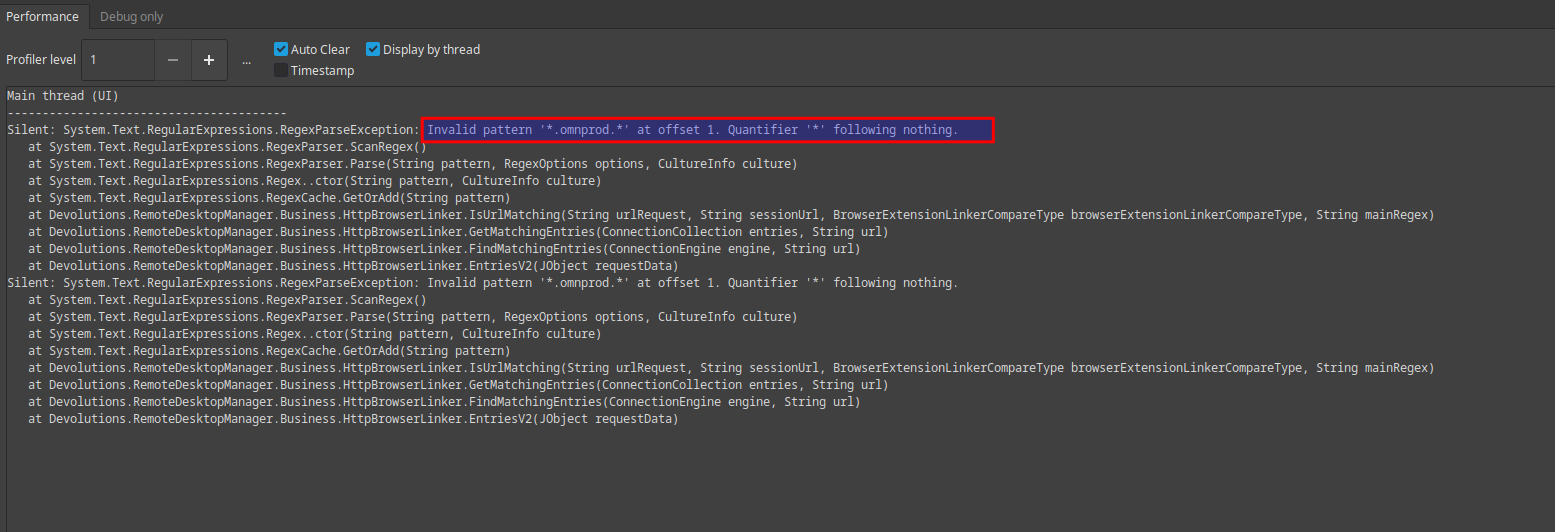
I had the regex in 2 Website entries Website/General/Regex field. After removing the regex value, DW extension can read the credentials.

Thank you for your great support.
Devolutions Password Manager can't find entries
Hello,
Thank you for your prompt reply.
I forgot to mention that my RDM uses an SQLite database.
For the test, I added "HUB personal" as an additional workspace in the extension. With this workspace selected, the stored credentials are located successfully.

However, when I attempt to use the "Remote Desktop Manager" workspace, the credentials are not found, despite being stored in the destination folder.


Devolutions Password Manager can't find entries
RDM Latest, Fedora 42
The Devolution workspace can save credentials, but cannot access them when the URL (saved in RDM) is opened. I receive the message "No credentials are available for this site" when I click on the extension icon.
RDM associations

DW settings
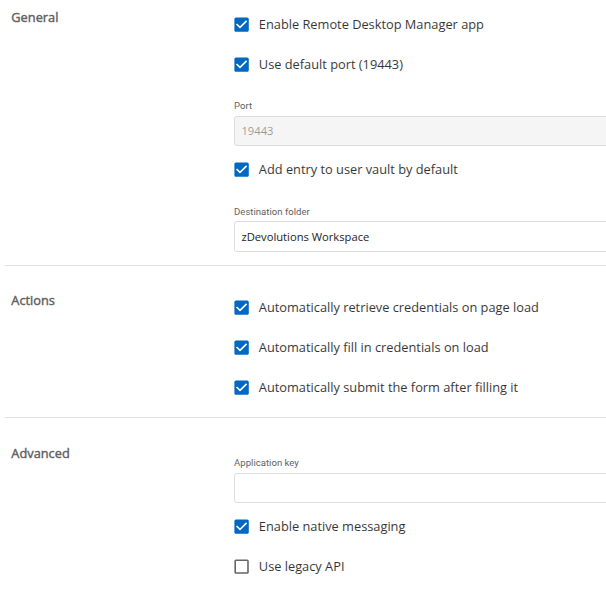
Destination folder is correct.
RDM System diagnostic

"Manage broadcast" stopped working
Hello,
Allow me to report another minor issue faced after the last upgrade.
RDM release: Latest
OS: Fedora 42
Data source: SQLiite
How to reproduce:
Open multiple sessions
Right click on the session tab and select "Broadcast Input"/"Manage broadcast"
Select part of the sessions or use the "Select all" button at the bottom. Click Close
Nothing happens, and the sessions have not been added to a broadcast.

"Add to broadcast" from the context menu is working.
Not able to refresh "file transfer window" for SSH connection
Thank you Carl
Not able to refresh "file transfer window" for SSH connection
Hello Maxim
RDM release: Latest
OS: Fedora 42
Data source: SQLiite
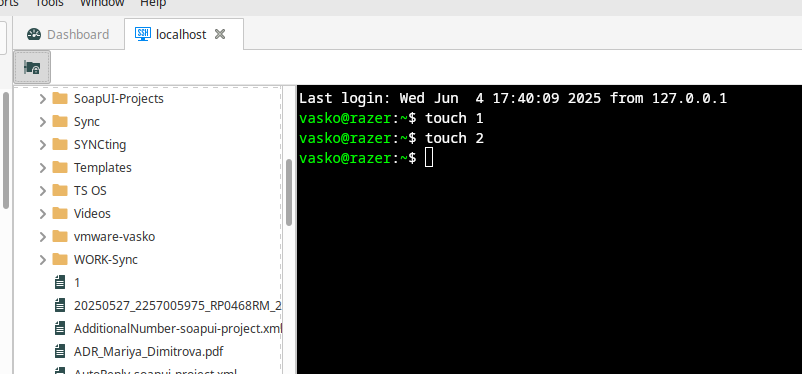
File 1 created. File transfer window is opened, and file 1 is visible. File 2 is created, but not visible, and there is no option for refresh.
Not able to refresh "file transfer window" for SSH connection
How to reproduce:
Create an SSH connection.
Create file1
Open the "file transfer window", file1 is visible
Create file2; file 2 is not visible, and there is no option to refresh the "file transfer window."
Workaround: Open a new session for the same SSH connection.
Minor Cosmetic Issue in Linux RDM
Hello,
I confirm this issue is resolved in RDM 2025.1.1.3
Thank you
Minor Cosmetic Issue in Linux RDM
Hello,
I greatly appreciate the latest release, which introduces many new features and fixes for the Linux RDM.
I wanted to bring up a minor cosmetic issue that behaves differently on the Windows version of RDM (which I tested on a Windows VM).
In my Password list, I have two accounts that use the same username ("root") but have different passwords.
While I have given each entry a distinct name to differentiate between them, when I select either account, the username is displayed instead of the entry name.


In contrast, the Windows version of RDM correctly displays the name of the record instead of the username, which helps identify which record is being accessed when the usernames are the same.
Thank you for your attention to this matter!
Issue with SSH Terminal Prompt in RDM after update
Hi Nicolas,
Following your response, I was able to see the font size in exponent notation, as shown in the screenshot below:
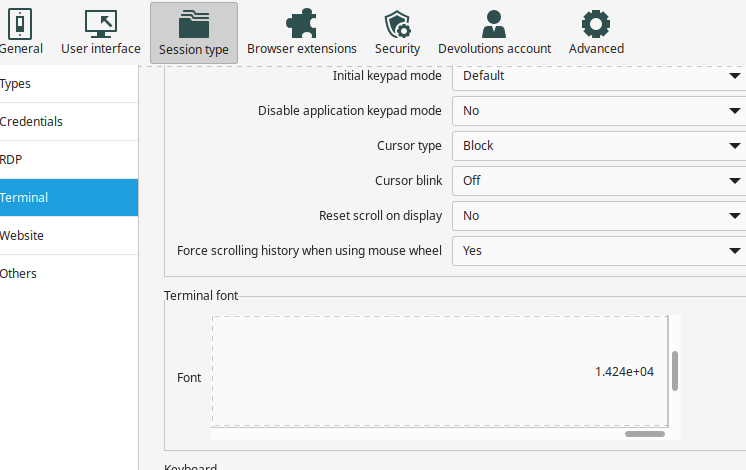
The workaround for resolving the font size issue is as follows:
1. Go to File > Preferences > Session Type > Terminal.
2. Click on "Terminal Font."
3. When the cursor is in the Search field, press TAB 4 times to move it to the Size field (not visible).
4. Type "14" (or any reasonable value you prefer), press TAB twice, and then ENTER.
These steps will change the font size and make the "Terminal Font" field fully visible.
Issue with SSH Terminal Prompt in RDM after update
Hi robrinker,
Thank you for your insight. You’re correct; it seems to be a font issue.
I noticed that my SSH entry setting for Terminal > Display: Font is set to "Default." When I change this to "Override" and select a specific font and size, I can see the command prompt clearly.
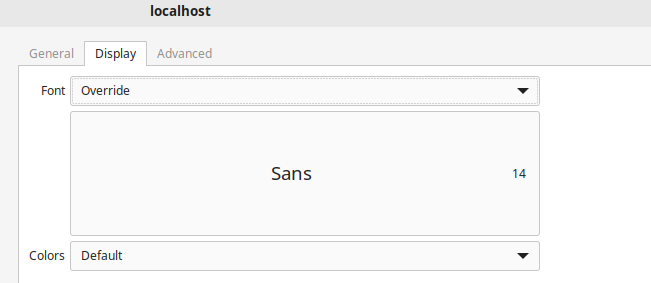
Next, I checked the global configuration under File > Preferences > Session Type > Terminal > Terminal Font, but I found that no font was selected and I couldn't configure one.
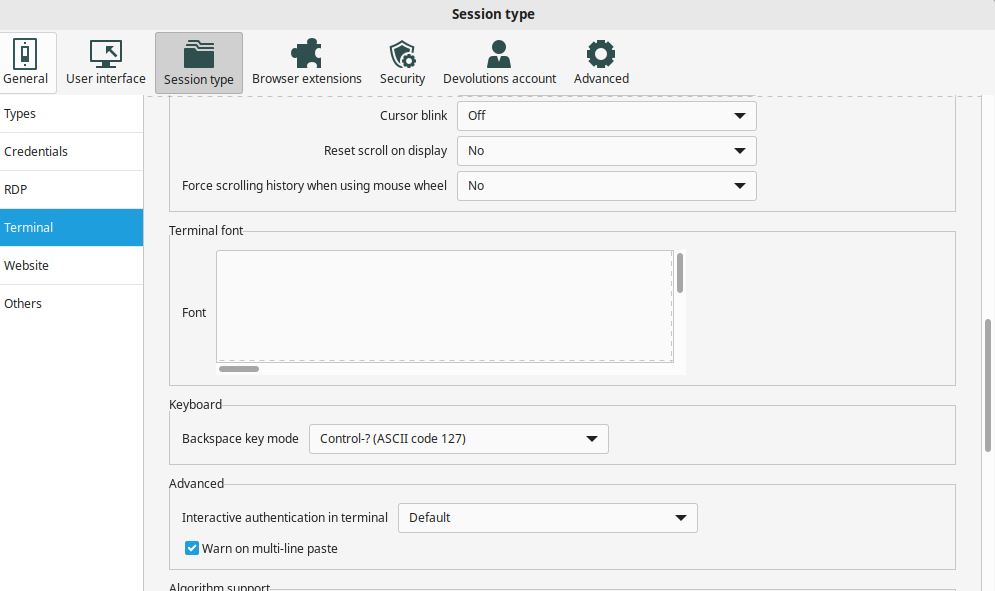
I'm awaiting the fix.
Issue with SSH Terminal Prompt in RDM after update
Hello,
I use RDM daily on my workstation and notebook (Dell Latitude 5450), each running Fedora 41.
After updating RDM on both devices to the latest release (2025.1.0.11), I'm unable to see the terminal prompt on my notebook when I establish an SSH connection.

I have tried different terminal emulators (Gnome Terminal, Terminator, xterm) and switched between X11 and Wayland display servers, but without success.
The workstation does not experience this issue.
Here are some details about the notebook. Please note that there was no such issue with the previous RDM release.
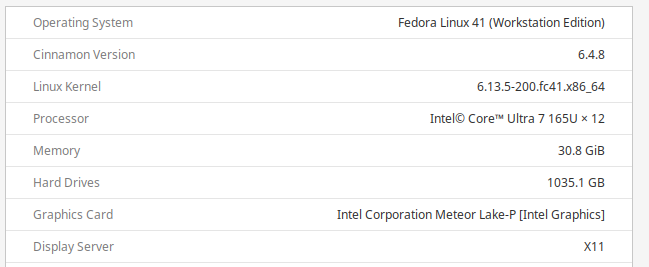
Could you please help me identify the cause of this issue?
Thank you!
Use parameters in "Terminal command" entry
Hi Carl,
This is to confirm that the issue has been resolved after updating RDM to the latest release, 2025.1.0.11.
Thank you
Use parameters in "Terminal command" entry
Hello,
I use the "Terminal command" entry for quick access to commands. However, I encountered an error when I tried to add parameters.
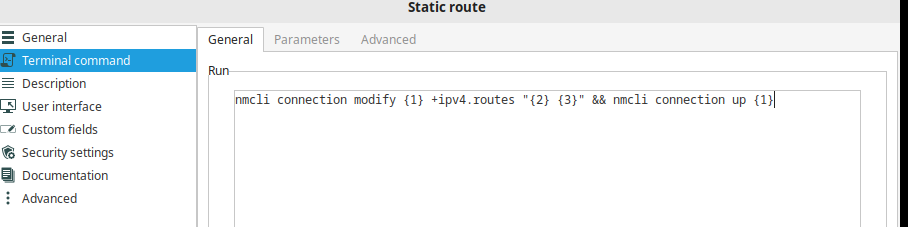
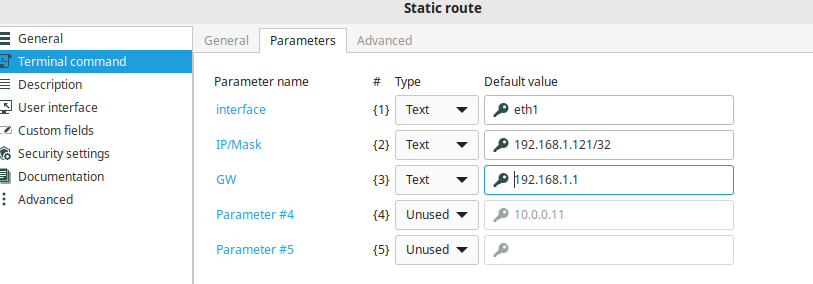
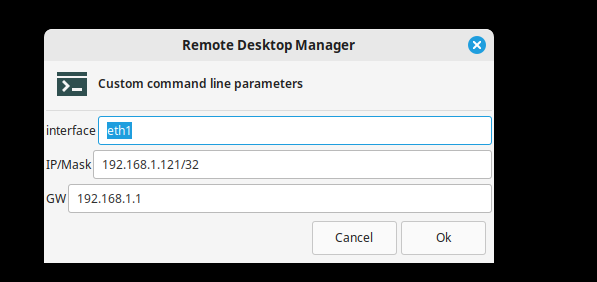
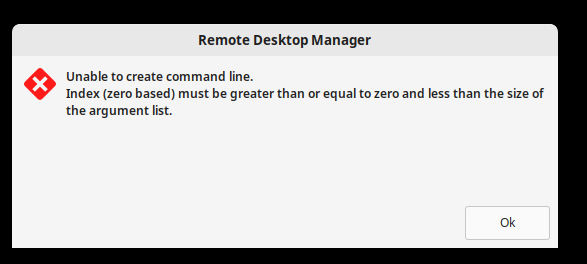
Suspecting an indexing issue (based on online searches), I tried using only one parameter.
nmcli connection modify eth1 +ipv4.routes "192.168.1.121 192.168.1.1" && nmcli connection up {1}
The command runs in the terminal but:
nmcli connection modify eth1 +ipv4.routes "192.168.1.121 192.168.1.1" && nmcli connection up System.String[]
Could you help me with this issue, or explain how command parameters work?
RDM Latest, Fedora 41
Thank you
SFTP prompt for host IP
Thank you Carl,
I confirm that "alternate hosts" work without appending port.
SFTP prompt for host IP
Hello Jacob,
Thank you for your assistance. I have updated my configuration.
Best regards,
SFTP prompt for host IP
Hi Jacob,
Thank you for the good news.
Best Regards
SFTP prompt for host IP
Hello,
Thank you for the information.
Do you have anything configured in the proxy tab?

Best regards,
No. Nothing is configured in the Proxy tab. But I have custom GW (jump host) configured in "Gateway" tab.
SFTP prompt for host IP
Hello,
After your question about the port I decided to try adding the port to the alternate hosts and it works
.

Prompt is like:

When an IP address is selected, a session is created to the corresponding server.
Best Regards
SFTP prompt for host IP
Hello,
Yes, all sessions use port 22.
Best Regards
SFTP prompt for host IP
Hello,
Thank you for reaching out regarding this matter.
Could you please let me know the version of RDM you are currently using?
Additionally, I would appreciate it if you could provide the type and version of the data source you are working with.
Looking forward to your response.
Best regards,
Hello,
Thank you for your reply.
The RDM version is 2024.3.2.5,
The data source is SQLite

Best Regards
SFTP prompt for host IP
Hello,
Is it possible to create sftp (or ssh) entry which when started to show prompt with list of IPs to be used for connection?
I tried with alternate hosts in my sftp entry:


When I start the entry:

After selecting one of the not highlighted&locked IP (not sure why the entries are duplicated):

Connection is OK when instead $ALTERNATE_HOSTS$ variable a single IP is used in "SFTP/Host" field.
Thank you in advance