
etfz
Connection through VPN host that inherits host configuration not working
I have now updated to 2026.2.9, but the issue persists.
Just to recap. Router:
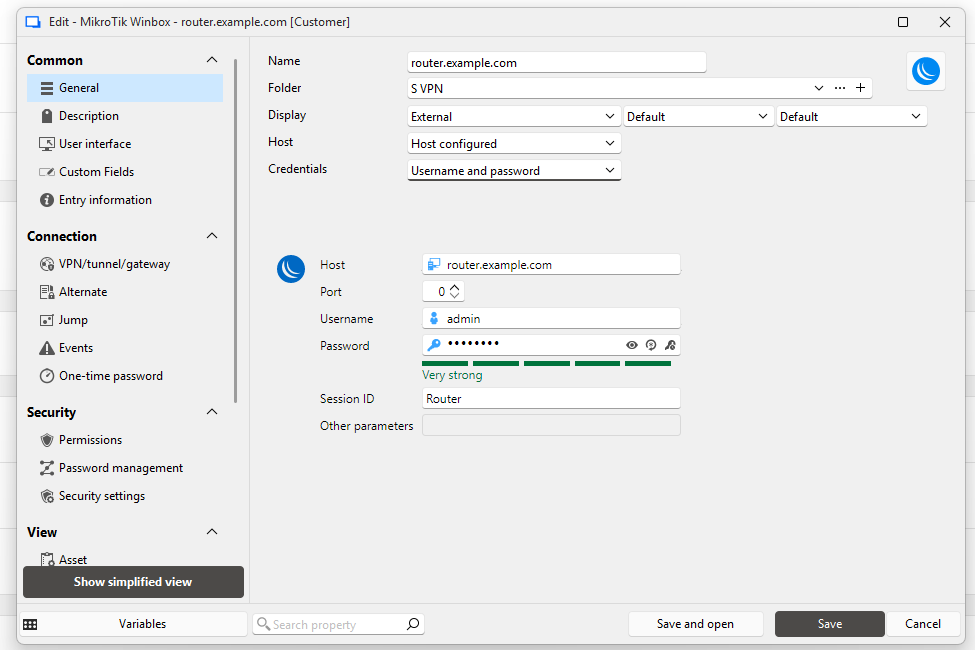
SSH VPN:
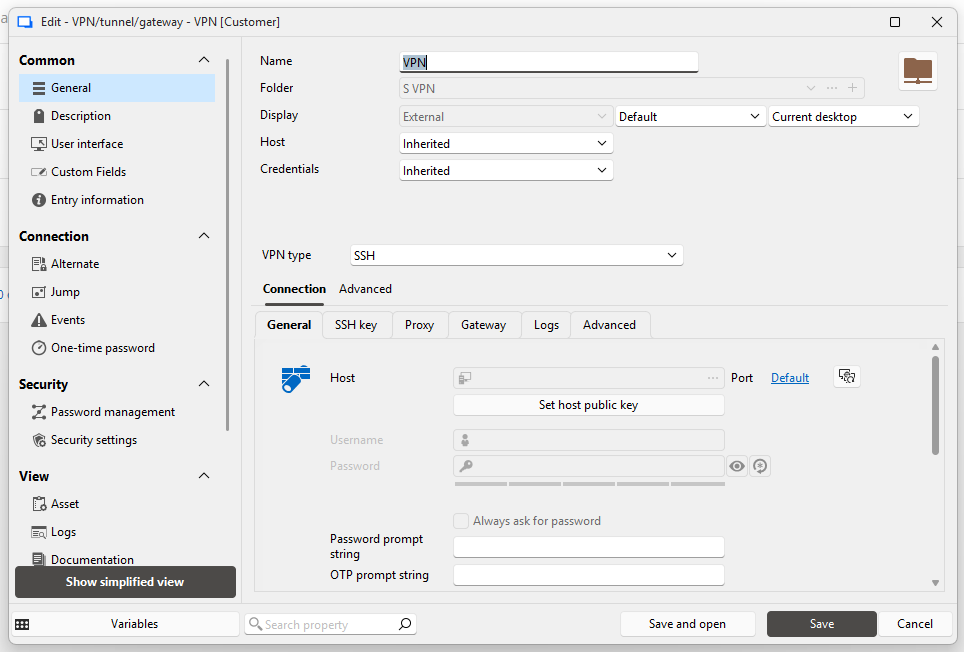
VPN hosts folder:
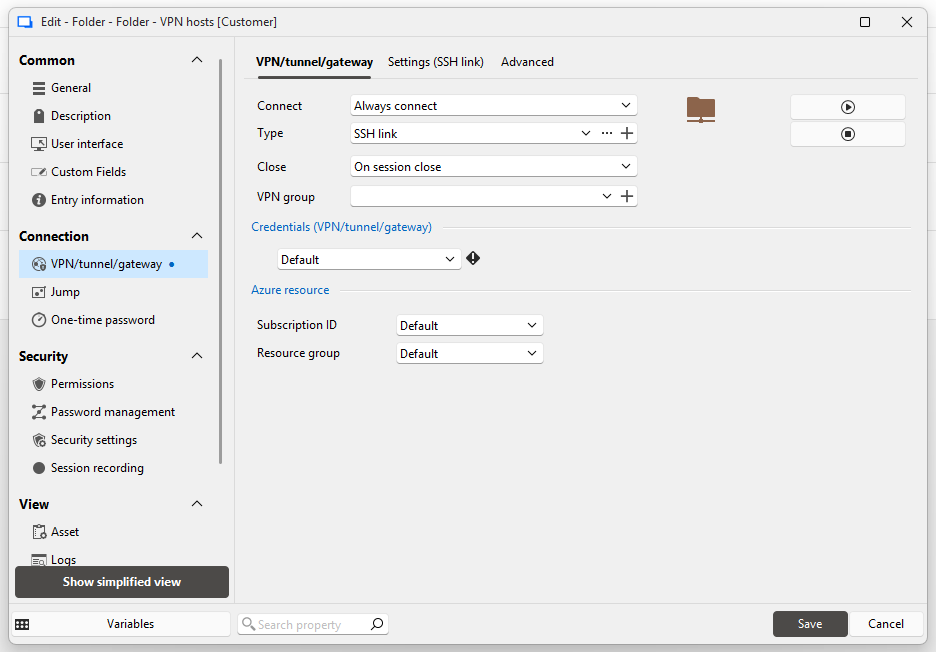
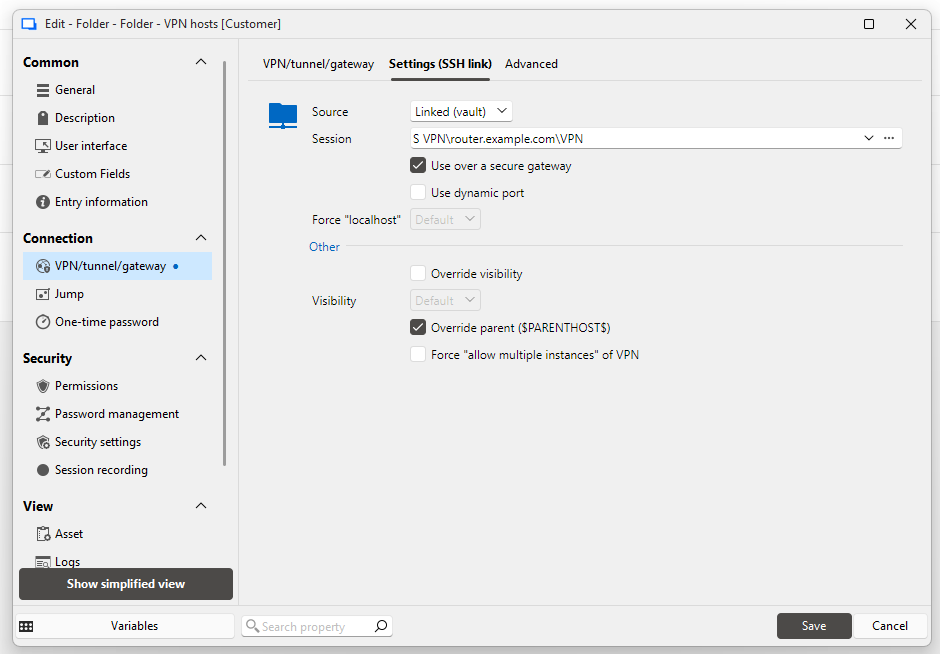
Remote Desktop host:
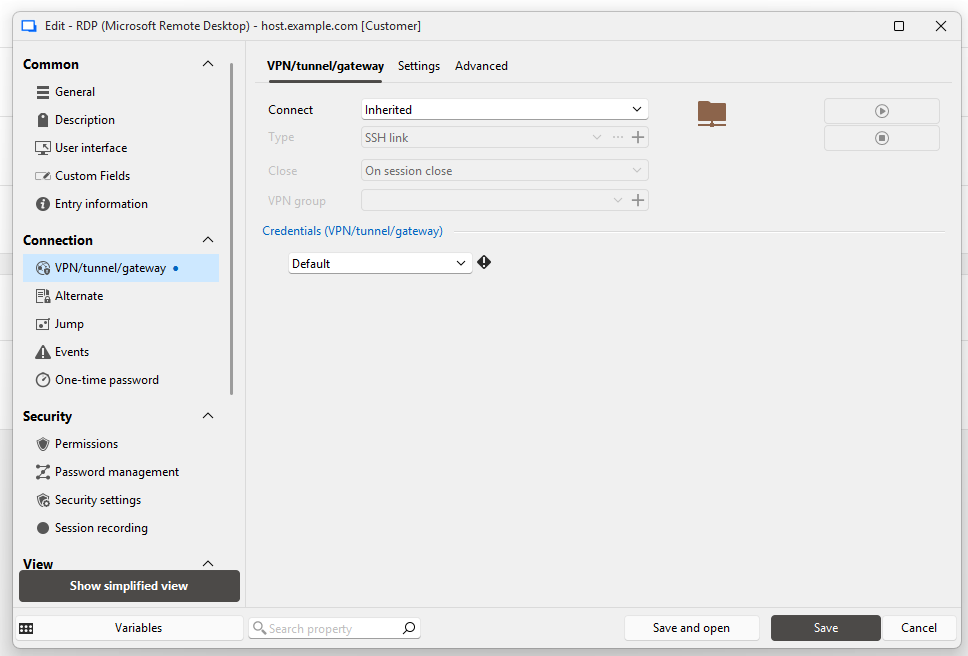
Also attached an export of the folder.
Connection through VPN host that inherits host configuration not working
They are MikroTik WinBox entries, not websites.
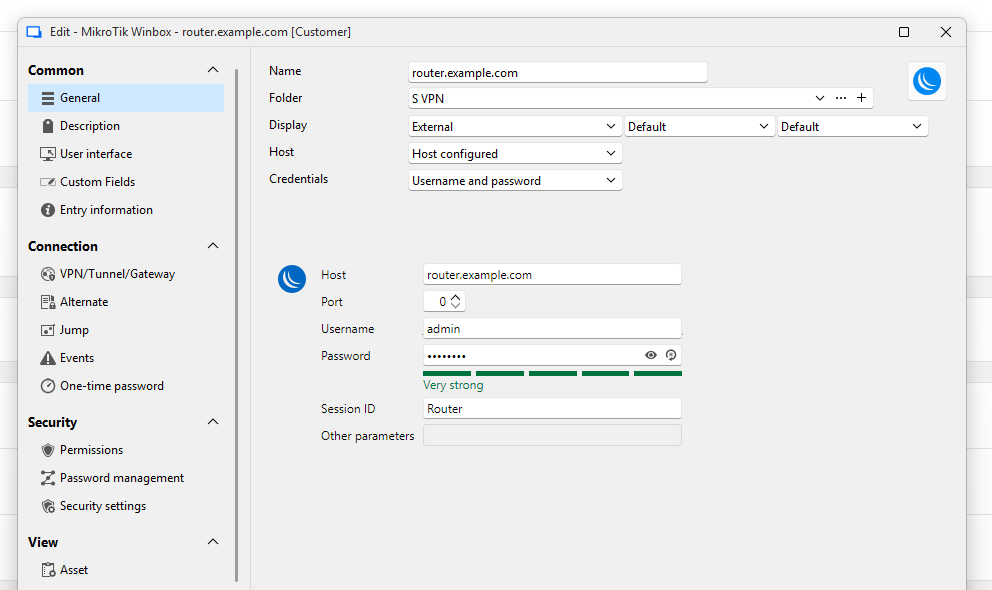
Connection through VPN host that inherits host configuration not working
Do I need to repost this? It's still marked as fixed.
Connection through VPN host that inherits host configuration not working
I'm not seeing any difference in behaviour after having updated to 2026.1.23. I also don't see anything in the change log that sounds like it would pertain to this issue.
Connection through VPN host that inherits host configuration not working
There appears to be a similar issue with credentials inheritance. When connecting to host.example.com, the VPN connection inherits the host's credentials instead of the router's. The VPN entry uses an SSH key, in case that's relevant.
Connection through VPN host that inherits host configuration not working
Hi,
Hm, actually, I do too, now, when I try to resave the entry. That specific behaviour must have changed after updating, then. Still, it shows the inherited host address in the Overview.
In that case, you may consider this a bug report regarding inheritance not working for SSH tunnel entries.
Connection through VPN host that inherits host configuration not working
Hi,
I'm using some SSH tunnel VPNs, which works well. I've just realised that, since I have an entry for the router, I should be able to have the tunnel entry inherit the address from it. When doing so, it seems to attempt to use the LAN host as the tunnel host. Note the "Connecting to" line:
Devolutions.ProtocolsSharp: 2026.2.12.1 OS: Windows
Starting SSH, verbose level: 2
Setting up connection
Connecting to: host.example.com:22 (IPV_ANY)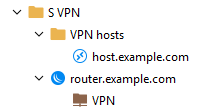
VPN entry inherits host configuration.
VPN hosts folder uses VPN entry as VPN connection.
host.example.com entry inherits VPN connection configuration.
When connecting to host.example.com while explicitly specifying the host on the SSH tunnel entry, or when opening the VPN connection entry directly, it works as intended:
Devolutions.ProtocolsSharp: 2026.2.12.1 OS: Windows
Starting SSH, verbose level: 2
Setting up connection
Connecting to: router.example.com:22 (IPV_ANY)
SSH version banner: SSH-2.0-ROSSSH
I just updated to 2026.1.22 and can confirm that the issue persists.
Entry sorting does not take international letters into account
That works. Thank you.
There were no options to pick from. I had to enter sv-SE.
Entry sorting does not take international letters into account
Remote Desktop Manager Team Edition 2026.1.15.0
OS locale: Swedish
RDM locale: English
Data source: SQL Server
Expected order: Swedish (...XYZÅÄÖ)

Entry sorting does not take international letters into account
For example, Ö is treated as O for sorting purposes.
Confused about SSH tunneling options
Thank you. I have some answers, but to be honest, overall I don't know that I understand the big picture better than before. There seems to be a lot of overlap in the various SSH options, and it's not clear what the differences are.
I have settled with doing the following for now, which seems to work well:
Create an SSH entry. (VPN/tunnel/gateway)
Enter host address and user name.
Select dynamic mode and use dynamic port.
Select the private SSH key from the vault.
Create a folder with VPN connection settings.
Always connect
Make up a VPN group
SSH link
Select the SSH entry created above
Use over a secure gateway
Wait 0 sec after execution
Create VPN hosts in the folder and inherit VPN settings.
This seems to work for multiple connections and VPN servers without needing to come up with unique ports for each tunnel. Feel free to let me know whether I'm missing anything.
The SSH tunnel entry (Session) type seems to be configured and work the same way, so I'm not sure what the difference is there.
Confused about SSH tunneling options
Thanks for your response.
I see, so an SSH tunnel can normally only accommodate a single connection, but is that the only purpose of an SSH gateway? It seems like using the dynamic port option eliminates the need for an SSH gateway.
There is also a VPN/tunnel entry type called simply "SSH". What does that do?
When setting up an SSH Gateway, I can select a private key as my credential under the General tab, but there is also a Private key tab where I can seemingly do the same. What's the difference?
I don't really understand the difference between SSH and session link. With session link selected, I can still select an SSH tunnel to use for the session. Is this different from using SSH link?
When enabled, RDM automatically launches the selected SSH Tunnel first, waits for it to establish, then opens your session through it.
Is this not the default behaviour of specifying an SSH session as the tunnel for a connection? Otherwise, what is the point of specifying the SSH tunnel?
Confused about SSH tunneling options
Hi,
I have previously successfully set up WireGuard entries for automatic connection etc. I am now trying to do the same using SSH. I have had some success, but many question marks remain.
SSH tunnel session using dynamic mode is the only one I've had success with. What are the SSH and SSH Gateway VPN options in comparison?
What is Session link vs SSH link when setting up the VPN connection for an entry?
What does the "Over a secure gateway" VPN option actually do? I have one SSH tunnel where it's required, and another where it isn't.
What do the "Use dynamic port" and "Force localhost" options do?
If I use the default source port for multiple dynamic SSH tunnels, are they going to conflict with each other? If yes, it would be good if a random available port could be picked.
WinBox sessions open without session ID
Great. Thank you!
For posterity, I will add that, indeed, there additionally seems to exist a bug in WinBox wherein if you at any point specify a session name in a certain way, that name will be used as the default for any session going forward. This can be "fixed" by deleting %AppData%\MikroTik\WinBox\settings.cfg.viw.
WinBox sessions open without session ID
Hi,
I noticed that a session ID field was added. I don't know whether that was in response to my feedback, but it does not do anything to alleviate the situation. It is effectively the same as the Other parameters field, which was already available. What's needed is for Remote Desktop Manager not to include an empty quoted string ("") in the command line string when the session ID field is empty.
WireGuard connection doesn't work when no DNS is provided
Hi,
Thank you. To be clear, you're saying that it does work for you even without entering any DNS server for the WireGuard configuration?
WireGuard connection doesn't work when no DNS is provided
Hi,
The issue persists in 2024.3.27.0.
WireGuard connection doesn't work when no DNS is provided
Hi,
Remote Desktop Manager 2024.3.20
Windows 10 22H2 (19045)
SQL Server data source
Uploaded a recording.
WireGuard connection doesn't work when no DNS is provided
Hi,
As per the title. The connection appears as though established, but traffic does not get through until I enter some DNS server. I can enter localhost as the DNS server to work around this in the meantime, but the WireGuard Windows client does not require entering a DNS server, so I would not expect this to be the case here either.
WinBox sessions open without session ID
Yes, Other parameters sets the session ID.
Edit parameters for quick password generator?
Hi,
Is there any way to edit the parameters for the password generated via the quick menu entry?
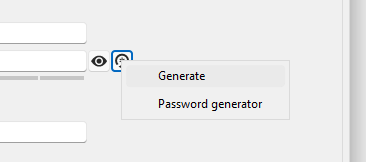
I would like to at least adjust the length. I do not want to use the full Password generator tool.
WinBox sessions open without session ID
Hi,
We're now using an SQL Server data source, which we imported from the old MySQL data source we previously used. The previous version should be 2021.2.20.0.
WinBox sessions open without session ID
Hi,
I've just upgraded to 2024.3.20 from a much older version, and noticed that WinBox sessions now open with an empty string for session ID, whereas in the old version it would use the host address as the session ID. This means that all sessions opened using RDM use the same session settings, which is very bad. I am not going to enter the extra parameter for every WinBox entry. How can I revert to the old behaviour?

Administrator user type vs administrator group?
Hi,
I logged in using the first Administrator user and clicked Fix SQL login on the affected user. I got a popup saying Done, but the issue remains. When I check the SQL permission report I can see that, indeed, the user is denied INSERT, UPDATE and DELETE on DatabaseInfo as well as UserSecurity. If I make the user an administrator user, permissions are granted correctly, and removed again when restored to a regular user and just member of the administrator group. The group is set up like so:
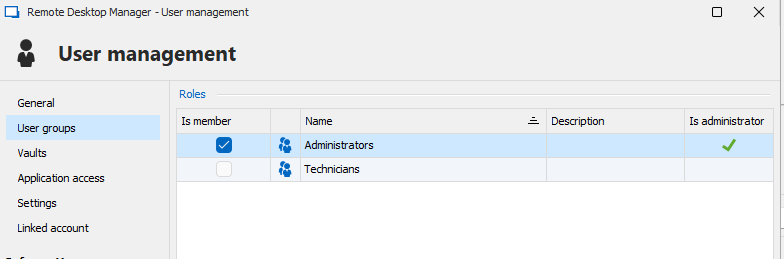
Administrator user type vs administrator group?
Thanks for the reply. I'm not sure whether I've done anything wrong, then, but I can't seem to, for example, create new user groups, using a user that's member of the administrator group.
Unable to save user group
The INSERT permission was denied on the object 'UserSecurity', database 'RemoteDesktopManager', schema 'dbo'.