Connection through VPN host that inherits host configuration not working
Connection through VPN host that inherits host configuration not working

Hi,
I'm using some SSH tunnel VPNs, which works well. I've just realised that, since I have an entry for the router, I should be able to have the tunnel entry inherit the address from it. When doing so, it seems to attempt to use the LAN host as the tunnel host. Note the "Connecting to" line:
Devolutions.ProtocolsSharp: 2026.2.12.1 OS: Windows
Starting SSH, verbose level: 2
Setting up connection
Connecting to: host.example.com:22 (IPV_ANY)
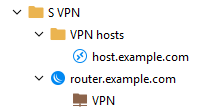
- VPN entry inherits host configuration.
- VPN hosts folder uses VPN entry as VPN connection.
- host.example.com entry inherits VPN connection configuration.
When connecting to host.example.com while explicitly specifying the host on the SSH tunnel entry, or when opening the VPN connection entry directly, it works as intended:
Devolutions.ProtocolsSharp: 2026.2.12.1 OS: Windows
Starting SSH, verbose level: 2
Setting up connection
Connecting to: router.example.com:22 (IPV_ANY)
SSH version banner: SSH-2.0-ROSSSH
I just updated to 2026.1.22 and can confirm that the issue persists.
bild.png
All Comments (13)
Hello,
Thank you for reaching out regarding this matter.
I tested the behavior on my side and encountered the “Host required” limitation. When I set the VPN host to Inherited and attempt to save the entry, I receive a message indicating that the Host field is required.
Could you please share a screenshot of the VPN entry configuration so I can further investigate?
I look forward to your reply.
Best regards,
Jacob Lafrenière
Hi,
Hm, actually, I do too, now, when I try to resave the entry. That specific behaviour must have changed after updating, then. Still, it shows the inherited host address in the Overview.
In that case, you may consider this a bug report regarding inheritance not working for SSH tunnel entries.
Hello,
Thank you for confirming the behavior on your side.
I will report this issue to the development team so they can investigate it further. They will either begin working on a fix or provide additional information regarding the behavior.
I will follow up with you as soon as a fix is included in a future update or when I receive more information.
Best regards,
Jacob Lafrenière
There appears to be a similar issue with credentials inheritance. When connecting to host.example.com, the VPN connection inherits the host's credentials instead of the router's. The VPN entry uses an SSH key, in case that's relevant.
Hello,
Thank you for being so patient!
I'm pleased to inform you that a new version of RDM (2026.1.23.0) has been released, featuring the fix for your issue.
Latest Version: Download RDM
Please let us know if this works or if you encounter any issues.
Best regards,
Maxim Robert
I'm not seeing any difference in behaviour after having updated to 2026.1.23. I also don't see anything in the change log that sounds like it would pertain to this issue.
Do I need to repost this? It's still marked as fixed.
Hello,
Thank you for the follow-up.
I’m sorry to hear that the issue is still occurring. I was able to reproduce the problem again on the latest version. I will ask our development team to reopen their internal case and continue working on a fix.
I will keep you updated as soon as a new fix is available.
Thank you for your patience and understanding.
Best regards,
Jacob Lafrenière
Hello,
Thank you for your patience.
I spoke with our development team, and it turns out that a VPN entry cannot inherit the host from a Website entry because a Website entry does not have a Host field, it has a Website field instead. They also confirmed that a Website entry is not considered a host entry.
As a result, you will need to set the host option to Host Configured and manually specify the hostname in the VPN entry.
As an alternative, you can configure an Alternate Host in the Website entry. You can then reference it in your VPN entry using the variable $PARENT_ALTERNATE_HOST$.
Please let me know if you have any further questions.
Best regards,
Jacob Lafrenière
They are MikroTik WinBox entries, not websites.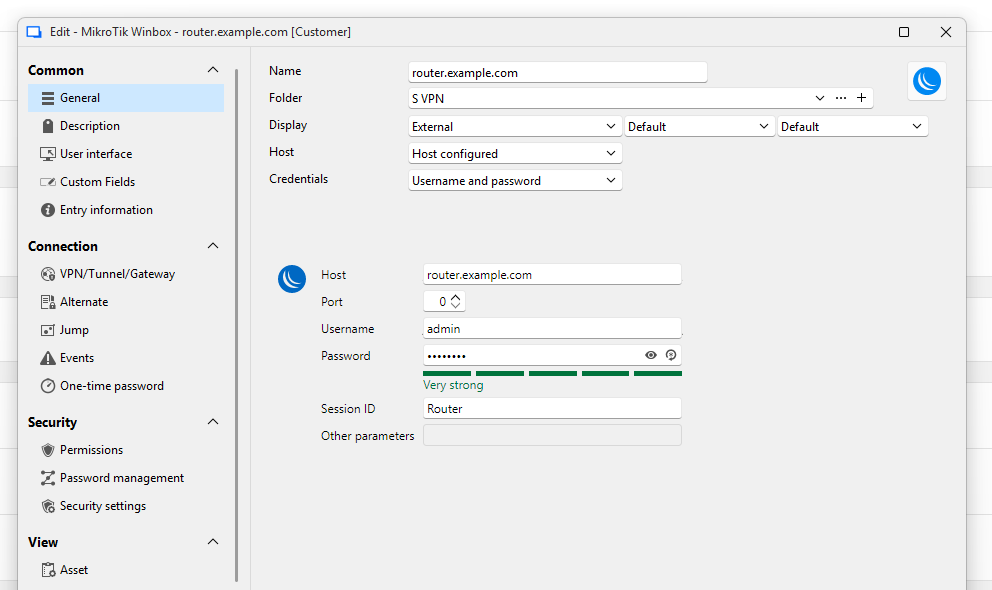
bild.png
Hello,
Thank you for the follow-up.
First, I apologize for the delay in my response and for the confusion caused by the incorrect entry type mentioned previously.
I tested the behavior using a MikroTik entry and was unable to reproduce the issue. The configuration is working as expected on my side with Remote Desktop Manager Windows 2026.2.8.0.
Could you please test the same configuration using the latest version and let me know whether you are still experiencing the issue?
I look forward to your reply.
Best regards,
Jacob Lafrenière
I have now updated to 2026.2.9, but the issue persists.
Just to recap. Router: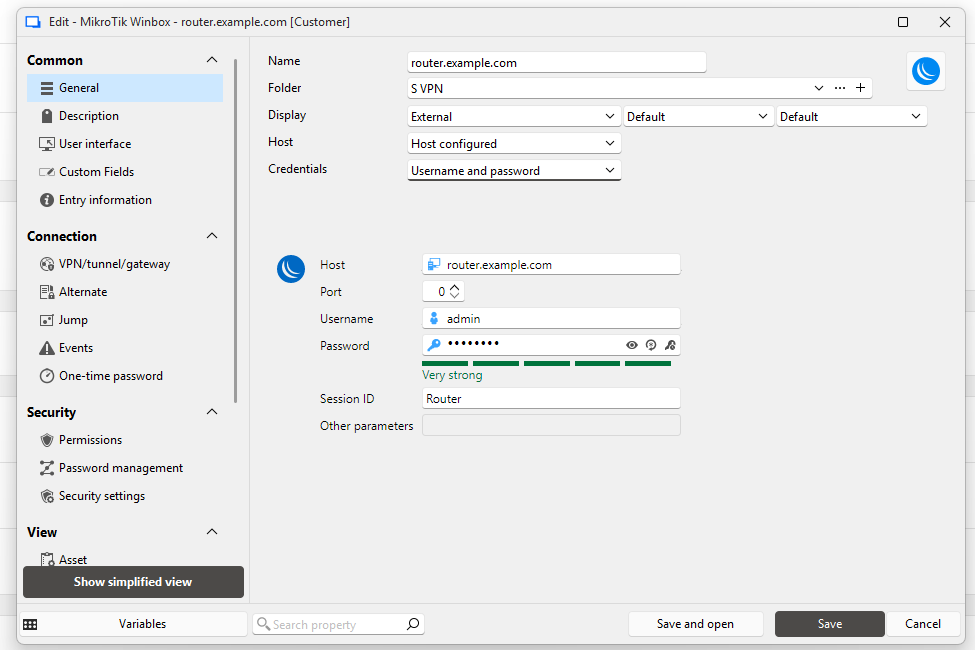
SSH VPN: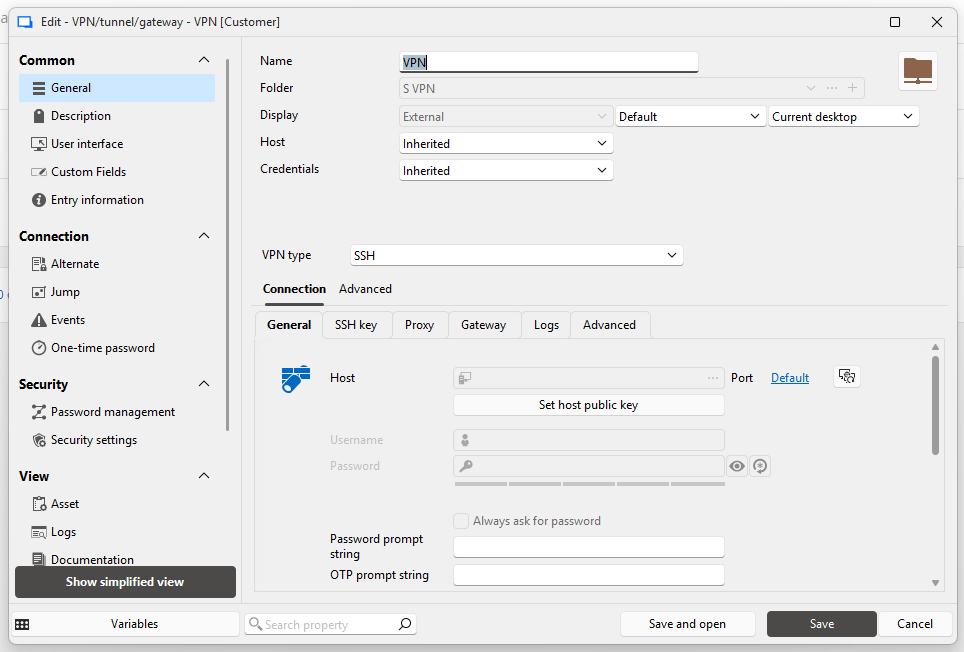
VPN hosts folder: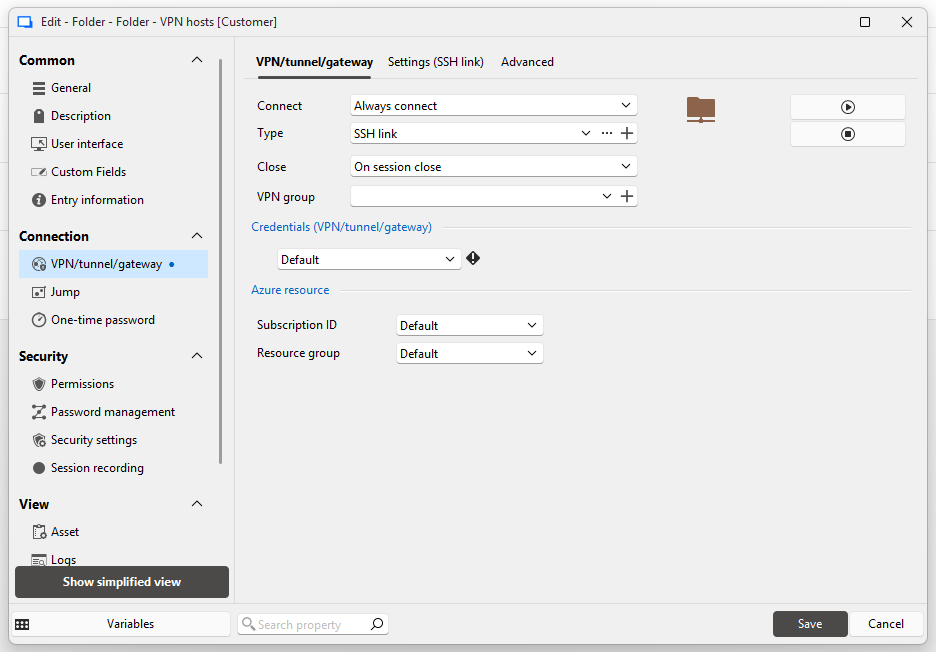
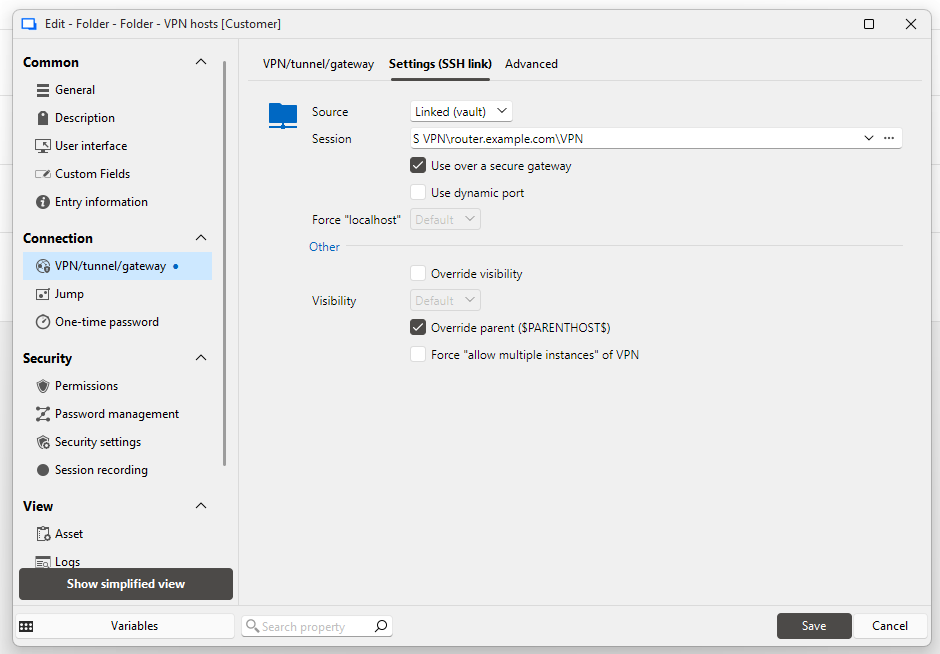
Remote Desktop host: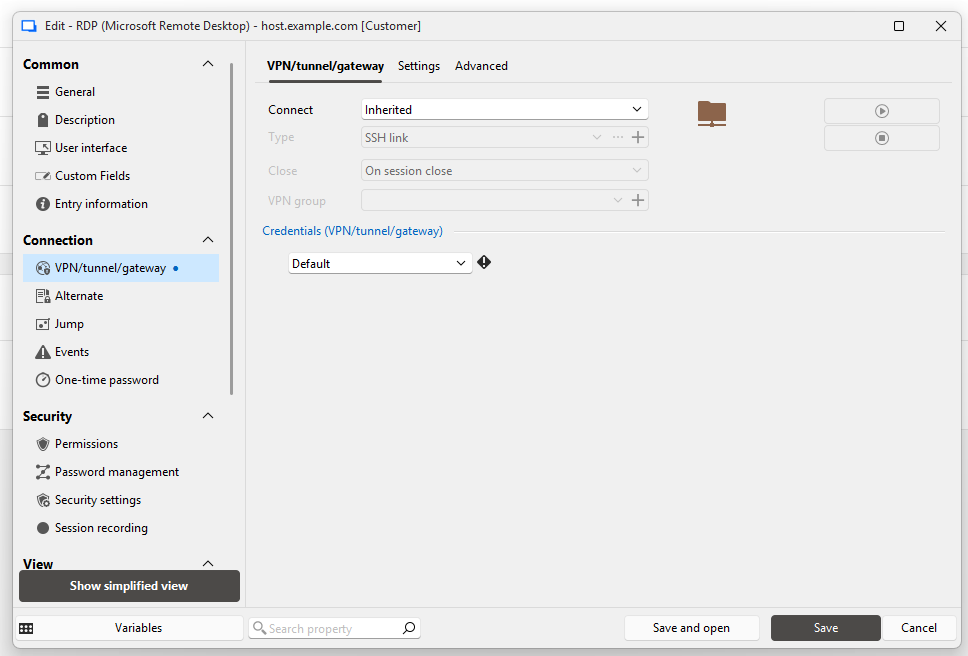
Also attached an export of the folder.
S VPN.rdm
Skärmbild 2026-06-16 155059.png
Skärmbild 2026-06-16 155025.png
Skärmbild 2026-06-16 154943.png
Skärmbild 2026-06-16 154758.png
bild.png
Hello,
Thank you for the follow-up.
I believe there may be a misunderstanding regarding the issue we are trying to address. To help resolve this more efficiently, I will open a support case on your behalf and send you a link for a remote session so that we can discuss the matter live.
Once we have identified the solution, I will share it back on the forum for future reference.
Thank you, and I look forward to speaking with you.
Best regards,
Jacob Lafrenière