
rohithbalusu
SSH session disconnects after rekey
Hello,
I upgraded to 2025.2.25.0 64-bit and issue is not seen anymore.
Thankyou,
SSH session disconnects after rekey
Hello,
Please find the ssh log with verbosity set to 2. BTW, apologies for not scheduling the debug call. This issue is happening in a sensitive environment and i cant share the screens from this env. I was planning to reproduce this in my VM env but couldn't get to it.
LOGS:
[7/29/2025 10:10:41 AM] Devolutions.ProtocolsSharp: 2025.7.1.1 OS: Windows
[7/29/2025 10:10:41 AM] Terminal font: Courier New [Courier New, fixed=True]
[7/29/2025 10:10:41 AM] Starting SSH, verbose level: 2
[7/29/2025 10:10:41 AM] Setting up connection
[7/29/2025 10:10:41 AM] Connecting to: *.*.*.*:22 (IPV_ANY)
[7/29/2025 10:10:41 AM] SSH version banner: SSH-2.0-OpenSSH_9.9
[7/29/2025 10:10:41 AM] Sending kex init
[7/29/2025 10:10:42 AM] Received kex init
[7/29/2025 10:10:42 AM] Selected algorithms: curve25519-sha256(strict), rsa-sha2-256, aes256-ctr, aes256-ctr, hmac-sha2-256, hmac-sha2-256, none, none
[7/29/2025 10:10:42 AM] Sending Ed25519 kex init
[7/29/2025 10:10:42 AM] Received Ed25519 kex reply
[7/29/2025 10:10:42 AM] Accepting connection to an unidentifed server this one time
[7/29/2025 10:10:42 AM] Sending new keys message
[7/29/2025 10:10:42 AM] Received new keys message
[7/29/2025 10:10:42 AM] Sending userauth service request
[7/29/2025 10:10:42 AM] Received extension info message
[7/29/2025 10:10:42 AM] Server accepts public key types: ecdsa-sha2-nistp256,ecdsa-sha2-nistp384,ecdsa-sha2-nistp521,rsa-sha2-512,rsa-sha2-256
[7/29/2025 10:10:42 AM] Received service accepted message
[7/29/2025 10:10:42 AM] Sending userauth init request
[7/29/2025 10:10:43 AM] Received userauth failure: publickey,password
[7/29/2025 10:10:43 AM] Starting password authentication
[7/29/2025 10:10:43 AM] Sending userauth password request
[7/29/2025 10:10:43 AM] Received userauth success
[7/29/2025 10:10:43 AM] User authenticated successfuly by password
[7/29/2025 10:10:43 AM] Sending session channel open request: 0|-
[7/29/2025 10:10:43 AM] Received global request: hostkeys-00@openssh.com, no need to reply
[7/29/2025 10:10:43 AM] Received channel open confirmation: 0|0 WS 200000|0 MPS 32000|32768
[7/29/2025 10:10:43 AM] Sending pty request: 0|0 xterm-256color, 352x61
[7/29/2025 10:10:44 AM] Received channel success: 0|0
[7/29/2025 10:10:44 AM] Sending environment variable request: LANG=en_US.UTF-8 0|0
[7/29/2025 10:10:44 AM] Received channel failure: 0|0
[7/29/2025 10:10:44 AM] The server did not accept the environment variable
[7/29/2025 10:10:44 AM] Sending shell request: 0|0
[7/29/2025 10:10:44 AM] Received channel success: 0|0
[7/29/2025 10:25:43 AM] Sending kex init
[7/29/2025 10:25:43 AM] Received kex init
[7/29/2025 10:25:43 AM] Selected algorithms: curve25519-sha256, rsa-sha2-256, aes256-ctr, aes256-ctr, hmac-sha2-256, hmac-sha2-256, none, none
[7/29/2025 10:25:43 AM] Sending Ed25519 kex init
[7/29/2025 10:25:44 AM] Received Ed25519 kex reply
[7/29/2025 10:25:44 AM] Accepting connection to an unidentifed server this one time
[7/29/2025 10:25:44 AM] Sending new keys message
[7/29/2025 10:25:44 AM] Received new keys message
[7/29/2025 10:25:54 AM] Sending channel close request: 0|0
[7/29/2025 10:25:54 AM] Disconnection in progress
[7/29/2025 10:25:54 AM] Sending disconnect request
[7/29/2025 10:25:54 AM] Bytes sent: 7984, Bytes received: 3680
[7/29/2025 10:25:54 AM] Packets sent: 104, Packets received: 17
[7/29/2025 10:25:54 AM] Kex completed: 2
After this, session got closed. Now more logs are seen
SSH session disconnects after rekey
Hello,
tested this with Putty(0.83) and openssh (OpenSSH_8.0p1, OpenSSL 1.1.1k FIPS 25 Mar 2021).
Session was stable after rekey. Issue is seen only with RDM.
openssh logs during rekey:
ebug3: receive packet: type 20
debug1: SSH2_MSG_KEXINIT received
debug3: send packet: type 20
debug1: SSH2_MSG_KEXINIT sent
debug2: local client KEXINIT proposal
debug2: KEX algorithms: curve25519-sha256,curve25519-sha256@libssh.org,ecdh-sha2-nistp256,ecdh-sha2-nistp384,ecdh-sha2-nistp521,diffie-hellman-group-exchange-sha256,diffie-hellman-group14-sha256,diffie-hellman-group16-sha512,diffie-hellman-group18-sha512,diffie-hellman-group-exchange-sha1,diffie-hellman-group14-sha1
debug2: host key algorithms: ecdsa-sha2-nistp256-cert-v01@openssh.com,ecdsa-sha2-nistp384-cert-v01@openssh.com,ecdsa-sha2-nistp521-cert-v01@openssh.com,ssh-ed25519-cert-v01@openssh.com,rsa-sha2-512-cert-v01@openssh.com,rsa-sha2-256-cert-v01@openssh.com,ssh-rsa-cert-v01@openssh.com,ecdsa-sha2-nistp256,ecdsa-sha2-nistp384,ecdsa-sha2-nistp521,ssh-ed25519,rsa-sha2-512,rsa-sha2-256,ssh-rsa
debug2: ciphers ctos: aes256-gcm@openssh.com,chacha20-poly1305@openssh.com,aes256-ctr,aes256-cbc,aes128-gcm@openssh.com,aes128-ctr,aes128-cbc
debug2: ciphers stoc: aes256-gcm@openssh.com,chacha20-poly1305@openssh.com,aes256-ctr,aes256-cbc,aes128-gcm@openssh.com,aes128-ctr,aes128-cbc
debug2: MACs ctos: hmac-sha2-256-etm@openssh.com,hmac-sha1-etm@openssh.com,umac-128-etm@openssh.com,hmac-sha2-512-etm@openssh.com,hmac-sha2-256,hmac-sha1,umac-128@openssh.com,hmac-sha2-512
debug2: MACs stoc: hmac-sha2-256-etm@openssh.com,hmac-sha1-etm@openssh.com,umac-128-etm@openssh.com,hmac-sha2-512-etm@openssh.com,hmac-sha2-256,hmac-sha1,umac-128@openssh.com,hmac-sha2-512
debug2: compression ctos: none,zlib@openssh.com,zlib
debug2: compression stoc: none,zlib@openssh.com,zlib
debug2: languages ctos:
debug2: languages stoc:
debug2: first_kex_follows 0
debug2: reserved 0
debug2: peer server KEXINIT proposal
debug2: KEX algorithms: ecdh-sha2-nistp256,ecdh-sha2-nistp384,ecdh-sha2-nistp521,diffie-hellman-group-exchange-sha256,diffie-hellman-group14-sha256,diffie-hellman-group16-sha512,diffie-hellman-group18-sha512,curve25519-sha256
debug2: host key algorithms: rsa-sha2-512,rsa-sha2-256,ecdsa-sha2-nistp521
debug2: ciphers ctos: aes128-ctr,aes192-ctr,aes256-ctr
debug2: ciphers stoc: aes128-ctr,aes192-ctr,aes256-ctr
debug2: MACs ctos: hmac-sha2-256,hmac-sha2-512
debug2: MACs stoc: hmac-sha2-256,hmac-sha2-512
debug2: compression ctos: none,zlib@openssh.com
debug2: compression stoc: none,zlib@openssh.com
debug2: languages ctos:
debug2: languages stoc:
debug2: first_kex_follows 0
debug2: reserved 0
debug1: kex: algorithm: curve25519-sha256
debug1: kex: host key algorithm: ecdsa-sha2-nistp521
debug1: kex: server->client cipher: aes256-ctr MAC: hmac-sha2-256 compression: none
debug1: kex: client->server cipher: aes256-ctr MAC: hmac-sha2-256 compression: none
debug1: kex: curve25519-sha256 need=32 dh_need=32
debug1: kex: curve25519-sha256 need=32 dh_need=32
debug3: send packet: type 30
debug1: expecting SSH2_MSG_KEX_ECDH_REPLY
debug1: rekeying in progress
debug1: rekeying in progress
debug3: receive packet: type 31
debug1: Server host key: ecdsa-sha2-nistp521 SHA256:0HCloKQrKAsM9dNLlKsBfTGHPzcqgKvlvKpzJXk8Afc
debug2: verify_host_key: server host key ECDSA SHA256:0HCloKQrKAsM9dNLlKsBfTGHPzcqgKvlvKpzJXk8Afc matches cached key
debug3: send packet: type 21
debug1: resetting send seqnr 17
debug2: set_newkeys: mode 1
debug1: ssh_set_newkeys: rekeying out, input 3208 bytes 142 blocks, output 4240 bytes 174 blocks
debug1: rekey out after 4294967296 blocks
debug1: SSH2_MSG_NEWKEYS sent
debug1: expecting SSH2_MSG_NEWKEYS
debug3: receive packet: type 21
debug1: resetting read seqnr 24
debug1: SSH2_MSG_NEWKEYS received
debug2: set_newkeys: mode 0
debug1: ssh_set_newkeys: rekeying in, input 3224 bytes 143 blocks, output 4240 bytes 0 blocks
debug1: rekey in after 4294967296 blocks
Remote desktop manager freeze every time
I was able to reproduce this issue consistently. In my case, this is because of ssh rekeying in latest openssh versoins. More details are here.
https://forum.devolutions.net/topics/50499/ssh-session-disconnects-after-rekey
SSH session disconnects after rekey
I can confirm my suspicion now. I disabled ssh rekeying on my server and both disconnection and freezing issues disappeared.
SSH session disconnects after rekey
Few updates here:
If i am working on the session that is about to rekey, then instead of disconnecting, complete RDM freezes. I have to kill the complete RDM application and restart it.
Issue is only seen with OpenSSH_9.9p1, OpenSSL 3.5.0 8 Apr 2025. I have another server with OpenSSH_7.9p1, OpenSSL 3.0.7 1 Nov 2022 and i dont see the disconnection issue here. Both servers have 1500s as rekey interval.
SSH session disconnects after rekey
Hi,
I am currently on 2025.2.20.0 64-bit (JIT) and looks like this version has a bug with ssh rekeying. Session disconnects immediately after rekeying. On the ssh server side, rekey interval is set to 900secs and session disconnects after rekey.
SSH event log is attached.
Remote desktop manager freeze every time
I am seeing the same issue. RDM just freezes while working on ssh sessions. Clicks doesn't work at all. I am on 2025.2.20.0 64-bit (JIT) and issue is seen in previous version also.
OS: Windows Server 2022 Standard 21H2
Datasource is local.
This bug pretty much makes RDM unusable. Had to kill it and reopen and issue happens again randomly in 5-10 mins.
Tile layout config per tab group
Thankyou
Tile layout config per tab group
Hello,
I really like your tile layout configuration option. The problem i have is when I have multiple tab groups with each one having a different number of sessions, If i apply a layout config, it is applied to all.
Is it possible to customize layout config per tab group?
Ex : Lets say i have 3 tabgroups with each having 2, 4, 9 sessions respectfully. I want tabgroup 1 to be in horizontal split, tabgroup2 to be in 2X2, tabgroup3 in 3X3.
Let me know if this is possible.
Thankyou.
Keyboard shortcut to switch to previous working tab
Thankyou. It would we really helpful to have this
Keyboard shortcut to switch to previous working tab
Hello,
I have a bunch of tab groups and each tab group has at least 3 to 4 sessions (mix of ssh & rdp). When I switch between tabs, is there a shortcut which takes me to previous working tab? I do use 'next tab' and 'previous tab' but they go sequentially. Instead of that, I need a shortcut to switch to previously active tab.
Let me know if you need more details.
Thankyou.
Tabgroup focuses on first tab instead of last opened or last used
Thankyou,
Upgraded to 2025.1.38 and it started working. Thanks again for the quick fix
Tabgroup focuses on first tab instead of last opened or last used
Thank You. Hope it will be a quick fix.
Is there a way to downgrade to previous working version?
Tabgroup focuses on first tab instead of last opened or last used
Hi,
I am pretty sure this was working before. I am using the tab group features (a lot!!) for the last 2 years and never faced this. Every time I switch to a new tab group, it takes me to a random tab and I have to switch to the tab which I was working before. It is really frustrating!!.
This is definitely a regression or some setting which got changed in the recent upgrades.
Thankyou.
Tabgroup focuses on first tab instead of last opened or last used
Hello,
I tried doing that. But still every time i switch between tab groups, it focuses on first tab.
Regards,
Rohith
Tabgroup focuses on first tab instead of last opened or last used
Hi Team,
When I click on a tab group, RDM focuses on the first tab instead of last opened or last used. Is it possible to configure RDM to focus on the last opened or last used tab (i vote for last used tab)?
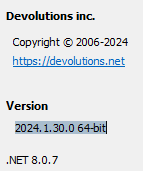
I am using RDM for a while and I think it was working before. I am currently using 2025.1.30.0 64-bit
Thankyou,
Rohith.
Changing tab group position
Hi,
Is there a way we can change the position of tab groups. We can drag and move tabs under a tab group to a different position but looks like we cant drag and move tab groups. Can we?
Thankyou.
RDM minimises during session disconnects
Hello,
Uploaded the video. Unfortunately, i couldn't record the whole RDM window as there is sensitive information. I could only record the windows toolbar. We can clearly see the flapping in the toolbar.
Thankyou.
RDM minimises during session disconnects
Hi Team,
I have the below setup.
From my laptop (win11), i do RDP (using windows native rdp application) into a windows server 2022.
RDM is installed on the windows server. I have a bunch of sessions opened. I have around 20 tab groups with each one having around 5-10 sessions. Most of these sessions are ssh but i do have a few rdp sessions also.
Now when i close a tab (either ssh or rdp) or when a session closes because of server disconnections (server reboots), RDM goes to background and comes back to foreground multiple times. We dont observe anything if we keep looking at the rdm window but if we look at the rdm tile in windows toolbar, we can see that it is flapping.
This gets really annoying when we are actively working on a session and some other session disconnects and then all the mouse and keyboard clicks goes to the application in the background which will come to foreground.
I am attaching a recording of the windows toolbar when it flaps.
Thankyou.