Remote desktop manager freeze every time

version 2025.1.41.0 64-bit (JIT)
Program freeze every time after i`m using hibernation mode on windows 11
All Comments (9)
Hello Maix913,
Thank you for getting in touch with us. To better assist you, could you kindly provide us with the following information:
- Did you update RDM recently? If yes, do you recall which version you were on?
- The operating system you are using and its version.
- The data source you are utilizing.
- Did the problem start occurring after updating to version 2025.1.41.0?
- Could you please try to update to the latest version and see if you experience the same issue?
- Any additional information and screenshots you believe might be relevant.
Once we have this information, we will be better equipped to diagnose and resolve the issue.
Best regards,
Maxim Robert
I`m use RDM last ~6 month. I`m update recently. And this bug migrate on every update.
version 2025.1.41.0
Windows 11Pro 23H2 22631.5472
Data source - Local folder wich synchronizes from yandex disk
Did the problem start occurring after updating to version 2025.1.41.0? - no, it`s old bug
RDM say has no update
I am seeing the same issue. RDM just freezes while working on ssh sessions. Clicks doesn't work at all. I am on 2025.2.20.0 64-bit (JIT) and issue is seen in previous version also.
OS: Windows Server 2022 Standard 21H2
Datasource is local.
This bug pretty much makes RDM unusable. Had to kill it and reopen and issue happens again randomly in 5-10 mins.
Hello,
You both mentioned different behaviours to achieve this freeze in RDM.
What is really interesting is whether this is a performance issue or a crash from RDM.
The investigation method will differ depending on this.
Could you tell me if RDM is responsive after a long time? (Wait 5 to 10 minutes when RDM freeze before closing it.)
Is RDM close by itself?
Do you have to close it by the task manager after 5 to 10 minutes?
Is RDM still running as a background process when you close it?
Best regards,
Patrick Ouimet
Could you tell me if RDM is responsive after a long time? - i`m wait 30minutes, and its freeze this time
Is RDM close by itself - no
Do you have to close it by the task manager after 5 to 10 minutes - yes, every time
Is RDM still running as a background process when you close it - after task manager, no. Reopen againt and its work fine to next hibernation notebook
Hello maix913,
Could you check, right after you have restarted it, if there is any information under Help -> Application logs?
Make sure to check all the boxes.
Also, is there anything related in the event viewer?
Best regards,
Patrick Ouimet
Screenshot 2025-07-04 144524.png
I view only this 2 messages in system logs
In app no logs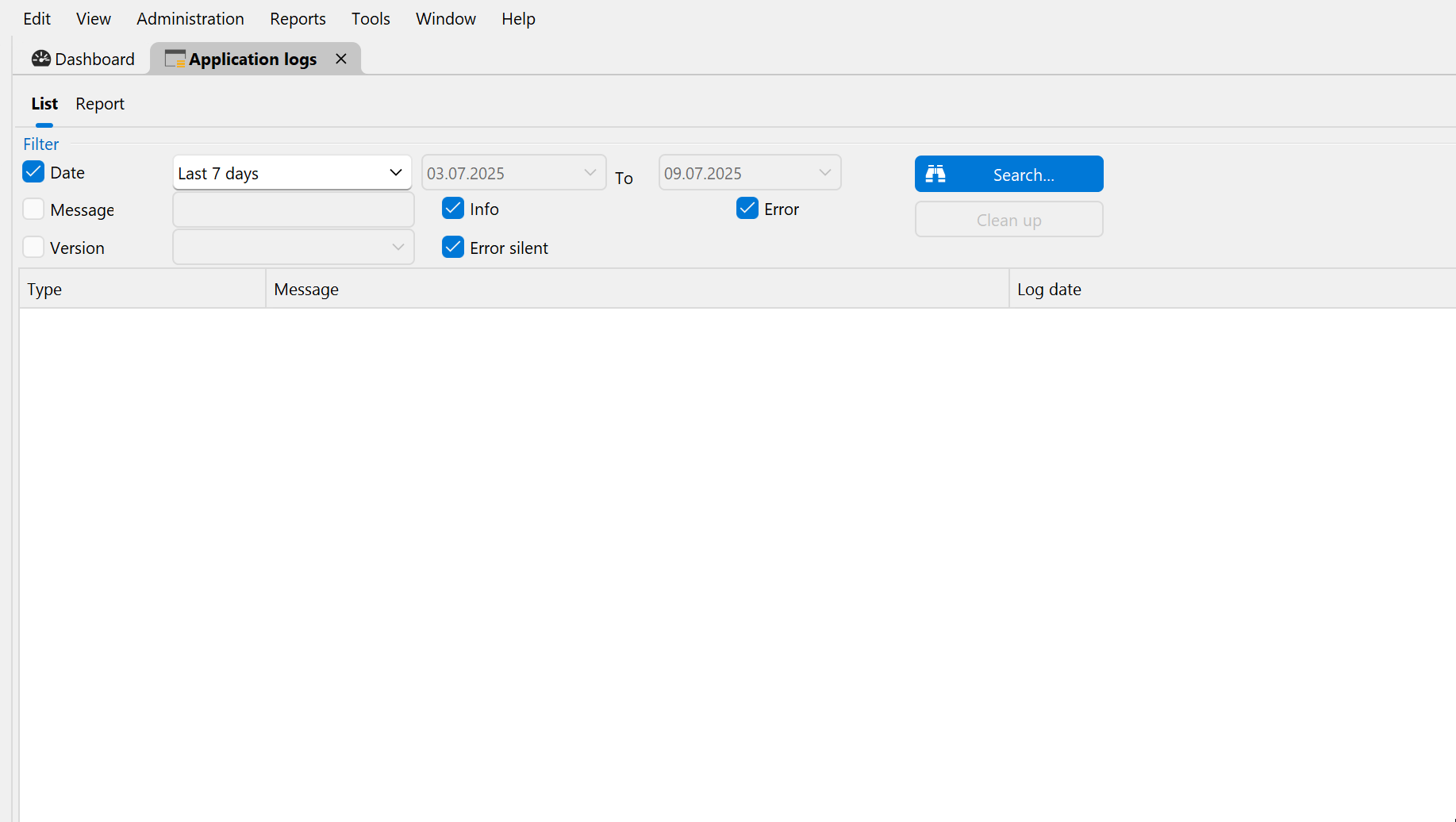
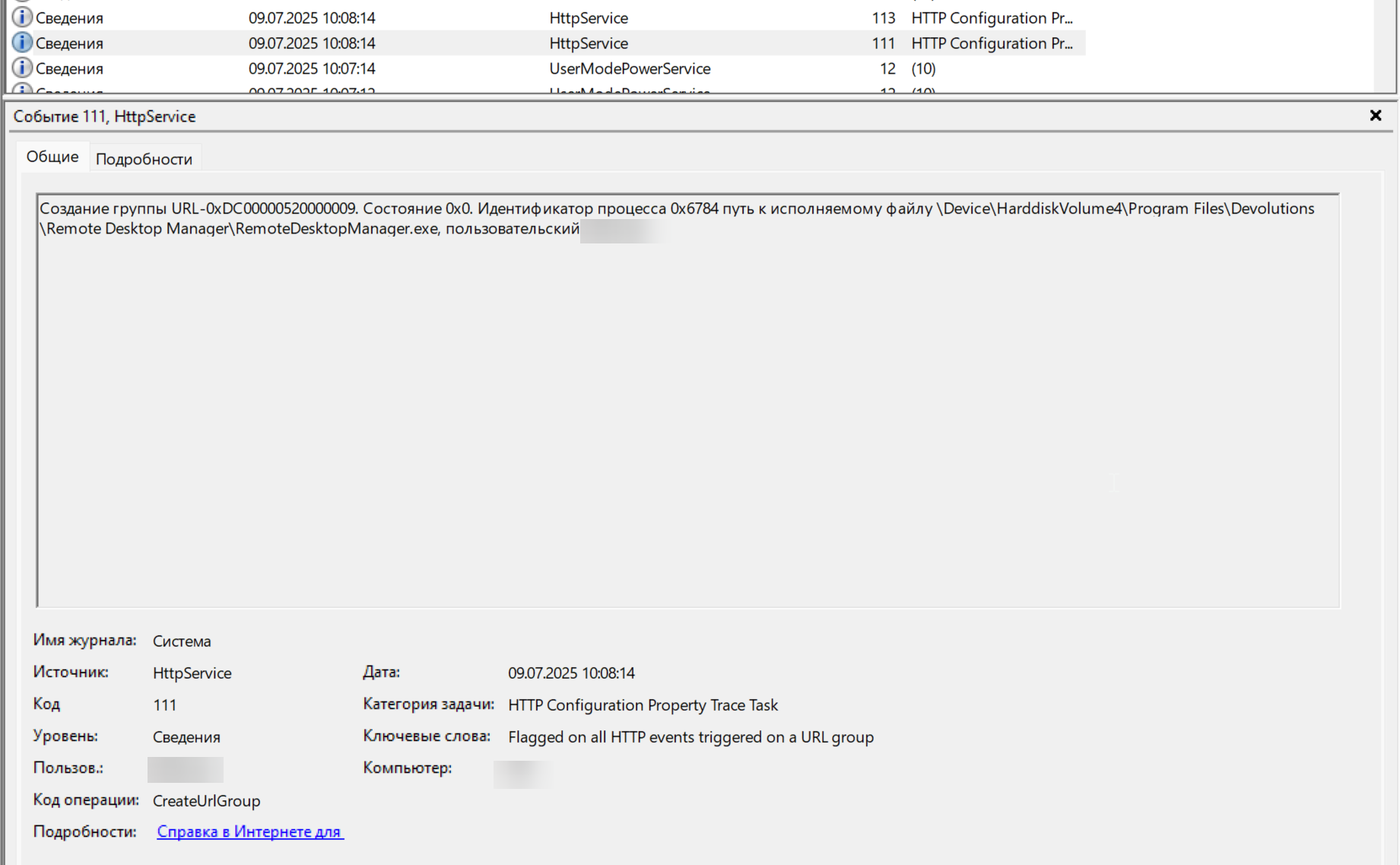 Создание группы URL-0xDC00000520000009. Состояние 0x0. Идентификатор процесса 0x6784 путь к исполняемому файлу \Device\HarddiskVolume4\Program Files\Devolutions\Remote Desktop Manager\RemoteDesktopManager.exe, пользовательский
English: Creating group URL-0xDC00000520000009. State 0x0. Process ID 0x6784 path to executable \Device\HarddiskVolume4\Program Files\Devolutions\Remote Desktop Manager\RemoteDesktopManager.exe, user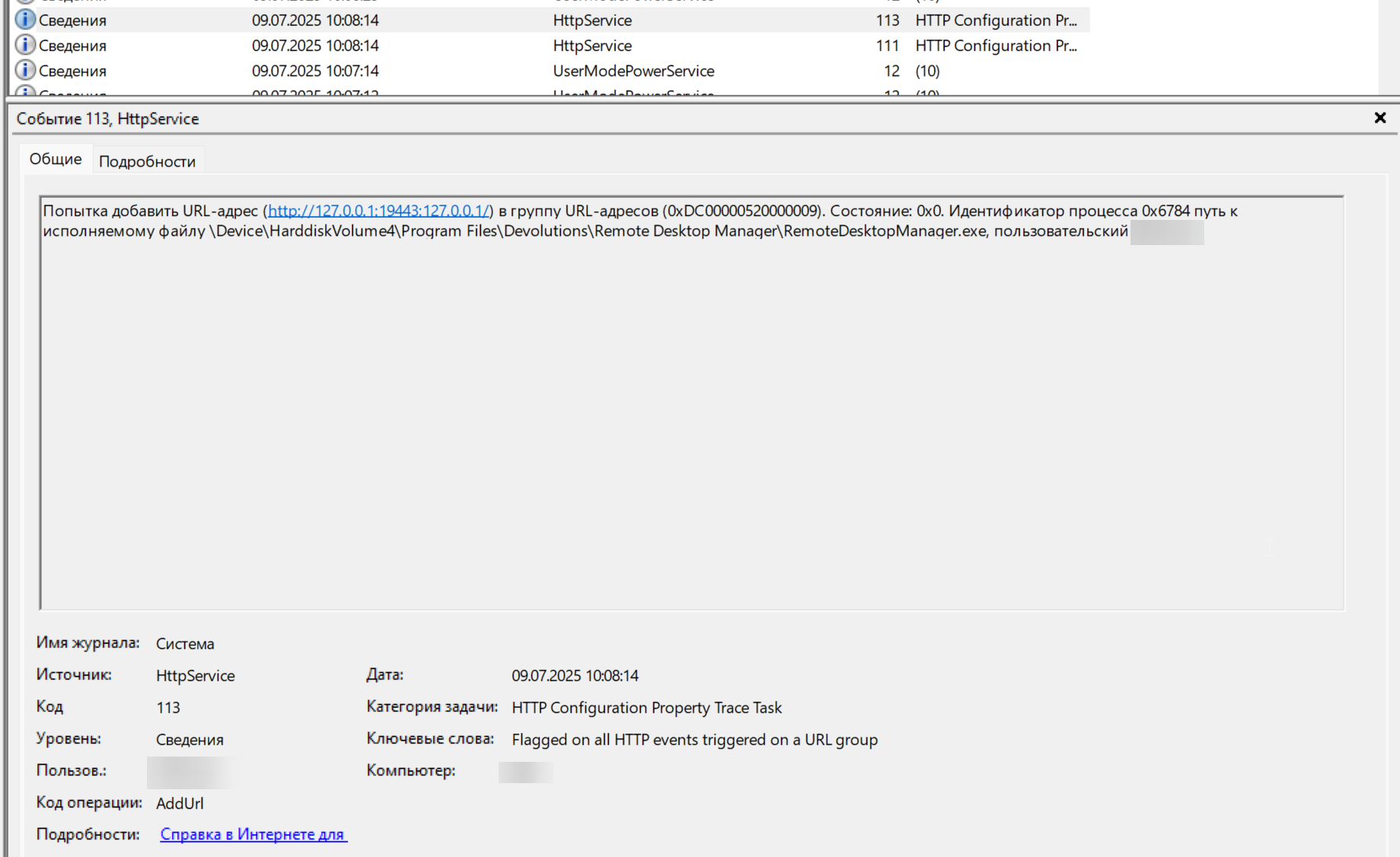
Попытка добавить URL-адрес (http://127.0.0.1:19443:127.0.0.1/) в группу URL-адресов (0xDC00000520000009). Состояние: 0x0. Идентификатор процесса 0x6784 путь к исполняемому файлу \Device\HarddiskVolume4\Program Files\Devolutions\Remote Desktop Manager\RemoteDesktopManager.exe, пользовательский
English:
Attempting to add URL (http://127.0.0.1:19443:127.0.0.1/) to URL group (0xDC00000520000009). State: 0x0. Process ID 0x6784 path to executable \Device\HarddiskVolume4\Program Files\Devolutions\Remote Desktop Manager\RemoteDesktopManager.exe, custom
RemoteDesktopManager_TYBeoidFlF.png
mmc_pxKxsrWyVO.png
mmc_lUzufWybat.png
I was able to reproduce this issue consistently. In my case, this is because of ssh rekeying in latest openssh versoins. More details are here.
https://forum.devolutions.net/topics/50499/ssh-session-disconnects-after-rekey
Hello rohithbalusu,
I'll let my colleague investigate with you.
maix913:
I have sent an email to schedule a session.
Best regards,
Patrick Ouimet