
yutna
SSH terminal input broken when using Alt-Tab
Hi, I think I'm also have this issue.
I have Windows 10 (22H2 - 19045.3448) and also Windows 11 (22H2 - 22621.2283)
Both use the save version of RDM (2023.2.32.0 64-bit)
When I switch to other application by using Alt + Tab, after switch back to RDM SSH Session still lock Alt button and I have to press alt to release it.
I use to manage Ubuntu and Red hat, and I have same issue
RDM 2023.2.30.0 and Devolutions Cloud problem
After Update to RDM 2023.2.30.0, I found that I unable to configure my objects (but still accessible and use). Any configuration menu (Add, Edit, Delete) become Gray
After I try change my datasource from "Devolutions Hub" to "Devolutions Online Drive" and LocalDataSource (SQLite), it's working normally.
So I conclude that RDM 2023.2.30.0 have problem with Devolutions Hub
and the final test, I remove and reinstall previous version of RDM to (2023.2.27.0). Datasource "Devolutions Hub" can be worked normally again.
Linux private key problem after migrate to Devolutions Cloud
Thank you :)
Please note that this issue is occurred in Devolution Personal Hub only. I don't see that issue with Devolution Online Drive (and file - Local Data Store)
Best regards,
Linux private key problem after migrate to Devolutions Cloud
Hi,
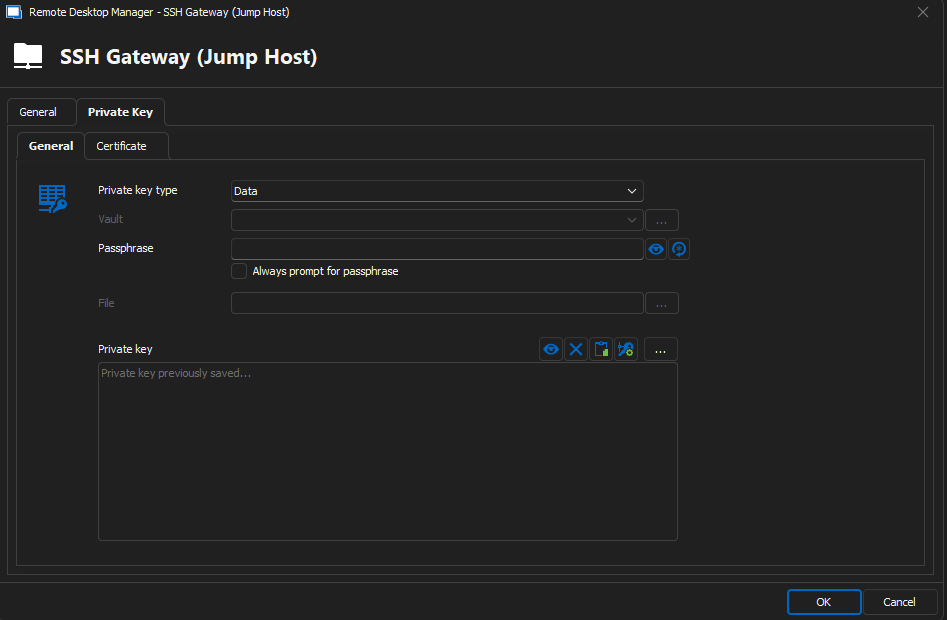
Refer to my last post above. I already workaround by changing from Vault to Data (In SSH Gateway Only) and then pasting the private key data using the private key copying from the Vault So it's the same Private Key that I use to access my server.
In order to make it clear, I try in 3 situations using my Private Key "X"
1. I access Server A using "X" from vault (and then ssh to server B) ...it's OK
2. I access Server B and use Server A as SSH Gateway (Jump Host) with "X" in Vault (configured in SSH Gateway)...it report unknown file type...Unable to use the key
3. I access Server B and use Server A as SSH Gateway (Jump Host) with "X" in Data by copy from same private key in Vault (configured in SSH Gateway)...it's OK ** I use that as workaround **
That why I report that it should be bug.
Best regards,
Linux private key problem after migrate to Devolutions Cloud
I already reproduce and upload the information. Did you see it?
Best regards,
Linux private key problem after migrate to Devolutions Cloud
Hi,
Quick update in current version (2023.1.20.0 - 64-bit)
In Devolution Hub Personal,
I can select Vault and private key now....but I found next issue in Gateway (Jumphost)
[Issue]
Jumphost that use vault will not be able to use private key (asking for password)
after turn on Verbose, I found unknown issue
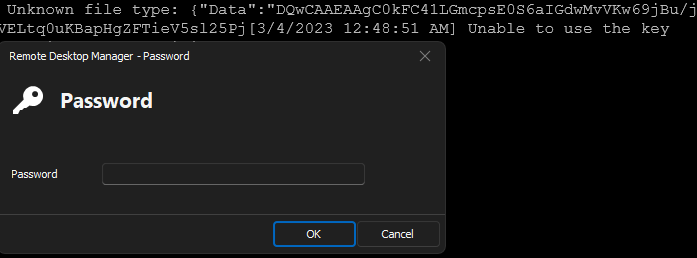
So I try to change it from vault to Data type and paste that save private key and problem is resolved.
I think it's a bug.
BR,
Yutttana H.
Linux private key problem after migrate to Devolutions Cloud
Hi,
I migrate from Devolution Online Drive to Devolution Personal Hub (as you suggestion) and found that I have configuration error entire linux enties.
Basically, I create Private Key and store in the Vault and then, selecting preferred private key in the vault but in Devolution Personal Hub, I have no option to select private key fron Vault. the options I can select is File, Data and Find by name (User Vault) while the Online Drive, I have more option than that (File, Data, Vault, My personal private key, Find by name (User Vault)
first pic, I can select private key from Vault, if I use Devolution Online Drive
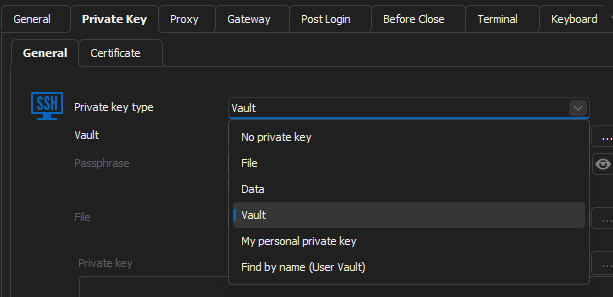
2nd pic, After migration to Hub. Linux Server configuration got error that they are unable to find private key
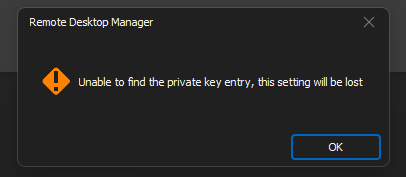
After investigation, I found that I unable to access private key because vault option is lost.
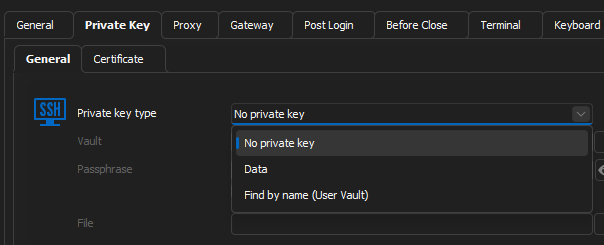
BR,
Yutttana H.