
GiammaTheo
Exception processing Message
I'm on 2025.2.30.0 64-bit (JIT)
Version 2025.3.16.0
No new versions found by the Updater
I often receive this error followed by a software crash
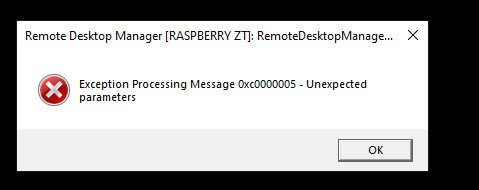
I am maybe able to reproduce the issue.
Currently it happens by opening two ssh sessions to different systems, then by closing the second one.
Small improvement: add Auto-typing to the right-key menu of the device in the tab
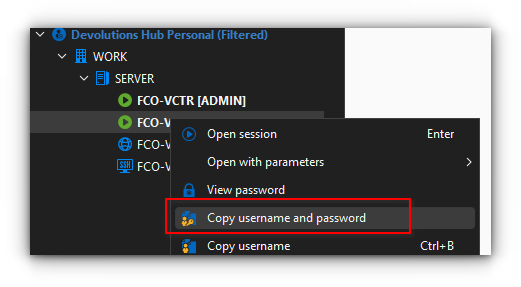
Hello @Hubert Mireault can you also try the "Copy username and password" menu action? Both the "Copy username" and the "Copy password" are successful, but when trying to get both the username and password the outcome is empty.
Small improvement: add Auto-typing to the right-key menu of the device in the tab
Hello,
Just to confirm, do you mean these "auto typing" buttons in the context menu?

If so, I will open a ticket so we can add this to the opened tab as well.
Regards,
@Hubert Mireault
absolutely yes, thank you
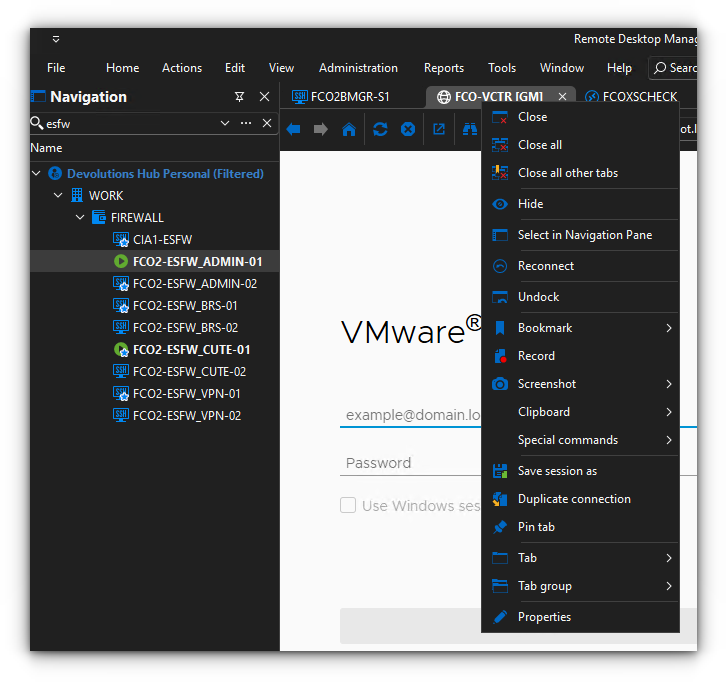
Small improvement: add Auto-typing to the right-key menu of the device in the tab
Use case (see attachment): you have a filtered view ("esfw" keyword) and want to auto-type credential within fields ("FCO-VCTR" tabbed device)
keep tab page opened on disconnect
Hi @David Hervieux, Team,
really thanks for this change, much appreciated!
Probably the users (and myself) will take a little time to get used to it, but I hope that in the long run it will prove to be practical.
Thank you again.
keep tab page opened on disconnect
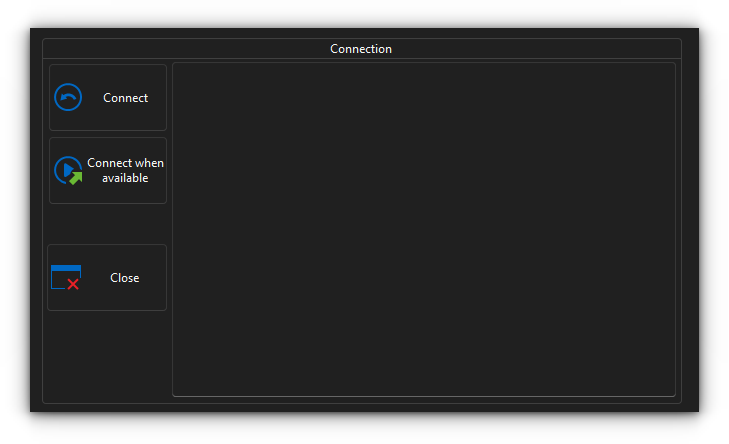
Hello @Erica Poirier Im not asking anything and it is nothing about the behavior itself, I just suggested that the placement of the three buttons is not the best in my opinion, the reason is expressed above.
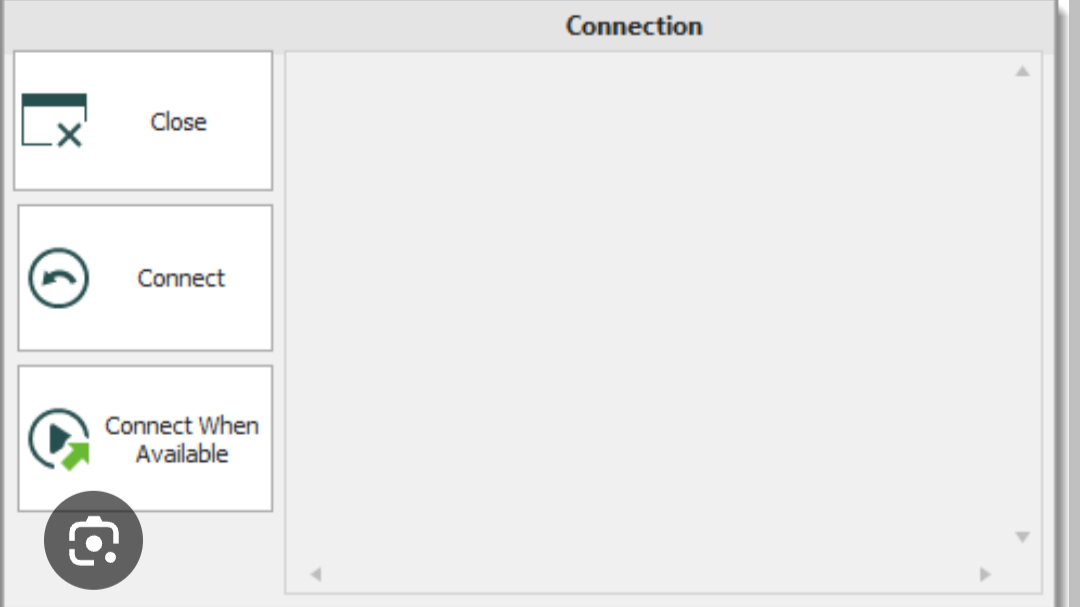
Based on my daily usage patterns, obviously, I would say that the Close button as a first choice is not that useful. Or, at least, make the user choice the desired order.
It's just a suggestion, not a feature request neither a change request.
keep tab page opened on disconnect
Hi guys, I like to have that option on, however I noticed that almost 100% of the times I use it for a fast reconnection to the host rather than just close the tab (i.e. the connection has already been disconnected so I'm not closing it but just the tab I choose to keep open after the disconnection. In other words in my opinion the options should be reversed, with the Close at the bottom since most probably it has less chances to be used (imho again if one choose to keep the tab page opened after the disconnection)
HP iLO entry
I believe you couldn't explain it better.
I just wonder where I should have looked to find those inner details by myself (I mean which web page or pdf I had to study from)
Thank you a lot again!
HP iLO entry
Hi Carl, thank you, maybe I have to rephrase something.
What does the "HP iLO" entry achieve differently than the Web entry https://iLo-ip-address (in my case https://57.47.3.171) ?
I have an ESXi server (57.47.3.170) whose iLO is at 57.47.3.171
I create a new "HP Integrated Lights Out (iLO)", pointing to the related IP address (57.47.3.171)
I open the session, it shows "Connecting to 57.47.3.171:443", which just is https://57.47.3.171, like the above Web entry brought as an example
However, in the end it lands on the ESXi host main page itself (where you can read that if you want to manage that host you have to go to http://57.47.3.170
RDM becomes unresponsive when opening entries
I was about to open a new thread named "RDM stuck for some seconds" when I stumbled upon this one.
Just some minutes before I had upgraded to the latest RDM version, in the hope the freezes ended.
However, as I just run RDM it got stuck on the "Application password" login window (I did write but nothing happened), and just a minute later I wrote down something in the "Search Filter" box and RDM hanged (unable to click everywhere, within the RDM, not Windows); and most of the other times, even when the Search Filter outcomes appear you cannot right-click any of the shown entries for some seconds.
I am positive Windows is OK, it does not freeze at all (while RDM does), and there are no cpu/ram issues either.
How can I debug and/or help you to find out the culprit?
HP iLO entry
hello please would you mind to explain how to use that
i put the ip address, username and password in
it shows that it is connecting to https://my-ilo-ip-address
but at the end it shows page about the esxi related host
which says that to manage that host you have to got to https://my-esxihost-ip-address
i did not find doc about the HP iLO entry meaning, i thought it had really to do wioth the https://my-ilo-ip-address
but going to the Web entry https://my-ilo-ip-address I do see the actual iLo mgmt I have always known
thank you
RDM Backup Devolutions Login Waiting - Hangs
Hello, I have the same issue, latest version, please help
Impossible to use SSH and TELNET sessions after the upgrade to 2024.1.12.0 64-bit .NET 8.0.2
SSH and TELENT sessions are succesfully opened but typing any chars in bring you to the dashboard tab of that session. I'm totally cut out currently.
EDIT: workaround found, menu Window --> Untick Dashboard
RDP & domain settings
Hi guys, I need to access the above solution but the link content no longer exists, thanks.
Prompt for hostname?
Hi Patrick,
thanks so much for your advice. What a "devolutionary" product !!!!!!!!!!!!!!! Still can't believe how powerful is the free version, hope it will last forever at the same conditions...
Prompt for hostname?
Please can you elaborate on how to create a generic Dameware session that ask you everytime for the host name/ip-address you want to connect to? Thanks a lot. Gian.
RDM - Slow performance navigating around
I am sorry to re-up this old post but I have just installed the latest version and I also notice slow performance navigating around (e.g. while I switch among the tabs of an item's Dashboad (i.e. Overview <-> Macros/Scripts/Tools <-> Asset). That's quite odd imho. Please advise, thanks.
EDIT: sorry, forget it! The culprit is the RDP session I launch to reach the machine where the RDM is installed. By using RDM while logged in locally, operations are much faster!