
log
Windows tile - Work space Area
Hello,
Thanks for the reply....
all back working, and RDM is still a solid great and usefull peace of work !
Thanks to the whole team
Have a nice day
Windows tile - Work space Area
Hello,
Don't bother your dev team.... I've found the cause....
It's a VM.. so I had some tunning in the machine's parameters...
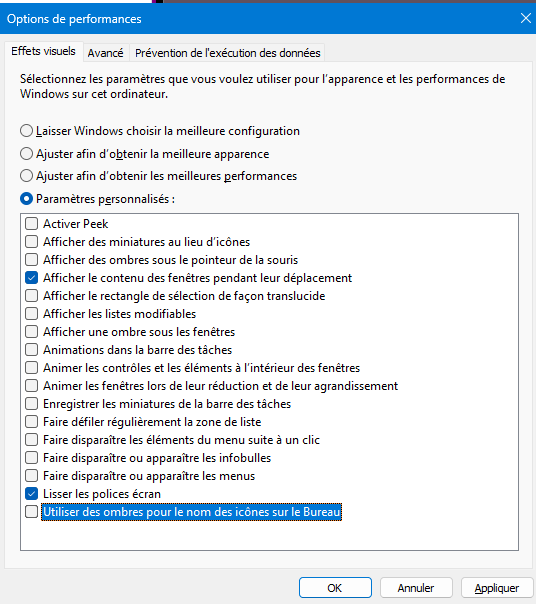
And the: "show windows content when moving" did the trick, now I see the tile placement crosse correctly.
Maybe just ask confirmation that they changed the way the window is display.... but it now DOES work....
Have a nice day
Windows tile - Work space Area
Hello, Bonjour,
I come back to you to have an information, to know if any improvement has been done on that problem?
Would you need anything to enquier more ?
Regards
Have a nice day
High Memory usage - Growing up
Hello,
I have upgraded to the released version of today: and indeed... memory stays steady !!!!! GREAT .... THANKS ..... YIHAAAA !:-)
Thanks to the team...
Keep going
High Memory usage - Growing up
Hi,
I am currently using RDM version 2026.3.15.0
I see that RDM is using more and more and more RAM throught the day...
10h45: Fresh start of RDM : +/- 200Mo Ram used
11h50 : No open tabs: 2Gb Ram used (been opening and closing about 5-9 tabs (ssh and Web)
16h30 : 2 web tabs open: 6,8 Gb Ram used.... (not much entries opened since 12h ... )
Quit really weird.....
RDM install is fresh, I have removed my rdm and cleaned setting folders for other trouble.
I am on a Win 11 - 26h2 Virtual Machine on Proxmox, 16Gb Ram.
Looking forward to give more info, if you need, ... just tell me :-)
Have a nice day
Windows tile - Work space Area
(y)
Looking forward...
Have a nice day
Windows tile - Work space Area
Hi,
I have upgraded this morning on one machine to version 2026.3.15.0, and the possibility to "tild" is back...
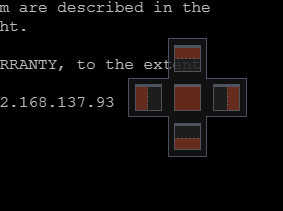
This is the thing I was talking about...
So I deleted the whole "devolution" program as well as app data folders for devolution, and made a new fresh install on my work vm machine, but there, still no possibilities to tild the windows withing RDM.
So, fresh install, and nothing in parameters changed.... but when I move the windows, I do not see thoses "5" positions proposal.....
I am schedule tomorrow to show you, but really, If it's to "see", you will just see that when I "move" a windows, all is fine, but that "5" proposal windows does not appear....
My machine is running on a "proxmox" hypervisor, I am connected using RDP, and I am using à windows 11 26H2 machine.
I use that machine via RDP... and I made a video using the "proxmox" console, same behavior.... I send you the video on direct chat... :-)
Would that help ?
Kind Regards
Windows tile - Work space Area
Hello,
No, I am using a wide screen, and what I was often doing is: opening RDM full screen.... but having the navigation menu on my left, then, my first windows open, therefore, full screen too with the navigation on the left, then, opening a second windows (lets say, ssh or rdp) and snapping it to the right IN RDM....
While "moving" the second screen,
Trying to answer the "only with ssh sessions" question, iI AGAIN got this:
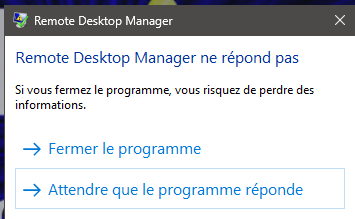
(which I never had before... :-) )
So, I can confirm that it does happen with RDP as well...
Would you like a remote session, so that you can see ?
Have a nice day
Windows tile - Work space Area
Hello,
I am running version 2026.3.13.0
I cannot split my working area when "moving" a windows from RDM
While I grab the windows, it opens freely, and does not lets me fit it to left/right or top/bottom
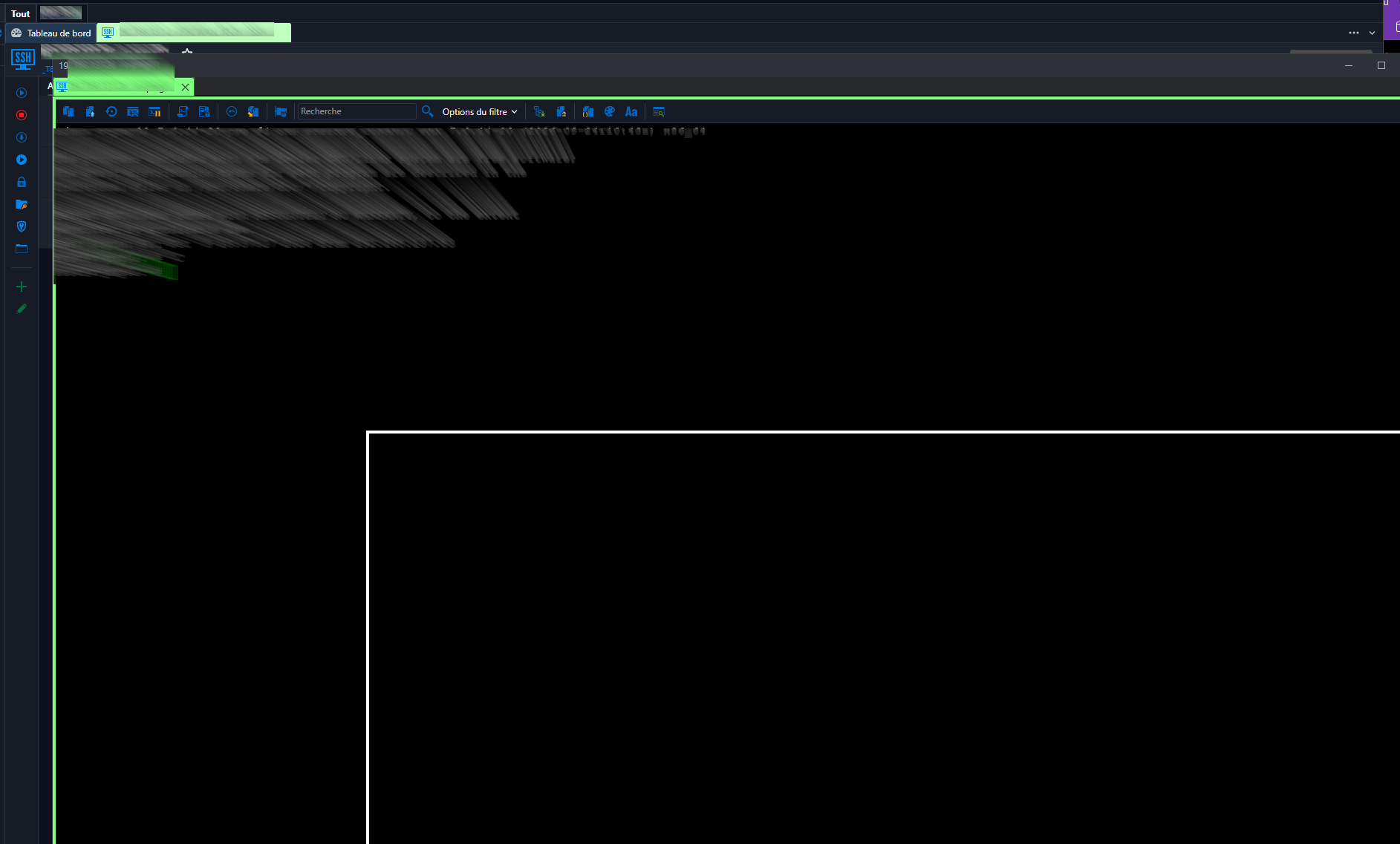
Window just "pop's" out undocked....
Is there a parameter I missed? or something that can be done?
or a time for a correction?
Thanks again for the nice peace of work !!!!
WWW entries, tab do not open "next" but "under", unusable
Hi,
Is there a way for "me" to follow in the ticket? Or is it "on your side" ?
WWW entries, tab do not open "next" but "under", unusable
Hello
Hope the new year eve went well !!!
Ticket submitted...
(at least, that's what the "text box" said :-D )
Have fun !
WWW entries, tab do not open "next" but "under", unusable
Hey,
I guess is now holiday time... so, I wish you all the best for 2023... Happy New Year !
:-D
WWW entries, tab do not open "next" but "under", unusable
Hello,
If this can help, JUST found something interesting ( Well, At least, I think it is)
We are working on "RDP" machines...
the same behavior DOES NOT occur when I "console" work on the machine...
So, RDM is running into a VM Machine, and I work within RDP for my daily work.... all is fine, all is smooth, exept for that kind of "RDM" problem.
My workmate told me about some as well, and funny thing when he "changes is vm to another screen layout" for exemple... (he RDP as well)
So I tested.... and connected to the "CONSOLE"... and there..... NO PROBLEM anymore (same entry.... same version of course)
When It's correctly open on the "console", I then RDP on the machine, and all is fine.... I do close, then re-open the entry..... and the problem occurs again !
May This Help... :-D
WWW entries, tab do not open "next" but "under", unusable
Hi,
I just did it... and..... :-( it is still not working.... :-(
I updated to the latest version (I saw 3.27 is available:-) , reset the layout (windows\reset layout) and then closed and deleted again the requiered files.
NO ... LUCK...
I am desperate...
:-D
WWW entries, tab do not open "next" but "under", unusable
Hello,
I have been testing that.... same result... so, still not working ... :-(
(I was really full of hope !)
Anything else ?
WWW entries, tab do not open "next" but "under", unusable
Hello; yes, for sure !
General:

More Settings:

To answer your question of "differences" ... not really, it's a DB, so entries are SYNCED .... and they are both same win 11 machines, more or less the same...
And I have exported settings from the working RDM and imported into the other...
So, reaaaaaallllllly no idea what does produc that behavior !
Thanks for your help
WWW entries, tab do not open "next" but "under", unusable
Hello,
I am on 2022.3.24.0 (and this problem as been there before)
When I do open a "web tab", for exemple, in www.office.com, I clic on a "link" to open the "admin" page,....
The new page opens... but the 2 tabs are not "next to each other" but one "above" the other... recovering one another.... making it "unsuable".
I have try settings from a "working RDM", with the same entry, and the behavior is not the same...
as a result, it gives this:

instead of this:

Hope screenshots helps...
Pleeeaaaaaaaaaaaaaase, where can I look for something?
Thanks !
Paste immediate on right click in ssh shell
Well, new day, new test, and the behavior seems now to work "as expected" with the "compromise" mode selected... no idea It did not work as expected on friday.... sorry for disturbing....
:-s
Have all a nice day
Paste immediate on right click in ssh shell
Hello,
I am re-opening this subject...
I am now on RDM 2022.3.18.0 (latest for today) and I encounter this behavior which I would like to change and cannot found the right place to change that
So, when in a "shell" entry (ssh - putty), my "right clic opens the context menu:

instead of just "pasting" the clipboard content.... (so, the same, when i "hightlight" text, and do a right clic, it opens the "context menu" instead of just "copying" the hightlight text.
Where is the that option in all these options menu.... :-D
Thanks for your help....