Paste immediate on right click in ssh shell

Hello,
Would it be possible to configure "pasting immediate on right click" in a ssh shell session to a unix box? (Like you can in the windows command shell) Instead of "right click then click on Paste".
Regards,
Peter.
All Comments (6)
Hello Peter,
Which version of RDM are you on? Are you using SSH Shell or SSH Shell (rebex)?
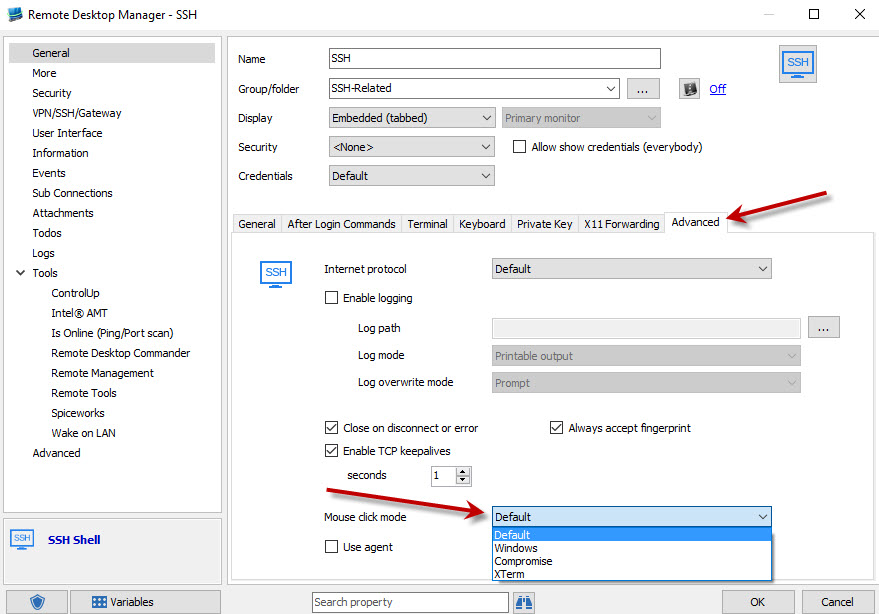
For the normal SSH Shell it should already work like this by default but you should be able to configure it:
You could try compromise or xterm, see if it changes anything.
Regards,
Hubert Mireault
2016-04-07 07-47-17.jpg
Hello,
I'm on version 2.2.0.0. using SSH Shell. I tried your suggestions but it doesn't seem to make any difference. Even after a restart.
Perhaps my question wasn't clear or I ask to much but basicly I don't need to see the right click context menu - if possible of course - and let the right click action immediate paste what's on the clipboard. Hopefully I make some sense.
Regards,
Peter.
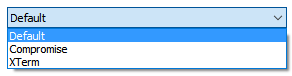
mode.png
paste.png
I see what the issue is. This is a problem that was fixed in the Enterprise Beta version but since the Free version doesn't have a Beta version, it isn't in that version yet. This will be fixed in the next version of RDM free which should release in a few weeks :)
Regards,
Hubert Mireault
Okay. It's a good explanation! Then I'm looking forward to the new version! Anyway, thanks so far. :)
Regards,
Peter.
Hello,
I am re-opening this subject...
I am now on RDM 2022.3.18.0 (latest for today) and I encounter this behavior which I would like to change and cannot found the right place to change that
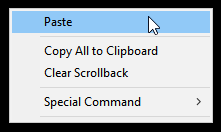
So, when in a "shell" entry (ssh - putty), my "right clic opens the context menu:
instead of just "pasting" the clipboard content.... (so, the same, when i "hightlight" text, and do a right clic, it opens the "context menu" instead of just "copying" the hightlight text.
Where is the that option in all these options menu.... :-D
Thanks for your help....
Well, new day, new test, and the behavior seems now to work "as expected" with the "compromise" mode selected... no idea It did not work as expected on friday.... sorry for disturbing....
:-s
Have all a nice day