Windows tile - Work space Area

Hello,
I am running version 2026.3.13.0
I cannot split my working area when "moving" a windows from RDM
While I grab the windows, it opens freely, and does not lets me fit it to left/right or top/bottom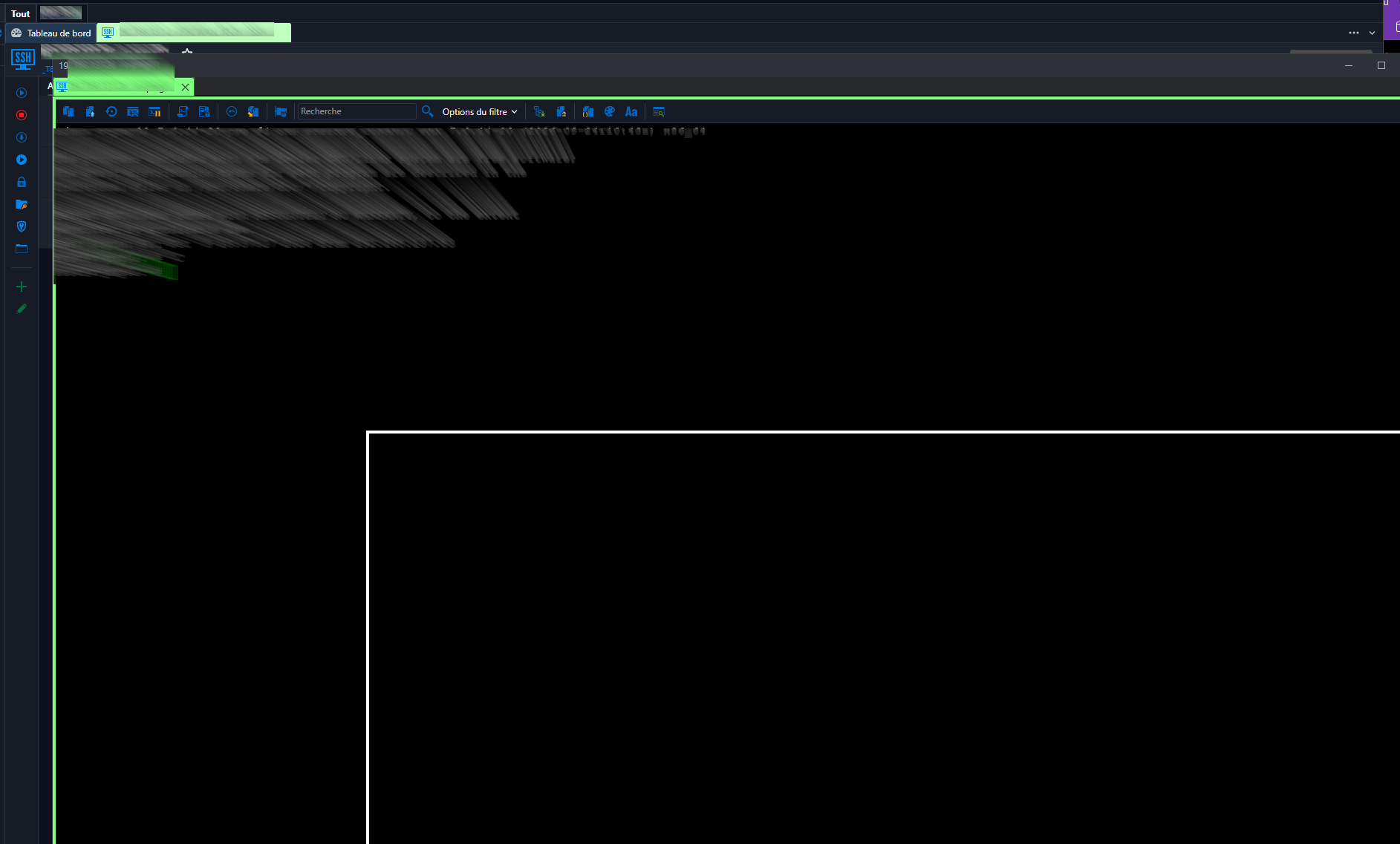
Window just "pop's" out undocked....
Is there a parameter I missed? or something that can be done?
or a time for a correction?
Thanks again for the nice peace of work !!!!
75aafe13-c1b1-48a3-b2bd-6f51b2d7316f.png
All Comments (9)
Hello,
Thank you for contacting us regarding this matter.
Could you please confirm whether you're trying to move the window outside of RDM and snap it to the left or right side of your screen?
Also, does this issue occur only with SSH sessions?
I haven't been able to reproduce the issue on my end, so I'd like to make sure I'm following the same steps as you.
Best regards,
Tommy Sanders
Hello,
No, I am using a wide screen, and what I was often doing is: opening RDM full screen.... but having the navigation menu on my left, then, my first windows open, therefore, full screen too with the navigation on the left, then, opening a second windows (lets say, ssh or rdp) and snapping it to the right IN RDM....
While "moving" the second screen,
Trying to answer the "only with ssh sessions" question, iI AGAIN got this: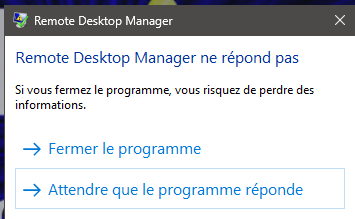
(which I never had before... :-) )
So, I can confirm that it does happen with RDP as well...
Would you like a remote session, so that you can see ?
Have a nice day
ac2fbf0a-4c54-48f3-b832-924ef77ad73e.png
Hello,
Thank you for your response,
I have sent you a a direct message with a link for a session.
Best regards,
Tommy Sanders
Hi,
I have upgraded this morning on one machine to version 2026.3.15.0, and the possibility to "tild" is back...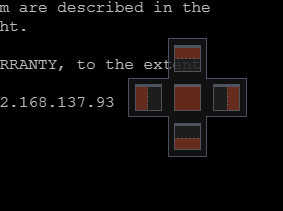
This is the thing I was talking about...
So I deleted the whole "devolution" program as well as app data folders for devolution, and made a new fresh install on my work vm machine, but there, still no possibilities to tild the windows withing RDM.
So, fresh install, and nothing in parameters changed.... but when I move the windows, I do not see thoses "5" positions proposal.....
I am schedule tomorrow to show you, but really, If it's to "see", you will just see that when I "move" a windows, all is fine, but that "5" proposal windows does not appear....
My machine is running on a "proxmox" hypervisor, I am connected using RDP, and I am using à windows 11 26H2 machine.
I use that machine via RDP... and I made a video using the "proxmox" console, same behavior.... I send you the video on direct chat... :-)
Would that help ?
Kind Regards
aa8997e8-e53d-4f1e-83aa-780ea3a9e4e7.png
Hello,
Thank you for taking the time to attend the session.
As discussed during the session, I have escalated your issue to our development team for further investigation. I will follow up with you as soon as I receive an update from them.
Thank you for your patience and understanding.
Best regards,
Tommy Sanders
(y)
Looking forward...
Have a nice day
Hello, Bonjour,
I come back to you to have an information, to know if any improvement has been done on that problem?
Would you need anything to enquier more ?
Regards
Have a nice day
Hello,
Thank you for your response,
I haven't received any updates but I will ask them and get back to you shortly.
Best regards,
Tommy Sanders
Hello,
Don't bother your dev team.... I've found the cause....
It's a VM.. so I had some tunning in the machine's parameters...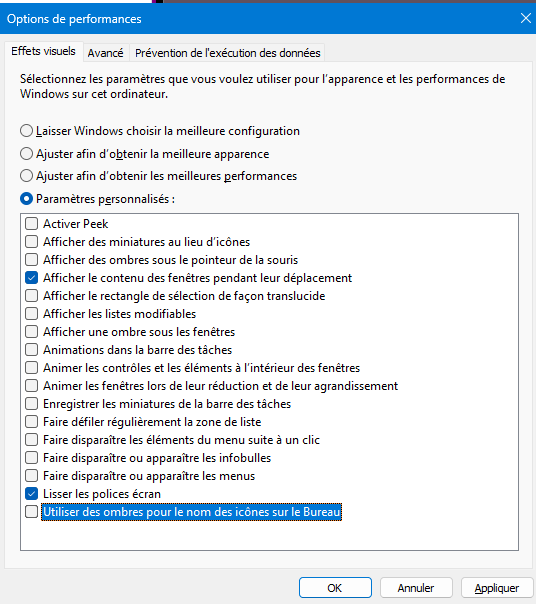
And the: "show windows content when moving" did the trick, now I see the tile placement crosse correctly.
Maybe just ask confirmation that they changed the way the window is display.... but it now DOES work....
Have a nice day
bb7d67c9-8ad1-41b2-838e-003d5d79ec2d.png