jexpositom
MFA Problem
Good morning
It seems that, after moving to version 2024.2.15, the MFA problem does not occur again
Many thanks for everything!
Greetings
MFA Problem
Hello,
Thanks i wait answer
Greetings
MFA Problem
Hello
We have updated to the most recent version and it still happens...
Greetings
MFA Problem
Hello,
We have been trying to update to the latest version for a few months now and the same thing happens to us...
When we have to update many users
Can you assure me that the latest version solves the problem?
Greetings
MFA Problem
Hello,
We configure Data Source MFA from the data source settings.
MFA is Google Authenticator
The MFA will be requested from users every time they connect to the Database online.
In offline mode it is not requested
Greetings
MFA Problem
Hello,
Thanks i wait answer
Greetings
MFA Problem
Hello
I have already detected where the error may come from:
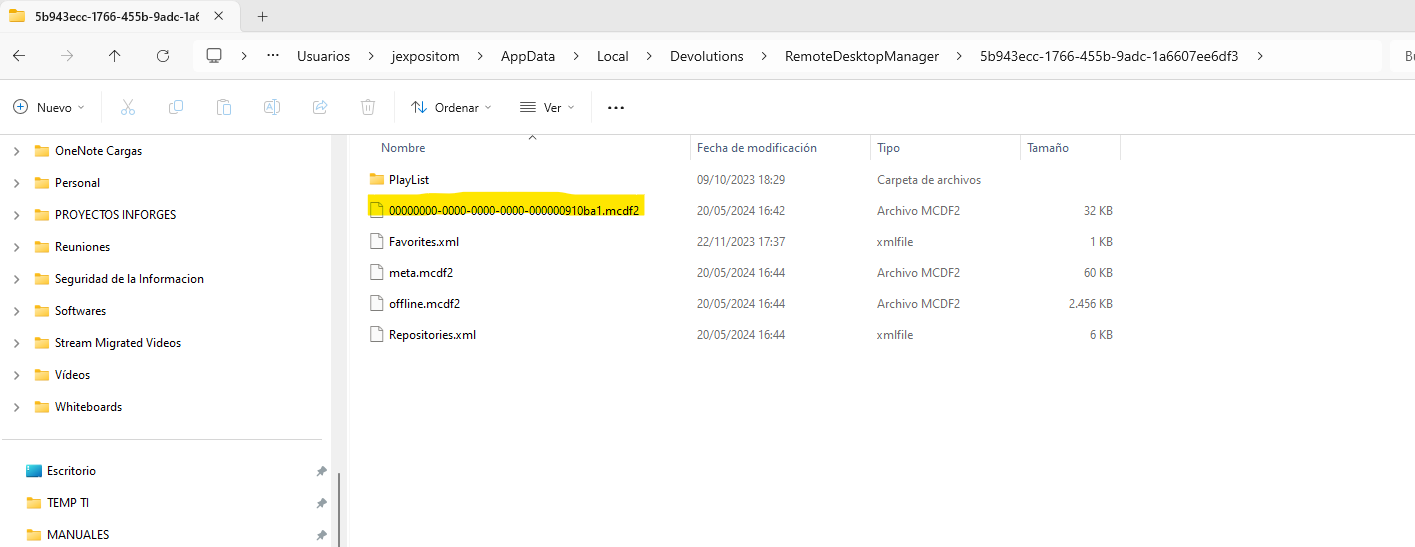
It appears that the MFA information is stored in: C://users/%LOCALUSER%//appdata/local/Devolution/RemoteDektopManager.
Here, the data source information will be in folders (according to configured data sources)
By doing tests, we have seen that by deleting the .mcdf2 file with the ID by name we have been able to replicate the bug
So, I think that:
- By having the same user for different computers, if the MFA is generated on one computer and that file is different from the one on another computer, when connecting the DB to Online mode the MFA is corrupted and asks to generate another file, thus increasing the problem
Is there a possible solution to this bug by the development team?
Thanks for everything
MFA Problem
A question
Is the MFA information stored on the end user's own computer or in the DB?
Greetings
MFA Problem
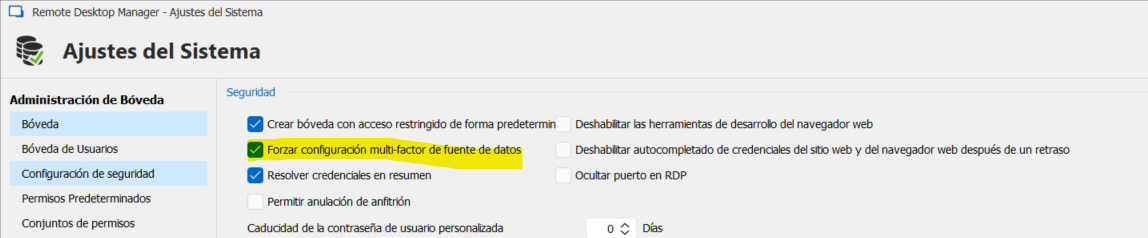
Hello, as you can see, we have forced the MFA to enter the data source.
I have been reviewing your knowledge base and there are no more options to activate MFA to access the data source
Greetings
MFA Problem
Hello,
We have seen the report but nothing appears...
I checked System Diagnostics and it shows "User Specific Settings Size" at 0 Bytes...

Could that be why?
And if that's why... how do we use the space?
Thanx
MFA Problem
Hello,
It has happened to us again, this time in the maximum version with several users...
thank you
MFA Problem
Hello,
Yes, we have it configured as follows

RDM VS Devolution Server
Perfect,
Therefore, I understand that it maintains all the functionalities of RDM but adding more, right?
RDM VS Devolution Server
Good afternoon,
Can someone explain to me the differences between Remote Desktop Manager and Devolution Server?
We currently have RDM Enterprise License but we are doubting whether to migrate to Devolution Server but we do not know 100% of its differences
Greetings
MFA Problem
Good afternoon,
We are experiencing issues with MFA TOTP Google Authenticator accessing the Data Source
We have multiple workstations that connect to the Data Source with the same username, password and MFA.
The problem is that when entering the Data Source there are times when it asks to reconfigure the MFA.
Do you know what it could be?
We are in version 2024.1.25.0
It also happens in 2024.1.28.0 and earlier (it's been happening to us for two years!)
Also, I leave you more information.
DB: SQL Server
License: Entrerpise
Product: Remote Desktop Manager
Greetings
.net 8 requirement
Hello,
We also have the same problem, do you know when they will solve it?
Greetings
The MFA to connect to the DB is eliminated for our users and requires reconfiguration
Hello
Only RDM
The MFA to connect to the DB is eliminated for our users and requires reconfiguration
Thank you
Today we updated to that version and it happened to us again
It happens randomly, not necessarily on a specific day.
We have also carried out tests in case there was a problem with the time on the user's computer, but in the tests we were never asked to reconfigure the MFA
Greetings
The MFA to connect to the DB is eliminated for our users and requires reconfiguration
Hello,
The configuration is as follows:
- The MFA is required to enter the Database, configured through Google Authenticator
- It is not related to the Returns account, it happens with all users
- The version is 2023.3.24
Greetings
The MFA to connect to the DB is eliminated for our users and requires reconfiguration
Good morning,
Since August 2023, we have been detecting that our users are being asked to reconfigure the previously configured 2FA TOTP.
This error happens to all our users randomly, we don't know where the problem comes from
We have been investigating and it does not seem like a version error, because in the latest version it also happens
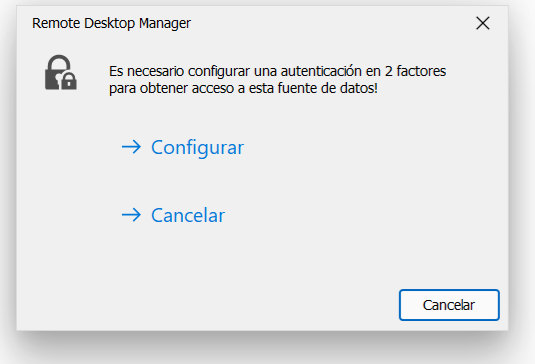
The image shows the message that appears when 2FA reconfiguration is required. This message appears when connecting to the database in "online" mode
Greetings