
TN
Knocking port
Hi
I just upgraded devolution server and RDM (allthough I had to download MSI form devolutions website as internal updater did not upgrade past 2025.2.30.0) and now it is ms instead of s in the port knock settings.
But another issue that came up in some previous update that I have not reported yet. After the port knocks has been sent the progress window stays loading for infinity and I have to click cancel for it to actually continue and open the entry.
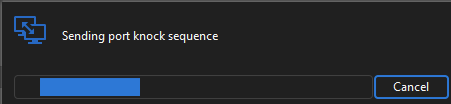
The port knocks are sent and in the correct order but the issue having to cancel the progress window till exists after the upgrade. TCP and UDP both have the issue.
It worked sometime before version Devolution Server 2025.2.12.0 and RDM 2025.2.29.0. Issue persists on latest Devolutions Server 2025.3.3.0 and RDM 2025.3.17.0
Support for Microsoft Remote Desktop Gateway
Hi
What we need is to have mandatory session recording for all admins via RDM for compliance reasons. If done locally in RDM users can remove the recordings afterwards.
And "normal" users do not have RDM-licenses and need RDGW to certify the connection.
Is there any other way to accomplish this with jumphosts or other centralized recording management?
Support for Microsoft Remote Desktop Gateway
As stated here Devolutions Gateway only works connecting directly to a RDP server and not to a server behind RDGW.
Cannot connect RDP with RD gateway via Devolutions GW
Hi
I did some more troubleshooting and if I create a RAP allowing all addresses and ports 7171,8181 I instead get below error in RDM.

This make me think that RDM is handling the gateways in the wrong order by first connecting to the RDGW and then to the DG instead of DG->RDGW->RDS.
Cannot connect RDP with RD gateway via Devolutions GW
I get the same error even if I add the DG-address in RAP on the RDGW-server.
RD Gateway setting in RDM is already manually set to the RDGW-address.
When I connect to RDP-server without a RDGW I only see the DG-address and not my public IP as the connected client IP on the RDP-server. Should it not be the same when connecting to a RDGW-server so that it is only seeing the DG adress?
Cannot connect RDP with RD gateway via Devolutions GW
Hi
Just set up a Devolutions Gateway for session recording and it works fine connecting to "normal" rdp connections.
But when connecting to a server that is behind a Microsoft RD Gateway it does not work via Devolutions GW.
Error message in RDM:

Error in the MS RDGW:
The user "domain\username", on client computer "[public ip of client]", did not meet resource authorization policy requirements and was therefore not authorized to resource "[devolution gateway address]". The following error occurred: "23002".
Using Devolutions server 2025.2.12.0
Devolutions Gateway 2025.3.0 on a separate server
RDM 2025.2.29.0
If I connect to the computer running Devolutions Gateway I can reach other RDP servers behind MS RDGW just fine as well so network wise there is nothing blocking the connection.
Knocking port
Hello,
I have created a feature request for that. It's a good idea.
Regards
@David Hervieux
Any update on this?
Knocking port
Hi
I am using the built in port knock function in RDM. I cannot find any setting to change between fwknop or knockd.
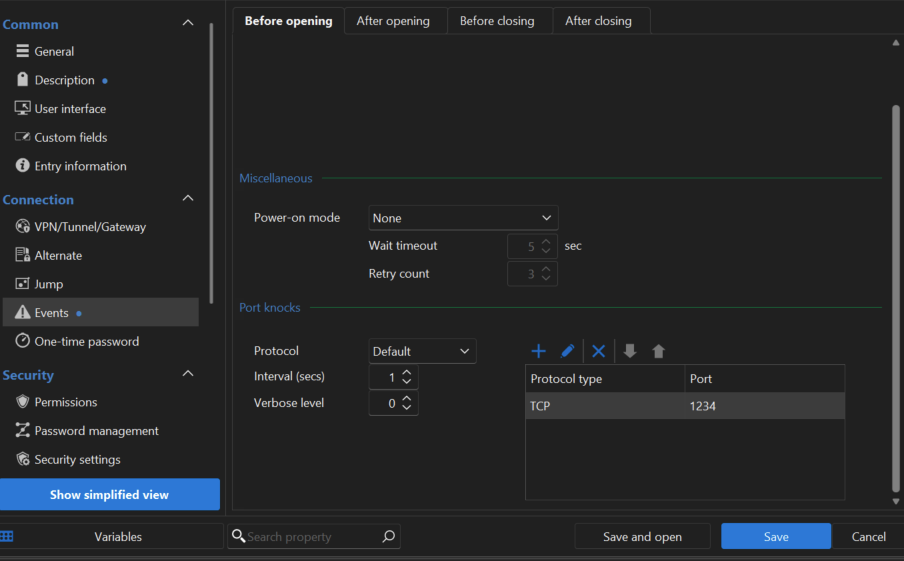
With above setup the knock progress takes around 20 seconds instead of 1 second.
The log on the device I connect to shows that RDM have tried the port 10 times instead of just once during the knock progress.
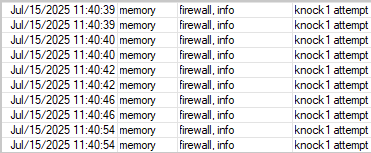
Knocking port
Hi
There seem to have been a change in the behaviour after upgrading to RDM 2025.2.20 (previously had 2025.1.x) though I cannot find anything specific about it in the changelog.
Using TCP port knock now seems to have a longer timeout and retries the port 5 times if the tcp port is not responding. The "Sending port knock sequence" progress bar is up for ~20 seconds even if I only have one port set up with 1 second interval.
On previous version it only took 1 second per port knock and RDM did not retry with the same port.
Changing to UDP it works as expected.
Also still cannot set interval lower than 1 second.
Knocking port
Hi
Would it be possible to set the interval to less than a second? At the moment you cannot input 0.2 for example.
No major issue but the seconds stack up and I think it would be an easy fix to allow decimals in the input field or change it to milliseconds
Type One Type Password
It sometimes take time for the addon to display any matching entries. The actual filling in has no delay.
And the autofill of OTP does not work in either cases. If i have selected an entry it fills the email on page1, password on page2 but on the third page for the OTP code it has totally forgotten what its doing and I have to search for the entry again (it doesn't even recognize the URL so I have to scroll through all entries on the search).
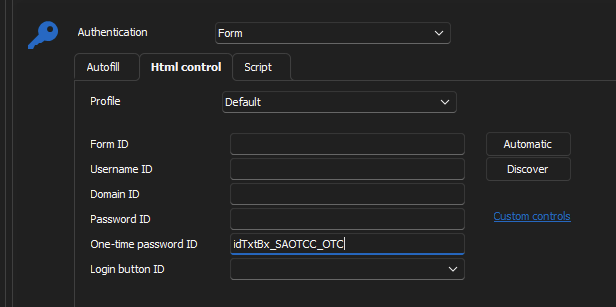
And if I have the ID of the OTP field set in the HTML control settings it does not work either, same as above.
At least on Microsoft365-logins / login.microsoftonline.com.
Type One Type Password
Sometimes but not always the workspace extension takes ~10 seconds to load any logins on the page. If instead connected to RDM it is instant.
Running latest Firefox on win10,
Another thing when using DVLS connection (where the OTP button works) it does not detect the field when logging in to microsoft.
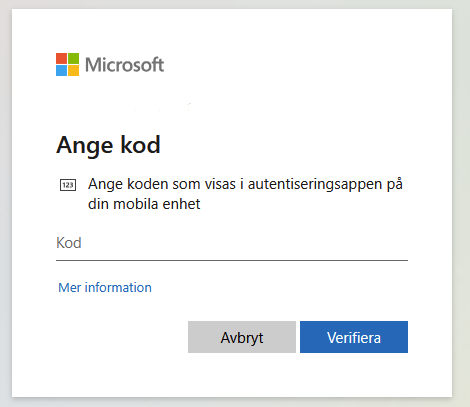
I have to open the plugin from the brower toolbar and search for the login again to be able to copy the OTP code.
I have also tried to add the form input ID to the OTP settings of the entry but it does not autofill then either.
ID from the Microsoft OTP-prompt:

HTML control settings on the entry:
Duo MFA link existing devices
Hi
We are using Devolutions server built in auth for all users. Username field in Administration->Users are greyed out.
Duo MFA link existing devices
Yes if I have an account in DVLS with same username as DUO it works with existing DUO devices. But we are having different usernames and it does not seem possible to change username in DVLS?
Type One Type Password
Hi
I use the Workspace addon with the RDM app connector and only get the "fill" button:
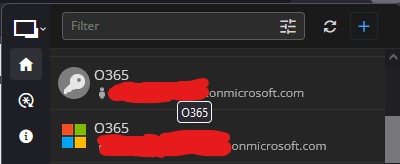
It works if I change to directly use DVLS as backend instead of going via RDM. But would it be possible to add the same functionality when using the RDM connection as it is faster than the DVLS connection? (DVLS is still the backend for the RDM app)
Type One Type Password
Hi
Would it be possible to detect and type OTP codes from DVLS datasource in the browser addon?
As it is now I can have the addon type in username and password but I have to switch over to DVLS or RDM to copy/paste the OTP code.
Alternate MFA option like RDM (YubiKey, Duo, TOTP) instead of backup codes only
Hi
Is there any update on this? It would be great to be able to for example have Duo as primary MFA and TOTP as a backup. As it is now the first one is removed if I add another form of MFA.
Duo MFA link existing devices
All users already have devices enrolled in DUO. I need a way to link their ID:s to the accounts in Devolution.
Duo MFA link existing devices
Hi
I have set up DUO in DVLS/RDM according to https://docs.devolutions.net/rdm/data-sources/multi-factor-authentication/duo/
But when I go to set it up per user I only get a message that I need to enroll a device
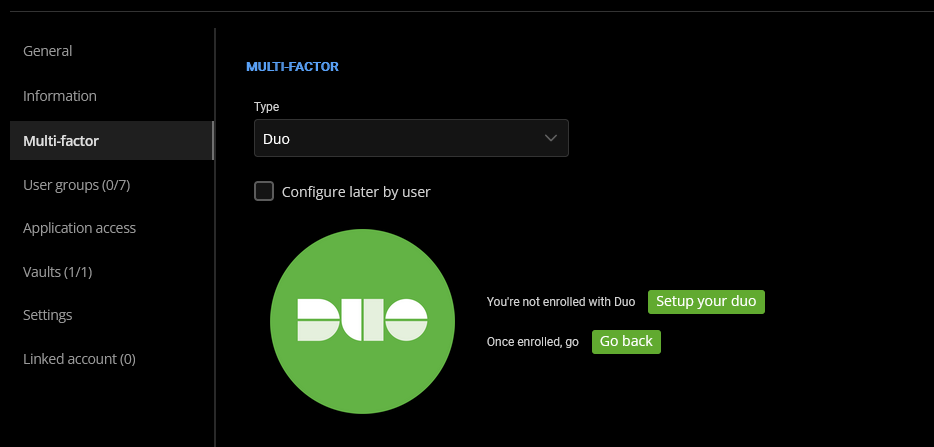
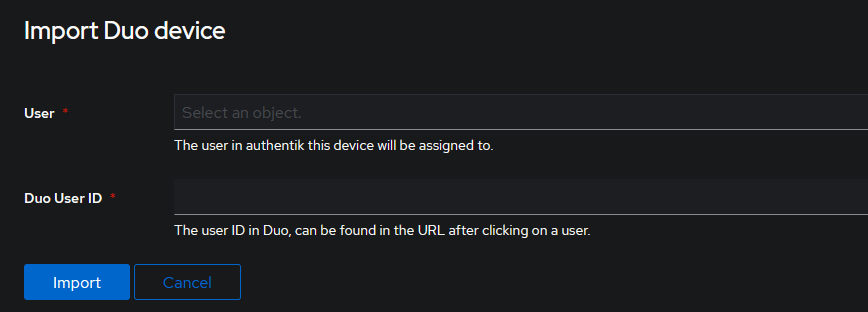
Currently on the free DUO plan and that might be causing the issue but there is a solution by manually inputting DUO user ID for each user from the DUO admin panel.
This exists in Authentik (a open source identity provider that use the same type of DUO integration) but I cannot find it on DVLS.
Allow multiple credential types with priority on single entry
I would like to be able to keep saved custom credentials when setting "Find by name"

If I save this it wipes the custom credentials previously set up.

User Specific Settings to override credentials does more or less the thing I want to accomplish but I would need to manage this on other users
on the same devolution server and on multiple entries without doing it manually on each login.
Bulk assign favicons on Website entries
We just started using RDM and have imported a large amount of sites from our previous solution.
You can individually edit each entry to fetch favicons from the Website URL but it would be really nice to be able to do it in bulk.
Contacted support about it first and they asked to include my ticket number (00012666) in the feature request.