Type One Type Password
1 vote

Hi
Would it be possible to detect and type OTP codes from DVLS datasource in the browser addon?
As it is now I can have the addon type in username and password but I have to switch over to DVLS or RDM to copy/paste the OTP code.
All Comments (7)
Hi,
It is already possible to copy, view and fill OTP in Workspace browser extension connected to DVLS.
You should see this button to copy OTP: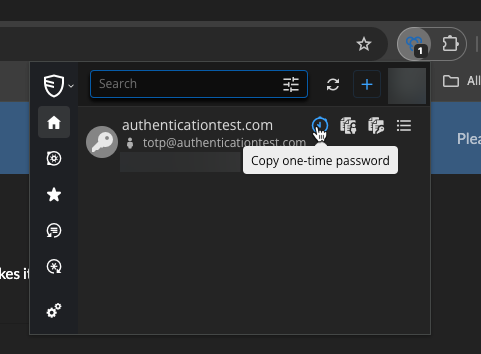
You can also go the entry overview and Copy or View the OTP code.
To fill the OTP on a webpage, you can add the otp field id in the website entry to indicate where to fill the otp value: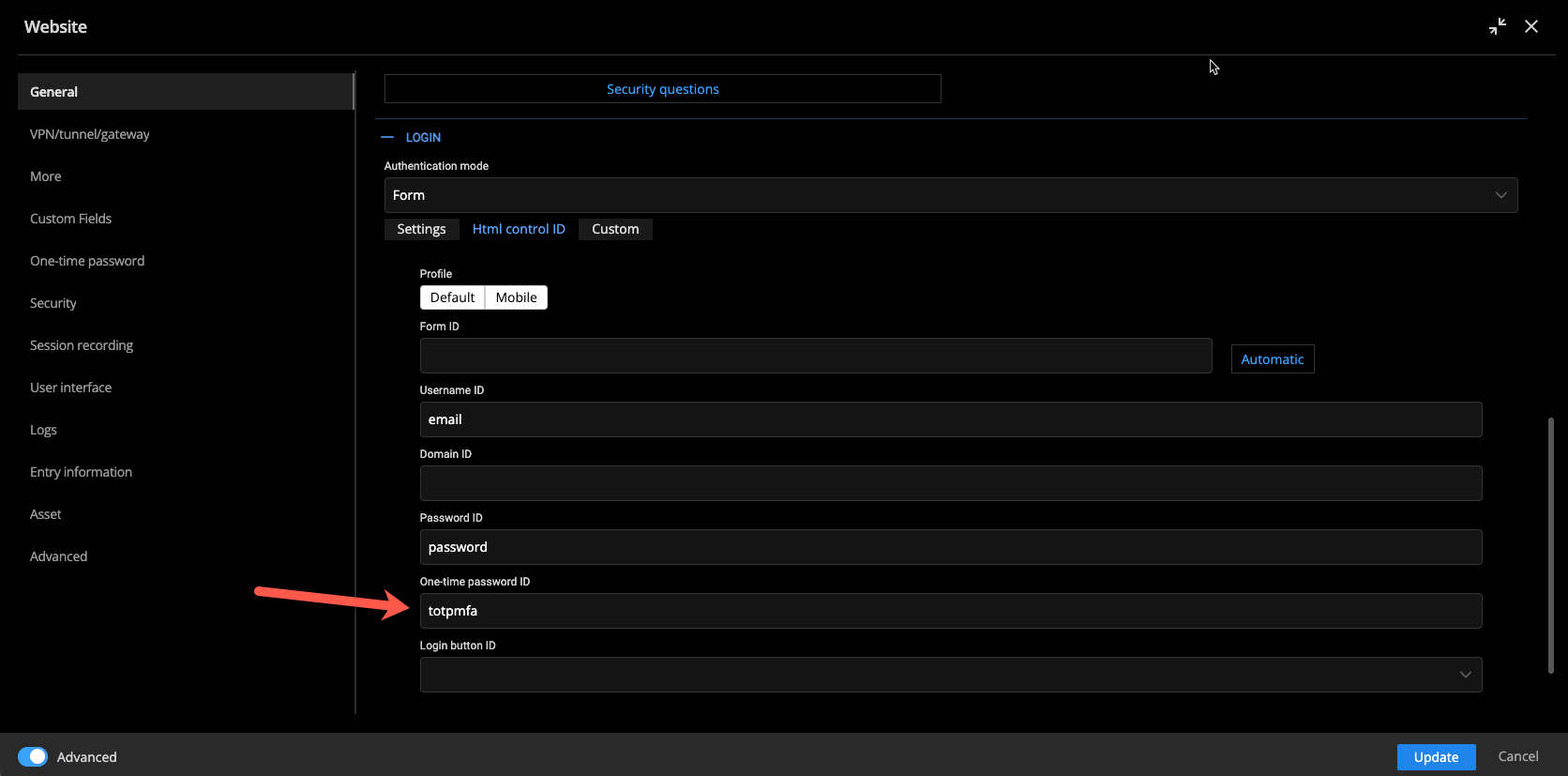
You can find out the otp field name/id you can follow the steps explained there: https://docs.devolutions.net/rdm/kb/rdm-windows/how-to-articles/otp-autofill-workspace-browser-extension/
Best regards,
Olivier Désalliers
OTPFieldID.png
CopyOTP.png
Hi
I use the Workspace addon with the RDM app connector and only get the "fill" button: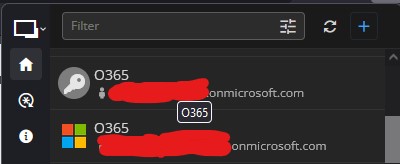
It works if I change to directly use DVLS as backend instead of going via RDM. But would it be possible to add the same functionality when using the RDM connection as it is faster than the DVLS connection? (DVLS is still the backend for the RDM app)
Annotation 2024-09-09 130549.jpg
Hi,
We will open a ticket to add an OTP copy button when connected to RDM.
What is faster when Workspace browser extension is connected to RDM than connected to DVLS directly?
Best regards,
Olivier Désalliers
Sometimes but not always the workspace extension takes ~10 seconds to load any logins on the page. If instead connected to RDM it is instant.
Running latest Firefox on win10,
Another thing when using DVLS connection (where the OTP button works) it does not detect the field when logging in to microsoft.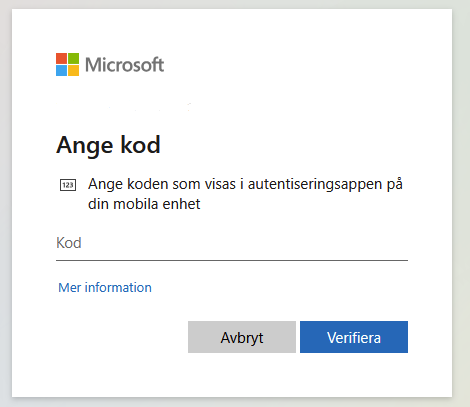
I have to open the plugin from the brower toolbar and search for the login again to be able to copy the OTP code.
I have also tried to add the form input ID to the OTP settings of the entry but it does not autofill then either.
ID from the Microsoft OTP-prompt:
HTML control settings on the entry: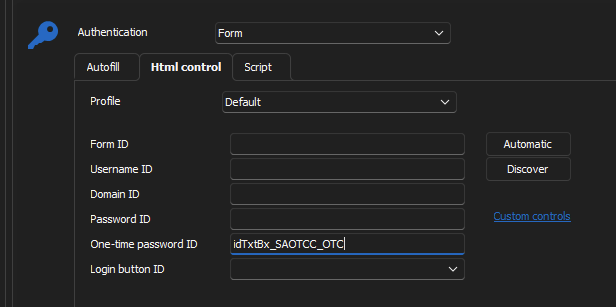
378b1bbe-cc4f-4c25-b4c1-b96f9a02f64c.png
2ae8cef0-8c13-4762-ad7e-756b56efae58.png
b1774fea-8435-4f6c-ae1d-a86f4979c37b.png
Hi,
When you mention that it takes ~10 seconds to load any logins on the page, are you referring to the time it takes to display the matching entries or when you search or the actual filling of the page?
Regarding “Does not autofill,” do you mean it doesn’t autofill upon page load or does it also fail to autofill when you manually select an entry?
Best regards,
Olivier Désalliers
It sometimes take time for the addon to display any matching entries. The actual filling in has no delay.
And the autofill of OTP does not work in either cases. If i have selected an entry it fills the email on page1, password on page2 but on the third page for the OTP code it has totally forgotten what its doing and I have to search for the entry again (it doesn't even recognize the URL so I have to scroll through all entries on the search).
And if I have the ID of the OTP field set in the HTML control settings it does not work either, same as above.
At least on Microsoft365-logins / login.microsoftonline.com.
Hi,
If the entry is not matching on the OTP page, it may indicate that the URL domain changes and needs to be added as an equivalent URL in the entry.
Could you record a video demonstrating the issue, including the loading, matching, and filling process? This will help us investigate the issue. You can send it to me via Private Message.
Best regards,
Olivier Désalliers