
patrickr
WebAuth / FIDO / U2F Support in Embedded Browser Mode
Hi Xavier,
Pardon me for reviving an old topic. While having WebAuthn support in RDP would also be nice, the original poster and myself have this request for the embedded browser experience on MacOS. I don't have a Windows installation available to see if this is available on there, but can you say anything about support for hardware keys in the embedded browser?
Thanks!
2FA Push from Devolutions Password Manager - accept from Apple Watch
Hi Érica,
Thanks for your continued support. I can confirm that when the Biometrics are disabled, I can Approve the notifications from my Apple Watch. It would be neat to still have that support even with Biometrics enabled, same way Microsoft did with their Authenticator. I understand it's not a priority, but it would be great to put this into consideration.
Thanks!
2FA Push from Devolutions Password Manager - accept from Apple Watch
Hi Jeff,
I was hoping you were right, but alas...
Changed both the language and region settings to English, still no Accept/Approve button.
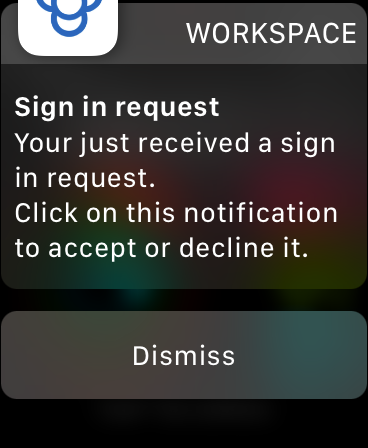
2FA Push from Devolutions Password Manager - accept from Apple Watch
Hi Érica,
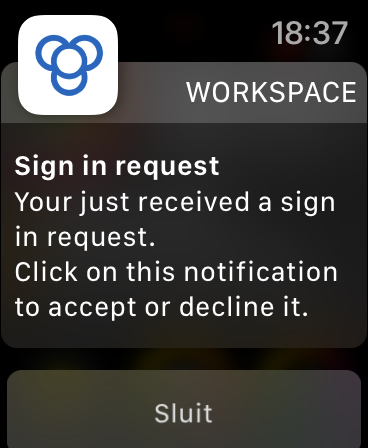
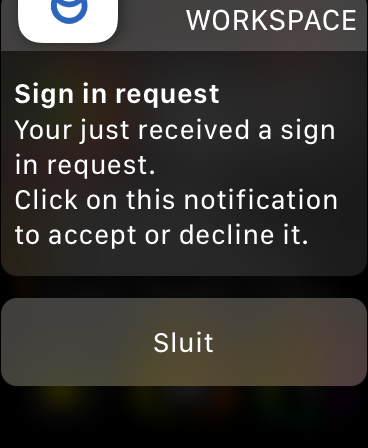
I'm afraid this doesn't show up on my Apple Watch. See screenshot, it only shows the localized translation for 'Close' (my Apple Watch is set to Dutch) as button.
Environment details:
iPhone model: iPhone 13
iOS version: 15.6.1
iOS localization: nl_NL
iPhone app version 2022.2.1
Apple Watch model: Apple Watch SE
WatchOS version: 8.7
WatchOS localization: nl_NL
2FA Push from Devolutions Password Manager - accept from Apple Watch
Hi Team,
As a real neat nice to have, it would be cool as a user to be able to accept/reject 2FA Push notifications from the Apple Watch. This will help me make the workflow a bit easier to accept such a trivial task from my wrist. Microsoft's Authenticator already supports this for instance. The Devolutions Workspace app already shows the notification on the Apple Watch display when it comes in.
Thanks!
Append OTP to the password, linked credential and Pulse VPN extension
I can confirm this has been resolved in 2022.2.20.0 ! Thanks so much.
Append OTP to the password, linked credential and Pulse VPN extension
Hi all,
I'm trying to configure the Juniper Junos Pulse VPN extension in RDM (Free). I've created the entry in the vault, and pointed the credentials to Linked (Vault) and selected the entry.
Our RADIUS requires a password with appended TOTH code. I've registered the OTP code in the Vault as well, and configured the VPN entry OTP tab to the Linked (Vault) entry and 'Append to the password'. Configuration screenshots attached.
When starting the session, the connection fails. Using the 'Show Command Line' switch, I noticed that the password is not filled in the commandline but the OTP code is there. I've tried this with Custom Credentials on the VPN entry as well, but this gave the same behavior.
Is this a bug, or am I missing something?
Environment details:
RDM Free 2022.2.18.0 64-bit
Data source: Password Hub Personal