2FA Push from Devolutions Password Manager - accept from Apple Watch
2FA Push from Devolutions Password Manager - accept from Apple Watch

Hi Team,
As a real neat nice to have, it would be cool as a user to be able to accept/reject 2FA Push notifications from the Apple Watch. This will help me make the workflow a bit easier to accept such a trivial task from my wrist. Microsoft's Authenticator already supports this for instance. The Devolutions Workspace app already shows the notification on the Apple Watch display when it comes in.
Thanks!
Kind regards,
Patrick
All Comments (6)
Hello Patrick,
For your information, it should be already supported to accept 2FA Push notifications on the Apple Watch using the Devolutions Workspace application. I tested it personally by enabling the 2FA on my forum's account. Here are some articles that could help you configuring properly your 2FA.
https://helpcloud.devolutions.net/gettingstarted_twostepver.html
https://kb.devolutions.net/kb_rdm_configure_devolutions_authenticator_2fa.html?q=authenticator
However, you would need to scroll a little bite down to get access to the approve button.
Let me know if that helps.
Best regards,
Érica Poirier
Hi Érica,
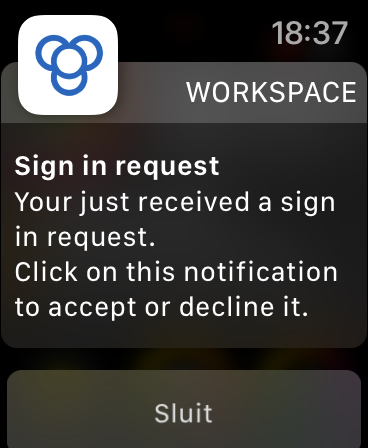
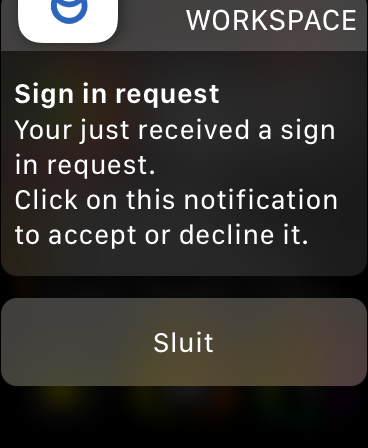
I'm afraid this doesn't show up on my Apple Watch. See screenshot, it only shows the localized translation for 'Close' (my Apple Watch is set to Dutch) as button.
Environment details:
iPhone model: iPhone 13
iOS version: 15.6.1
iOS localization: nl_NL
iPhone app version 2022.2.1
Apple Watch model: Apple Watch SE
WatchOS version: 8.7
WatchOS localization: nl_NL
Kind regards,
Patrick
Hello,
My guess is that the Dutch language configured on your watch is the culprit here.
Just for a test, if you switch your watch to English, is it working?
Best regards,
Jeff Dagenais