
nicpa
Export all sub-folders names to csv/Excel
After almost giving up, I managed to create a powershell script in the end, that gave me the result I was looking for
Export all sub-folders names to csv/Excel
The problem is that it also give all the sub folders. I just want the top-level folder under a specific folder.
It will be used as a customer list for a project.
Export all sub-folders names to csv/Excel
Under a specific top-level folder, we need to export a list of all the sub folders. Only the name os those sub folders, we dont need any sessions or anything.
Basically we just need a list of customers, for a specific project. And this seems to be the best way to do it.
There doesnt seem to be a native way in the RDM client, but I guessing this is possible with Powershell?
Version 2024.3.2.0 (September 23, 2024)
So 2024.2.x should be "Stable release" now?
Version 2024.2.8.0 (July 15, 2024)
When is 2024.2.x expected to land in stable?
Version 2024.2.3.0 (June 17, 2024)
Hello,
Once you update DVLS and Gateway, the application should still continue working with the current license you have.
On renewal, you will have to get a license per user for the Gateway and assign the license to the users.
Best regards,
Can you explain this a bit further? We currently have 35 Gateway licenses, but 110 users. Do we need gateway licensing for both our users and the gateways after this update?
Exclude Favorites from filtering
Hello,
We've added a new option in File - Settings - User interface - Filter, named Ignore filter in favorites tab. This should provide the behaviour you are looking for. You can expect this to take effect for the next 2024.2 version.
Regards,
Thank you very much for this, I will look forward to that release.
Do you know when that might come out?
Exclude Favorites from filtering
Hello,
The ticket is still opened on our side.
Regards,
Stil nothing new?
Exclude Favorites from filtering
Hello,
I can't give you an estimate on when this will be available but it's assigned to a developer. We will post back here when we have an update.
Regards,
Any update on this? I see that we got 2 updates since then, but unfortunately I didnt see this filter change.
Exclude Favorites from filtering
Thanks for the additional information, we will open a ticket to add an option to ignore the search when the favorites tab is selected.
Regards,
Thanks. So this will come in a future update?
Exclude Favorites from filtering
Hello,
If you go in File > Settings > User Interface > Filter, there is an option "clear filter on navigation pane tab change". If you enable this, it would remove the need to manually clear the filter when moving to your favorite tab.

Could you try this option and see if it works for you?
Regards,
Thanks, but we want to keep the filter, just not have it applied on favorites. It worked like this before the update.
We often have connections we open in the vault, then goes over to favorites to either copy something or open connection, and then back to the filtered vault.
So we just need an option to exclude Favorites from tiler, like it worked before the update
Exclude Favorites from filtering
We have just updated to 2024.1.25 - Were running 2023.3.x before.
Now when I select my favorites tab, the filtering get applied, it did not before. How to deactivate this?
One of the great things about favorites, for connection we use often, were that we didnt have to clear the filtering all the time
Edit menu sometimes goes missing
Hello,
That's certainly some odd behaviour, could you tell me whether or not you're an administrator in your Devolutions Server and if you're logged into this account when it happens ?
Best regards,
I am administrator. But my coworker who has the same role, does not experience this
Edit menu sometimes goes missing
My edit menu sometimes goes missing, comes back after restarting RDM client
RDM version: 2023.3.33.0 64-bit
Server version: 2023.3.10.0
DB version: 912
Data source type: Devolutions Server

After restarting RDM:

RDM Gateway - Website not working
Hello,
It seems Devolutions Gateway logs you sent us are not showing anything meaningful, so I suspect the problem is happening somewhere before reaching the Gateway itself. Do you think you could send us some additional logs?
Here is how you can generate a report that you can send us.
First, increase the debug level from "0" to "1" in File – Options – Advanced.
Then, reboot RDM so the change takes effect and proceed to reproduce the issue.
Once the issue has been reproduced, navigate to Help – Application Logs – Report, and click on the Send to Support button to securely send the trace to our support team. Put a link to this thread in the message field so the trace can be linked to this case more easily.
(You can read more on that in our documentation at https://docs.devolutions.net/rdm/windows/commands/help/support/application-logs/)
I also need to see the logs you have in the folder at %AppData%\jetsocat on your machine where RDM was run.
("jetsocat" is an open source tool developed by us and used internally by RDM when connecting to websites via Devolutions Gateway: https://github.com/Devolutions/devolutions-gateway/tree/master/jetsocat)
You can safely zip the "jetsocat" folder and attach it here as nothing sensitive is logged in these, or alternatively you may send the zip file to our support team at service@devolutions.net and mention this thread, at your preference.
Best regards,
Thanks for you reply. Both are sent now
RDM Gateway - Website not working
Hello,
is your Devolutions Gateway installed side by side or is it a standalone installation ?
Do you have a license for your Devolutions Gateway or are you using the free installation with the 5 concurrent sessions ?
Thanks for your feedback,
Best regards,
Vincent Forest
Standalone. It is for a closed subnet internally
Yes we got license
RDM Gateway - Website not working
2023-07-07T05:30:24.712737Z  INFO listener{url=https://0.0.0.0:7171/}:https{client=172.16.4.65:57869}:request{method=GET path=/jet/jrl/info}: devolutions_gateway::middleware::log: duration=328.9µs status=200 OK
2023-07-07T06:00:57.755829Z  INFO devolutions_gateway: Received control code: SessionRemoteConnect(2)
2023-07-07T06:00:58.282190Z  INFO devolutions_gateway: Received control code: SessionUnlock(2)
2023-07-07T06:01:36.800382Z  INFO listener{url=https://0.0.0.0:7171/}:https{client=172.16.4.65:57965}:request{method=GET path=/jet/diagnostics/logs}: devolutions_gateway::middleware::log: duration=8.3599ms status=200 OK
172.16.4.65 is the Devolutions server
As you can see, my logs does not quite look like yours
Also, if you go on the server hosting Devolutions Gateway, can you reach google.com?
Yes
RDM version: 2023.1.29.0
Devolutions Server: 2023.1.8.0
Devolutions Gateway: 2023.2.2
RDM Gateway - Website not working
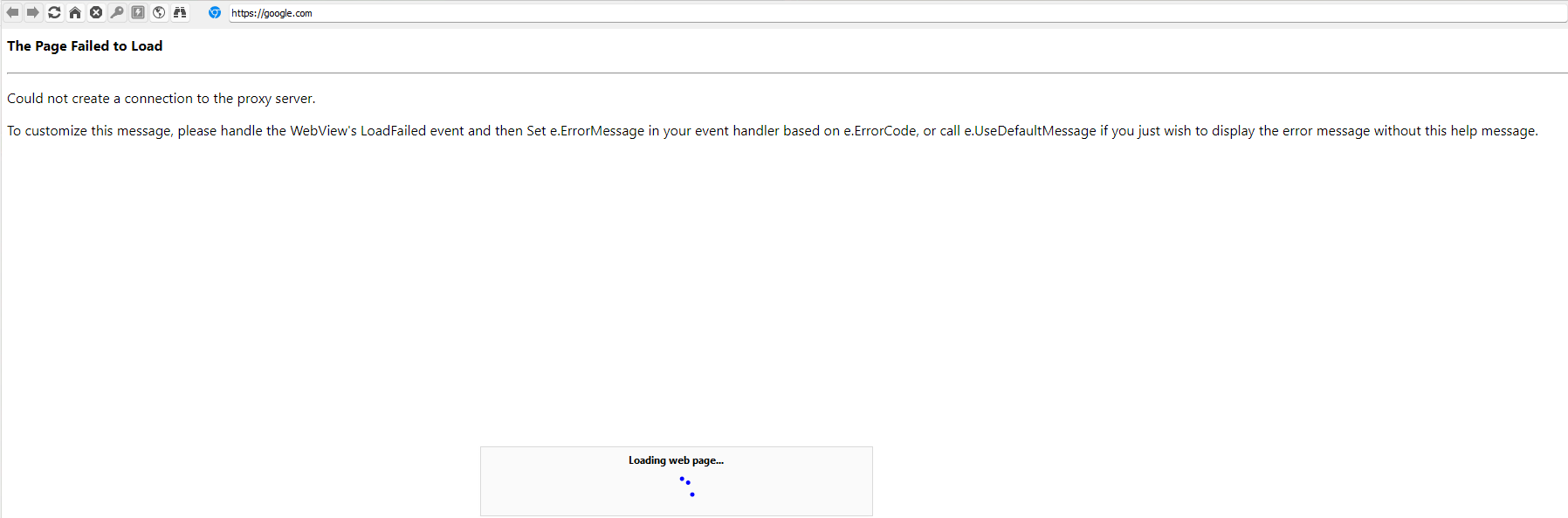
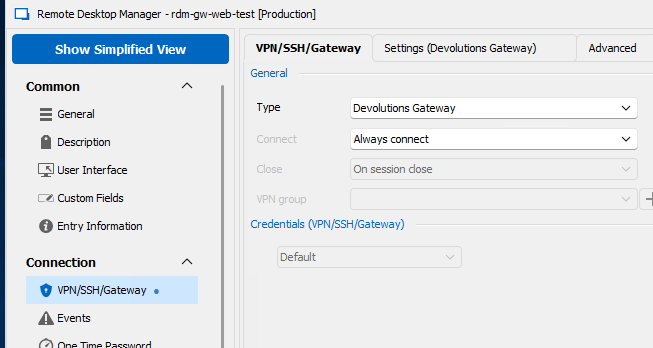
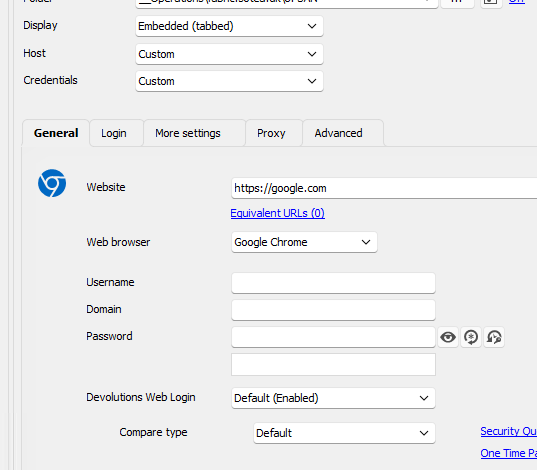
We are trying to get websites working over RDM gateway, but unsuccesful
Tried try create a google test connections, but same error
What are we doing wrong?
Bulk edit users to remove 2FA (TOTP)
Our users authenticate against Azure AD
We have enabled MFA on all our AAD users, we now want to remove the built-in 2FA (TOTP) for all users, so they dont have to authenticate twice with MFA.
How do we do this the easiest way?
There doesnt seem to be a way to bulk edit Devolutions users?
Windows 11 RDM theme
Well, thanks for the color :) I had in mind more of the whole skin. This new ala Win11/MacOS look is nice and all, but top and bottom bar takes more space with no benefit, windows and bars has no visible edges etc.
This! Please allow us to use the old theme. The new theme is really a downgrade in my opinion
RDM Gray Theme
Hello,
Do you think it could be a good candidat for a gray theme?
It´s definately better, but way too monochrome in my opinion. Almost no colors, compared to 2022.2.29
Imo was the design from 2022.2.29 fine. Maybe just that, with the new rounded corners etc.
RDM Gray Theme
I agree the light is way to bright and the dark is way to dark. You should bring back the original theme as an option. I find that either are making the program almost usable.
Yes the original/current theme (2022.2.29) are perfect as it is.
RDM Gray Theme
Yes please. The new light is way too white. And dark theme is not really my thing.
SQL errors after moving from Azure SQL to local
Hello,
As this problem is related to Devolutions Server, this thread has been moved to the right section.
It seems that this issue is related to an invalid cache.
Could you please try these steps and let me know if that helps?
1- Go in Administration - Reset Server Cache on the DVLS web UI and reset the first 4 items.
2- In RDM, go in File - Data Sources - Advanced - Manage Cache and delete the local cache file.
3- Then connect on the DVLS data source in RDM and try to create a new entry.
Best regards,
I have done all 3 things, didnt work.
I cant even create new object from the web version. Nothing happens when I click "Add"
Can we please schedule a session to get this fixed ASAP?
SQL errors after moving from Azure SQL to local
Hello Nicpa,
Thank you for contacting us on that matter!
Have you followed the steps listed in this knowledge base to perform your migration https://kb.devolutions.net/rdm_sql_server_database_migration.html? If you haven't I would recommend restoring your backup and performing the migration once more using the recommendations listed in this link.
Best regards,
Yes I followed that exact KB. I have used SSMS to export from Azure SQL and import on MS SQL