
rdmusers
Tab Terminal on PowerShell Macro
Hi,
Currently, the Tab Terminal exists only in the PowerShell session. Could you provide a Tab Terminal that includes the Application dropdown in the PowerShell Script (Macros/Scripts/Tools) as well?
Thank you.
Powershell Hide Window is not working
Hi Samuel,
Is there any update on this?
Thank you.
Powershell Hide Window is not working
Hi Samuel,
I just sent you the file that shows the difference between v2024 (Forum-44296-2024.mp4) and 2025 (Forum-44296-2025.mp4).
You might notice that in the version 2024 the powershell windows is really hidden when executed with the same script as 2025, but in 2025 it is still visible.
Thank you.
Powershell Hide Window is not working
Hi Devolutions Team,
The Hide window in the powershell entries is not working.

When the script running, we can still see the window.
I'm using the latest 2025.1.25.0, and doesn't happen at version 2024.
Thank you.
manage clipboard notification
Hi Devolutions Team,
Can you let me know where is this menu now?
I'm using version v2024.1.31
Thanks
AnyConnect Icon reset by itself
Hi Carl,
I've tried to upgrade RDM to version 2024.1.29, and when I changed the icon of AnyConnect and reopen it, the connection tab is blank, and when I click the "Update", there is an error message dialog (attached screenshot).
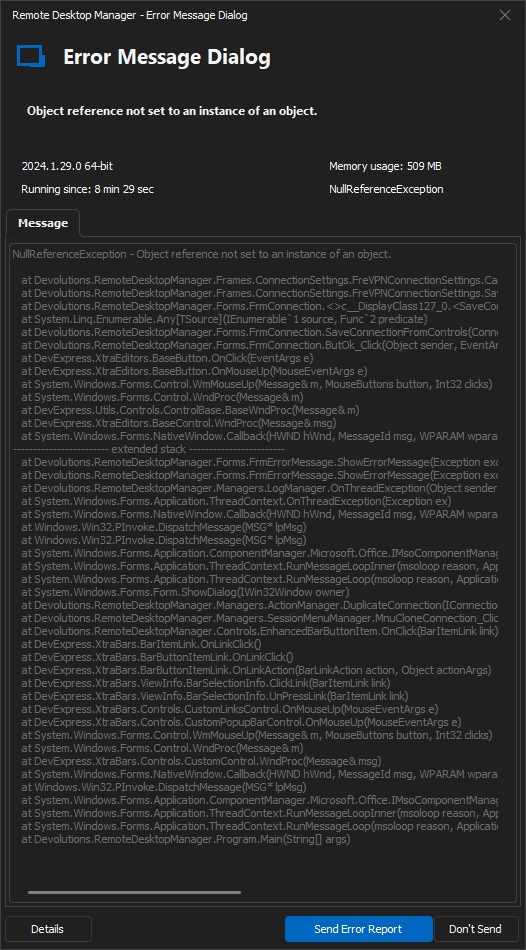
NullReferenceException - Object reference not set to an instance of an object.

   at Devolutions.RemoteDesktopManager.Frames.ConnectionSettings.FreVPNConnectionSettings.CanSaveConnectionFromControls()
   at Devolutions.RemoteDesktopManager.Frames.ConnectionSettings.FreVPNConnectionSettings.SaveConnectionFromControls(Connection connection, ConnectionType connectionType, String connectionSubType)
   at Devolutions.RemoteDesktopManager.Forms.FrmConnection.<>c__DisplayClass127_0.<SaveConnectionFromControls>b__0(FreBaseConnectionSettings frame)
   at System.Linq.Enumerable.Any[TSource](IEnumerable`1 source, Func`2 predicate)
   at Devolutions.RemoteDesktopManager.Forms.FrmConnection.SaveConnectionFromControls(Connection connection)
   at Devolutions.RemoteDesktopManager.Forms.FrmConnection.ButOk_Click(Object sender, EventArgs e)
   at DevExpress.XtraEditors.BaseButton.OnClick(EventArgs e)
   at DevExpress.XtraEditors.BaseButton.OnMouseUp(MouseEventArgs e)
   at System.Windows.Forms.Control.WmMouseUp(Message& m, MouseButtons button, Int32 clicks)
   at System.Windows.Forms.Control.WndProc(Message& m)
   at DevExpress.Utils.Controls.ControlBase.BaseWndProc(Message& m)
   at DevExpress.XtraEditors.BaseControl.WndProc(Message& msg)
   at System.Windows.Forms.NativeWindow.Callback(HWND hWnd, MessageId msg, WPARAM wparam, LPARAM lparam)
------------------------ extended stack ------------------------
   at Devolutions.RemoteDesktopManager.Forms.FrmErrorMessage.ShowErrorMessage(Exception exception, String message, String title)
   at Devolutions.RemoteDesktopManager.Forms.FrmErrorMessage.ShowErrorMessage(Exception exception, String title)
   at Devolutions.RemoteDesktopManager.Managers.LogManager.OnThreadException(Object sender, ThreadExceptionEventArgs t)
   at System.Windows.Forms.Application.ThreadContext.OnThreadException(Exception ex)
   at System.Windows.Forms.NativeWindow.Callback(HWND hWnd, MessageId msg, WPARAM wparam, LPARAM lparam)
   at Windows.Win32.PInvoke.DispatchMessage(MSG* lpMsg)
   at Windows.Win32.PInvoke.DispatchMessage(MSG* lpMsg)
   at System.Windows.Forms.Application.ComponentManager.Microsoft.Office.IMsoComponentManager.FPushMessageLoop(UIntPtr dwComponentID, msoloop uReason, Void* pvLoopData)
   at System.Windows.Forms.Application.ThreadContext.RunMessageLoopInner(msoloop reason, ApplicationContext context)
   at System.Windows.Forms.Application.ThreadContext.RunMessageLoop(msoloop reason, ApplicationContext context)
   at System.Windows.Forms.Form.ShowDialog(IWin32Window owner)
   at DevExpress.XtraEditors.XtraForm.ShowDialog(IWin32Window owner)
   at Devolutions.RemoteDesktopManager.Managers.ActionManager.EditConnection(IConnectionSource source)
   at Devolutions.RemoteDesktopManager.Managers.SessionMenuManager.MnuEditConnection_Click(Object sender, EventArgs e)
   at Devolutions.RemoteDesktopManager.Controls.EnhancedBarButtonItem.OnClick(BarItemLink link)
   at DevExpress.XtraBars.BarItemLink.OnLinkClick()
   at DevExpress.XtraBars.BarButtonItemLink.OnLinkClick()
   at DevExpress.XtraBars.BarButtonItemLink.OnLinkAction(BarLinkAction action, Object actionArgs)
   at DevExpress.XtraBars.ViewInfo.BarSelectionInfo.ClickLink(BarItemLink link)
   at DevExpress.XtraBars.ViewInfo.BarSelectionInfo.UnPressLink(BarItemLink link)
   at DevExpress.XtraBars.Controls.CustomLinksControl.OnMouseUp(MouseEventArgs e)
   at DevExpress.XtraBars.Controls.CustomPopupBarControl.OnMouseUp(MouseEventArgs e)
   at System.Windows.Forms.Control.WmMouseUp(Message& m, MouseButtons button, Int32 clicks)
   at System.Windows.Forms.Control.WndProc(Message& m)
   at DevExpress.XtraBars.Controls.CustomControl.WndProc(Message& msg)
   at System.Windows.Forms.NativeWindow.Callback(HWND hWnd, MessageId msg, WPARAM wparam, LPARAM lparam)
   at Windows.Win32.PInvoke.DispatchMessage(MSG* lpMsg)
   at System.Windows.Forms.Application.ComponentManager.Microsoft.Office.IMsoComponentManager.FPushMessageLoop(UIntPtr dwComponentID, msoloop uReason, Void* pvLoopData)
   at System.Windows.Forms.Application.ThreadContext.RunMessageLoopInner(msoloop reason, ApplicationContext context)
   at System.Windows.Forms.Application.ThreadContext.RunMessageLoop(msoloop reason, ApplicationContext context)
   at Devolutions.RemoteDesktopManager.Program.Main(String[] args)
I also attached the video demo.
Can you fix this?
Thank you.
AnyConnect Icon reset by itself
Hi Carl,
Any update of this bug?
Thank you.
Error: Microsoft edge can't read and write to its data directory
Hi Mathieu,
I granted "Everyone" full control permission to the folder C:\Program Files\Devolutions\Remote Desktop Manager\RemoteDesktopManager.exe.WebView2, and it is working.
Not sure if it should be set up this way or not.
Thank you for addressing this issue by the way.
AnyConnect Icon reset by itself
Hi Carl,
This is the zipped video.
Thank you.
Error: Microsoft edge can't read and write to its data directory
Hi Hubert,
I've tried to move the cache folder somewhere, but the editor stuck in this screen.
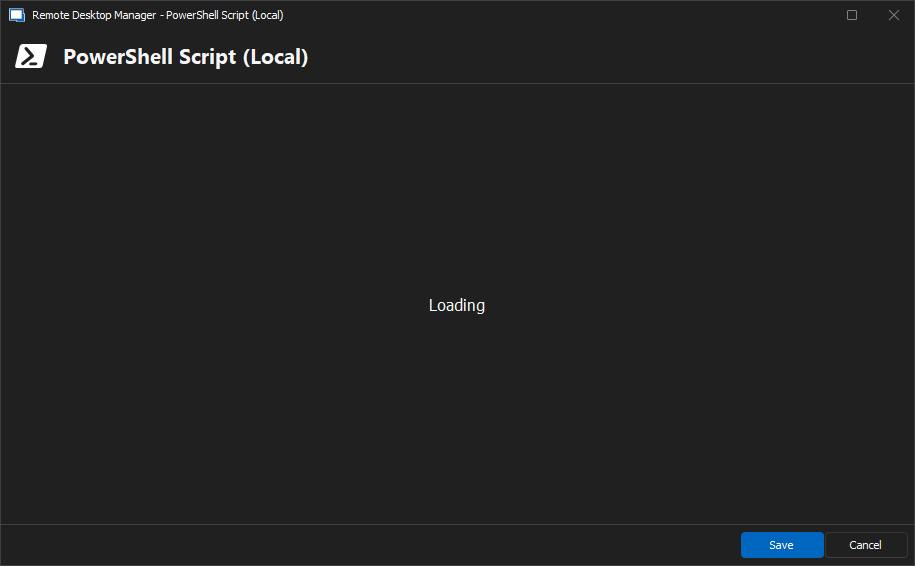
When I reverted to version 2023.3.34.0, none of these happened.
Please advice.
Thank you.
Error: Microsoft edge can't read and write to its data directory
Hello Support,
I run latest RDM 2024.1.15 as admin and have this error when I tried to update the powershell script.

Can you advice?
Thank you.
AnyConnect Icon reset by itself
Hi Samuel,
I have upgraded to the latest version, but the issue persists.
I have uploaded a small video link to demonstrate it to you.
https://jumpshare.com/s/1h2OKnYwuDB68Sj9GKpG
At 00:33, the icon changed back to default even though I had set it to blue.
Thank you.
AnyConnect Icon reset by itself
Hi Samuel,
I'm using version 2023.3.34, and using local data source.
Thank you.
AnyConnect Icon reset by itself
Hi Support,
I've conducted some tests, and it appears that this issue occurs with all entries under VPN/Tunnel/Gateway.
AnyConnect Icon reset by itself
Hi Support,
I have identified a bug in the AnyConnect entry.
To replicate the issue:
Create an AnyConnect entry.
Change the default icon to another (e.g., default-orange) and click OK.
Initially, in the navigation, the icon changes to orange.
Upon revisiting the property later, it consistently reverts back to its default icon.
Could you please address and resolve this bug?
Thank you.
Powershell Call Function
Hi Zachary,
Which version of RDM are you using ? The latest version
Have you downloaded the RDM PowerShell Module ? Yes
Are you using Powershell 7 ? Yes
Best Regards,
Powershell Call Function
Greetings,
I added two RDM PowerShell scripts entry named SCRIPT_A and SCRIPT_B.
In SCRIPT_A, I added a function called MyFunction1 with parameters $param1 and $param2.
function MyFunction1($param1, $param2)
{
[do some operation here]
}
How can I call MyFunction1 from SCRIPT_B?
Until now, I saved the function in a file named myscript.ps1 and called it from SCRIPT_B.
However, I now want to import all my PS1 script libraries as RDM entries.
Is there a method to accomplish this?
Thank you.
Cisco ASDM 1.9.5 support
Hello James,
Any update of this request?
Thank you.
Cisco ASDM 1.9.5 support
After updating to Cisco ASDM from version 1.9.2 to version 1.9.5, the remote desktop manager can not launching ASDM like usual.
Maybe that's because the new .bat launcher on the Cisco folder add an extra parameter cert.PEM.
Please check it out. Thank you