Error: Microsoft edge can't read and write to its data directory
Error: Microsoft edge can't read and write to its data directory

Hello Support,
I run latest RDM 2024.1.15 as admin and have this error when I tried to update the powershell script.
Can you advice?
Thank you.
ke77aaL2BO.png
All Comments (8)
Hello,
Thank you for reaching out to us regarding this,
Would it be possible for you to create a portable installation of the latest version of RDM and see if this issue still occurs? To do so, you will need to do the following:
1- Download the .zip file below:
https://remotedesktopmanager.com/home/thankyou/rdmbin
2- Create a new folder on your Desktop
3- Extract the content of the .zip file into the folder created at #2
4- Go to this folder once the .zip file has been extracted and run remotedesktopmanager.exe
5- Connect to your data source
If the issues persist with the portable installation, could you follow this knowledge base article and make sure WebView2 is installed correctly:
https://docs.devolutions.net/kb/remote-desktop-manager/knowledge-base/download-microsoft-edge-chromium/
Let me know,
Best regards,
Samuel Dery
Hello,
In addition to what my colleague mentioned, it's also possible to configure the path for the Edge cache in RDM. If you don't have access to the default cache folder, pointing to one where you do have write access could be your solution. You can find the setting in File > Settings, here: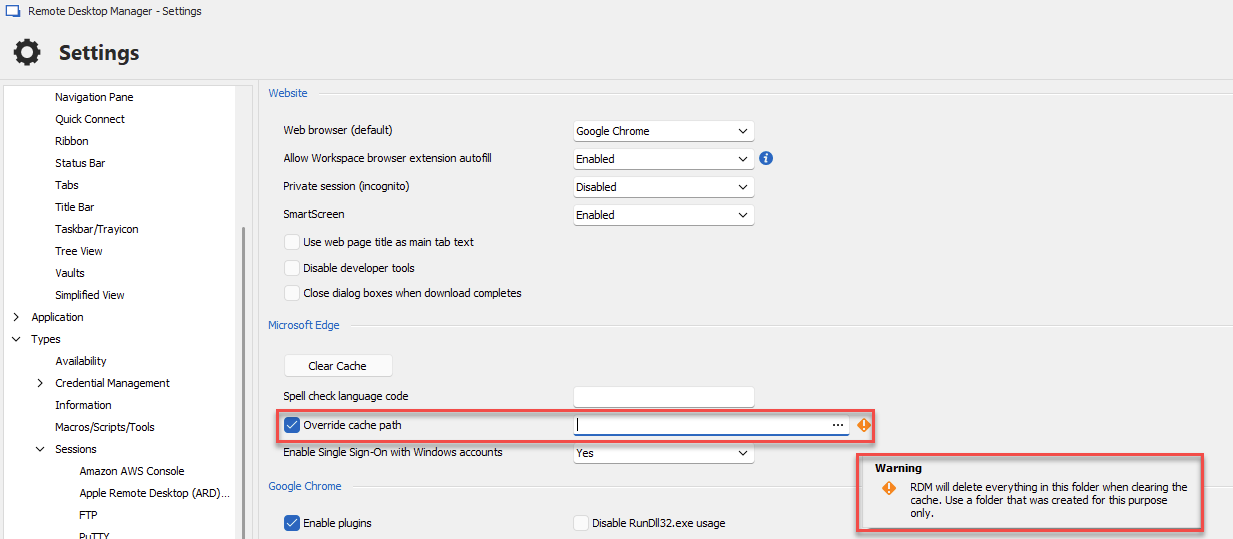
Please note the warning that RDM will delete everything in this folder when clearing the cache, so make sure to only use the folder for that purpose.
Regards,
Hubert Mireault
63299cd8-0ba5-4e1c-b906-ef752b23bace.png
Hi Hubert,
I've tried to move the cache folder somewhere, but the editor stuck in this screen.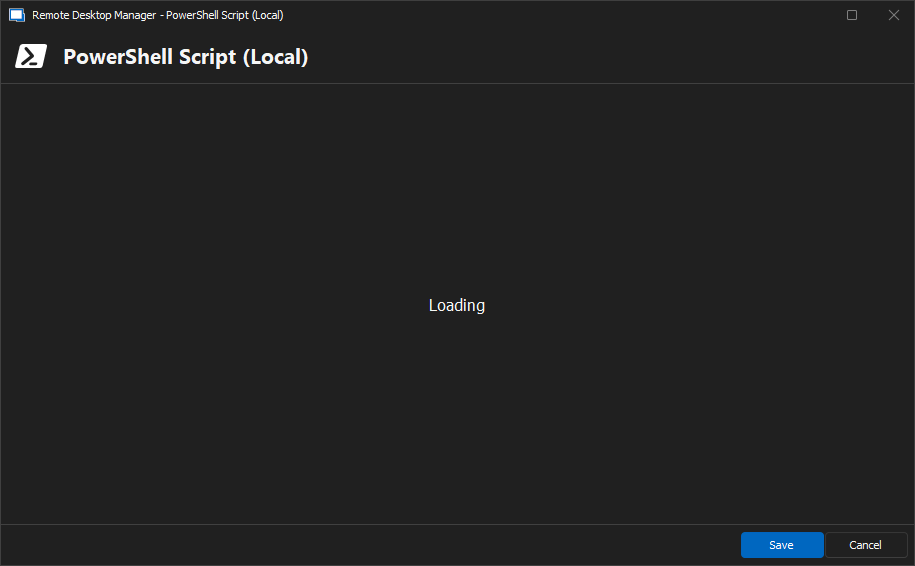
When I reverted to version 2023.3.34.0, none of these happened.
Please advice.
Thank you.
06944b33-d475-46c7-9560-bc08a6edd2a3.png
Hello,
We are currently investigating this issue, thank you for reporting this.
Regards,
Hubert Mireault
Hello,
We have identified the issue and it will be addressed in our upcoming release.
Recently, we transitioned the code editor from a native component to a web-based component to enhance performance and usability. However, this new web-based editor did not handle the custom cache path correctly.
On a side note, the error message "Microsoft Edge can't read and write to its data directory" is caused by permission issues.
By default, the web view, which utilizes the Microsoft Edge browser internally, attempts to store the cache in the application folder. Unfortunately, in certain environments, writing to the application folder, located in the Program Files directory, can be restricted. This could be caused by security configurations or other factors.
We hope this information is helpful.
Please feel free to reach out if you have any further questions.
Regards,
Mathieu Morrissette
Mathieu Morrissette
Hi Mathieu,
I granted "Everyone" full control permission to the folder C:\Program Files\Devolutions\Remote Desktop Manager\RemoteDesktopManager.exe.WebView2, and it is working.
Not sure if it should be set up this way or not.
Thank you for addressing this issue by the way.
Hello,
I would not recommend setting Everyone permission on the cache folder. This cache contains the browsing data, such as cached cookies and stored tokens.
Setting it to 'Everyone' could expose those credentials to anybody with access to the system.
I would limit it to your current user only.
One thing that I've noticed is that the cache on my PC is located in the `C:\Users\<user>\AppData\Local\Devolutions\RemoteDesktopManager\WebView2.Cache` directory.
I've seen here https://github.com/MicrosoftEdge/WebView2Feedback/issues/1410 that they made some changes to the user directory folder.
This might be related to having an older WebView2 runtime.
Regards,
Mathieu Morrissette
Mathieu Morrissette
I can confirm that I also am having this issue. Thanks for working on it.