
aembree
VMware Synchronizer - Ignore Entry Type on Duplicate Check
Understood. Thank you.
VMware Synchronizer - Ignore Entry Type on Duplicate Check
Awesome. Thank you. Do you know if this same fix is implemented or coming to the Devolutions Server VMware Synchronizer?
VMware Synchronizer - Ignore Entry Type on Duplicate Check
Thank you. My and team and I appreciate the responsiveness. You guys have create customer support.
VMware Synchronizer - Ignore Entry Type on Duplicate Check
Hello,
Thank you for reaching out!
Can you please share some more details so we can investigate further:
What data source do you have configured?
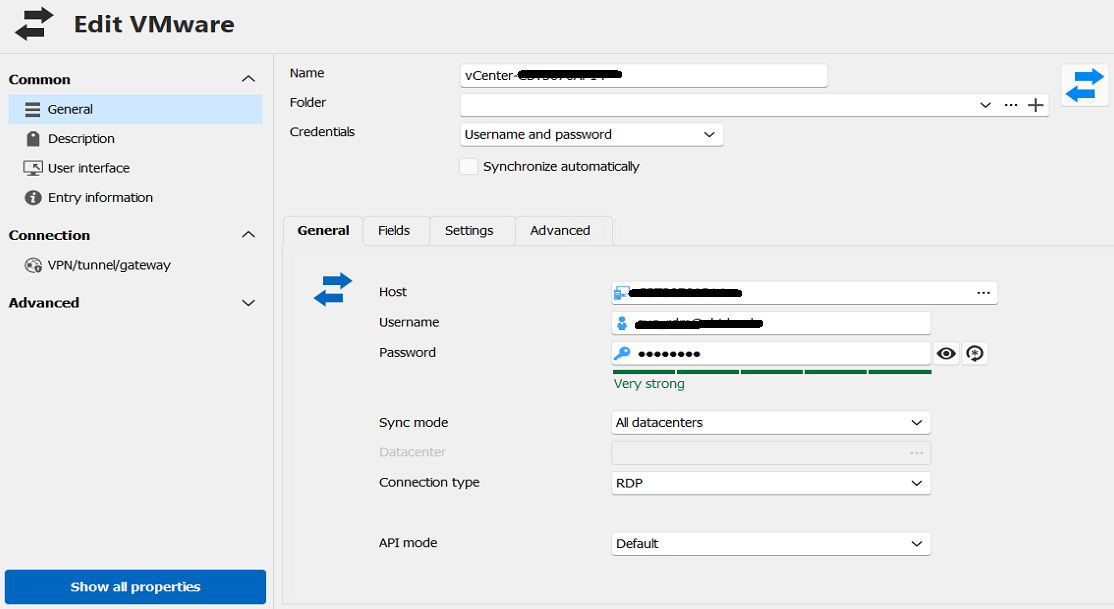
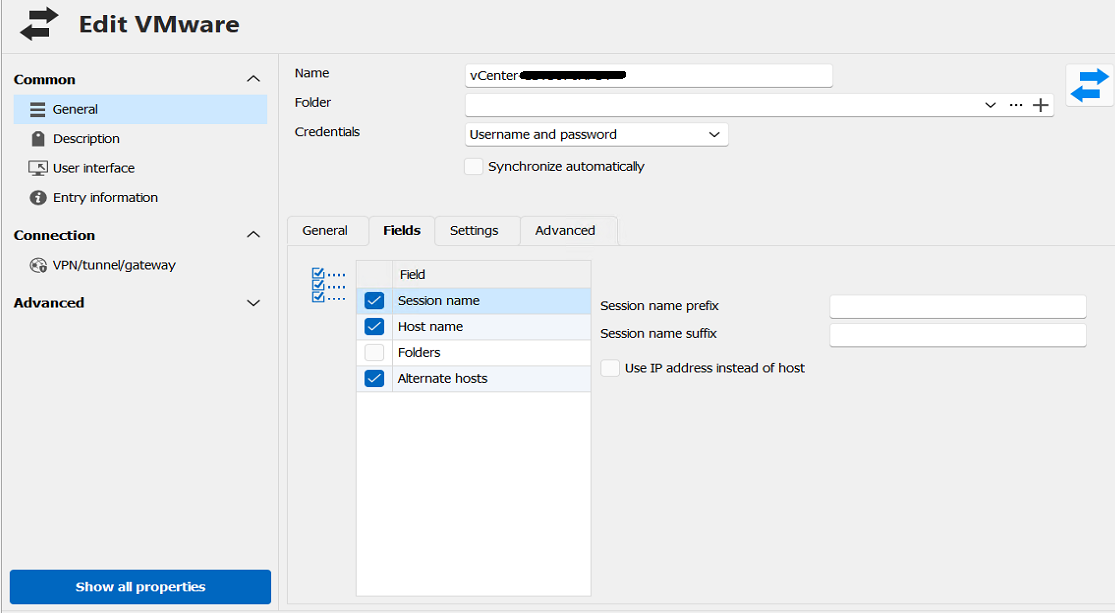
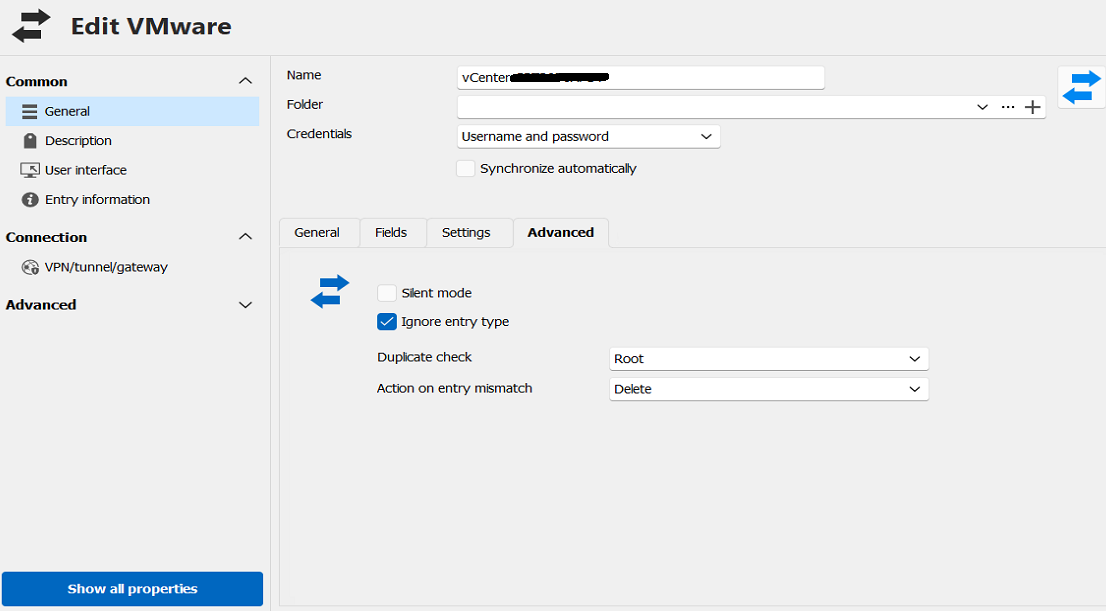
Could you please attach a screenshot of the synchronizer entry's General, Settings, and Advanced tabs?.
Confirmation of whether the duplicated default RDP entry lands in the same folder as the converted SSH entry, or in the synchronizer's root insert folder.
Thank you in advance!
Best regards,
Sam.
@Sam Moynihan
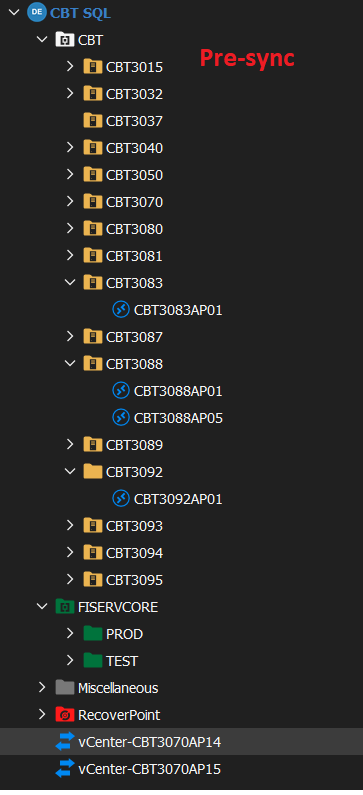
We are using Microsoft SQL as a data source. The duplicate entries land in the root folder. Let me know if you need anything else. Appreciate you guys looking into the matter.
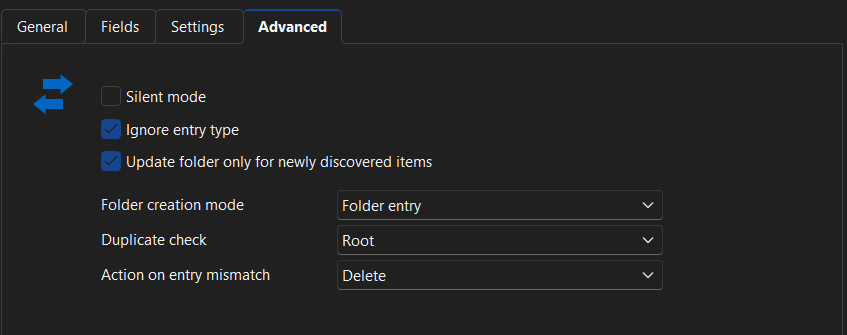
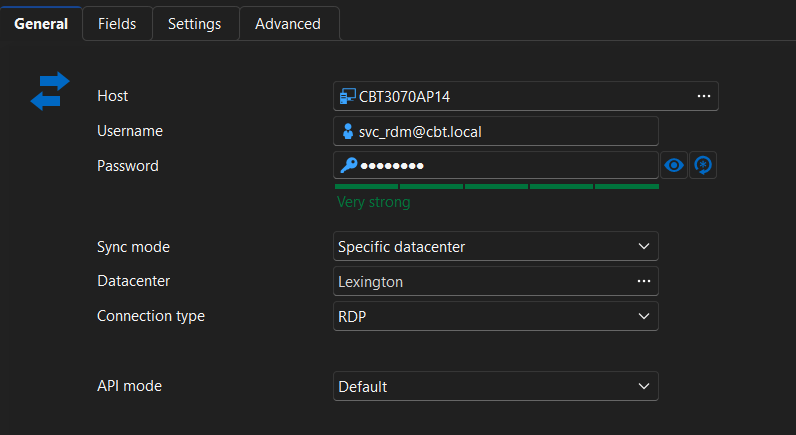
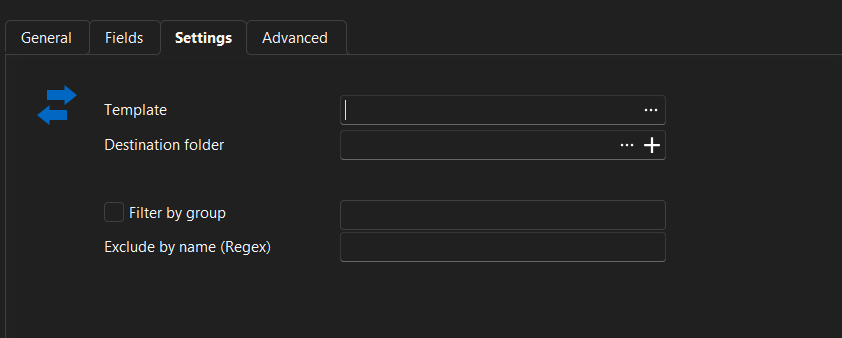
VMware Synchronizer - Ignore Entry Type on Duplicate Check
If you change the session type (i.e. convert an RDP session to SSH using the 'convert with a template' function) the VMware sync setting "ignore entry type" no longer works. The session that was converted will be added again, as a default RDP session.
I am currently on version 2026.1.22.0 64-bit.
VMware Sync Issues after 2024 upgrade
For the Devolutions team, this is my update:
It appears that session entries created by the VMware synchronizer from RDM 2023 (and older) and entries created by RDM 2024 are not compatible. RDM will not perform the comparison operations against the two different entry versions. If this was stated previously, I apologize for missing/misunderstanding. What we have done is basically start over with our VMware entries. Purge out the RDM 2023 entries and let RDM 2024 create new ones (and then manually organize the sessions like we want). Now the duplicate checks and the "newly discovered items" settings are working.
We are still not having any luck with DVLS and its VMware synchronizer. We are still seeing the same behavior with entries being deleted and new ones being created in the root. I suspect we need DVLS to create it's version of the entries as they are not compatible with RDM 2024's entries? My team and I have not had a lot of time to dive into this, but we will in the coming weeks and see if there is something we are missing.
VMware Sync Issues after 2024 upgrade
Even with the "Update folder only for newly discovered items" setting checked, the VM sync is still pulling the existing sessions our of their folder. So the issue remains.
Also wanted to say that my team and I really appreciate the time and attention Devolutions has put into this. Thank you.
VMware Sync Issues after 2024 upgrade
I do see that setting in RDM, thank you. We do not see this setting in the Devolutions Server VMware sync.
VMware Sync Issues after 2024 upgrade
Just to update this issue. The latest version of RDM has reverted back to the behavior I described in my first post. When the VMware synchronizer runs, it will pull all existing RDM connections out of the subfolder we have them sorted into and place them in the root. We are seeing this with both RDM and DVLS.
VMware Sync Issues after 2024 upgrade
Hello,
It appears that the fix has been implemented and should be included in the latest version of RDM.
Could you please try installing the latest version of RDM to confirm if the implementation works as expected for you?
Best regards,
We are using the latest version of DVLS (downloaded and installed today) and the issue does not appear to be fixed there. We will download and try RDM and report back.
VMware Sync Issues after 2024 upgrade
Hello,
Good news! We were able to recreate your issue and have created a bug report for it. I will keep you informed about any advancements on this matter.
Best regards,
I see this post as being marked as implemented. Has the version of RDM that includes this fixed been released yet? Also, we are seeing the same behavior in DVLS. Will the fix be implemented there as well?
VMware Sync Issues after 2024 upgrade
Thank you very much. Great customer service. It is much appreciated.
VMware Sync Issues after 2024 upgrade
I was able to recreate the issue in a lab. The VMware sync settings screenshots are attached. I appreciate the prompt response.
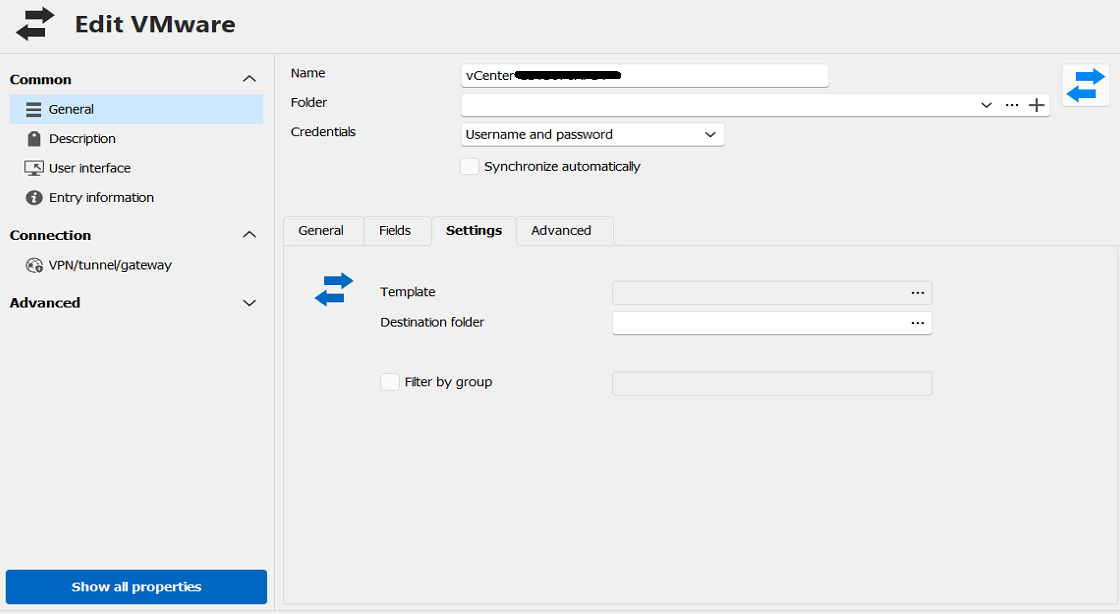
VMware Sync Issues after 2024 upgrade
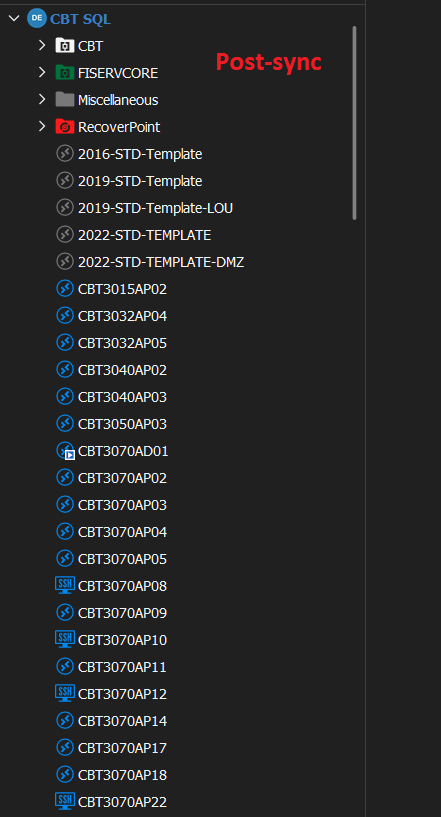
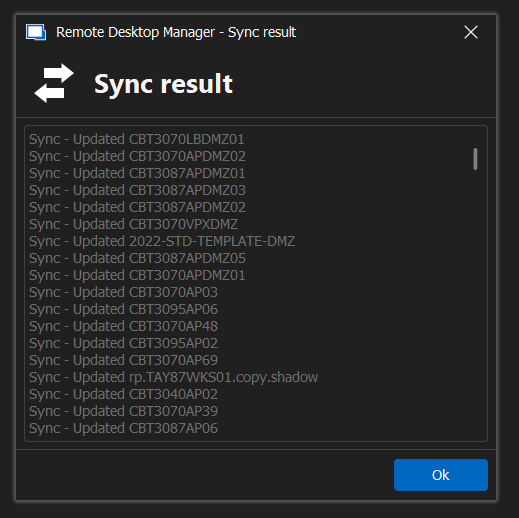
I recently upgraded RDM to version 2024.2.13.0. We are now having VMware Sync issues. When I run the synchronizer, RDM is pulling the session entries out of the subfolder we had them sorted into and placing them back under the root. We did not have this issue under 2023.x. RDM is updating entries even though they already exist.
VMware Synchronizer - VM Tags
Not virtual machine specific, but maybe the datacenter, cluster, and folders within vCenter can be pulled in during a sync? That could be helpful.
VMware Synchronizer - VM Tags
It's unfortunate this was never implemented. Not just tags, but OS type and other vm information would be very useful because then I could set some connections to SSH and others to RDP based on OS type or other criteria. Right now it's very basic and just syncs. It works, but it could be so much more useful!
I second this!!!
VMware Synchronizer - VM Tags
Devolutions has recently made some improvements with the VMware Synchronizer that our organization finds extremely helpful. One additional feature we'd love to see with the synchronizer is when it imports VMs from vCenter if it could also pull in the associated tag on the VM. We use tags in vCenter to give us a description of what the VM is/does. It would be awesome if that additional info could be automatically pulled in when imported into RDM.
VMware Synchronizer
Really appreciate you guys working on this. You listened and came up with a resolution in a very short matter of time. That is awesome customer service.
May I give one more potential suggestion? When importing from vCenter with the Synchronizer, you can only import sessions as RDP, VMware Console, or PowerCLI. Which is all fine. 90% of our VMs are Windows, so we have our synchronizer set to import as RDP by default. But if I manually change a non Windows VM to use SSH as the session connection method, when the synchronizer refreshes, it will delete the SSH session configuration and replace it with a RDP one. So my question is, when the synchronizer does the duplicate check, can it only check against the host name, not host name and session type?
VMware Synchronizer
Thank you very much. I appreciate you looking into this.
VMware Synchronizer
Hello, I am new around here and have a question. I searched the forums, but could not see anything. So I apologize if this topic has already been discussed. I'm been going back and forth with support, but figured I would ask the community.
I'm trying out the VMware Synchronizer. I am able to pull in our VMs from vCenter into RDM as a rdp sessions. That part works great. But what I am struggling with is that we group our servers in sub-folder in RDM for easier management. Every time the synchronizer refreshes, it imports the VMs again, and in the settings if I set the "Action on entry mismatch" to delete, it will delete the old session (that has been placed into a sub-folder) and not the newly import session (which it places in the root directory).
I'm fine with VMs not automatically being placed into the appropriate sub-folder (but that would be an awesome feature). I just don't want it to undo all the manual work every time it is refreshed.
Has anybody had any experience with this? My team and I have been using the free edition for about 8 years now and we love the product. I'd love to purchase the enterprise version for my guys and support the devs, but I need this tricky scenario figured out. Any advice would be much appreciated.