VMware Synchronizer - Ignore Entry Type on Duplicate Check
VMware Synchronizer - Ignore Entry Type on Duplicate Check

If you change the session type (i.e. convert an RDP session to SSH using the 'convert with a template' function) the VMware sync setting "ignore entry type" no longer works. The session that was converted will be added again, as a default RDP session.
I am currently on version 2026.1.22.0 64-bit.
All Comments (11)
Hello,
Thank you for reaching out!
Can you please share some more details so we can investigate further:
- What data source do you have configured?
- Could you please attach a screenshot of the synchronizer entry's General, Settings, and Advanced tabs?.
- Confirmation of whether the duplicated default RDP entry lands in the same folder as the converted SSH entry, or in the synchronizer's root insert folder.
Thank you in advance!
Best regards,
Sam.
Hello,
Thank you for reaching out!
Can you please share some more details so we can investigate further:
- What data source do you have configured?
- Could you please attach a screenshot of the synchronizer entry's General, Settings, and Advanced tabs?.
- Confirmation of whether the duplicated default RDP entry lands in the same folder as the converted SSH entry, or in the synchronizer's root insert folder.
Thank you in advance!
Best regards,
Sam.
@Sam Moynihan
We are using Microsoft SQL as a data source. The duplicate entries land in the root folder. Let me know if you need anything else. Appreciate you guys looking into the matter.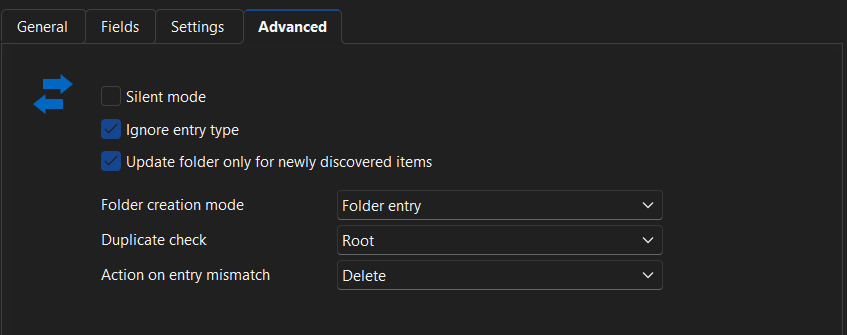
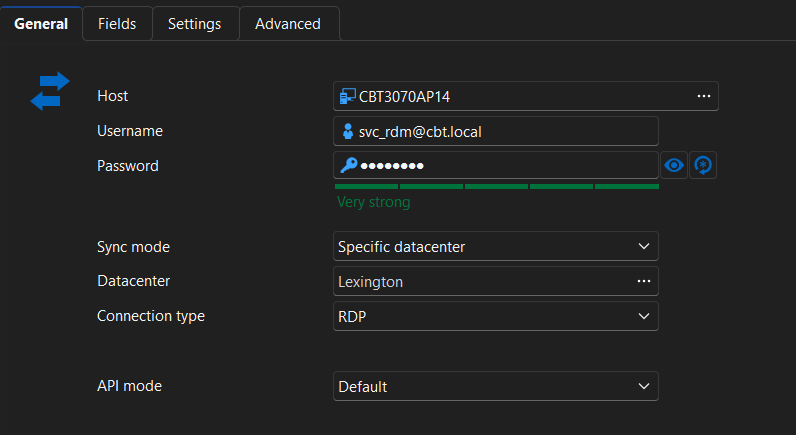
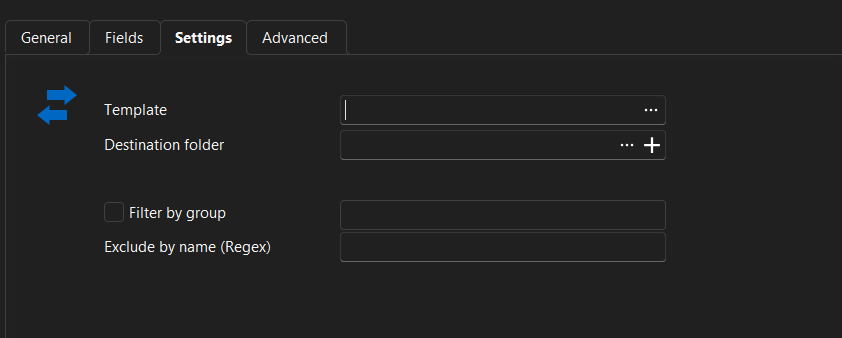
settings.png
general.png
advanced.png
Hello,
Thank you for providing the information.
The Ignore entry type option only applies to certain actions during the sync, so it may not cover the Convert with a template scenario you're describing. I'm going to check internally with our team to confirm whether this is expected behaviour or not.
I will update you as soon as I have confirmation.
Thank you for your cooperation!
Best regards,
Sam.
Hello Aembree,
Thank you for your patience on the matter!
Our developer team has confirmed this is not expected behaviour.
They have been able to reproduce the issue and are currently working on a fix.
We will let you know once we have an update or further instructions.
In the meantime, we will move this post into the bug report section so we can track it accordingly.
Best regards,
Sam.
Thank you. My and team and I appreciate the responsiveness. You guys have create customer support.
Hello,
Thank you for the great feedback.
You are very welcome!
We will loop back in with an update as soon as we have one.
Best regards,
Sam
Hello,
We've found and fixed the problem. You can expect this to take effect with the upcoming 2026.2.6 version.
Regards,
Jafran Majeau
Hello,
Thank you for being so patient!
I'm pleased to inform you that a new version of RDM (2026.2.7.0) has been released, featuring the fix for your issue.
Latest Version: Download RDM
Please let us know if this works or if you encounter any issues.
Best regards,
Maxim Robert
Awesome. Thank you. Do you know if this same fix is implemented or coming to the Devolutions Server VMware Synchronizer?
Hello,
The fix was specifically with the "Convert with template" feature, and not the synchronization itself. So, only an update of RDM should be required solve your issue here.
Regards,
Hubert Mireault
Understood. Thank you.