VMware Sync Issues after 2024 upgrade

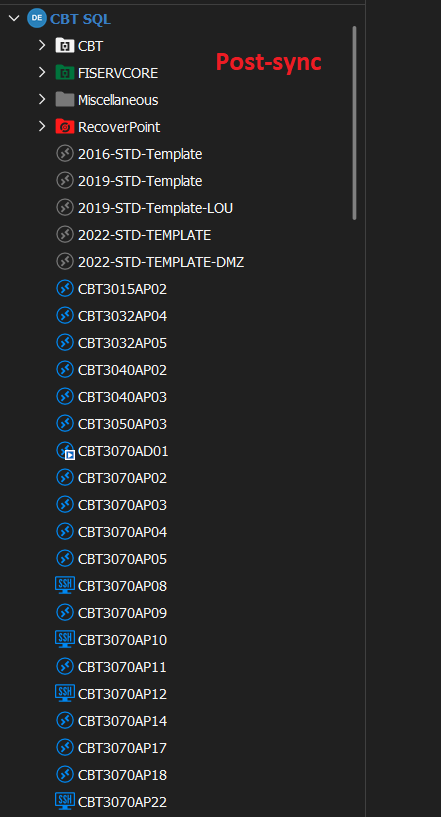
I recently upgraded RDM to version 2024.2.13.0. We are now having VMware Sync issues. When I run the synchronizer, RDM is pulling the session entries out of the subfolder we had them sorted into and placing them back under the root. We did not have this issue under 2023.x. RDM is updating entries even though they already exist.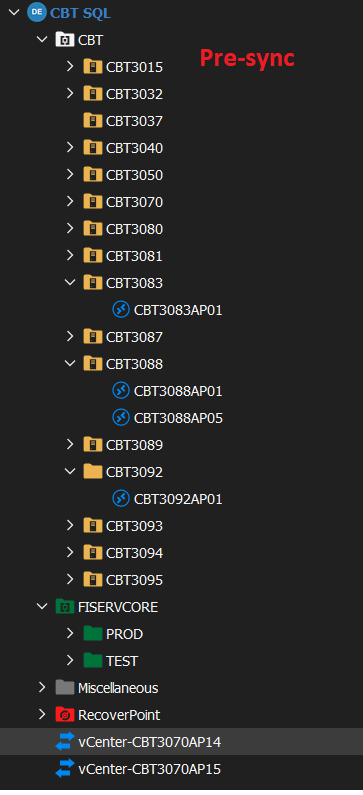
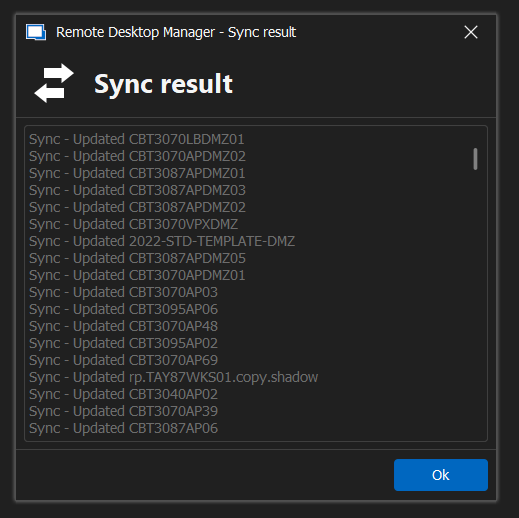
Sync Results.PNG
PostSync.PNG
PreSync.PNG
All Comments (16)
Hello,
Thank you for your patience.
I have tried to recreate your issue but was not able to. Could you please send us a screenshot of the properties of the VMware entry, specifically the Advanced tab?
Best regards,
Carl Marien
I was able to recreate the issue in a lab. The VMware sync settings screenshots are attached. I appreciate the prompt response.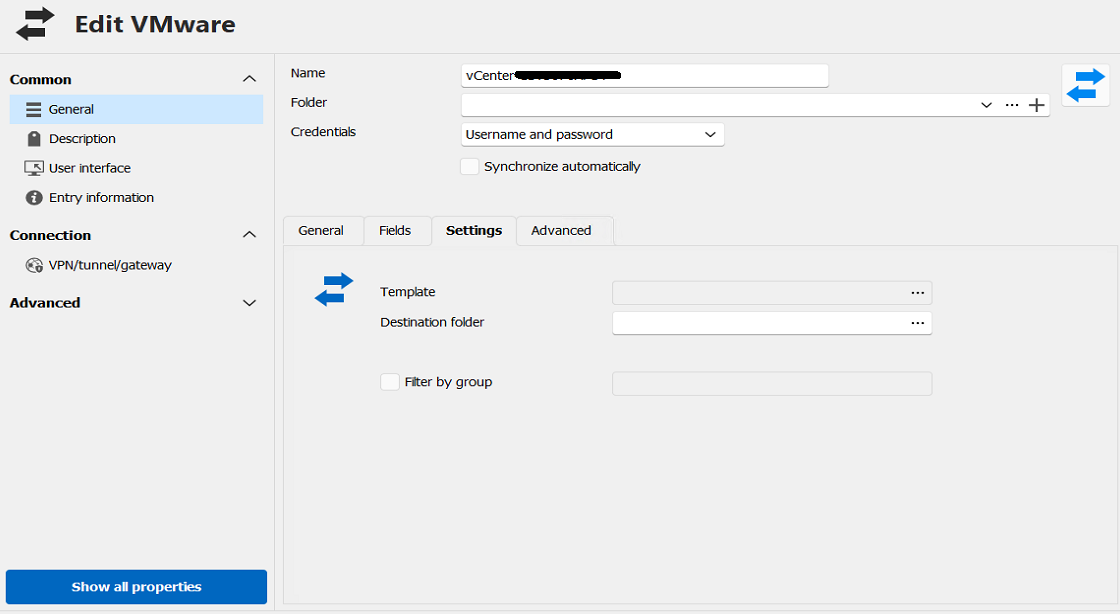
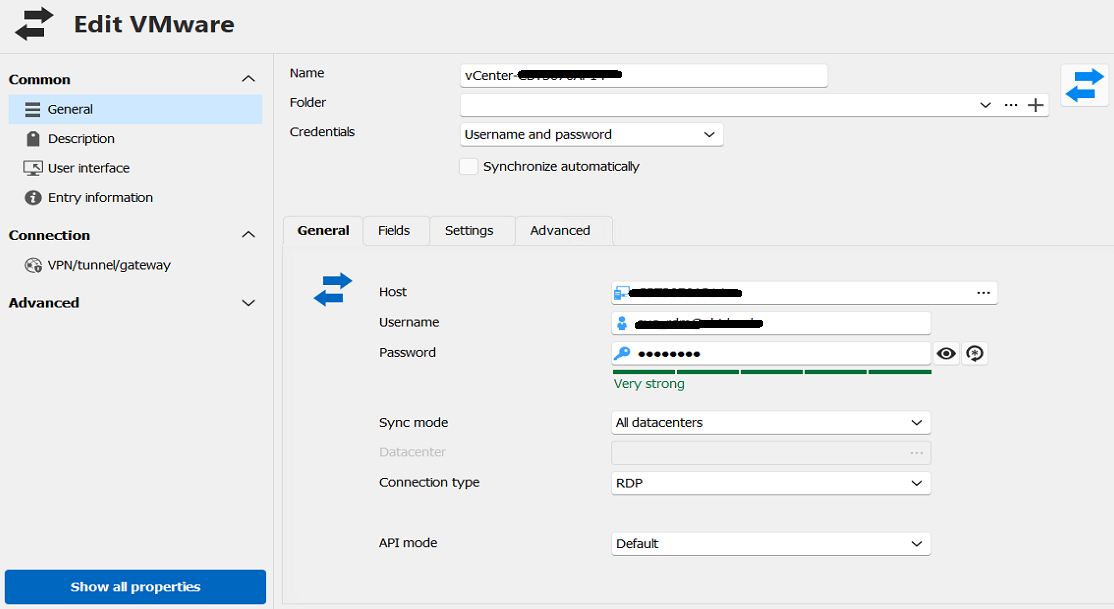
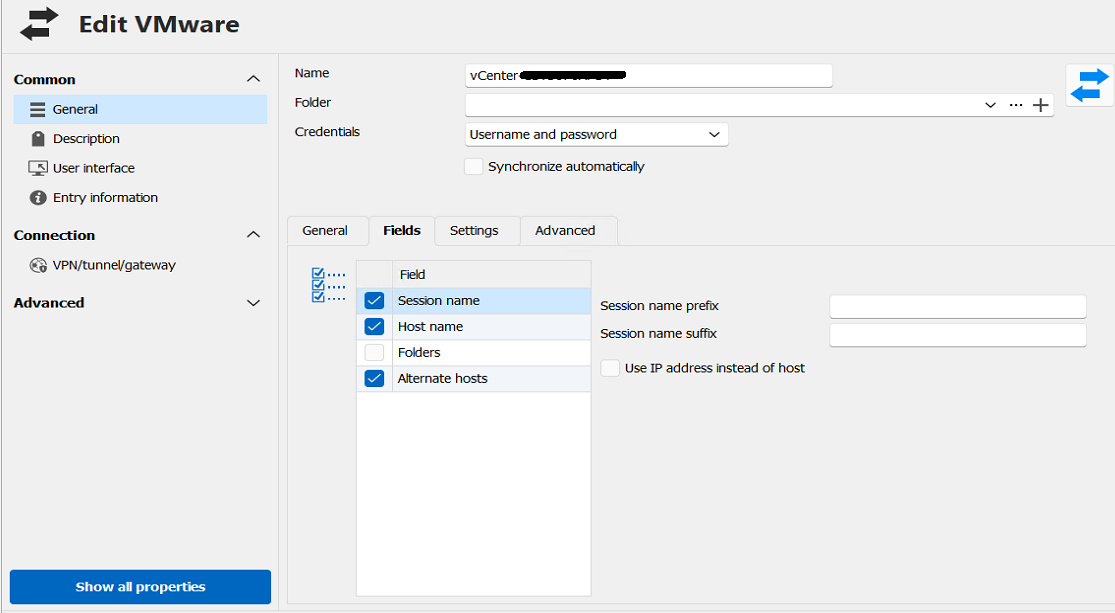
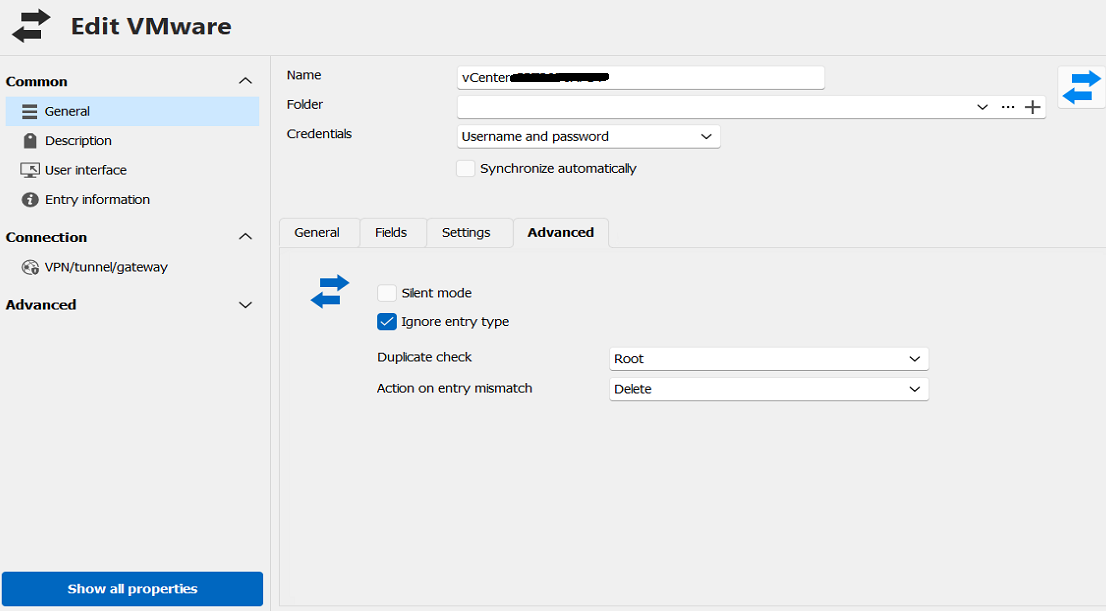
vmware-settings.PNG
vmware-general.PNG
vmware-fields.PNG
vmware-advanced.PNG
Hello,
Good news! We were able to recreate your issue and have created a bug report for it. I will keep you informed about any advancements on this matter.
Best regards,
Carl Marien
Thank you very much. Great customer service. It is much appreciated.
Hello,
Good news! We were able to recreate your issue and have created a bug report for it. I will keep you informed about any advancements on this matter.
Best regards,
I see this post as being marked as implemented. Has the version of RDM that includes this fixed been released yet? Also, we are seeing the same behavior in DVLS. Will the fix be implemented there as well?
Hello,
It appears that the fix has been implemented and should be included in the latest version of RDM.
Could you please try installing the latest version of RDM to confirm if the implementation works as expected for you?
Best regards,
Carl Marien
Hello,
It appears that the fix has been implemented and should be included in the latest version of RDM.
Could you please try installing the latest version of RDM to confirm if the implementation works as expected for you?
Best regards,
We are using the latest version of DVLS (downloaded and installed today) and the issue does not appear to be fixed there. We will download and try RDM and report back.
Hello,
Thank you for reaching out again.
I have contacted the developer regarding the recurring issue and will keep you updated on any progress from their side.
Best regards,
Carl Marien
Just to update this issue. The latest version of RDM has reverted back to the behavior I described in my first post. When the VMware synchronizer runs, it will pull all existing RDM connections out of the subfolder we have them sorted into and place them in the root. We are seeing this with both RDM and DVLS.
Hello,
Thank you for getting back to us.
Could you please go to the entry properties, navigate to the advanced section, and ensure that the "Update folder only for newly discovered items" checkbox is checked? 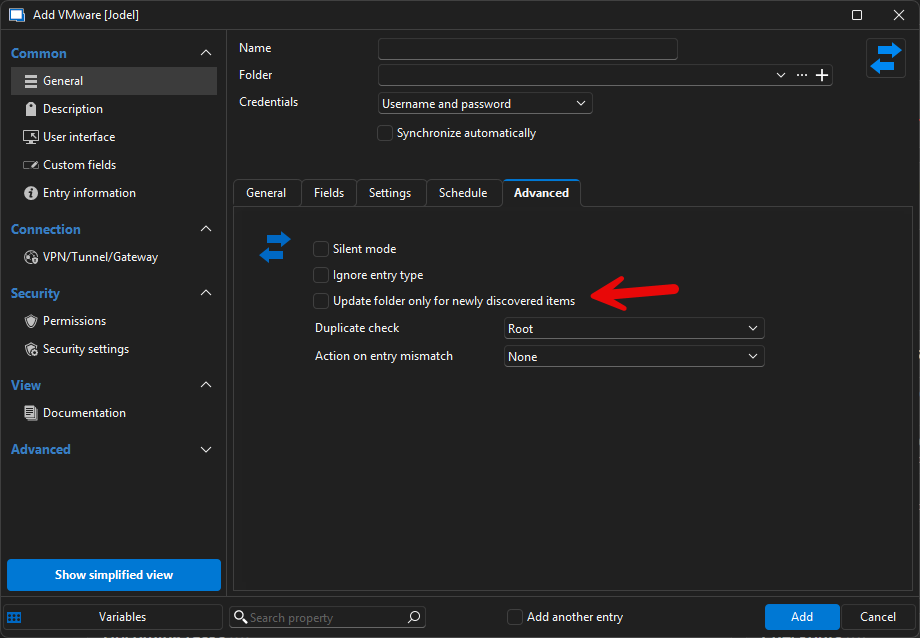
Best regards,
Carl Marien
image-20250224-164229.png
I do see that setting in RDM, thank you. We do not see this setting in the Devolutions Server VMware sync.
Even with the "Update folder only for newly discovered items" setting checked, the VM sync is still pulling the existing sessions our of their folder. So the issue remains.
Also wanted to say that my team and I really appreciate the time and attention Devolutions has put into this. Thank you.
Hello,
Could you confirm if you are using the DVLS scheduler on your synchronizer?
That would explain why the new option is not being taken into account.
Best regards,
Carl Marien
I am seeing the exact same issue. I have been for I think the past year. This did used to work prior to the 2024 release. I opened a ticket back then and I think they looked into developing something maybe, Id have to find the ticket number. I never heard much more.
But it also still does not work for my org. Using DVLS and RDM. The moved entries are moved back to the sync folder if I move them out. The sync scheduler has been enabled and disabled, the "updated folder only for new items" doesnt seem to change this behavior. Ive relegated myself to only having the sync check the folder its syncing (rather than root) and then have the duplicate in the other folder. Not an ideal solution seeing as this used to work fine.
For the Devolutions team, this is my update:
It appears that session entries created by the VMware synchronizer from RDM 2023 (and older) and entries created by RDM 2024 are not compatible. RDM will not perform the comparison operations against the two different entry versions. If this was stated previously, I apologize for missing/misunderstanding. What we have done is basically start over with our VMware entries. Purge out the RDM 2023 entries and let RDM 2024 create new ones (and then manually organize the sessions like we want). Now the duplicate checks and the "newly discovered items" settings are working.
We are still not having any luck with DVLS and its VMware synchronizer. We are still seeing the same behavior with entries being deleted and new ones being created in the root. I suspect we need DVLS to create it's version of the entries as they are not compatible with RDM 2024's entries? My team and I have not had a lot of time to dive into this, but we will in the coming weeks and see if there is something we are missing.
The 2024 entries do the same thing. I deleted all the entries including the sync entry. I recreated the sync entry and then performed a sync to a folder. I moved an entry to another folder and ran another sync. It moved it back to the folder rather than allow it to stay. When this did work pre 2024, if an entry was found to have been moved, a pop up would appear and ask you something along the lines of, "I found this entry in this other folder, do you want to keep it synced here?" I cannot remember the exact wording but it looked just like the popup that shows whats been added\removed.