
michael27
OTP: they key is either empty or contains invalid characters
Hello Carl
In our case the update solved the issue.
best regards
Mike
OTP: they key is either empty or contains invalid characters
Hi Ron
Updating to 2023.3.31.0 (or newer) solved the probem in my case.
best regards
Mike
Dashboard very slow
Hello Patrick
Sure - it's 119.0.2151.58
best regards
Mike
Dashboard very slow
Hi Patrick
i found the problem. it was my mistake. i had do install webview2 latest version manually because the server has no internet connection. i made the installation of the package without clicking "Run ad Administrator" and because of that the webview2 package was installed in my user-context. i installed it again and now all users have smooth dashboard.
best regards
Mike
Dashboard very slow
Hi Patrick
Unchecking the option did not solve the problem. We found the following information in the debug log:
[16.11.2023 12:17:44]ERROR
SILENT System.Net.HttpListenerException (0x80004005): Access is denied
at
System.Net.HttpListener.AddAllPrefixes()
at
System.Net.HttpListener.Start()
at
Devolutions.RemoteDesktopManager.Business.HttpBrowserLinker.StartHttp()
[16.11.2023 12:17:45]ERROR
SILENT Microsoft.Web.WebView2.Core.WebView2RuntimeNotFoundException: Couldn't
find a compatible Webview2 Runtime installation to host WebViews. --->
System.IO.FileNotFoundException: The system cannot find the file specified. (Exception from HRESULT: 0x80070002)
--- End of
inner exception stack trace ---
Webview2 is installed and it's funny that not all users on the same server do have the problem.
Best regards
Mike
Dashboard very slow
Hi Patrick
We're running DPS on Version 2023.3.7.0 and WebView2 Release 119.0.2151.58 which should be latest.
Best regards
Mike
Bug(?): User Specific Settings: Short-Term forgotten / gone (since 2023.3.24.0 64-bit)
Hello,
Could you both confirm if you're setting your specific settings credentials to "Linked (User Vault)"?
If that's the case, we have a fix for this issue coming in version 2023.3.25.0.
Regards
Yes, i can confirm. Deleting the cache seems to help aswell (found in https://forum.devolutions.net/topics/40603/user-vault-missing-after-rdmdvls-update)
Dashboard very slow
Hi
After upgrading to version 2023.3.24.0 (RDM and DPS) we have the issue that the dashboard is very slow.
If you click on the dashboard and then switch to another entry it takes about 10 seconds for the data (of the new entry) to be displayed.
Any idea how to solve this?
best regards
Mike
OTP: they key is either empty or contains invalid characters
Hi
After upgrading RDM and DPS to Version 2023.3.24.0 we have problems with OTP entries: Most (but not all users) get the error message: they key is either empty or contains invalid characters
The entry is correct and the users are able to get the token if they first click on "View OTP". But directly via "Copy OTP" does not work.
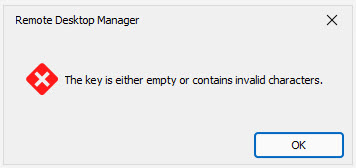
Any idea how to solve this? Even a new rdm profile didn't solve the problem.
best regards
Mike
Bug(?): User Specific Settings: Short-Term forgotten / gone (since 2023.3.24.0 64-bit)
Hi
We have the same behaviour after upgrading to 2023.3.24.0 (RDM and DPS).
Opening and closing user specific settings helps for the moment. but in some cases you have to do the same process on the next day again...
best regards
Mike
Access to Password Server Console
Hi there
How can I control access to the Password Server Console? I can't find any instructions in the manual. It looks like anyone with access to the server (rdp) can start the console and add new users. Is that so or did I just miss it?
best regards
mike
Notification "On Use/View"
Thank you for your response. I'm happy to see that more compliance features are on your roadmap. i'm looking forward for a new release in the future.
Notification "On Use/View"
Hello
We require that a password can be seen or used by any employee, but that a notification be sent to the manager. Today I can already trigger notifications when editing or deleting a password. Unfortunately, there is no option for notifiy on using or viewing a entry/password. Would be cool if that were possible. Or is there a workaround?
Best regards
Mike
AzureMFA
Hi Érica
Thank your for your answer. That's no problem.
best regards
Mike
Login Form wrong
If Office365 is the only allowed authentication method the form is presented wrong.

i believe the form fields for username,password and login should not be presented.
AzureMFA
Hi Erica
Thank you for your reply. This is true and works like it should but requires the DPS to be available public. With a solution over NPS it would be possible to use MFA without publishing DPS.
thank you for asking your engineering team.
best regards
Mike
AzureMFA
hi there
i've seen that you removed azure mfa because they do not provide the sdk any longer. i tried to get azure mfa over nps/radius working but with no success. is there any way to get this working?
https://docs.microsoft.com/en-us/azure/active-directory/authentication/howto-mfa-nps-extension
best regards
Mike