
thomas11
Sync issue with AD
I also tried it, but the problem persists.
With the current version (2024.1.19.0), the 'Preview' seems to work, but all others do not. (Entries will be deleted and resync...)
Only the subconnections survive it - without function.
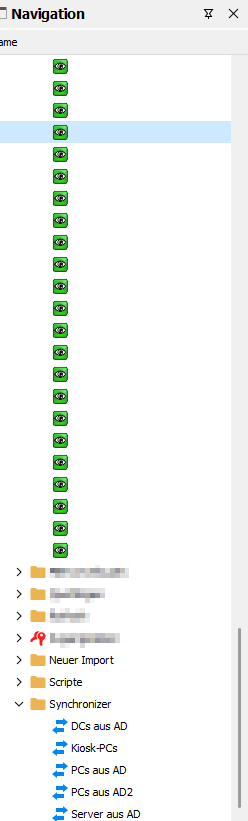
Sync issue with AD
Yes, for me too.
Sync issue with AD
Good morning,
of course, I forgot to write it.
I use the MS Active Directory and SQL
Have a nice day.
Sync issue with AD
"Hello everyone,
Since the last update, the synchronization feature isn't functioning properly.
All machines are being deleted after synchronizing with the new version, and then they are created a new in my folder named 'new import.'
If I move the machines to their correct folder (OU), they are deleted once again and imported back into 'new import'."
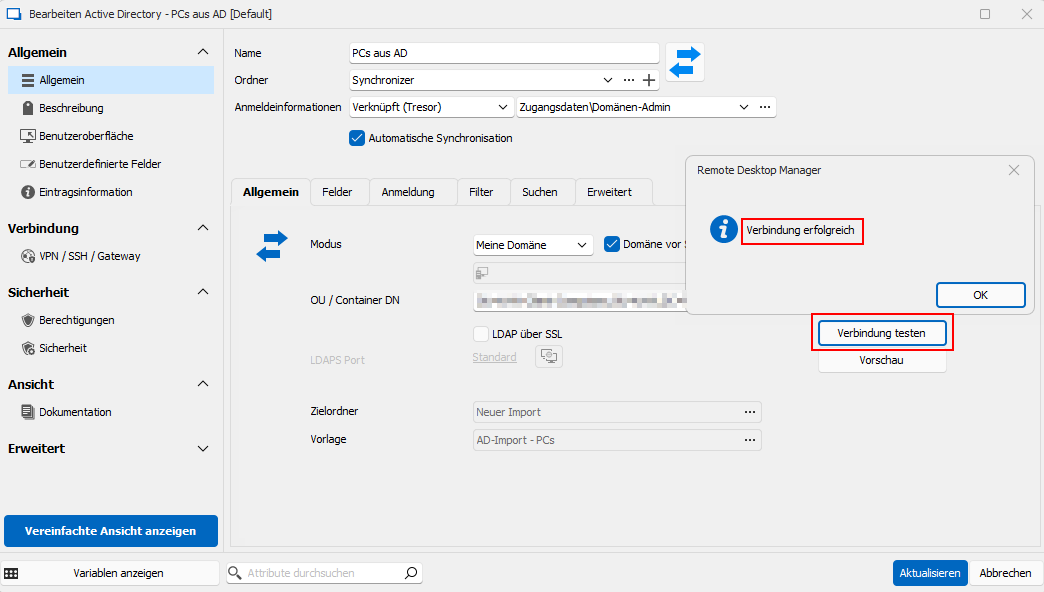
"Test connection" is ok.
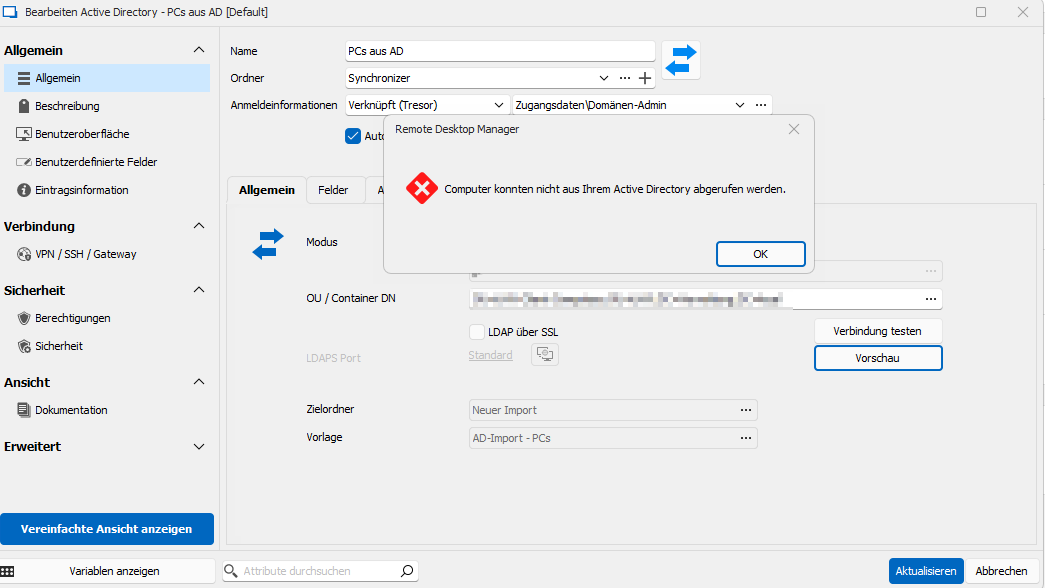
Preview does not work:
I use Version: 2024.1.17.0
[Erledigt] Hintergrunddienste / Synchronisierung defekt
Hallo,
das sieht sehr gut aus.
Die Einträge sind wieder sichtbar und es wird auch scheinbar synchronisiert.
Vielen Dank für die Mühe!
[Erledigt] Hintergrunddienste / Synchronisierung defekt
Hallo James,
entschuldige, dass ich mich noch nicht gemeldet hatte. Arbeitsbedingt konnte ich mich bisher nicht weiter um das Thema kümmern.
Umso mehr freue ich mich aber, dass Ihr an dem Thema drangeblieben seid und das Problem reproduzieren konntet.
Ich freue über das künftige Update :-)
Viele Grüße
Thomas
[Erledigt] Hintergrunddienste / Synchronisierung defekt
Ja, können wir gerne so machen.
Ich habe jetzt, seit heute, Version 2023.1.26.0 installiert.
Selbes Verhalten.
[Erledigt] Hintergrunddienste / Synchronisierung defekt
Hallo,
ne, leider auch hier alles leer.
LG
Thomas
[Erledigt] Hintergrunddienste / Synchronisierung defekt
Ja, ist aktiv.
[Erledigt] Hintergrunddienste / Synchronisierung defekt
Guten Morgen,
ich verwende Version 2023.1.23.0.
Als Datenquelle verwende ich den MS SQL-Server.
Synchronisiert werden die PCs, Server etc. aus dem AD.
Manuell kann ich die Aufgaben starten und sie werden auch erfolgreich ausgeführt.

[Erledigt] Hintergrunddienste / Synchronisierung defekt
Hallo,
seit einiger Zeit funktioniert der Hintergrunddienst nicht mehr.
Die Liste der Synchronizer ist leer. Gibts hier eine Lösung für?
LG
Thomas
Hier standen sonst immer 3 Aufgaben drin:

Sub connections missing?
Hi,
now with the Version 2022.3.24.0 it works.
Sub connections missing?
Thank you very much for the feedback.
I will wait patiently.
Sub connections missing?
Hi good morning,
it seems like the problem is not resolved with the last update :-(
Sub connections missing?
Ok. great.
Do I still need the remote session with Etienne?
Sub connections missing?
Yes, I use templates.

Did your template get converted correctly? I think so.
The template call AD-Import - PCs.
The ones crossed out in red are only for testing purposes.

Sub connections missing?
I sync from ActiveDirectory, it is an old setting.

It's empty here. I don't know anymore if it has always been like this

What other information do you need?
How can I create a connection and sub-connection via the template?
Sub connections missing?
@thomas11, can you please try to revert one of the delete parent entries (as a test). Once reverted, the tree view UI should display the sub-entries properly. I've also asked Etienne to setup a remote session. I would really like to understand how it came about that you have deleted parent entries so that we can fix.
Hi,
yes i can revert one or more entires and it displays the sub-entries proberly. But after few seconds they are deleted again. (I think by synchronizers)
Sub connections missing?
@thomas11 This is very odd. The migration steps included with v2022.3 takes the old parent/child format, extracts the children from the parent and saves them individually. The process, extract the children from the parent, save the parent and then saves each child. I'm curious understand where/how the parents got deleted during this process.
Do you have any deleted parents in the Administration > Delete Entries?
I'm thinking a remote session might be our best bet going forward here. I can get Etienne to set that up for us if you like.
Best regards,
Yes, there are a lot of deleted entries. All parents i think:

Sub connections missing?
I have a case number: 00012655
Unfortunately, the problem was not fixed after the update.
Here are my sub-connections.
The parent entry was deleted after/from the update.

If I manually create an entry and a sub-connection, it looks like this:

Parent:

Child:

Sub connections missing?
Same here. And the variable $PARENT...$ is still not available.
Sitzungsskript-Werkzeug / Verwaltungswerkzeuge Berechtigung
Hallo,
ja, das klappt. Diese Einstellmöglichkeiten habe ich, wie man den Bildern entnehmen kann, bei mir nicht.
Das hier klappt somit aber.
Allerdings ist es dann kein Sitzungsskript-Werkzeug mehr...
Sitzungsskript-Werkzeug / Verwaltungswerkzeuge Berechtigung
Hallo und danke für die Rückmeldung.
Wenn ich "Als anderer Benutzer ausführen" aktiviere, erhalte ich keine Möglichkeit einen Benutzer auszuwählen, mit welchem die Anwendung ausgeführt werden soll - oder ich finde es nicht...
Sitzungsskript-Werkzeug / Verwaltungswerkzeuge Berechtigung
Hallo zusammen,
mit welchen Rechten wird denn ein angelegtes Skript ausgeführt?
Ich verwende öfters die CMD über remote und benötige dafür den Domänen-Admin.
Das funktioniert seit kurzem, aus welchem Grund auch immer, nicht mehr.

Setze ich hingegen den Haken bei "Als anderer Benutzer ausführen", klappt es wieder.

Wo wird denn definiert, welcher Benutzer "standardmäßig" verwendet wird und welcher, wenn ich "Als anderer Benutzer ausführen" auswähle?
Vielen Dank für Eure Rückmeldung.
LG
Thomas
Synchronisation zwischen Active Directory funktioniert nicht
Ok. Wenn die Problematik bekannt ist, dann warte ich darauf. LDAP kann ich bei uns aktuell nicht verwenden.
Danke für die schnelle Rückmeldung.
Version 2020.3.26.0 behebt das Problem übrigens noch nicht.