Sync issue with AD

"Hello everyone,
Since the last update, the synchronization feature isn't functioning properly.
All machines are being deleted after synchronizing with the new version, and then they are created a new in my folder named 'new import.'
If I move the machines to their correct folder (OU), they are deleted once again and imported back into 'new import'."
"Test connection" is ok.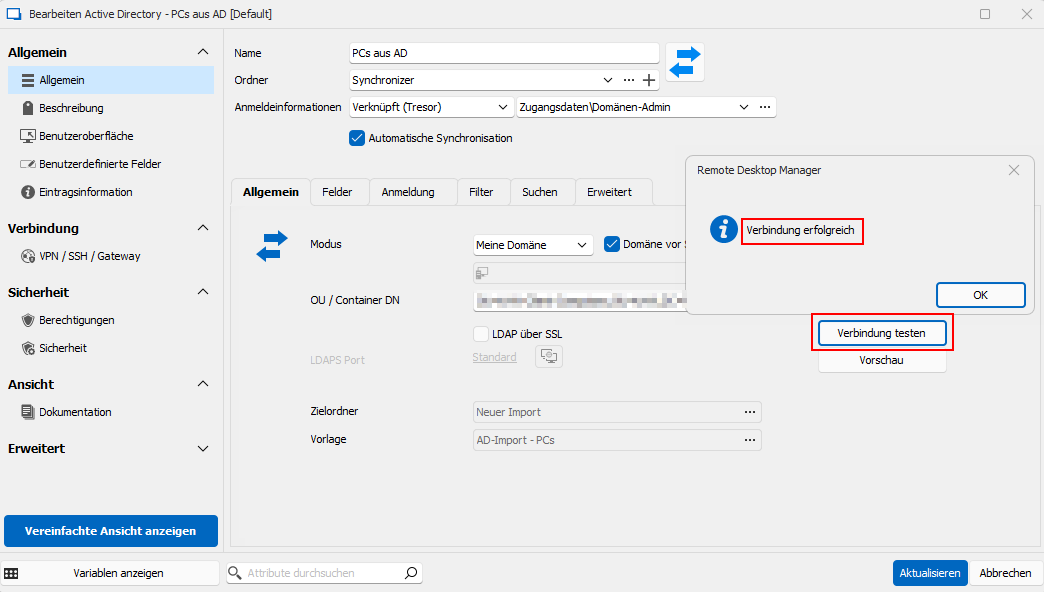
Preview does not work: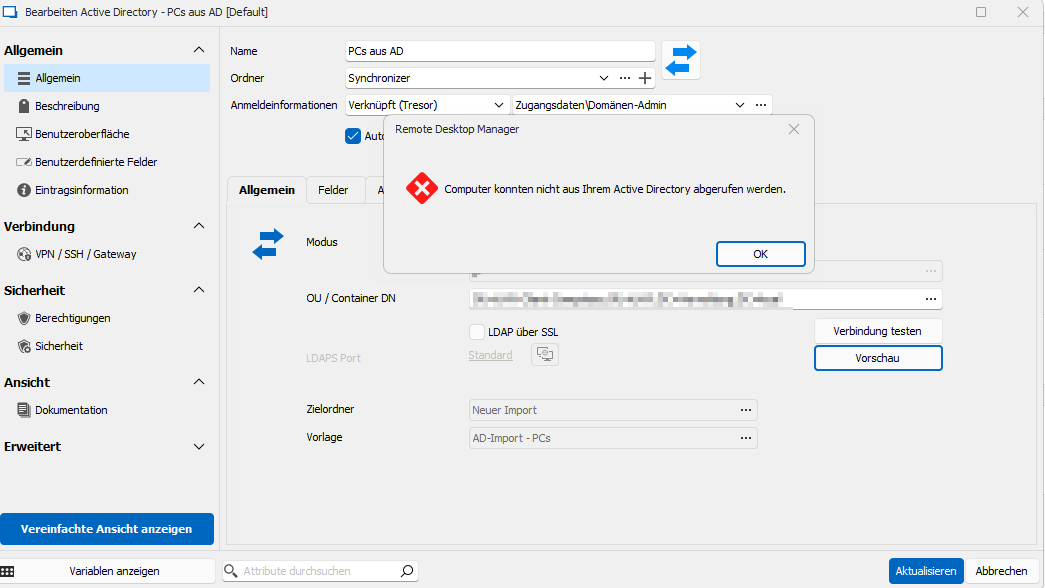
I use Version: 2024.1.17.0
c11672cf-77c7-4842-a093-1074603ff95c.png
389e1f7a-214f-46aa-884f-079d63b7eb44.png
All Comments (16)
Hello Thomas,
Thank you for reaching out to the Devolutions support team.
I want to let you know that we already have an internal case open for the issue you're experiencing. I will update our information on this ticket based on the details you provide.
Can you please let me know which type of data source you are using?
I will post any updates regarding this case or when the fixed version will be available.
Best regards,
Patrick Ouimet
Good morning,
of course, I forgot to write it.
I use the MS Active Directory and SQL
Have a nice day.
Any news on this?
still having the issue after update to 2024.1.19.0
Yes, for me too.
Me too with Devolutions Server
Any news on this?
still having the issue after update to 2024.1.19.0
We have changed the LDAP stack that we use for the AD Synchronizer in 2024.1.18. Can you please post a screenshot of the error you are receiving?
Last week, when I requested the update, I had the same issue as OP, but currently I can't replicate the error.
There is still an issue with the synchronizer, but the behavior is different: (Should I make a new thread?)
When I start the synchronizer (via double click or the Synchronize Button) there is a very short delay, after which the process stops without doing anything.
The Connection Test succeeds, but no AD objects are synced/updated.
Attached Profiler Output. (doesn't contain much information unfortunately. Sanitized Company Info)
performance.txt
Debug.txt
Just recreated a sync job and it works while the old entry (with the exact same configuration) does not...
Could there be a compatibility issue from 2023.x to 2024.1.x?
I also tried it, but the problem persists.
With the current version (2024.1.19.0), the 'Preview' seems to work, but all others do not. (Entries will be deleted and resync...)
Only the subconnections survive it - without function.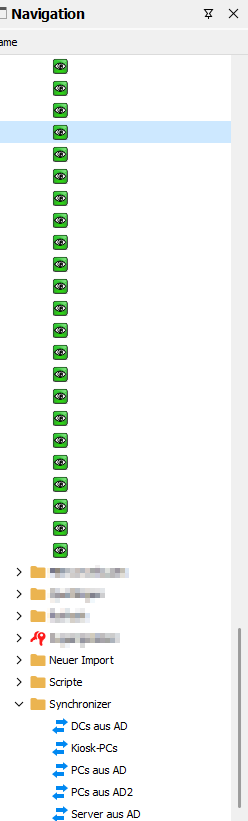
3f3f8fe4-d2f0-42ff-adad-95ec9339ef2b.png
It appears that the issue is not solved for me.
After recreation of the synchronizer, it works for anything from 1 - 4 times, then it stops working...
I just spent a few hours testing, but I can't find anything definitive as to why this happens.
While testing, I also noticed that the ldap filter, which worked in 2023.X, no longer works in 2024.1.19 (Connection Test works fine)
This is what I have as "other filter": (&(operatingSystem=*linux*)(!(|(description=*SAP HANA*)(userAccountControl:1.2.840.113556.1.4.803:=2))))
RDM converts it to the following query: (&(objectClass=Computer)(&(operatingSystem=*linux*)(!(|(description=*SAP HANA*)(userAccountControl:1.2.840.113556.1.4.803:=2)))))
Both work directly in AD as query...
But when i start the sync in RDM 2024.1.19 absolutely nothing happens, no error, no success message, nothing...
Please tell me if you need more information (logfile, profiler...)
It appears that the issue is not solved for me.
After recreation of the synchronizer, it works for anything from 1 - 4 times, then it stops working...
I just spent a few hours testing, but I can't find anything definitive as to why this happens.
While testing, I also noticed that the ldap filter, which worked in 2023.X, no longer works in 2024.1.19 (Connection Test works fine)
This is what I have as "other filter": (&(operatingSystem=*linux*)(!(|(description=*SAP HANA*)(userAccountControl:1.2.840.113556.1.4.803:=2))))
RDM converts it to the following query: (&(objectClass=Computer)(&(operatingSystem=*linux*)(!(|(description=*SAP HANA*)(userAccountControl:1.2.840.113556.1.4.803:=2)))))
Both work directly in AD as query...
But when i start the sync in RDM 2024.1.19 absolutely nothing happens, no error, no success message, nothing...
Please tell me if you need more information (logfile, profiler...)
I see the issue related to this filter. I am working on a fix asap.
Thanks,
Paul
I have applied a fix for the filter issue with the NOT clause ! in the filter, the fix will be released in RDM 2024.1.21.
Thanks,
Paul
I have applied a fix for the filter issue with the NOT clause ! in the filter, the fix will be released in RDM 2024.1.21.
That was fast thanks.
Regarding the original Issue of this thread, just updated to 2024.01.20 and it still does not work as in 2023.X
First Sync creates entries: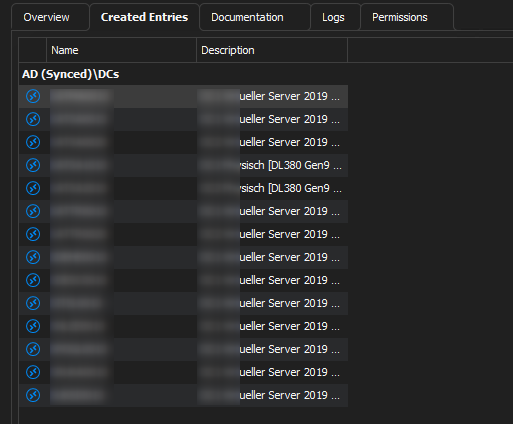
Moved some servers into another folder: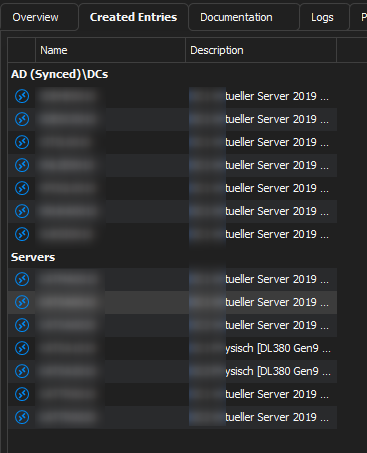
After another Sync it sorts the moved Server into the original folder (like in the first image)
Attached is the sanitized profiler output and sync job.
Sync COMP DCs.rdm
6c43ead5-2c54-458c-bad6-ecc4047a2378.png
a26ae99e-3aed-4827-95cf-d565d89e546d.png
Debug.txt
Hello,
The behavior you describe seems to be expected, as long as you have at least one of these two settings enabled :
Destination folder : 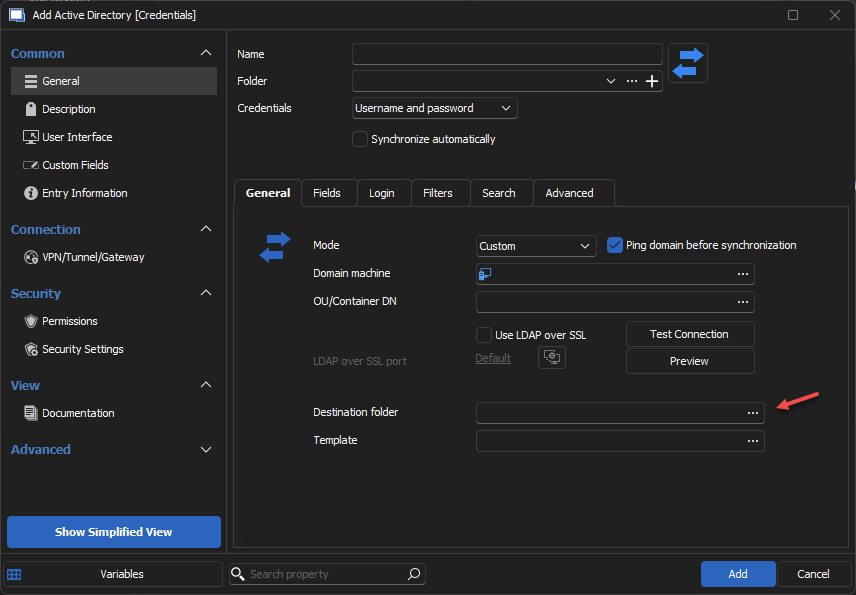
OU / Containers :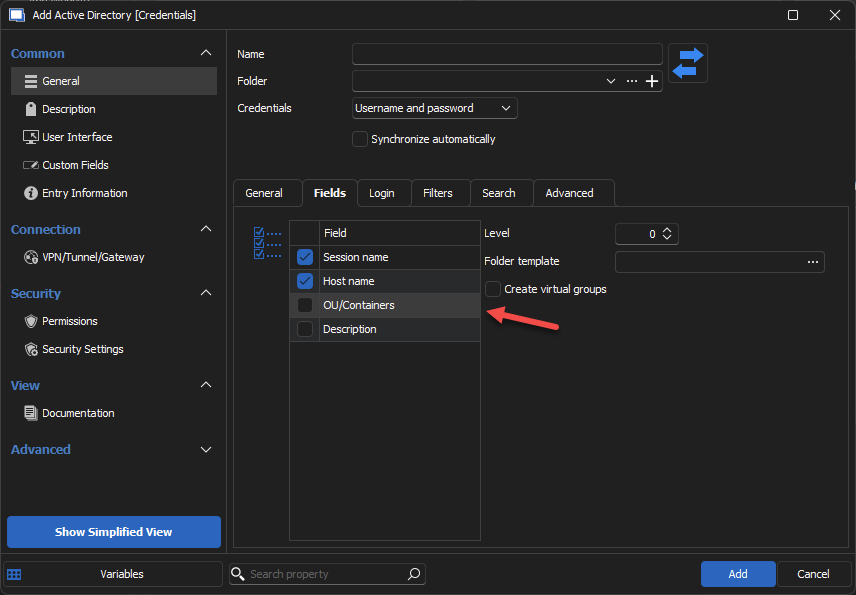
If you have one of these and you move previously synced entries out of their original folder, RDM will find these entries and move them back to the destination and/or container found.
If you want to manually move entries like this, you'd need to disable both of these settings. This will obviously mean that all newly synchronized entries will be created at the root level, but I'm afraid there's no other way to accomplish this otherwise.
Regards
Jonathan Del Signore
5b36ccc4-b63e-45b2-8ac8-9593681ddb91.png
b22b5ed0-6aa6-4c6a-8981-3e503c97403c.png
Hi Jonathan, sorry for reopening an old thread... (i couldn't find another Thread/User with the same issue, so i thought i just use this thread again, hope thats ok...)
We are currently running 2024.01 in Production and i started testing 2024.2 today (2024.2.13 to be exact)
As you wrote in your last post, we disabled both options (OU/Container as well as Destination Folder are emtpy/not enabled) and were able to sync our AD Entries just fine.
But with 2024.2 we have the same issue again, after the first sync sessions are created in the root of the datasource, then we move them into their respective folders and rerun the sync
What i would expect after 2024.1 is that the Session stays in the folder, but the sync moves the session back to the root...
I would guess from this that, like in 2024.1, something changed with AD Synchronizer Jobs in 2024.2...
Hello cryorig,
I sent you an email to investigate this issue further.
Best regards,
Patrick Ouimet