
chris_perkins
AWS Dashboard and SSO Support
Plus 1 for this request.
Move Session Between Data Source
Sorry for asking what seems to me to be a basic question, but I cannot figure out how to copy or move individual objects from my local data source to a sql data source.
Creating Templates
Hello,
I am trying to figure out a way to create a template structure of folders and connection objects that I can use to create tree branches for each of our sites.
E.G.
I want a create a "Company" type folder which contains multiple "Site" type folders, each of which contain a "Server" folder, a "Printer" folder, a "Device" folder, and a Identity Folder, each of which would contain multiple sub entries fitting into those categories. Then, as we set up a new office, I can use this preconfigured group of folders and sessions as a template that would allow me to enter computer names, IP addresses, credentials, etc specific for that site or company.
Any suggestions are welcome and appreciated.
Thanks,
CP.
Update removing User Specific Settings
I have full access to the database, so I don't think permissions are causing the problem.
Update removing User Specific Settings
I am currently using 12.6.6.0
I have the update available for 12.6.8.0
I currently have a number of things listed in my user specific settings list.
If I edit one of these, yes the edit is reflected in the application log.
However, we started using RDM Enterprise in September of last year, and each time we install updates, user specific settings are removed. I imagine that if I run the update right now, the same thing will happen.
Update removing User Specific Settings
I have no duplicate users in my data source. All are globally unique domain accounts.
Update removing User Specific Settings
How do I access the user management dialog?
Storing Local Device Credentials when using Inherited Credentials
Hi Jeff,
I am using a SQL server for my database. I am familiar with User Specific settings.
At the moment, I have configured the root of the database to use User Specific Settings for credentials, with all Child Groups and Objects configured to use Inherited credentials. This allows my colleagues to set their credentials at the root of the database a single time, rather than on the child objects and have all of our AD authenticated devices log them in with their personal credentials with minimal configuration.
However, I have a need to store device or application specific credentials (local administrator) on several devices and applications that we access using RDM.
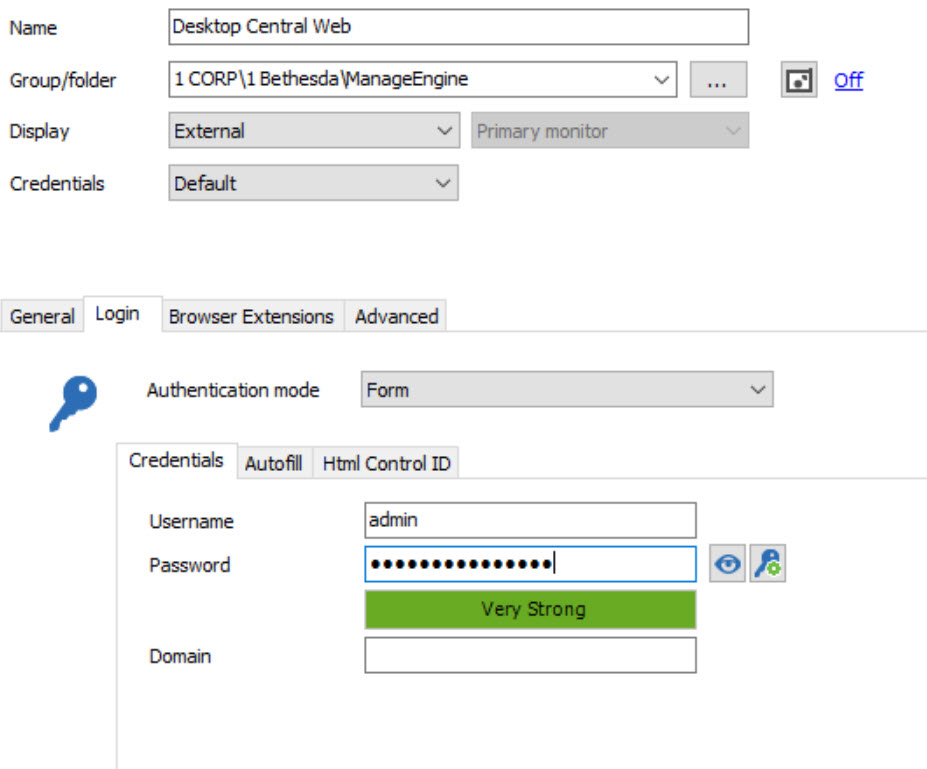
Here is one example of what I am trying to accomplish with Screenshots attached.
We are using ManageEngine Desktop Central. It has a local administrator account, which I would like to store in the default credentials form as pictured:
However, if I set credentials to be Inherited, so that my colleagues, who have set user specific credentials at the root level of the database, may log in using their stored credentials, automatically, without needing to set user specific credentials directly on this connection, then the user name and password stored in the default credentials form are wiped out:
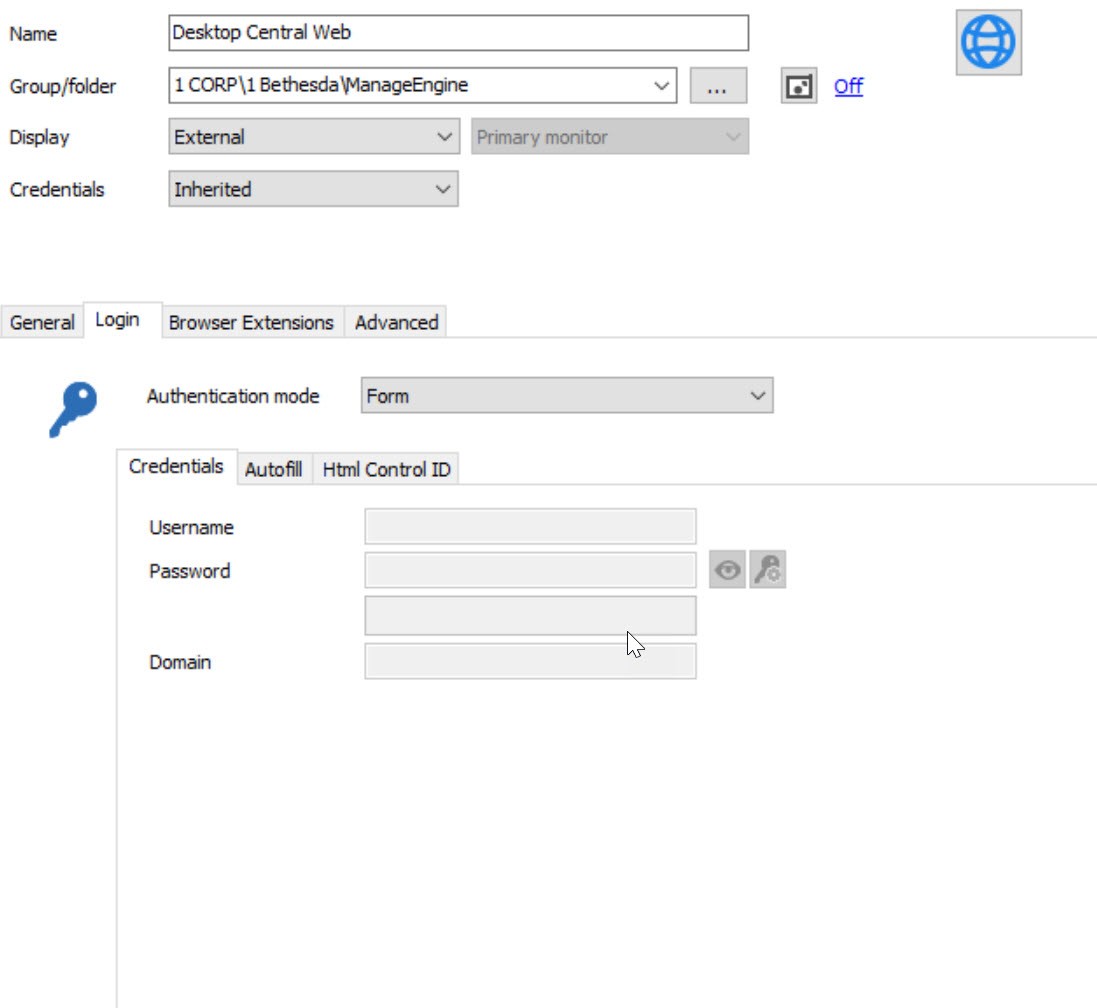
And not wiped out in a reversible way, but wiped out completely, even if I revert this entry back to default credentials.
Are you suggesting that I configure this device to use default credentials and that each of my colleagues edit their user specific settings on each device individually?
If so, I would like to make a feature request that a default tab for entering local device administrator credentials be created for all types of RDM connections. The main selling point that I have used to convince my team to adopt RDM as their primary means of interacting with our various networked devices using several different protocols (primarily RDP, SSH, HTTP/HTTPS) is the simplicity of creating connections and not needing to enter their username and password multiple times (or set credential entries for each RDM connection individually). Most of our devices are configured to use LDAP for AD authentication but we still want to keep device specific details such as local account credentials in RDM.
Storing Local Device Credentials when using Inherited Credentials
We use inherited credentials on all of our RDP sessions, so that each user may log into RDM using a domain administrator account.
However, setting a RDP session to use inherited credentials prevents storing a local device specific username and password. What is the proper way to achieve both goals?
Update removing User Specific Settings
I have defined user specific settings at the database level, so that my inherited groups / rdp sessions all pull from here...
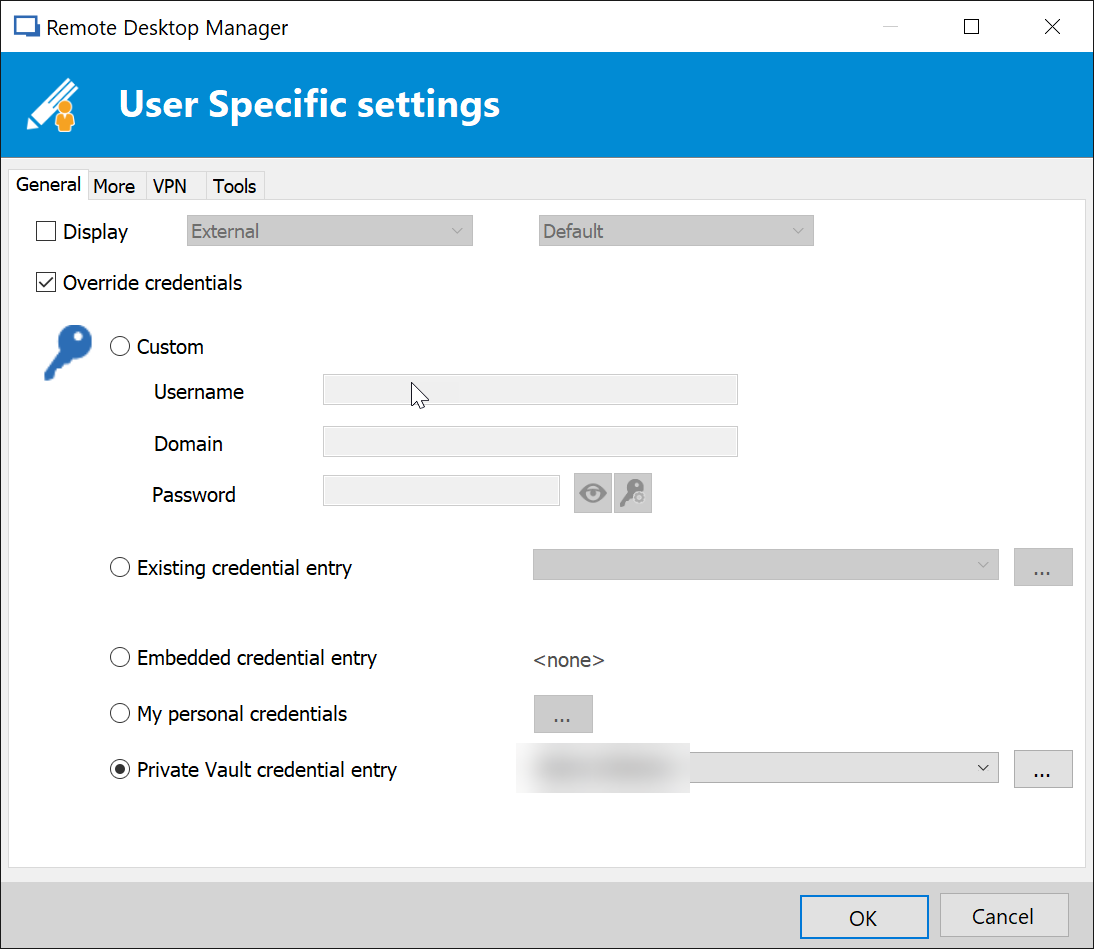
However, my user specific settings list is empty...
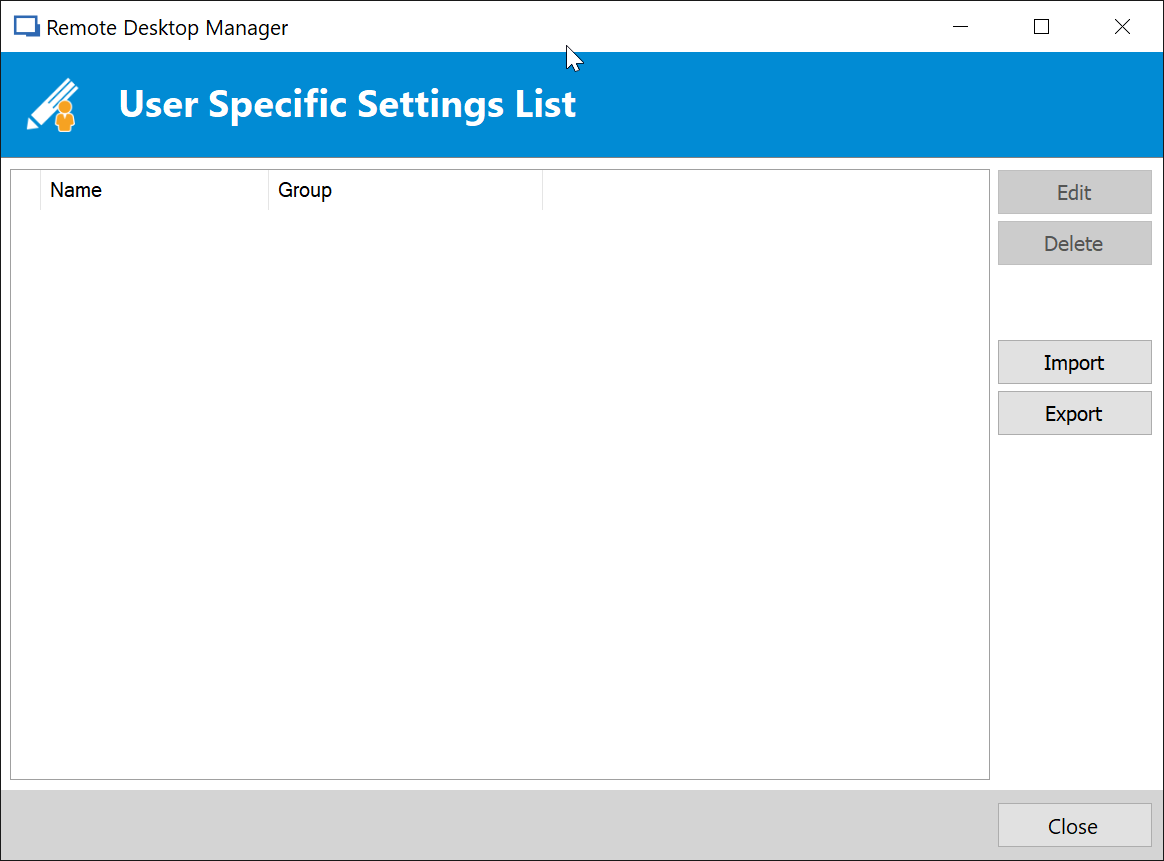
Update removing User Specific Settings
we are using a SQL database.
Update removing User Specific Settings
Each time I update my local application to a new version, my user specific credentials are being removed. Is this normal?
Reconnect option on RDP and custom icons question
Hello Chris,
This can you set up here:
In File -> Options -> Types -> RDP in the Reconnect Mode dropdown menu, select Full
More infos here ;)
Regards,
Min
Awesome! I should have asked months ago. TY!
Reconnect option on RDP and custom icons question
Maybe I'm asking a question that has already answered, but is there a way that I can have my credentials resubmitted when the RDP session has reached screen lock, but I am still connected, e.g. I go to a 30 minute meeting or to lunch. Currently, If I click reconnect.
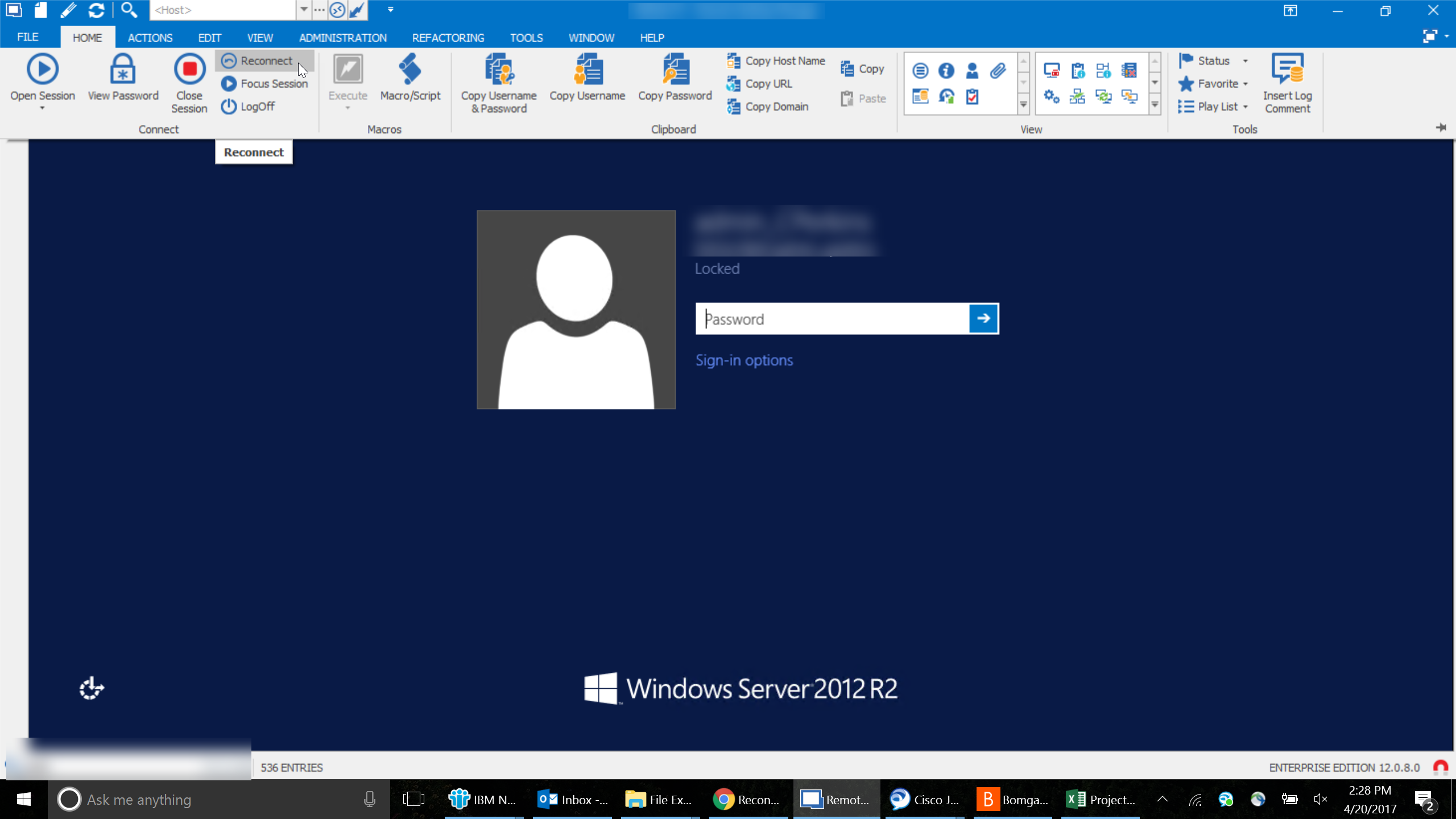
I land at a login page where a user must be selected.
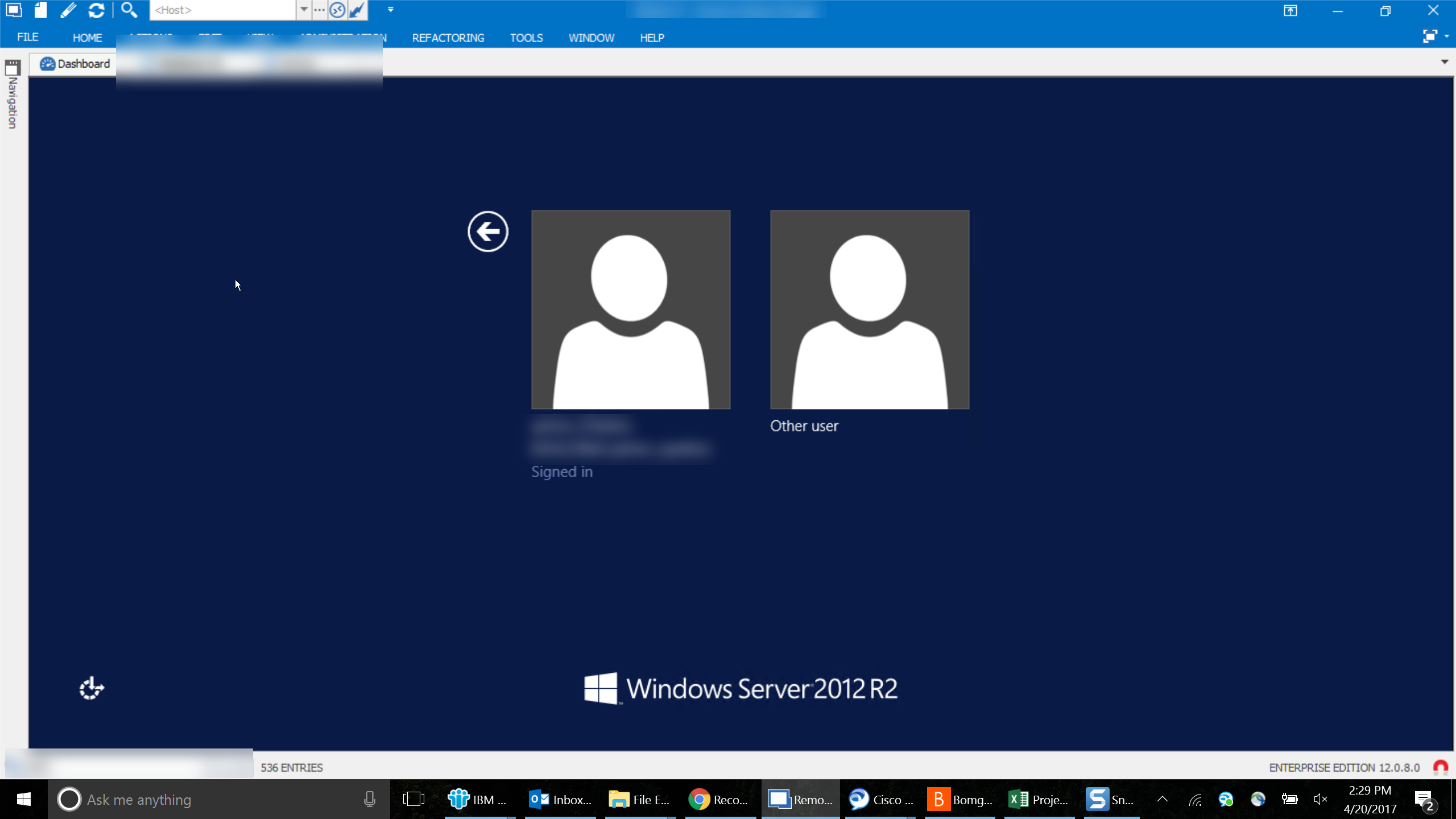
My only work around has been to close the session tab or window and reconnect from the navigation pane.
Account Lockout Issue
I recently changed the password for the domain account that I am using and since then have been locking out my account several times a day.
I think I updated my stored credentials correctly, but the issue persists. I have configured User Specific settings at the root of the database (SQL) and all RDP sessions should be using inherited credentials. I don't believe I have user specific settings enabled in any of the Groups / Folders at lower levels. However, I don't know the best way to go about removing them if I have accidentally set them. I have many groups / sub groups, so processing them manually is unrealistic.
I also have several https and HP ILO sessions set up with site / device specific passwords, so anything that wipes existing credentials completely (other than personal or users specific) would be bad.
Any suggestions?
Batch Edit Group / Folder Type
Thank you! These amazingly fast responses are one of the reasons I love RDM Enterprise!
Batch Edit Group / Folder Type
I have a number of folders that I would like to change to "Company." Is this possible as a batch action?
Auto Hide Ribbon vs Smart Resize
There's some ability to detect that the ribbon is causing the window size change, in that when I change auto hide ribbon to show tabs, the window does not automatically resize when I click on the tabs to reveal the commands...
So, as a work around, I've taken to using this setting, as it nearly accomplishes what I was looking for.
Auto Hide Ribbon vs Smart Resize
I like to use the auto hide ribbon feature when I’m using my laptop, as it gives me more real estate. However, when I click the top bar in the UI, it forces any RDP connections to smart resize. This is very frustrating, as many of the servers I connect to are over WAN connections in developing countries, e.g., DR Congo. Sometimes this means I have to wait a few minutes just because I clicked on the bar to show the ribbon. It would be great if you could re work your application to ignore the change in screen size when the ribbon is revealed.
4K screens and high DPI
I don't have a SB, but I have the same problem as you.
I cannot transition from my 2560x1440 laptop to my 1080p docking station without several steps, which are required to reset the DPI for both the OS and RDM.
As I gather, Windows locks in a DPI upon sign in, and some apps (Windows universal apps for instance) will scale properly if you connect to / disconnect from a docking station. However, a lot of legacy x64 applications will not. They read the OS DPI setting and adhere to that.
In order to get RDM to play well, I leave disable DPI scaling checked, all of the time. Then, after connecting to or disconnecting from my dock, I log off / back onto my computer (sets DPI correctly), launch RDM (for some reason launches at old DPI, usually will not display correctly), close RDM, Log off / back onto computer, Relaunch RDM, voila.
Its a PITA, but it's the only way everything will render correctly.
Other than buying monitors to match the resolution of your SB, I think this is your only option.
4K screens and high DPI
I am using an HP elitebook 1040 G3 with a native resolution of 2560 x 1440 provided by my employer. I'm happy with the laptop as I travel about 30% of the time, but it makes transitioning to and from my docking station a real pain. And unfortunately, 2560 x 1440 monitors are still running about 3x as expensive as the 1080p ones we buy, so there's not much chance that I can get upgrades any time soon.
I think Windows 10 really shines in High Res touch screen, but i feel your pain re: the legacy apps.
4K screens and high DPI
I've found that leaving disable DPI scaling checked all of the time has the best results.
However, if I dock or undock the computer, I need to log out / back into the computer, launch RDM, close RDM, log off / back on to the computer, and then relaunch RDM will be proportionally correct.
If I do not perform the steps listed above, I get weird results when I go from docked to undocked or vice versa. However, i get the same results with most programs that I use. Chrome also does not adjust well when I dock or undock.
From what I gather, some programs lock in a DPI scaling setting based on the resolution of the monitor in use at the time I log in. So, if I log in while docked to my dual 1080p monitors, almost all programs retain those DPI settings when I undock, and vice versa. The only programs that I've noticed handle the transition are Microsoft Applications (Office 2016 Pro Plus, Edge Browser, Universal Apps).
I think the only way to fix this would be to get monitors that match the resolution of my laptop.
Tools not running on remote servers
Hi,
I believe I misunderstood the issue that I was describing. I was operating under the assumption that the items on the Macros/Scripts/Tools tab of the dashboard ran operations on the remote server. So, the blank window with color bars is appearing when I click on those items. I have now tested the same server using the services and printers tool, and both are working as they should.
I am now curious to know the purpose of the items on the Macros/Scripts/Tools tab running on my local machine. Also, would still like to solve the mystery of the blank window I'm seeing when I run them...
Tools not running on remote servers
I have changed to session credentials, but the results are the same. I just get the box with the color bars as pictured in my previous attachment. pressing ESC closes that window, but then nothing else happens.
Tools not running on remote servers
Hi,
There is no error. I just get that box with the color blocks.
I am launching the tools by clicking the icon on the dashboard. I am away from my computer at the moment, but I will check the credential settings when I return in an hour or so.