Reconnect option on RDP and custom icons question

Hi,
I'm trying to find out the "reconnect" option of the RDP entry but i cannot find it anywhere. Coming from version 6 where you just right-click the entry and select reconnect which is very useful for lock out time sessions. Is there one available by a hotkey or something ?
I'm using version 10.0.4.0 because is the last one that has the add custom icon on folders and connections through the change icon on the properties of the entry and not using the "themes" directory that i cannot comprehend how it is working and it is not an easy and flexible solution. Would like an input on that.
Thank you
Regards,
Vassilis
RDM for Windows 11
Purchased Enterprise Edition v2026.x
All Comments (20)
Hi,
In the latest version the Reconnect is directly in the context menu. About the custom icons there is nothing we can do. The only solution is to use the custom theme:
https://blog.devolutions.net/2015/04/introducing-theme-support-for-remote-desktop-manager.html
We have to use our own icons to be compatible with all the different platform like Macos, IOS and Android.
Regards
David Hervieux
Hi David thanks for the reply.
Too bad that the reconnect option is not available not even with a hotkey.
About the custom icons unfortunately is something that i like and want on my installation so i cannot go past the 10.0.4 version :(
RDM for Windows 11
Purchased Enterprise Edition v2026.x
I'm running 12.0.8, and I can change my icons to anything I want? I'm not sure what the limitation here is supposed to be? (Unless that is in the 12.4.x beta's?)
And for reconnect, you can just right click on the entry in the tree, or in the tab to select Reconnect. I'm not sure why you aren't seeing the entry?
David F.
Hi David,
I think Vassilis want to use the legacy icons and not have to change the default icons to a custom value
Regards
David Hervieux
I'm Confused.
According to devolution, the add a custom icon to a folder or an entry is diminished https://blog.devolutions.net/2015/04/introducing-theme-support-for-remote-desktop-manager.html to the new theme support.
David Figueroa, are you talking about this ? you can change the icons using the "..." dotted lines ? and then the "select image from disk"

And add custom icons to all entries easily ?
as the reconnect, this option doesn't exists in the 10.0.4 version
RDM for Windows 11
Purchased Enterprise Edition v2026.x
You can still change any entry to a custom icon but it's not recommended to do it for all the entries. It's for performance reason because the custom icon loading could slow down the application refresh.
Regards
David Hervieux
Well David i don't see it.
I'm using also keepass which has a similar aspect in terms of custom icons with many entries.
I have also many custom icons in the 10.0.4 version with no issue and i was very surprised when you choose to change the feature with the very confusing "theme" support. We are talking about 20x20 icons with a few bytes of data
Its the only reason i'm still using the old version.
RDM for Windows 11
Purchased Enterprise Edition v2026.x
Hi,
You need to click on the image directly:
and use this link button
Regards


David Hervieux
CustomImageButton.png
CustomIcon.png
Well David, just upgraded from 10.0.4 to 12.0.8 just to check it and it is as i remember it. No option on "Load from disk"
what am i doing wrong ?
and i also don't see the reconnect option
what is going on ?
RDM for Windows 11
Purchased Enterprise Edition v2026.x
I think it's disabled by default. You can change the setting in your data source configuration

David Hervieux
AllowCustomImage.png
What connection type have you tried?

David Hervieux
Reconnect.png
Ok first one is good, i enable the setting and i have the option to load from disk. That should be on the hint and tip section :D
About the reconnect maybe i confused you. I remember from version 6, on the RDP entry, when you open RDP session and after a while you get locked, you had the right click and select option "reconnect" so you re entry the credentials and unlock the session. Now on RDP session there is no reconnect option. At least again i don't see it :(
RDM for Windows 11
Purchased Enterprise Edition v2026.x
I don't understand. I have the Reconnect option. I've verified the source code and the only way to hide it it's when RDP is opened in external mode.
Regards
David Hervieux
Bingo.
I have external on the settings. I swear that on the old version i had external and the reconnect option was there.
SO that is the issue.
ok i changed it to "undocked" from external, what is the difference ? it seams that it does the job that i want (different external movable windows) and i have the reconnect option
RDM for Windows 11
Purchased Enterprise Edition v2026.x
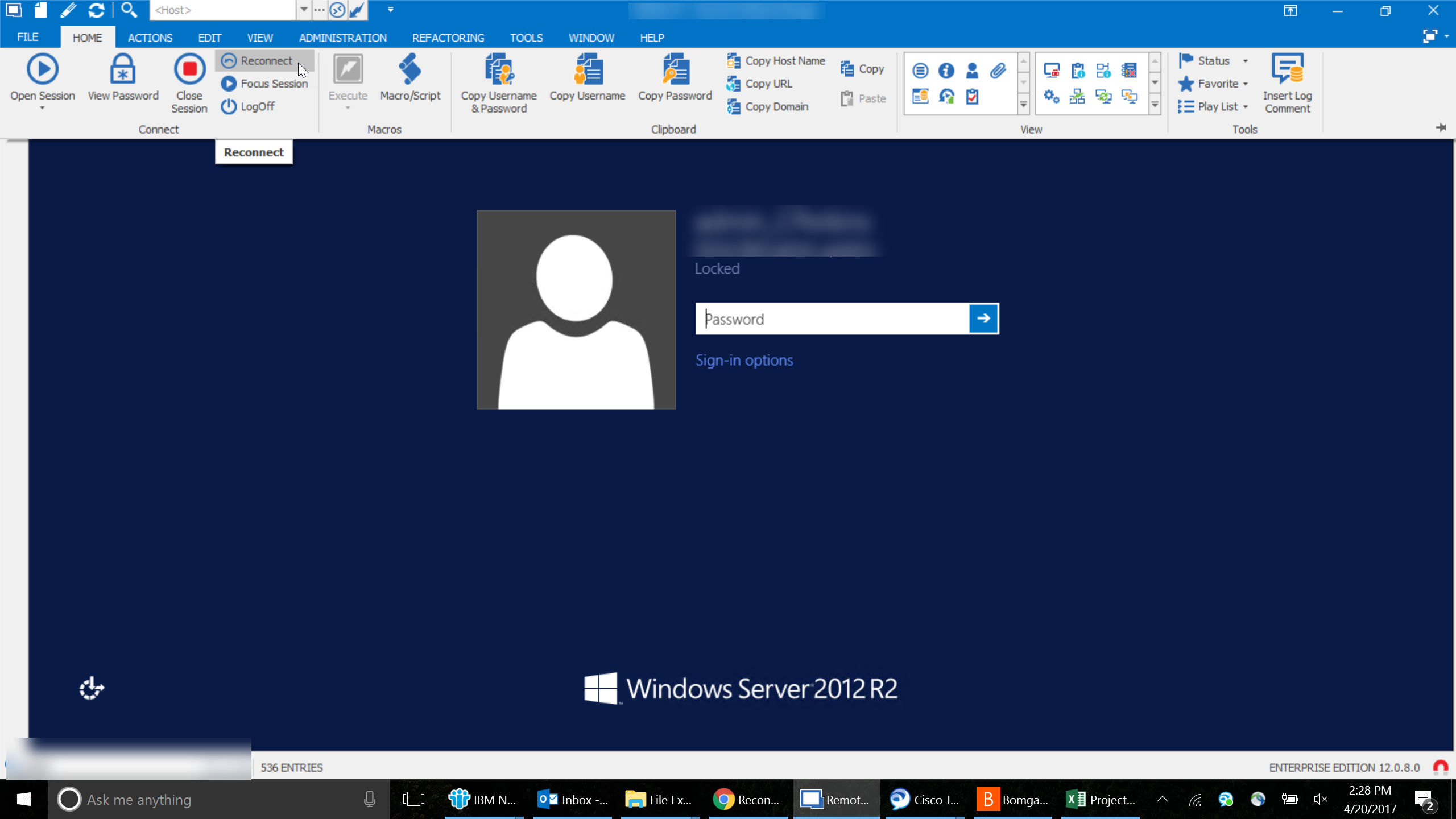
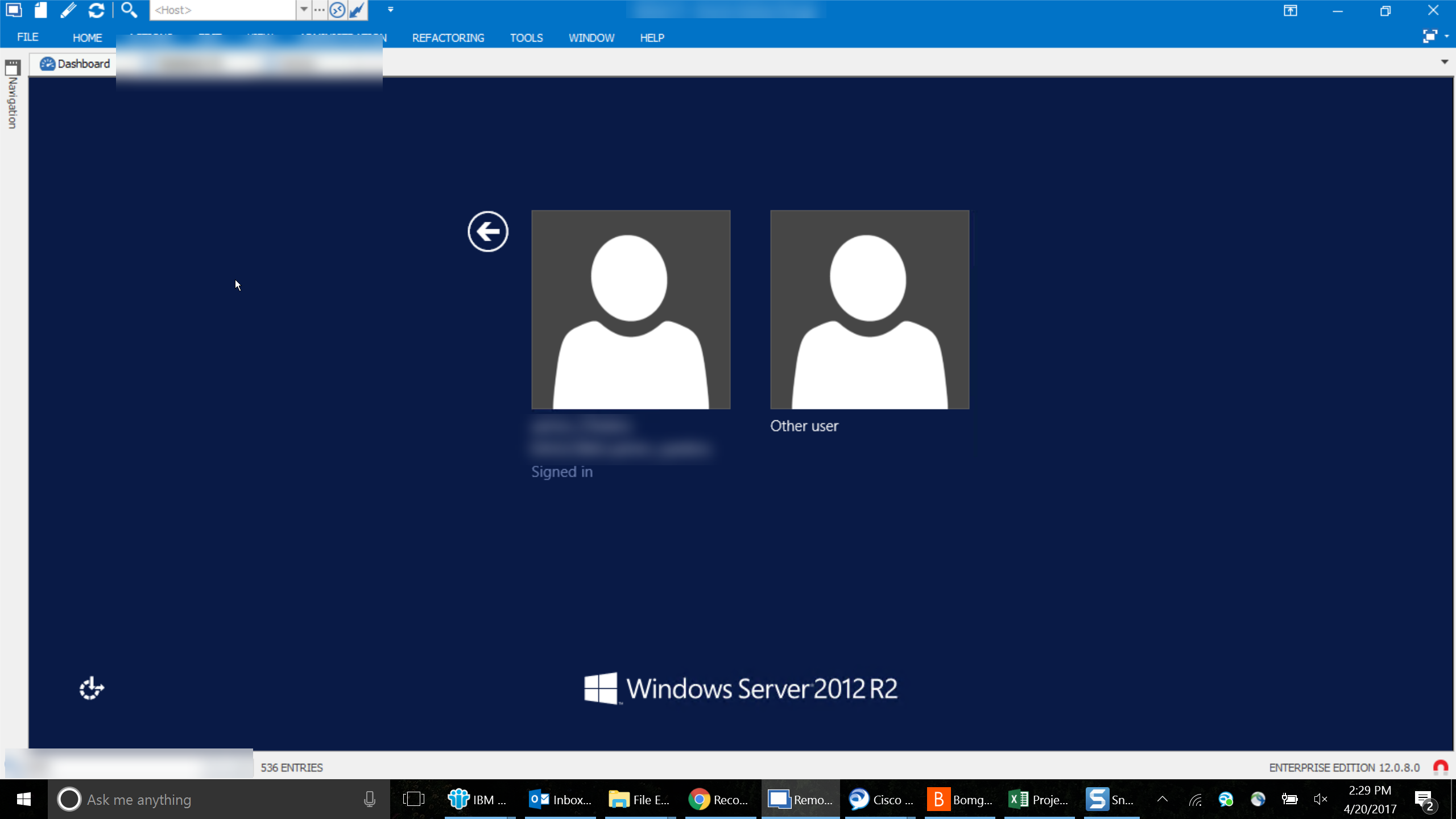
Maybe I'm asking a question that has already answered, but is there a way that I can have my credentials resubmitted when the RDP session has reached screen lock, but I am still connected, e.g. I go to a 30 minute meeting or to lunch. Currently, If I click reconnect.
I land at a login page where a user must be selected.
My only work around has been to close the session tab or window and reconnect from the navigation pane.
Reconnect2.png
Reconnect1.png
Hello Chris,
This can you set up here:
In File -> Options -> Types -> RDP in the Reconnect Mode dropdown menu, select Full
More infos here ;)
Regards,
Min
clip6043.png
Good tip Min Destens :thumb:
RDM for Windows 11
Purchased Enterprise Edition v2026.x
@Vassilis
This could explain. Just to be sure I understand with the external mode, the window was closed and re-opened?
Regards
David Hervieux
@David, no it just focus the window and you see a reconnect, a small flash in the screen.
RDM for Windows 11
Purchased Enterprise Edition v2026.x
Awesome! I should have asked months ago. TY!