Storing Local Device Credentials when using Inherited Credentials
Storing Local Device Credentials when using Inherited Credentials

We use inherited credentials on all of our RDP sessions, so that each user may log into RDM using a domain administrator account.
However, setting a RDP session to use inherited credentials prevents storing a local device specific username and password. What is the proper way to achieve both goals?
All Comments (3)
Hello,
I suppose that you are already using a Advanced Data Source like SQL Server or Devolutions Server as example, so in that case, I would suggest to use the User Specific Settings feature to override the credential of the session and use your personal credential to connect.
For more information on the User Specific Settings feature, please consult https://help.remotedesktopmanager.com/edit_userspecificsettings.htm
This feature will work perfectly with the Private Vault. The Private Vault can be used to save your personal credentials in the database. Please note that only you has access to your Private Vault. For more information, please consult https://help.remotedesktopmanager.com/view_navigation_privatevault.htm
Best regards,
Jeff Dagenais
Hi Jeff,
I am using a SQL server for my database. I am familiar with User Specific settings.
At the moment, I have configured the root of the database to use User Specific Settings for credentials, with all Child Groups and Objects configured to use Inherited credentials. This allows my colleagues to set their credentials at the root of the database a single time, rather than on the child objects and have all of our AD authenticated devices log them in with their personal credentials with minimal configuration.
However, I have a need to store device or application specific credentials (local administrator) on several devices and applications that we access using RDM.
Here is one example of what I am trying to accomplish with Screenshots attached.
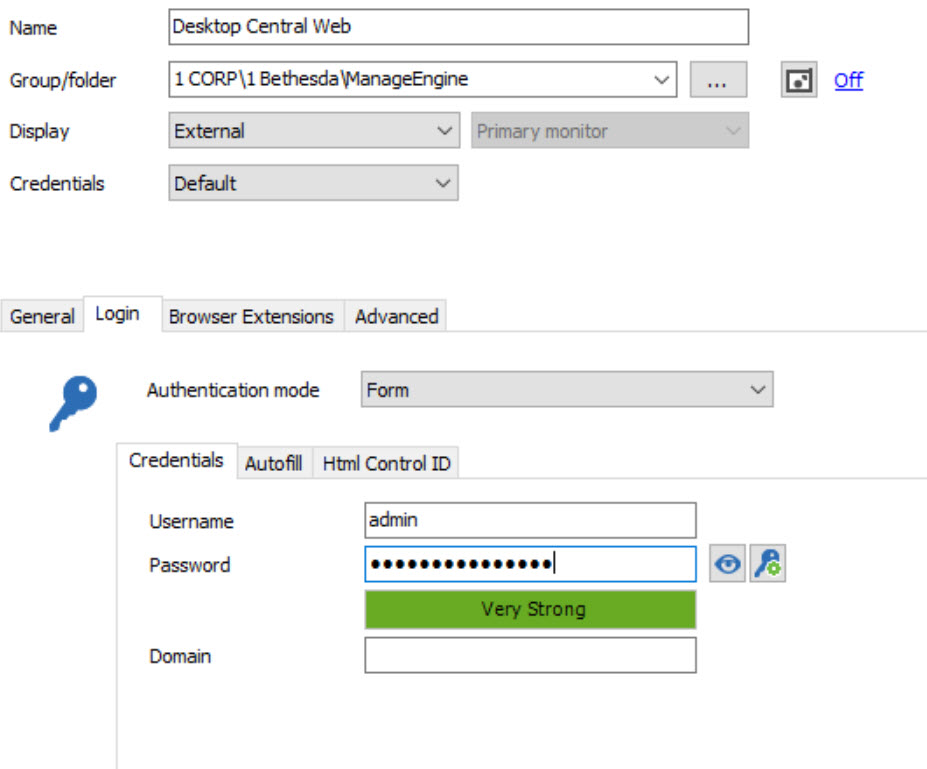
We are using ManageEngine Desktop Central. It has a local administrator account, which I would like to store in the default credentials form as pictured:
However, if I set credentials to be Inherited, so that my colleagues, who have set user specific credentials at the root level of the database, may log in using their stored credentials, automatically, without needing to set user specific credentials directly on this connection, then the user name and password stored in the default credentials form are wiped out:
And not wiped out in a reversible way, but wiped out completely, even if I revert this entry back to default credentials.
Are you suggesting that I configure this device to use default credentials and that each of my colleagues edit their user specific settings on each device individually?
If so, I would like to make a feature request that a default tab for entering local device administrator credentials be created for all types of RDM connections. The main selling point that I have used to convince my team to adopt RDM as their primary means of interacting with our various networked devices using several different protocols (primarily RDP, SSH, HTTP/HTTPS) is the simplicity of creating connections and not needing to enter their username and password multiple times (or set credential entries for each RDM connection individually). Most of our devices are configured to use LDAP for AD authentication but we still want to keep device specific details such as local account credentials in RDM.
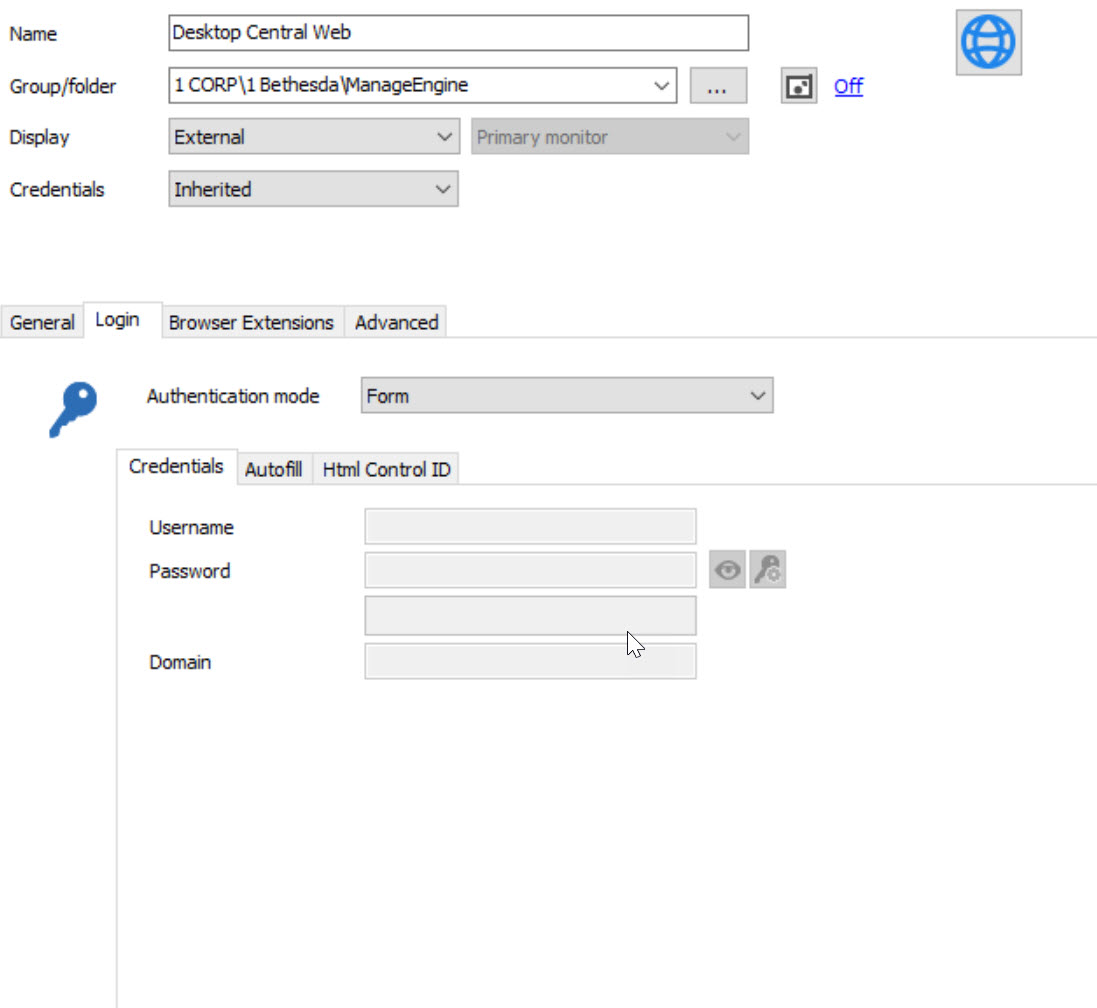
HTTP Inherited Credentials.jpg
HTTP Default Credentials.jpg
@Chris,
It's not possible to configure a specific username and password inside the session and use Inherited at the same time.
If for a specific session, you need to log using an administrator account, I suggest to save the credential in a Username / Password credential entry and configure the session to use this credential entry using the Credential Repository feature.
Using the Username / Password credential entry will allow you to use this entry in multiple sessions if needed.
Then, if your users need to use their own credentials to connect, they will enable the User Specific Settings on that specific session.
It's possible to enable the User Specific Settings option on multiple entries at the same time using our Batch Edit feature. To do so, go in Edit -> Batch Edit -> User Specific Settings.
Best regards,
Jeff Dagenais