
(user deleted)
New version shows error upon startup
We do use a passphrase. It asked for it after updating, I put it in, then the keyring window popped up asking to log in, so I did, then the error message popped up.
For our Windows machines we enter the passphrase once and that's it.
New version shows error upon startup
For Windows, 2020.2.20.0
We are using MariaDB
New version shows error upon startup
This is for ChromeOS, RDM was working fine before the 2.4 update.
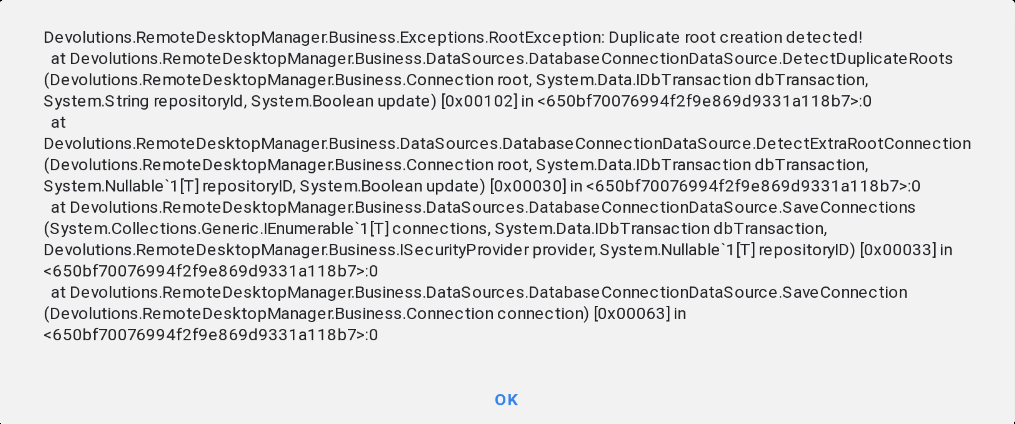
Installed Enterprise on ChromeOS, starts then stops
I think I know why.
Could you try installing gnome-keyring?
sudo apt-get install gnome-keyring
BOOM! That was it. RDM asked to enter in a password to create a key ring. After that I shut it down and started again, didn't ask for a PSK.
These steps should be pinned on the forum.
I am running Chrome OS V 84.0.4147.136 (Official Build) (64-bit) for reference. One step closer for moving away from W10.
Installed Enterprise on ChromeOS, starts then stops
Could you try this command in a terminal
secret-tool search SourcePassword 'Remote Desktop Manager'
Command not found for secret-tool
Installed Enterprise on ChromeOS, starts then stops
libsecret-1-0 along with libsecret-1-dev, libsecret-1-common, and libsecret-1-tools are already installed.
After some investigative work, we already are saving the PSK in a secure keychain.
RDM uses libsecret to securely save information on disk.
ChromeOS is probably not shipping with libsecret-1-0 installed by default.
Could you try installing that?
Installed Enterprise on ChromeOS, starts then stops
Reporting back that our MariaDB data source added successfully. We use a PSK and it asks every time RDM is started. Curious if there is an easier way to keep the data source encrypted while not having to ask for the PSK on every start (this doesn't happen on Windows).
Installed Enterprise on ChromeOS, starts then stops
The 3rd time I tried activating it actually worked. The process took about 90 seconds and then showed a message that it activated. Checked the about section and it does show my correct license information. It closes and starts normally. Now to try adding our data source.
This is the output from terminal, this happens every time I start RDM.
xkbcommon: ERROR: Key "<CAPS>" added to modifier map for multiple modifiers; Using Mod3, ignoring Lock

(RemoteDesktopManager:10634): GLib-GObject-CRITICAL **: 10:39:46.536: g_signal_connect_data: assertion 'c_handler != NULL' failed

(RemoteDesktopManager:10634): GLib-GObject-CRITICAL **: 10:39:46.565: g_signal_connect_data: assertion 'c_handler != NULL' failed

(RemoteDesktopManager:10634): GLib-GObject-CRITICAL **: 10:39:46.573: g_signal_connect_data: assertion 'c_handler != NULL' failed

(RemoteDesktopManager:10634): GLib-GObject-CRITICAL **: 10:39:46.580: g_signal_connect_data: assertion 'c_handler != NULL' failed

(RemoteDesktopManager:10634): GLib-GObject-CRITICAL **: 10:39:46.585: g_signal_connect_data: assertion 'c_handler != NULL' failed

(RemoteDesktopManager:10634): GLib-GObject-CRITICAL **: 10:39:46.592: g_signal_connect_data: assertion 'c_handler != NULL' failed

(RemoteDesktopManager:10634): Gtk-CRITICAL **: 10:39:46.648: gtk_entry_set_text: assertion 'text != NULL' failed

(RemoteDesktopManager:10634): Gtk-CRITICAL **: 10:39:46.701: gtk_box_gadget_distribute: assertion 'size >= 0' failed in GtkNotebook
xkbcommon: ERROR: Key "<CAPS>" added to modifier map for multiple modifiers; Using Mod3, ignoring LockInstalled Enterprise on ChromeOS, starts then stops
That worked! However when I try to enter our company's enterprise serial number it states the serial number is not valid.
Installed Enterprise on ChromeOS, starts then stops
Here is the output,
xkbcommon: ERROR: Key "<CAPS>" added to modifier map for multiple modifiers; Using Mod3, ignoring Lock
Exception in Gtk# callback delegate
  Note: Applications can use GLib.ExceptionManager.UnhandledException to handle the exception.
System.DllNotFoundException: lib/libWebView.so assembly:<unknown assembly> type:<unknown type> member:(null)
  at (wrapper managed-to-native) Client.Controls.WebView.NewWebView()
  at Client.Views.Dashboard.BaseDashboardView..ctor (System.IntPtr handle) [0x00007] in <07af1acce5f745dfba5c26585148f32a>:0
  at Client.Views.Dashboard.DashboardRootView..ctor (Gtk.Builder builder) [0x00011] in <07af1acce5f745dfba5c26585148f32a>:0
  at Client.Views.Dashboard.DashboardRootView..ctor () [0x0000b] in <07af1acce5f745dfba5c26585148f32a>:0
  at Client.Views.Embedded.EmbeddedDashboardView..ctor () [0x00000] in <07af1acce5f745dfba5c26585148f32a>:0
  at Devolutions.RemoteDesktopManager.Managers.EmbeddedViewManager.OpenDashboard () [0x00000] in <07af1acce5f745dfba5c26585148f32a>:0
  at Client.Windows.MainWindow..ctor (Gtk.Builder builder) [0x0004d] in <07af1acce5f745dfba5c26585148f32a>:0
  at Client.Windows.MainWindow..ctor () [0x0000b] in <07af1acce5f745dfba5c26585148f32a>:0
  at Devolutions.RemoteDesktopManager.App+<>c.<OnStartup>b__1_0 () [0x00005] in <36b90ddc36d54df4aa1326764d6674cf>:0
  at Client.Windows.SplashScreenWindow.DoWork () [0x0000a] in <07af1acce5f745dfba5c26585148f32a>:0
  at GLib.Timeout+TimeoutProxy.Handler () [0x00000] in <5a34df7d261240358d61453b6bc52857>:0
  at GLib.ExceptionManager.RaiseUnhandledException (System.Exception e, System.Boolean is_terminal) [0x00000] in <5a34df7d261240358d61453b6bc52857>:0
  at GLib.Timeout+TimeoutProxy.Handler () [0x00000] in <5a34df7d261240358d61453b6bc52857>:0
  at System.Object.wrapper_native_0x792025b48aa0 () [0x00000] in <a17fa1457c5d44f2885ac746c1764ea5>:0
  at Gtk.Application.Run () [0x00000] in <c2feb1c5d39a4660b3f5c10dab7825eb>:0
at Devolutions.RemoteDesktopManager.Program.Main (System.String[] args) [0x00000] in <36b90ddc36d54df4aa1326764d6674cf>:0Installed Enterprise on ChromeOS, starts then stops
I installed RDM Enterprise on a new ChromeOS device with an i3 CPU. The splash logo pops up but then closes. Nothing else happens.
Asking for Master Key so much is annoying
Any updates for this?
Access non-web info from Chrome Plugin
It would be great of the Chrome plugin could access ALL types of information in the hub, like credit card info, secure notes, etc.
Asking for Master Key so much is annoying
Should be like RDM with PSK, enter once, then can use two factor every time to log in again. With the 2FA app it would be a breeze compared to finding the master key, copying it, pasting it every time.
Asking for Master Key so much is annoying
After switching from Lastpass, I find it extremely annoying I have to constantly enter in the master key for both the web version and Chrome plugin. Master key should be retained for at least 7 days before asking.
L2TP VPN's in RDM using rasphone
Hello, is there a way we can get L2TP vpn's working via rasphone stored in database? We use Pre Shared Keys and apparently Windows doesn't copy the PSK into the rasphone.pbk on the PC. Any ideas? We are trying to phase out the use of PPTP.
Unable to read data from the transport connection: Connection reset by peer
Sent.
Unable to read data from the transport connection: Connection reset by peer
Using version 3.81. This was a clean install and first time setting data source up. Can't take snapshot as app doesn't allow it.
Unable to read data from the transport connection: Connection reset by peer
Getting this error when trying to connect to my data source. Using SQL Azure, shared passphrase, and 2 factor with Google Auth. When I set up the data source I made sure to select Azure, and I can successfully "Test" the database. Since I can't take a snapshot from phone I'll try and type the more detailed error message.
Devolutions.RemoteDesktopManager.Business.TryGoOfflineException: Unable to read data from the transport connection: Connection reset by peer. ---> System.IO.IOException: Unable to read data from the transport connection: Connection reset by peer. ---> System.Net.Sockets.SocketException: Connection reset by peer at System.Net.Sockets.Socket.Recieve (System.Byte[]buffer, System.Int32 offset, System.Int32 size, System.Net.Sockets.SocketFlasgs socket-Flags)
Any plans for a web based client?
Like the title says. This would solve the issue to make the application work across different OS's.
Copy username & password, copy username, copy password rarely work.
After flip-flopping between legacy and secure, it seems to be working now for both options. Not sure what caused it but hopefully it continues to work.
Copy username & password, copy username, copy password rarely work.
It may be something that does not seem relevant, we know that Citrix GotoAssist breaks it..
Can you confirm that you see the notification that it has been copied to the clipboard?
Does it paste in a simple text editor?
I do see the notification saying it copied the username and password to the clipboard. Tried pasting in Notepad and no luck. Right clicking to bring up context menu shows the paste option as greyed out.
Copy username & password, copy username, copy password rarely work.
Hello,
There is a safety feature that clears the clipboard. In past releases it was timer based and was 10 seconds. For the new version, we have a new mode that watches the clipboard and is notified when it has been used. In that case we clear it immediately.
We have seen some tools that are monitoring the clipboard continuously, therefore we are clearing it almost immediately.
Do you know if you have something that monitors the clipboard?
You can try to set the "Clipboard copy method" to legacy. Its in the General tab of the options.
Best regards,
I don't have any program monitoring the clipboard. Clear clipboard delay is set to 300 sec, Clipboard secure copy delay is set to 10ms, copy method is paste once (secure), credential copy options set to all. Tried legacy and no difference.
Copy username & password, copy username, copy password rarely work.
These features are rarely working for me on most sessions. For example, I have a web session using chrome and clicking on any of the options does not do anything. I have to right click on the session, and hit view credentials, then select the password/username and hit ctrl C for it to work. A bit annoying. I'm on version 11.7.6.0 using MariaDB data source.
VPN error using rasphone.pbk located on server - error 623
Hello,
Is there a key or some other setting that you must apply locally but that is not contained in the phonebook file? For a typical RAS connection you do not need anything other than the phonebook file.
Best regards,
Nothing special going on, just a PPTP VPN and not using default remote gateway.