
khakkinen
Errors while trying to create a new database
Hello Stefane,
That is correct. If I run the SQL Query at the end of that Topic, the database works fine. Before that, it doesn't work at all. Just keeps throwing up error 2 and 3 in my post above.
Thanks,
Karl
Errors while trying to create a new database
Hey everyone,
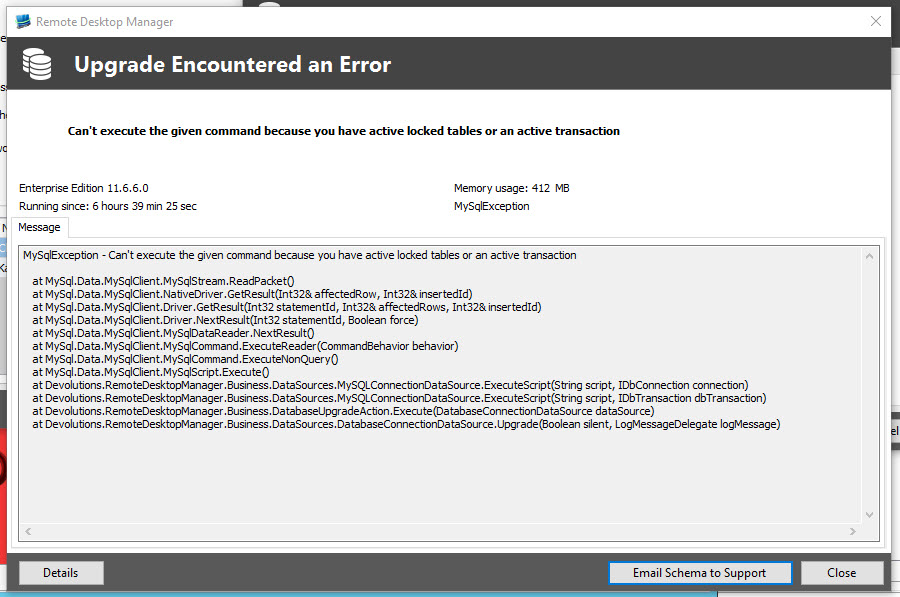
Lately I have decided to create a data source using Maria SQL. I filled in the form like normal, clicked on the Upgrade tab and then clicked "Create Schema". Once I clicked on the button, it paused for a few seconds then spat out this error message:
When I clicked on "Email Schema to Support", the following two messages come up in succession:
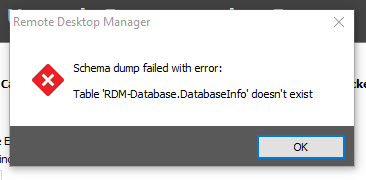
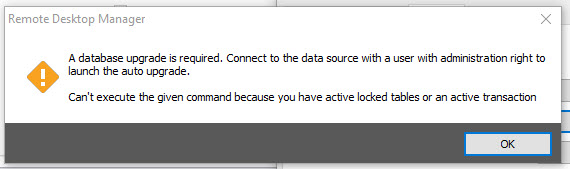
When I look at the database list on my Maria SQL server, I find that the database was created but the only table created is "Connections". The database user in this case has full access to the server (Just for testing purposes) so access is not an issue. The service running on my server is MySQL but even when I use the MySQL data source it comes up with the same error.
If I run the fix found in this thread:
https://forum.devolutions.net/topic24197-mysql-data-source-error.aspx
It works just fine.
What could be causing this?
Thanks,
Karl
Windows 10 & 10.9.8.0
Doh! I must have been either really drunk or off my head on pain releivers.
It turns out I was running the exe and msi. Downloading and extracting the zip and copying the files into the RDM directory worked like a treat :) Strange how the installers dont work though.
Windows 10 & 10.9.8.0
Ah, I think I was getting confused earlier. I have tried both the zipped version (Zip with an exe inside) and the msi version with the same results.
Windows 10 & 10.9.8.0
Hey David,
It unzips fine. Not knowing what I do from there I tried to open the [0] file as a archive but that failed ("Can not open file as an archive" error) and tried renaming it to msi with the same crash result as before.
Thanks,
Karl
Windows 10 & 10.9.8.0
Hey guys,
I am running Windows 10 and am unable to upgrade to 10.9.8.0. Whenever I try to run the upgrade, I get "Windows Installer has stopped working". Looking in event viewer, I find this:
Faulting application name: msiexec.exe, version: 5.0.10240.16386, time stamp: 0x55a06b66
Faulting module name: SHELL32.dll, version: 10.0.10240.16425, time stamp: 0x55bec62c
Exception code: 0xc0000005
Fault offset: 0x00000000000ca2f7
Faulting process ID: 0x2238
Faulting application start time: 0x01d0d6e50c4b23f9
Faulting application path: C:\WINDOWS\system32\msiexec.exe
Faulting module path: C:\WINDOWS\system32\SHELL32.dll
Report ID: 5dc86a71-982e-46f8-975f-bf1b459302c7
Faulting package full name:
Faulting package-relative application ID:
I have tried running as administrator and in compatability mode. I have also tried it on my laptop (Which is Windows 10) and it is having the same issue. Any clues on what is going on?
Thanks,
Karl
SSH overwritting screen after full screen program
Looks like I spoke too soon, still happening :(
SSH overwritting screen after full screen program
Hello guys,
It looks like the latest update has fixed the issue :) Thanks heaps :)
Thanks,
Karl
SSH overwritting screen after full screen program
Thanks David :) Sounds good.
SSH overwritting screen after full screen program
Just thought I would update, the problem is still occurring.
SSH overwritting screen after full screen program
Already tried that, no difference.
SSH overwritting screen after full screen program
I noticed this happens more frequently after working with a terminal after long hours. When RDM is freshly launched, this problem doesn't occur.
For me it happens even on a fresh launch. I find it happens once the screen fills with text (And starts filling the off screen buffer) and then I run Nano or Vi (Or any full screen program).
SSH overwritting screen after full screen program
When you say external mode do you mean un-docked or using the external PuTTY program?
If I undock the window, it still happens. If I use PuTTY, it doesn't happen.
SSH overwritting screen after full screen program
Hey guys,
I have noticed a problem with SSH when connected to Unix (CentOS specifically).
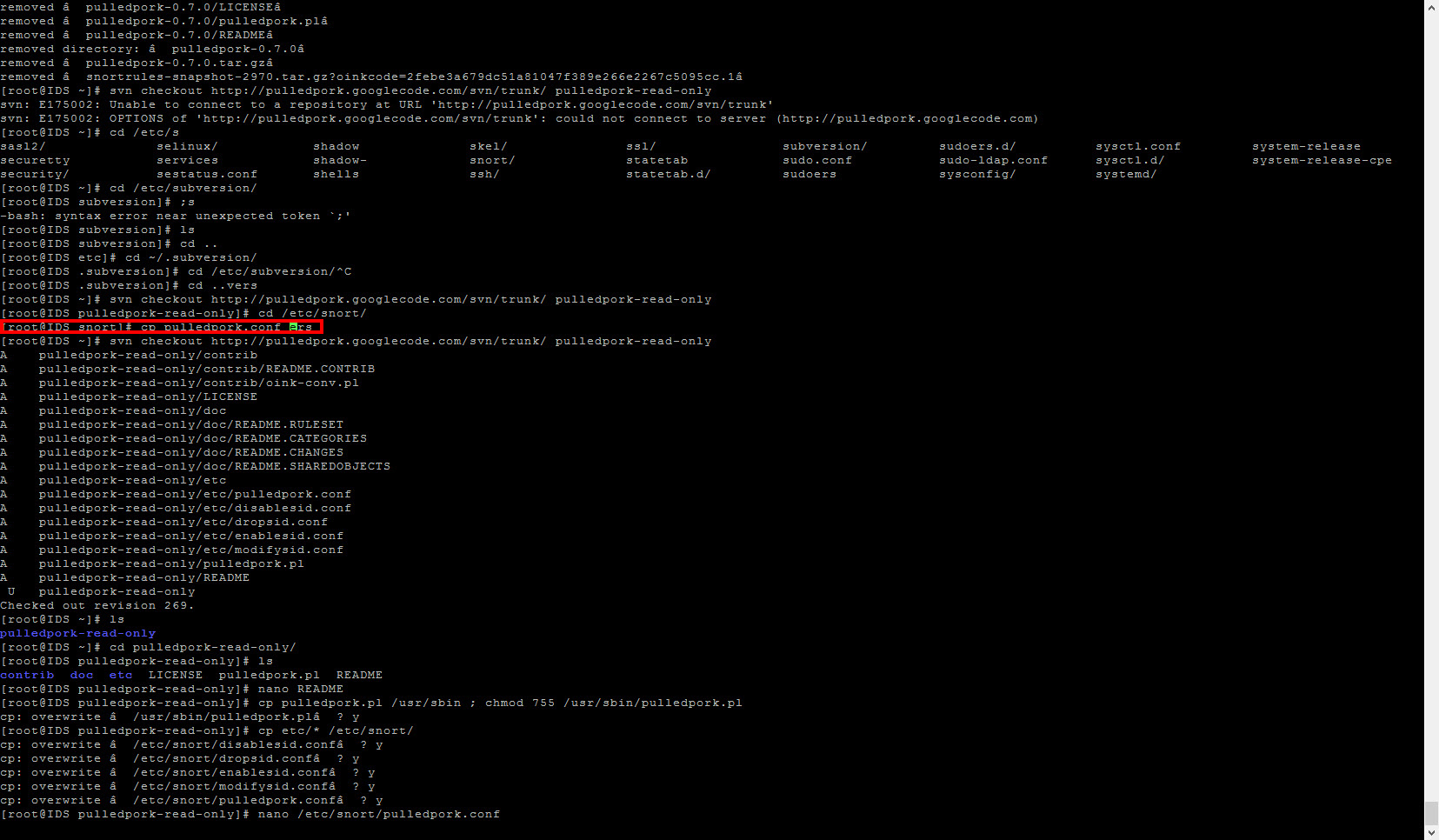
If I use it for a while (So the terminal screen starts scrolling down) then open a full screen program (Eg. Nano or Vi), when I exit out of the program the cursor appears half way up the screen instead of at the bottom. Because of this, it begins to overwrite whatever was on that line as I type.
Any clues? I have tried it in Putty, Plink and Kitty modes.
Thanks,
Karl
Tile Arraignment Icons Switched
Wow, talk about quick work :) Thanks :P I will keep an eye out.
Tile Arraignment Icons Switched
Hey guys,
I just noticed, when using the "Tile Vertical" function, that the icons are switched. The icon for Verticle is next to Horizontal and the icon for Horizonotal is next to Vertical.
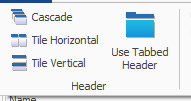
I am using the latest Beta.
Thanks,
Karl
Remote Desktop Manager 10.1 Beta
Looking good guys :)
Is there any possibility of having a setting that sets the todo list to global instead of per group or per machine?
Remote Desktop Manager 10.1 Beta
Ok, for me, the ARD enter problem has vanished. It is working like gold :)
Question though:
Does RDM Agent run as 32bit or 64bit?
SSH to Cisco Switch with Private Key Error
Ok, lastest update has fixed the issue :) Thanks for all the hard work guys :)
SSH to Cisco Switch with Private Key Error
Ok, I have the data attached to this post.
AdvancedTelnetSSH.log - Log for the connection
Test-for-dev-nopass.ppk - Key used for connection (No password)
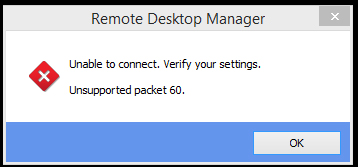
I also have noticed something odd. If I go to connect to a switch using a key that has not been added to the switch, it will error out like normal (Key has not been accepted by the switch) but if it has been added to the switch, it will error out with Packet 60 error.
SSH to Cisco Switch with Private Key Error
Awesome, thanks Andre. I will keep an eye out.
SSH to Cisco Switch with Private Key Error
Thought I would give it a try with loggin enabled (To debug the ARD problem) and I found this in the log:
[9/11/2014 2:29:21 PM]ERROR SILENT Rebex.Net.SshException: Unsupported packet 60.
at Rebex.Net.SshSession.ZY(String A, String B, SshPrivateKey C, SshGssApiCredentials D)
at Rebex.Net.SshSession.Authenticate(String userName, String password, SshPrivateKey privateKey)
at Rebex.Net.Ssh.QIB.MCB(String A, String B, SshPrivateKey C, PIB D)
at Rebex.Net.Ssh.ZO(String A, String B, SshPrivateKey C, PIB D)
at Rebex.Net.Ssh.Login(String userName, String password, SshPrivateKey privateKey)
at Devolutions.RemoteDesktopManager.Frames.Embedded.FreEmbeddedSshShell.Connect()
Hope that helps.
Thanks,
Karl
Remote Desktop Manager 10.1 Beta
What keyboard layout are you using lat and Karl?
Testing was done primarily with a US keyboard layout.
Yep, using US.
Remote Desktop Manager 10.1 Beta
Progress! I can connect to my mac and enter my password, but the enter key isn't working.
Ok, after the latest update I could type in my password but, like the user quotes, cannot press enter. Doing some testing, I have found:
- Mouse scroll wheel doesn't work in either direction (Not major)
- Tab and enter (Both numpad and main) do not work
Good work though :) You have done an amazing job.
Thanks,
Karl
SSH to Cisco Switch with Private Key Error
Sorry for the delay, been busy as for the last few days.
I have attached two files:
Test-for-dev.ppk contains a password (password is 'test')
Test-for-dev-nopass.ppk contains no password.
Both are exhibiting the same problem:
edited by khakkinen on 11/7/2014