
Thomas Hofkens
[2026.3.x] Edit scripts from filesystem
Thank you for the explanation, I'll be back with the customer next week. I'll check it out and hopefully not forget to give you feedback when it works like I expect
[2026.3.x] Edit scripts from filesystem
Hi guys,
There used to be a toggle to switch between VS Code (= filesystem) script editing and Browser script editing. That button is gone and I prefer to do the filesystem editing so now I'm using the following to reload from the filesystem but it looks like it restarts all the apps, blocking colleagues working it them:
Sync-PSUConfiguration -ComputerName 'http://localhost:5000' -UseDefaultCredentialsIs there a way to get the filesystem editing working like it used to?
I've tried the following but it doesn't seem to work:
Sync-PSUComponent -Id 2 -UseDefaultCredentials -Broadcast
Stop-PSUApp -Name 'New User' -ComputerName 'http://localhost:5000' -UseDefaultCredentials
Start-PSUApp -Name 'New User' -ComputerName 'http://localhost:5000' -UseDefaultCredentials
Best regards,
Thomas
[2026.3.1.0] Cannot create apps / scripts
Thanks, I'm going offline for 10 days but I'll try to remember to send feedback
[2026.3.1.0] Cannot create apps / scripts
Experiencing the same with published folders
I installed the Module 'PowerShellUniversal.ActiveDirectory.Scripts' and those scripts are showing up just fine. The PowershellUniversal.App.ActiveDirectory App works, too
[2026.3.0] UDSelect $EventData serialized
Today, I updated PSU at a customer site to 2026.3.0 and a few apps stopped working. After some troubleshooting, it seems that the data in $EventData is still serialized as a JSON string instead of being unserialized like it used to be.
[2026.3.1.0] Cannot create apps / scripts
I just installed 3.1.0 on my own laptop to test something out but I wasn't able to create apps or scripts. I signed in with a developer account. I also tried in a docker container with a trial key but same thing there. Just click the button for 'Create App' or 'Create Script' and it just freezes the whole page except for the navigation menu.
Did $EventData in UDSelect change in 2026.3.0.0?
Hi, I've come across the same issue (among lots of others, will be posting bug reports in a minute). The documentation hasn't changed but the output of $EventData seems to be raw JSON data instead of unserialized objects.
One-Time password window auto-closes
Great! I'll pass on the information to my colleagues and I'll plan an update in the coming weeks. Thank you!
Dark mode selected text
Could you make it pink?
j/k, looks great!
Dark mode selected text
Thanks for the swift feedback!
Dark mode selected text
Hi guys,
When using dark mode, it's almost not visible when text is selected:
Selected:

Not selected:

any advice?
Best regards,
Thomas
Web Browser over Delinea Secret Server Proxy
Hi Jonathan,
I got no response from Delinea on multiple requests. In the meantime, my colleagues responsible for that platform left us without documentation. There's hardly any proponents left so we're migrating everything to RDM.
Thank you for your follow-up but we won't need it anymore.
Best regards,
Thomas
Remote Powershell Script - Git Integration
Upvote for Azure Devops integration, it has ample REST API documentation: Items - REST API (Azure DevOps Git) | Microsoft Learn
We use Entra ID authentication to connect to DVLS. It would be great if it were possible to use that account to connect to our Azure Devops organization (Bearer tokens).
$Token = (Get-AzAccessToken -ResourceUrl "499b84ac-1321-427f-aa17-267ca6975798").token
@{ Authorization = "Bearer $Token" }
Here's a snippit I use to get an access token from a regular azure token. I know you're not running powershell (probably msal.net?) but it's the 'ResourceUrl' that's important.
Sync All Vaults (background) on regular intervals
Hi Stéfane,
Thank you for the clarification, that's fine by me!
Best regards,
Thomas
Sync All Vaults (background) on regular intervals
We're running RDM 2025.3.20.0 with a DVLS 2025.3.5.0 back-end.
I'm looking at the setting 'Sync all vaults (background)' in the Datasource settings: 'On first load' or 'Manual'. Is there a possibility to make that daily or weekly (or custom interval)? Or even on application startup?
The thought behind that is: when a bomb or a plane drops on our HQ, we have off-site backups containing our DVLS server and Database but we'll still need to be able to get information out of our RDM in the short term.
We can click the sync icon in the status bar to manually sync but that's not enough.
Delinea Generate TOTP
Sounds great! Thanks!
Web Browser over Delinea Secret Server Proxy
Hi Xavier,
Thanks for looking into this, I asked the guys at Delinea for their documentation. I'll get back to you as soon as I've got my hands on it.
Best regards,
Thomas
Web Browser over Delinea Secret Server Proxy
Hi,
We already have plans to expand the session type that supports launching through Delinea Secret Server proxy (namely, SCP and SFTP). The plan is to allow linking any entry to a Delinea Secret Server credential configured with a mode "Proxy". This will make it easier to add support for more types in the future.
That being said, Web Browser is an altogether new protocol to support, so I'm not exactly sure what it entails yet, so I don't know how complicated this will be. I've nonetheless opened a ticket and we will post back with any progress.
Best regards,
@Xavier Fortin
Thank you
Web Browser over Delinea Secret Server Proxy
Hi,
We're in the process of merging another company into ours (we're both in the service delivery business). They have their limited amount of customers in Delinea Secret Server but that's only a PAM tool and not a connection management tool like RDM.
So we're working on merging both applications (RDM/DVLS and Delinea Secret Server) so we can work in a uniform manner. The only thing that is holding us back, is the absence of a 'Web Browser over Delinea Secret Server Proxy' connection type. RDP and SSH is working great but we can't merge without the Web Browser.
Best regards,
Thomas
MobaXTerm Session
Hello Thomas,
If you're using Devolutions Server as data source you need to configure the availability in RDM => Administration => System Settings => Type availability => Session
(Is there a special reason you want to use MobaXTerm sessions? Otherwise, I suggest looking at the SSH Shell session type.)
Regards.
Min
That was the location I should be looking in. Thank you! Solved it with this.
(Why MobaXTerm? If I remember correctly: they said MobaXTerm has a very good and easy to use file transfer feature. Don't quote me on that. They just said: MobaXTerm or not at all.)
MobaXTerm Session
Hi everyone,
We're trying to onboard an internal team onto our Devolutions Server / RDM solution. They are adamant about using MobaXTerm so I'd like to be able to add sessions for that application. The session type is available in the configuration but I can't find the option to add a session of that type:
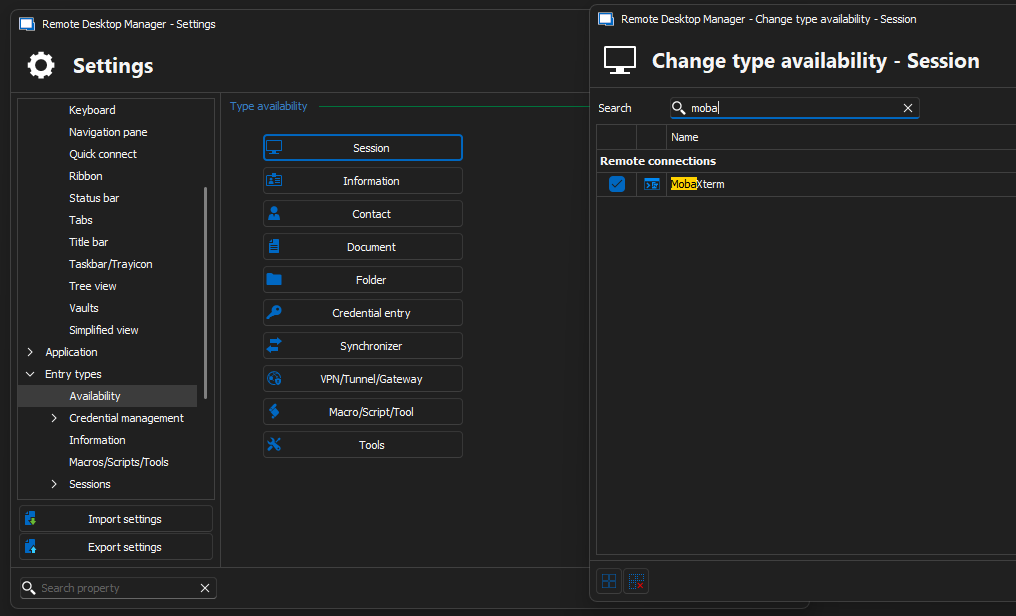
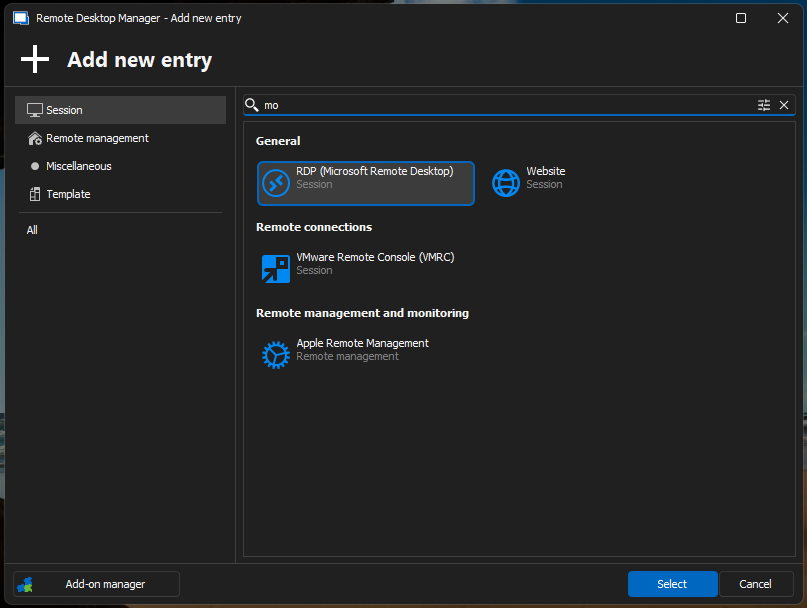
What am I doing wrong?
Best regards,
Thomas
One-Time password window auto-closes
We have a customer where we need the OTP password for a domain admin account almost constantly (for every server we log in to) so we want to leave the 'View One-Time Password' window open:
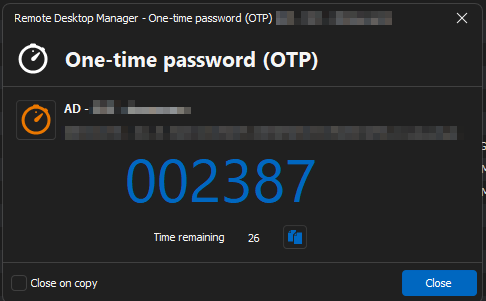
But after 5 minutes, it closes automatically. Is there a setting that prevents this? Our 'clear clipboard' setting is also set to 300 seconds. Maybe there's a correlation?
Best regards,
Thomas
Delinea Generate TOTP
Hi Xavier,
Thanks for the reply!
In Delinea Secret Server you can't really configure an OTP-only secret, it has to be added to a username/password object. So it'd have to be a possibility to copy the username/password and the OTP.
Best regards,
Thomas
Delinea Generate TOTP
Hi guys,
I'm setting up a test vault with Delinea Secret Server entries and everything is going great except when I try to get OTPs from entries in Delinea from within RDM.
Is it possible to implement this? I have this entry:
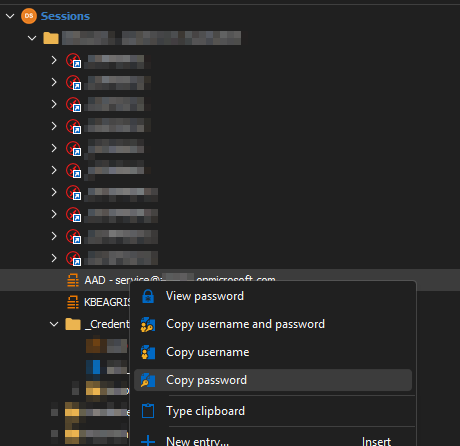
But there's no option to copy the OTP. The copy password works like it should.
We're using 2024.3.16.0 with a DVLS back-end.
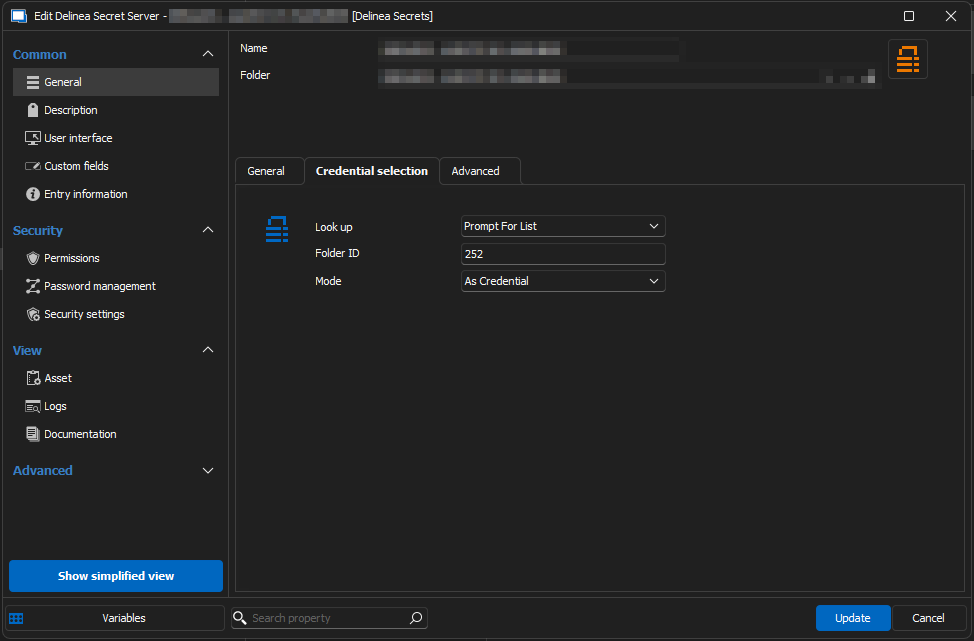
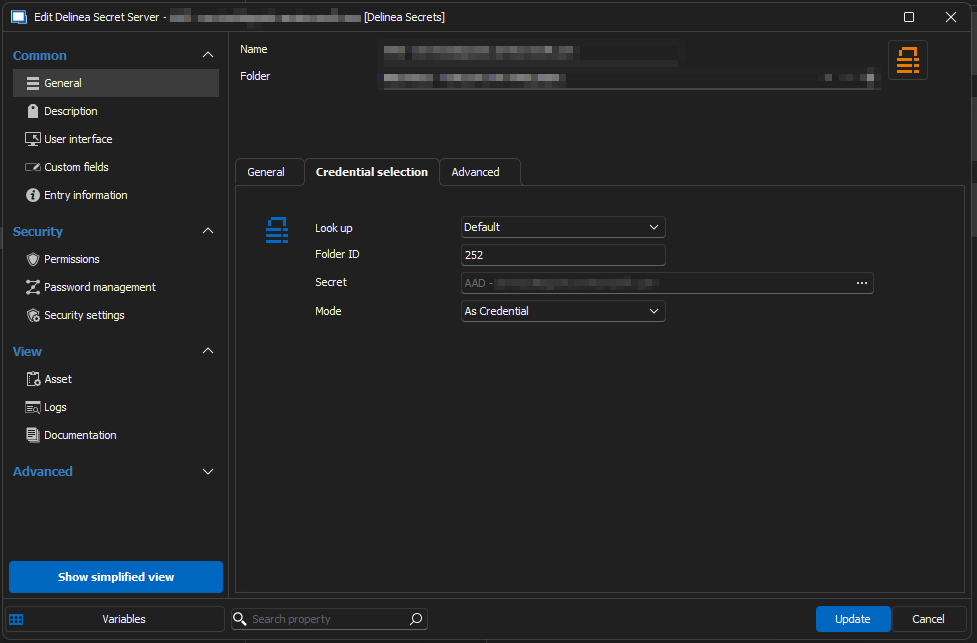
I tried with 'prompt with a list' and 'specific credential':
Best regards,
Thomas
Powershell: get password from RDM
That worked and was a lot faster! Thank you very much!