
npaul
Add to root setting not working for users
Thank you for the suggestion to look in the web UI. Where the RDM program had only the options of Permission type options of User or Administrator, the Web ui also had an option "Read-only user (Legacy)" which is what user was set to. In the Web UI I changed the User to User and now everything is working as expected.
Add to root setting not working for users
User is set to User
Your directions don't track, I'm not sure how you want me to open the vault's Properties, do you mean right clicking on the Vault in navigation and then click properties there or something else? this is what I see under properties, nothing that says exactly Security and no permissions tab. There is a permissions section under Inherited permissions, but that's the closest I can find
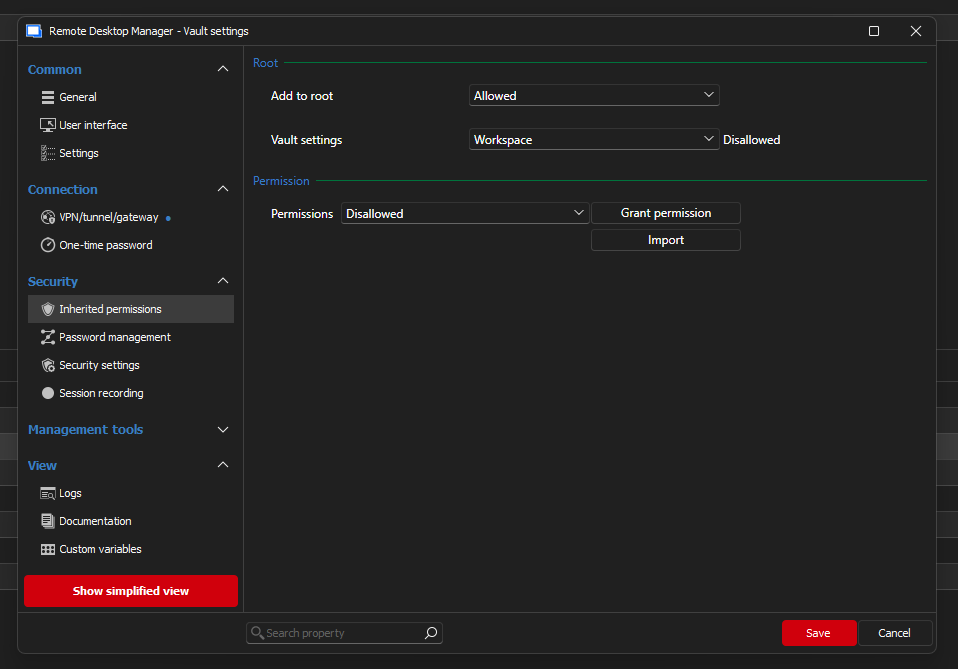
Again your directions don't track, I got to Administration, User groups and then you want me to click edit on the group? I see nothing in there with security or permissions:
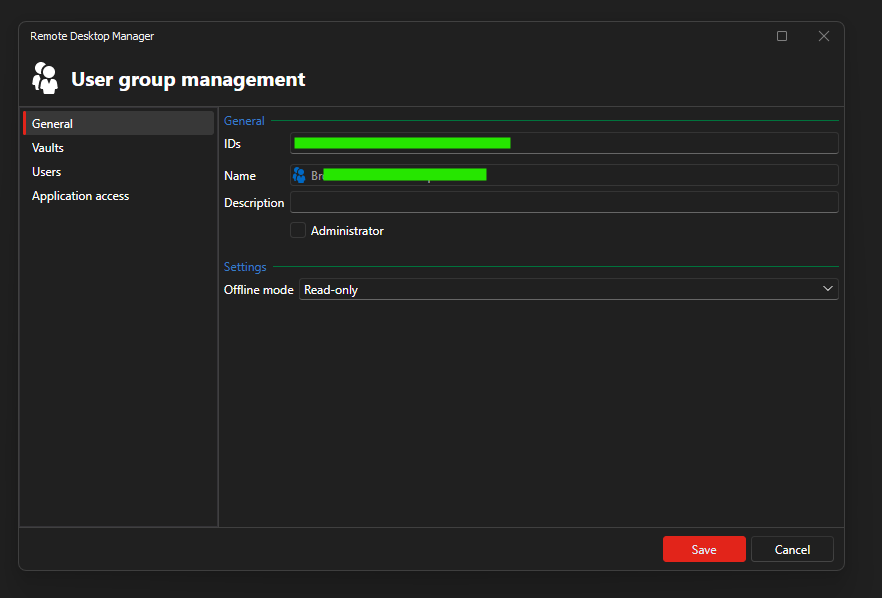
I could not confirm the above so I have not have the user do a "full refresh"
Add to root setting not working for users
Hello,
I have a Vault setup and my users are not able to add things to the Vault root, only administrators. I changed the Vault Settings - Inherited permissions - Add to root from Workspace to Allowed and I also changed Administration - System permissions - Entries - Add to root from Default (Allowed) to Allowed.
My user reported that at first they were able to add to the Vault root after I made those changes, however after they closed and re-opened RDM they reported they are no longer able to add items to the root.
I'm running RDM 2026.2.9.0 and server 2026.2.9.0
IOS-XR unable to SSH on 2025.2.14.0
After checking the "Skip environment variable setup" box then I am able to connect successfully
IOS-XR unable to SSH on 2025.2.14.0
It seems like this issue might be back? I am encountering the same issue as described on 2025.3.29.0
Devolutions.ProtocolsSharp: 2026.1.7.1 OS: Windows
The server did not accept the environment variable
Shell request failed
Bytes sent: 1920, Bytes received: 2016
Packets sent: 11, Packets received: 12
Kex completed: 1
Key Mapping not working on 2025.3.27.0
Key Mapping for ssh is working as expected on 2025.1.41.0 (I know that's quite the jump, we installed that release to demo the product and finally bought it and brought everything up to date)
Add a Disconnect ✂️ feature next to Reconnect (not a log off, just Disconnect to cut the connection)
Ah yes that's the difference, the SSH connection is going through the Devolutions Gateway, if I disable that then things work as expected. Of course, I need to use the Devolutions Gateway, so how can I adjust my setting to stop the tab from doing a "full" reconnect?
Thanks!
Add a Disconnect ✂️ feature next to Reconnect (not a log off, just Disconnect to cut the connection)
I agree this option should be added to all types. Also, related to this, on ssh when I disconnect (currently by typing exit in the CLI) The tab stays open with my session as I'd expect, however if I click Reconnect my session is closed and a new one opened, this same tab should be used with all my scrollback, I just want the session started back up. (similar to the "restart session" function in putty)
Key Mapping not working on 2025.3.27.0
On both Telnet and SSH sessions I have Key Mapping setup to fix the Home End and Delete keys and it seems like no matter what options I select the Key mapping of any key does not work on this version. I've attached an image of my previously working setup.
Thank you.
