Add to root setting not working for users

Hello,
I have a Vault setup and my users are not able to add things to the Vault root, only administrators. I changed the Vault Settings - Inherited permissions - Add to root from Workspace to Allowed and I also changed Administration - System permissions - Entries - Add to root from Default (Allowed) to Allowed.
My user reported that at first they were able to add to the Vault root after I made those changes, however after they closed and re-opened RDM they reported they are no longer able to add items to the root.
I'm running RDM 2026.2.9.0 and server 2026.2.9.0
All Comments (5)
Hello,
Thanks for reaching out!
Since the two settings you changed worked briefly and then reverted after the RDM restart, the issue is almost certainly being overridden by another permission layer.
A few things to check in the DVLS web Ui:
- User Type — Confirm the user is set to User (or Administrator) in Administration → Users → [user] → General → User type. Read-only and Restricted users can't be granted Add rights through permissions alone.
- Vault-level Security — Open the vault's Properties → Security → Permissions tab. If it's set to Custom, the explicit rules there override the Inherited permissions you adjusted. Either set it back to Default or explicitly grant Add in root to the affected users/groups.
- User Group permissions — If the user belongs to a user group, check Administration → User groups → [group] → Permissions and make sure Add in root isn't set to Denied. Denied at the group level beats Allowed everywhere else.
- Force a full refresh — After confirming the above, have the user log out of the data source and back in (not just close/reopen RDM) so the client rebuilds its permission cache from the server.
If it still fails after those four checks, let me know, and we will investigate further!
Best regards,
- User is set to User
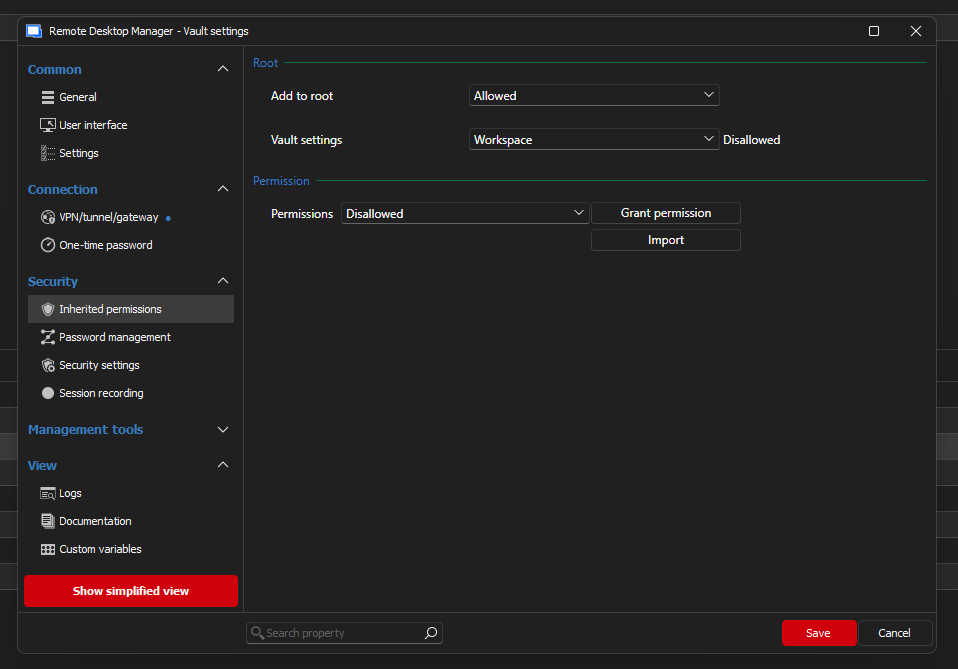
- Your directions don't track, I'm not sure how you want me to open the vault's Properties, do you mean right clicking on the Vault in navigation and then click properties there or something else? this is what I see under properties, nothing that says exactly Security and no permissions tab. There is a permissions section under Inherited permissions, but that's the closest I can find
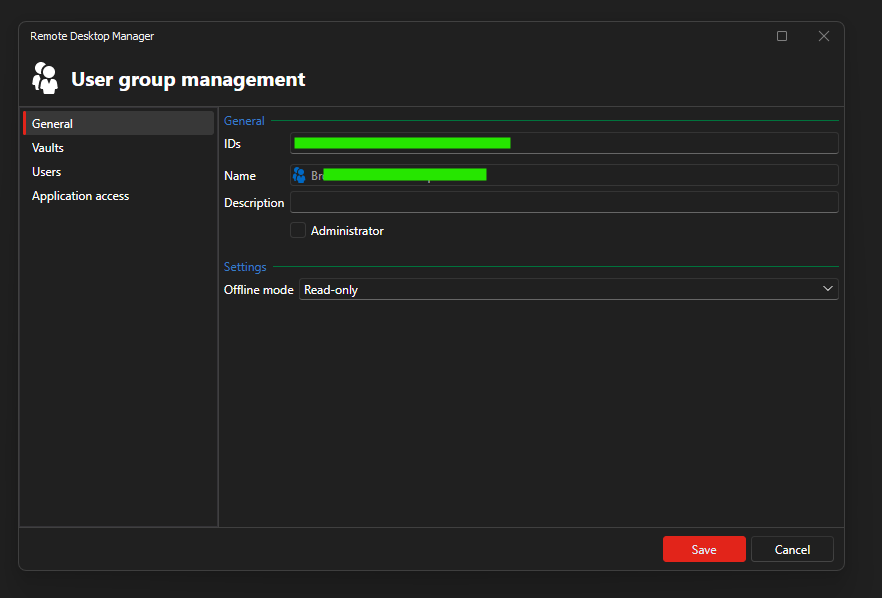
 Again your directions don't track, I got to Administration, User groups and then you want me to click edit on the group? I see nothing in there with security or permissions:
  I could not confirm the above so I have not have the user do a "full refresh"
a7e2a693-cdc3-4eaa-a81c-242c0fb9848a.png
e95eeda2-d0fe-4e47-9750-2d7c130e4159.png
Hello,
Thank you for the feedback.
Could you please navigate to your DVLS Web Ui and follow the steps again?
I will attach a screenshot showing how to check the vault level security from there.
You will also be able to check the User Group permissions by selecting 'Administration' in the navigation pane on the left side of the webpage, and then selecting 'User Groups'.
Thank you in advance!
Best regards,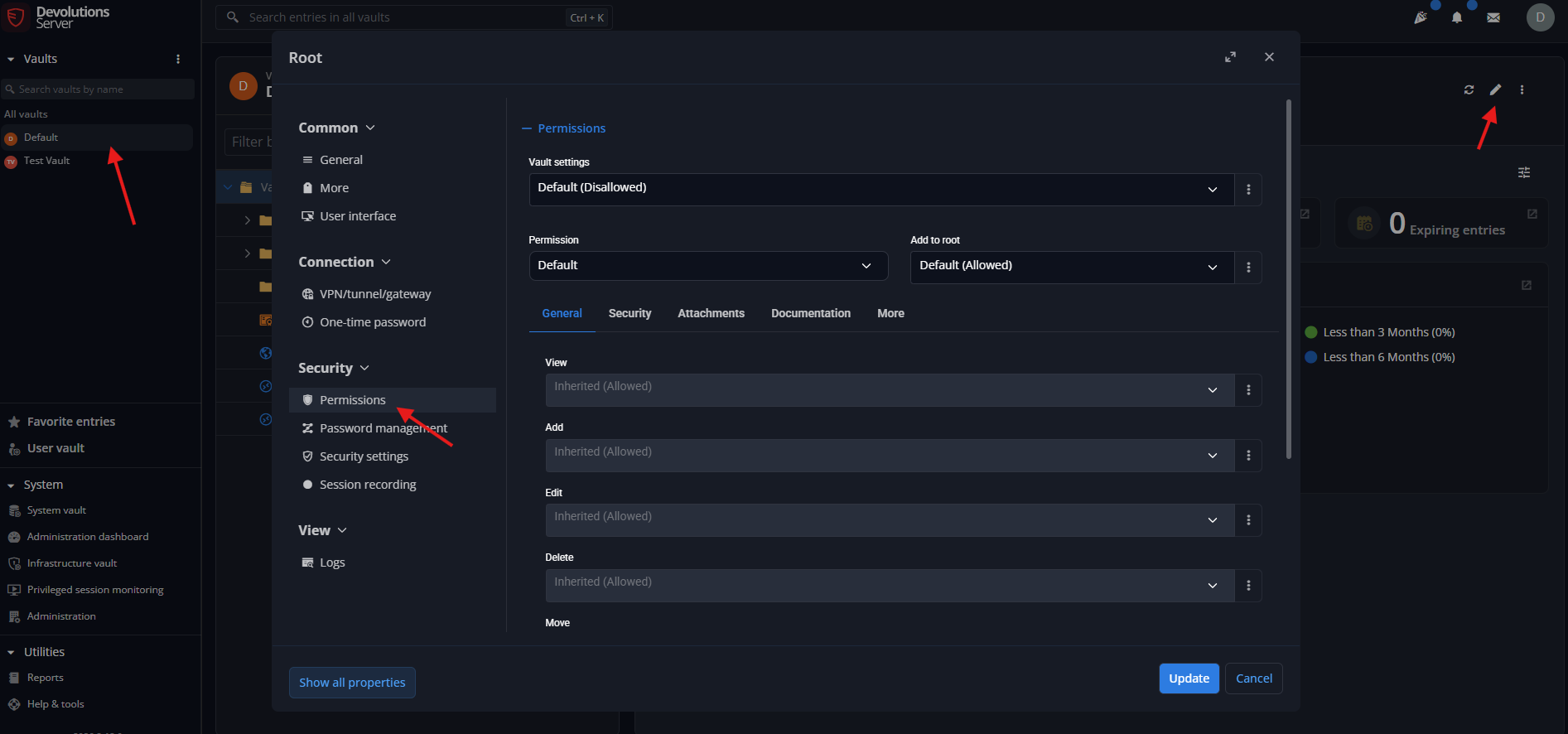
Screenshot 2026-08-17 091043.png
Thank you for the suggestion to look in the web UI. Where the RDM program had only the options of Permission type options of User or Administrator, the Web ui also had an option "Read-only user (Legacy)" which is what user was set to. In the Web UI I changed the User to User and now everything is working as expected.
Hello,
Thank you for the feedback.
You are very welcome!
Best regards,